Brief Overview
Manage the overall preferences for WalkMe Learning Arc, including AI audio. The AI audio feature converts text-based course content into AI-generated narrations. The feature relies on an organization-level configuration and a mandatory approval workflow to ensure accuracy before content becomes visible to learners.
AI Audio
Feature set up
- Go to the Settings page in WalkMe Learning Arc
- Select the General tab
- Turn off AI audio to disable audio versions of courses
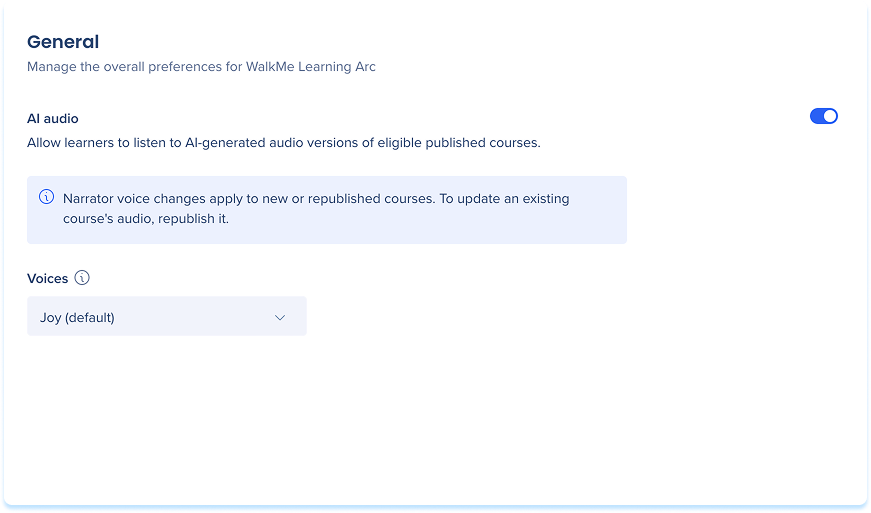
-
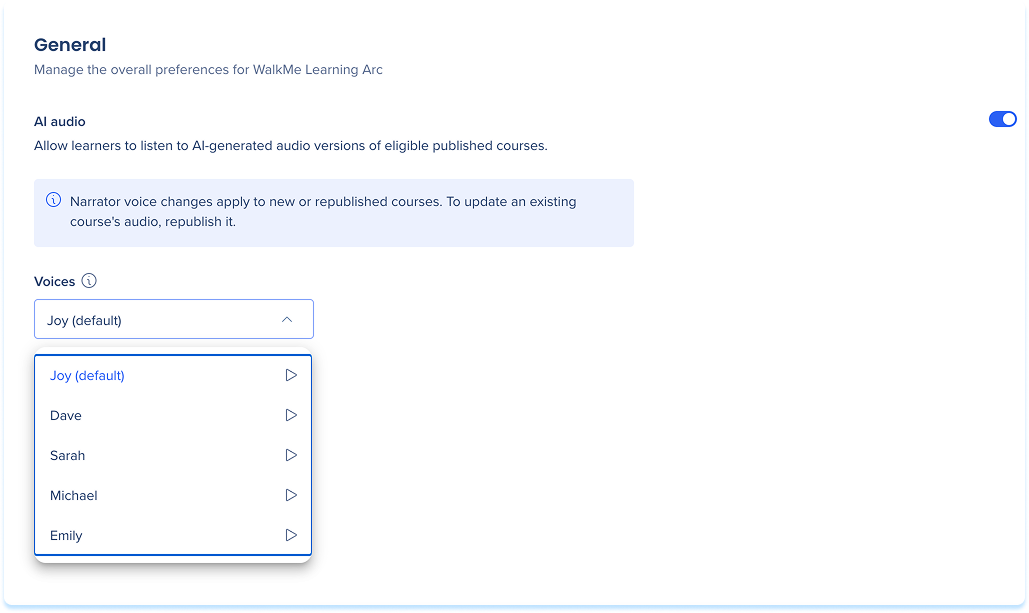
Select one default voice from the Voices dropdown
Audio generation and approval
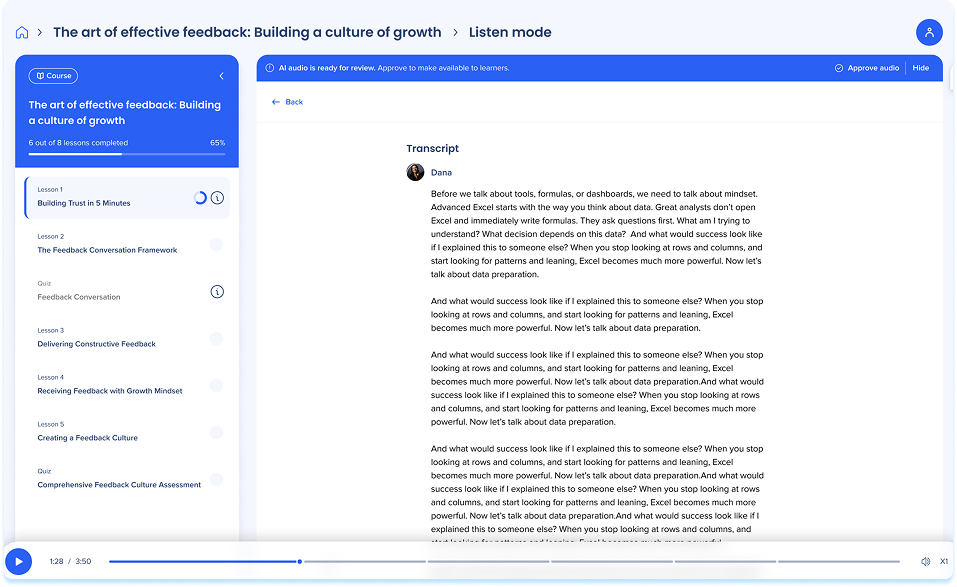
When you publish a course, WalkMe automatically generates the audio and transcript. For courses with published offline translations, audio and a transcript are generated for each supported language. Audio is hidden from learners by default.
- Select Approve to make the Listen button visible to learners in the course
- Select Hide to keep the audio unavailable
Note
If you hide the audio, learners won't be able to use listen mode for the course. To restore access, republish the course and you'll receive a notification to review the new AI audio.
Technical Notes
- Editing the generated audio transcript isn't supported
- AI audio is generated in English and in supported published translation languages, and courses must contain text
- AI audio is generated for courses in English and for published offline translations in these languages:
- German (de-DE)
- Japanese (ja-JP)
- French (fr-FR)
- Spanish (es-ES)
- Portuguese (pt-BR)


