Brief Overview
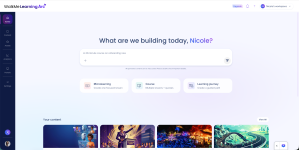
The Home page is the starting point for building content in Learning Arc. From here, you can describe what you want to build in the AI chat and Learning Arc generates the content for you, or jump straight into a Microlearning, Course, or Learning Journey from the quick-start cards. Recently accessed content appears below so you can pick up where you left off.
Use Cases
The Home page supports the following use cases:
- Generate a lesson, course, or learning journey from a natural-language prompt without starting from a blank builder
- Start a new build from a pre-set content type when you already know what you want to create
- Reopen recent content directly from the Home page instead of navigating through folders
Access
Open Learning Arc and select Home from the sidebar.
How It Works
Build with AI chat
Type a description of what you want to build in the AI chat, then select the send icon. Learning Arc generates the content and opens it in the course builder for review and editing.
The AI chat uses the same generation engine as Create with AI in the builder — the Home page is an additional entry point.
Quick-start cards
Select a card to start a new build with a pre-set content type:
- Microlearning: One focused lesson
- Course: Multiple lessons and quizzes
- Learning Journey: A guided path across multiple courses
Selecting a card opens the course builder.

Your content
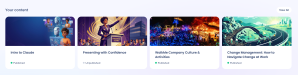
The Your content section shows cards for content you've recently worked on. Select a card to open it in the course builder, or select View All to see the full content list.
Your portals
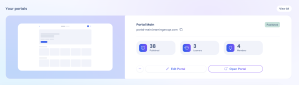
The Your portals section shows all the portals in your account. Select a portal to open it, or select View All to see the full list.