Brief Overview
We're constantly working on new features and improvements so it's important you keep your mobile menu app up-to-date to get the latest and greatest experience.
This article will review the types of updates and how you can see what exactly was updated!
Get to Know
Update Indications
The WalkMe Menu for Mobile has two update indications: Forced and soft updates.
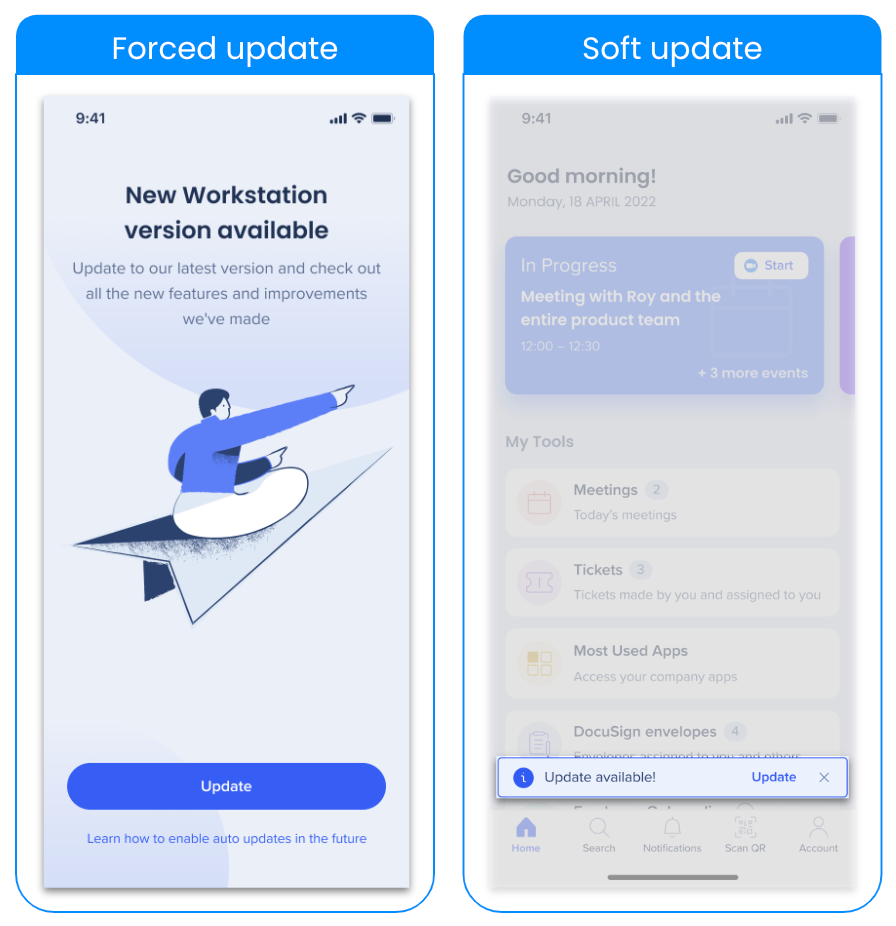
Forced updates: This update type means that the user must update the app in order to use it.
- When opening the WalkMe Menu for Mobile, you will see a full-page dedicated to updating.
- Click Update to navigate to your app store and update the application.
Soft updates: This update type allows the user to update at their own pace.
- When opening the WalkMe Menu for Mobile, you will see a toaster indicating there is an update available.
- Click Update to navigate to your app store and update the application.
Soft update is an enabled feature
If you'd like soft updates for the WalkMe Menu for Mobile, reach out to your WalkMe Customer Success Manager.
See What's New
After the application is updated, when opening the app again a success toaster will appear indicating the application was updated. Click See what's new to be navigated to the WalkMe Menu release notes page on the Help Center.

You can also find this page in the Accounts page → What's new from the app.


