Brief Overview
WalkMe Learning Arc Onboard is a guided setup that helps you quickly configure and launch your WalkMe Learning Arc environment. It walks you through the key steps to get started so you can begin creating and managing learning content right away.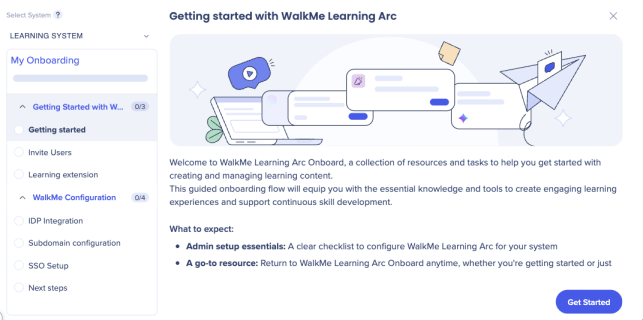
Access
Access Learning Arc in the console:
- Open the WalkMe Console
Getting Started with WalkMe Learning Arc
This guide introduces WalkMe Learning Arc and helps you prepare your environment for collaboration and content creation.
🎓 Digital Adoption Institute
Welcome screen
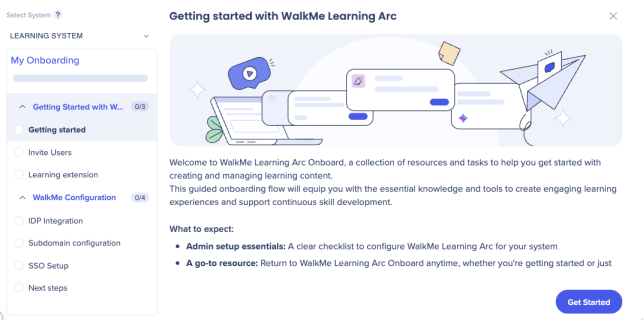
WalkMe Learning Arc Onboard opens in the WalkMe Console the first time you log in after activating your account. A welcome video highlights how WalkMe helps you maximize software value.
Note
The video appears only once.
After the video, view an overview of the Learning Arc Onboard flow:
- Self-serve setup steps
- Admin configuration checklist
- Access to return to Onboard anytime for future reference
-
Select Get Started to start the onboarding flow
Note
You can return to the main menu in the console anytime to continue onboarding at your own pace.
To open the main menu:
- Select your initials in the upper-right corner
- Hover over the progress bar to view your next steps and see how many tasks remain
Invite users
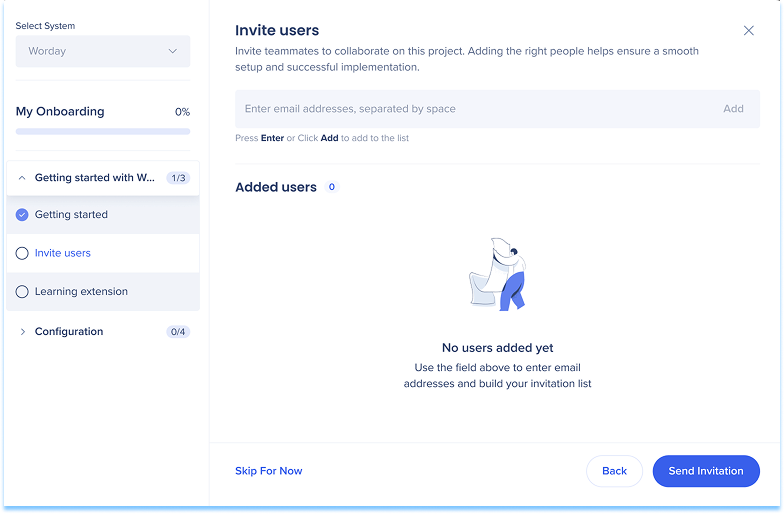
Add teammates to collaborate on your project.
- Enter their email addresses
- Select Send Invitation
Typical teammates may include:
- Developers
- IT team members
- Content creators
- Admins managing WalkMe
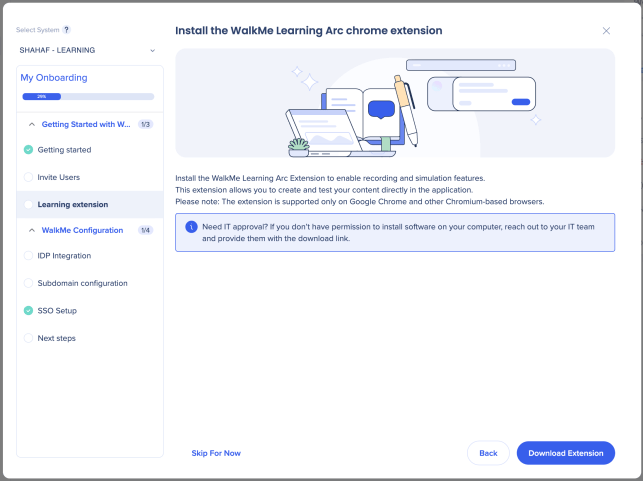
Install the WalkMe Learning Arc chrome extension
The extension allows you to enable recording and simulation features.
- Select Download Extension to begin the installation
Note
The extension is supported only on Google Chrome and other Chromium-based browsers.
Alternative installation method
If the extension was not installed during onboarding, install it when prompted by Learning Arc:
- Start recording a video, screen recording, or simulation in Learning Arc
- In the popup that appears, select the option to install the extension
- You are redirected to the Chrome Web Store
- Select Add to Chrome and follow the browser prompts to complete the installation
- Return to Learning Arc and refresh the page if prompted
Configuration
Configure your environment to support collaboration and learner access.
IDP integration
Connect an Identity Provider (IDP) to manage learner access securely. Each learner is uniquely identified for accurate progress and engagement tracking.
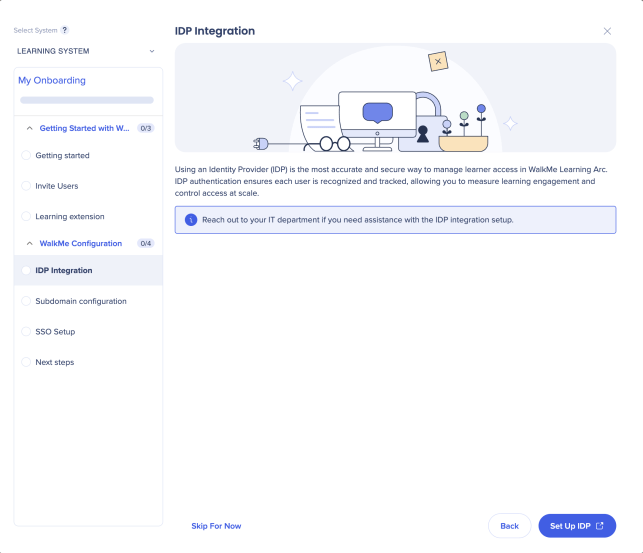
If no IDP exists:
- Select Set Up IDP
If an IDP already exists:
Choose one of the following options:
- Create a new IDP
- Click Set Up IDP
- Use an existing IPD
- Choose an IDP from the dropdown menu
- Select Continue
Setting up IDP outside of onboarding (via Admin Center)
If you didn't set up an Identity Provider (IDP) during onboarding, or need to configure one for an existing account, you can do this directly through the Admin Center.
IDP and SCIM configuration are managed at the WalkMe account level, but Learning Arc has additional requirements. The UUID must be in email format, and the assigned system must be a Learning Arc system.
Note
Completing IDP setup is also required before a dedicated subdomain can be configured. If you're unsure whether IDP has already been set up for this account, confirm with the account owner before proceeding
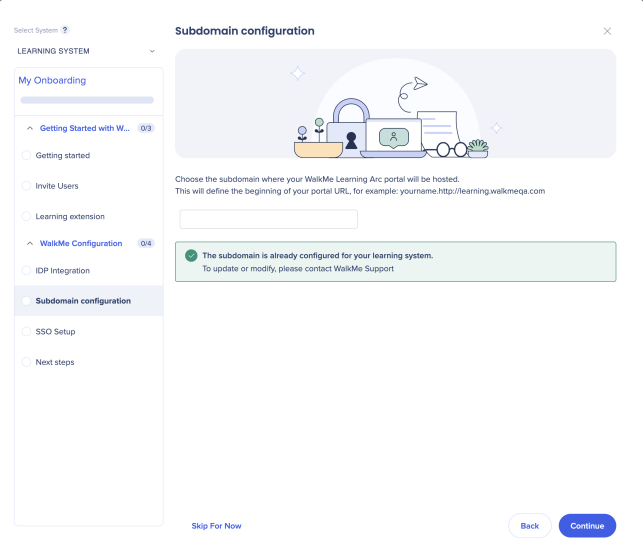
Subdomain configuration
Choose a custom subdomain for your WalkMe Learning Arc portal. This defines the beginning of your portal URL (for example: yourname.learning.walkme.com) and provides a dedicated access point for learners.
- Enter your preferred subdomain in the field
- Click Continue
Note
Subdomain configuration is required before learners can access the portal. You can skip this step now, but you'll need to complete it before publishing content.
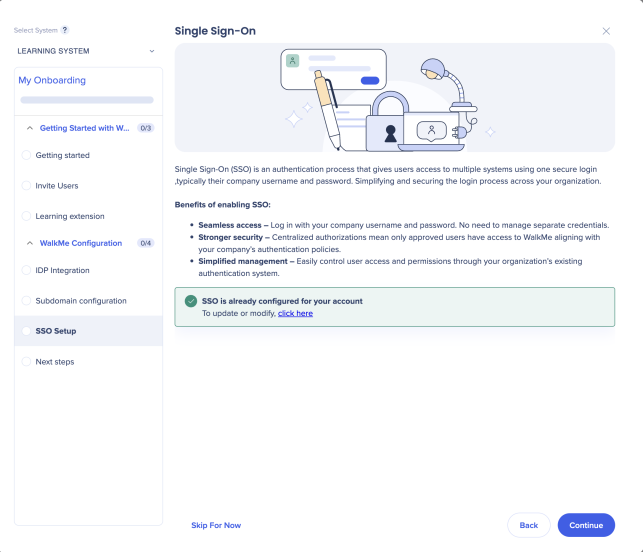
Single Sign-On (SSO)
Enable SSO to let users log in with their existing company credentials. SSO provides secure, consistent access and simplifies user management across your organization.
- Select Set Up SSO if it hasn't been configured
Next Steps
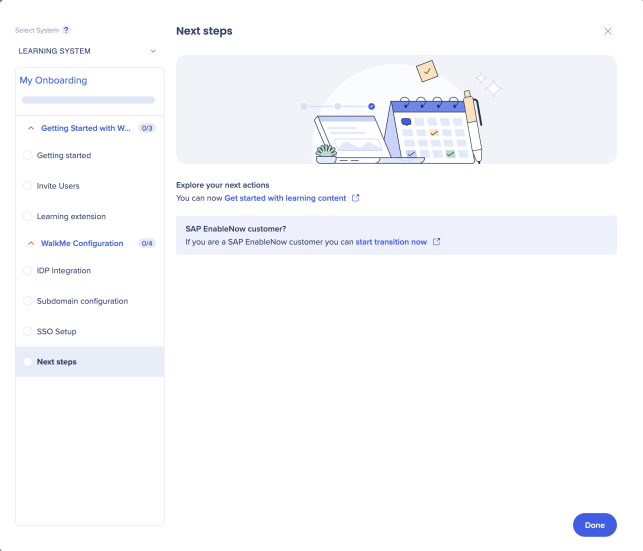
After configuration, a confirmation screen appears with next-step options:
- SAP Enable Now users: Transition your existing SAP Enable Now content
- Non-SAP Enable Now users: Start creating and publishing your own learning content