Brief Overview
WalkMe Learning Arc turns passive training into engaging, contextual learning experiences. It lets users build and deliver structured learning directly inside the applications where work happens.
This approach helps users learn by doing. It reduces friction, improves retention, and accelerates time to proficiency. Learning Arc combines microlearning, quizzes, courses, simulations, and AI-generated content in one flexible experience.
The solution supports guided and self-paced learning and includes collaboration tools that help teams deliver impactful, scalable, and role-based training across the organization.
Access
Access Learning Arc in the console:
- Open the WalkMe Console
- Go to the Content category
- Select Learning Arc
Access Learning Arc in the portal:
- Open the WalkMe Portal
Note
If your organization uses a custom domain, the URL follows this format: customer1.<data-center-domain> (for example, customer1.us.wmlearningarc.com for the US data center).
How It Works
Explore the key areas of the app to build, organize, and analyze learning experiences.
🎓 Digital Adoption Institute
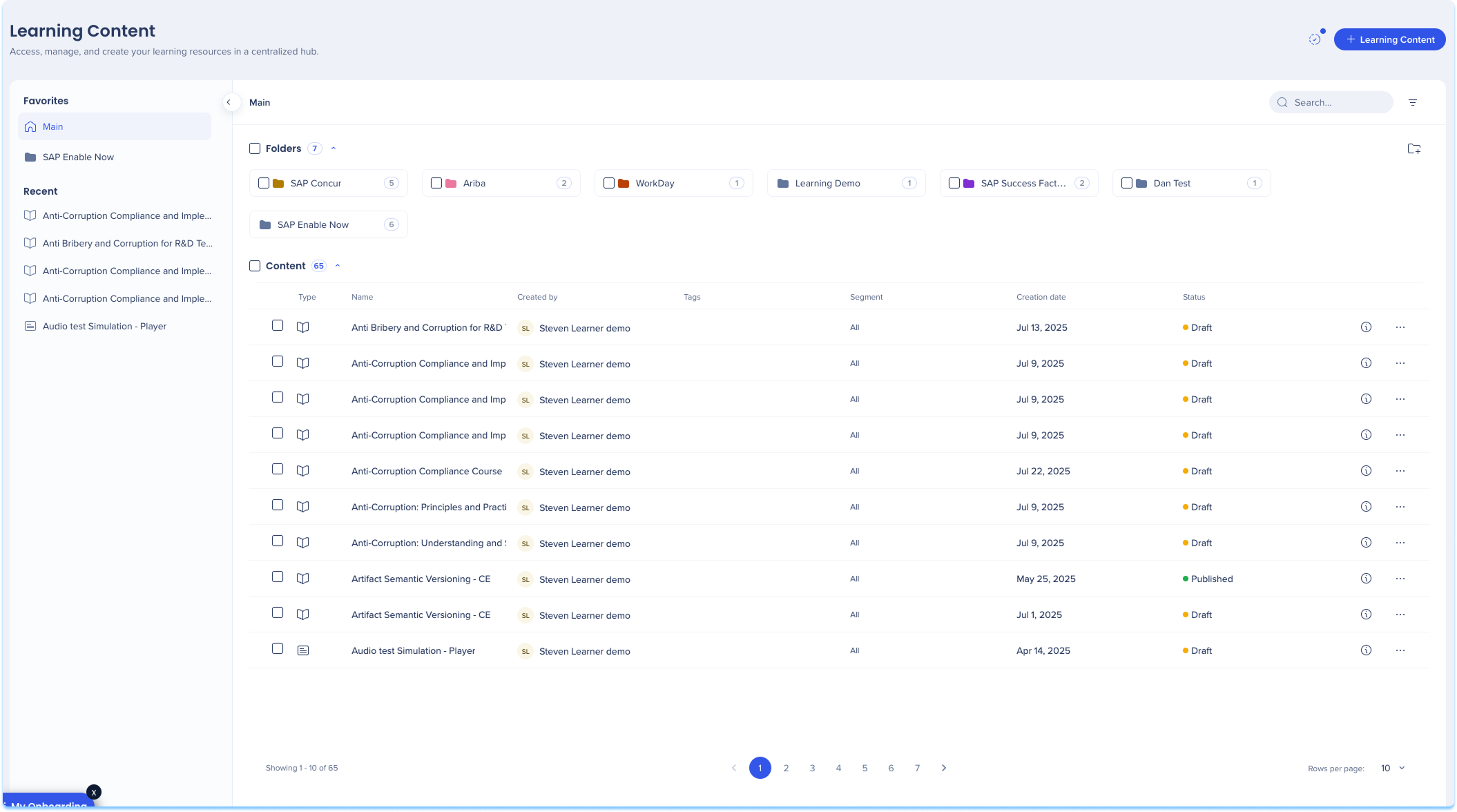
Learning content
Build and manage structured learning experiences. The Learning Content page lets you create, edit, and organize courses using a flexible course builder that supports multiple content formats.
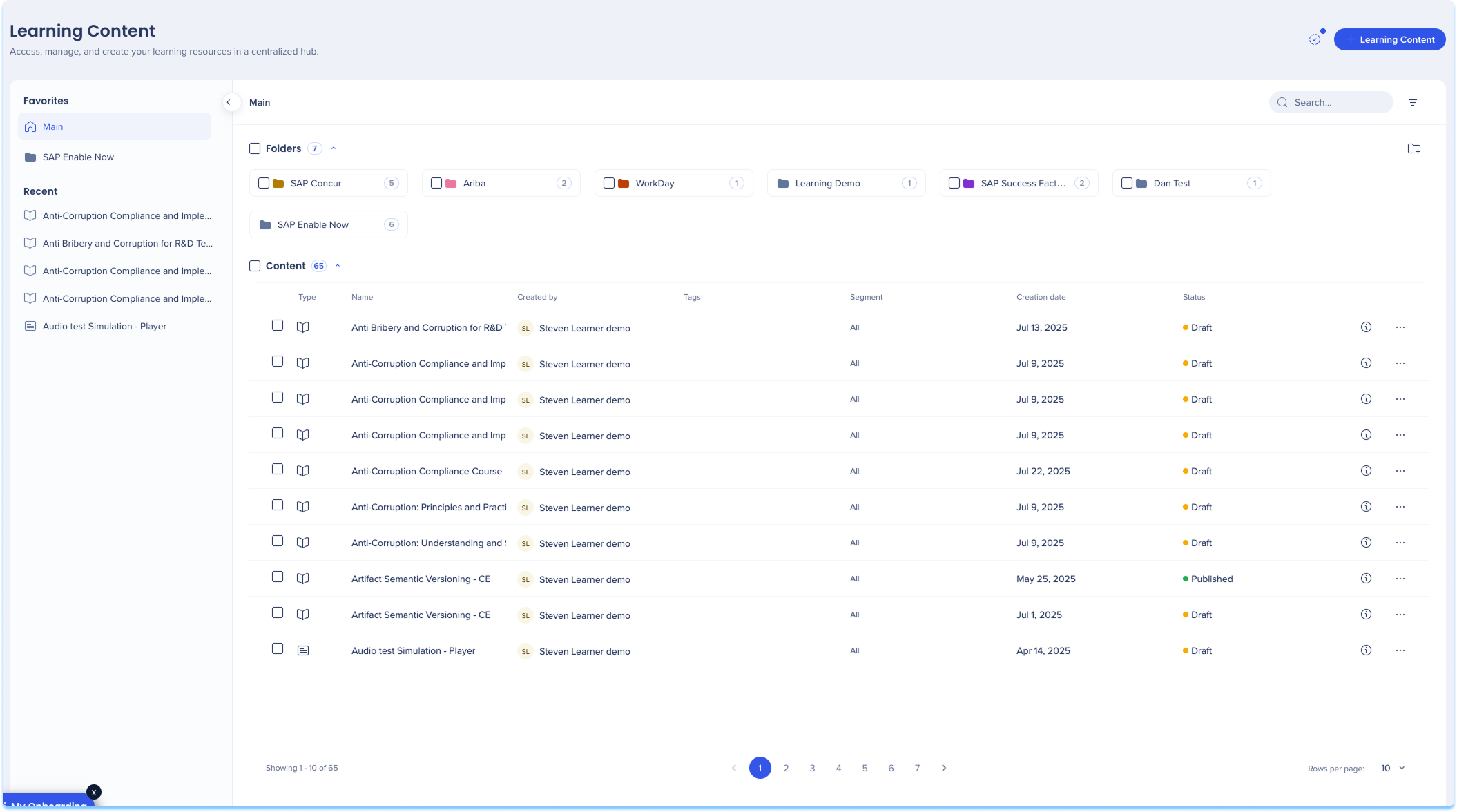
Learning Content in WalkMe Learning Arc
Learning assets
Upload and manage all learning files in one place. The Learning Assets page stores your media and simulation files so they can be reused across learning content.
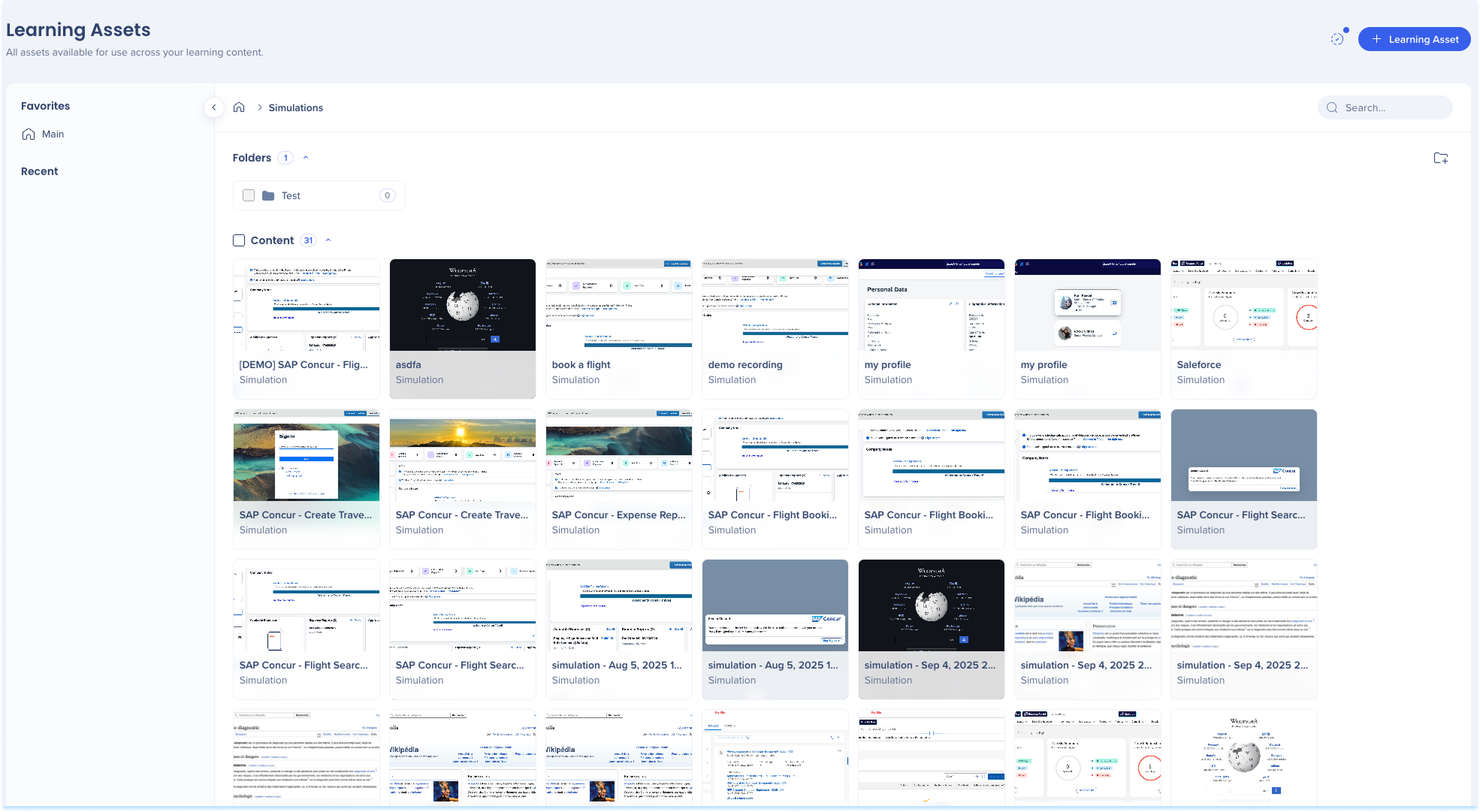
Learning Assets in WalkMe Learning Arc
Settings
Customize your learning environment. The Settings page lets you configure simulations and branding.
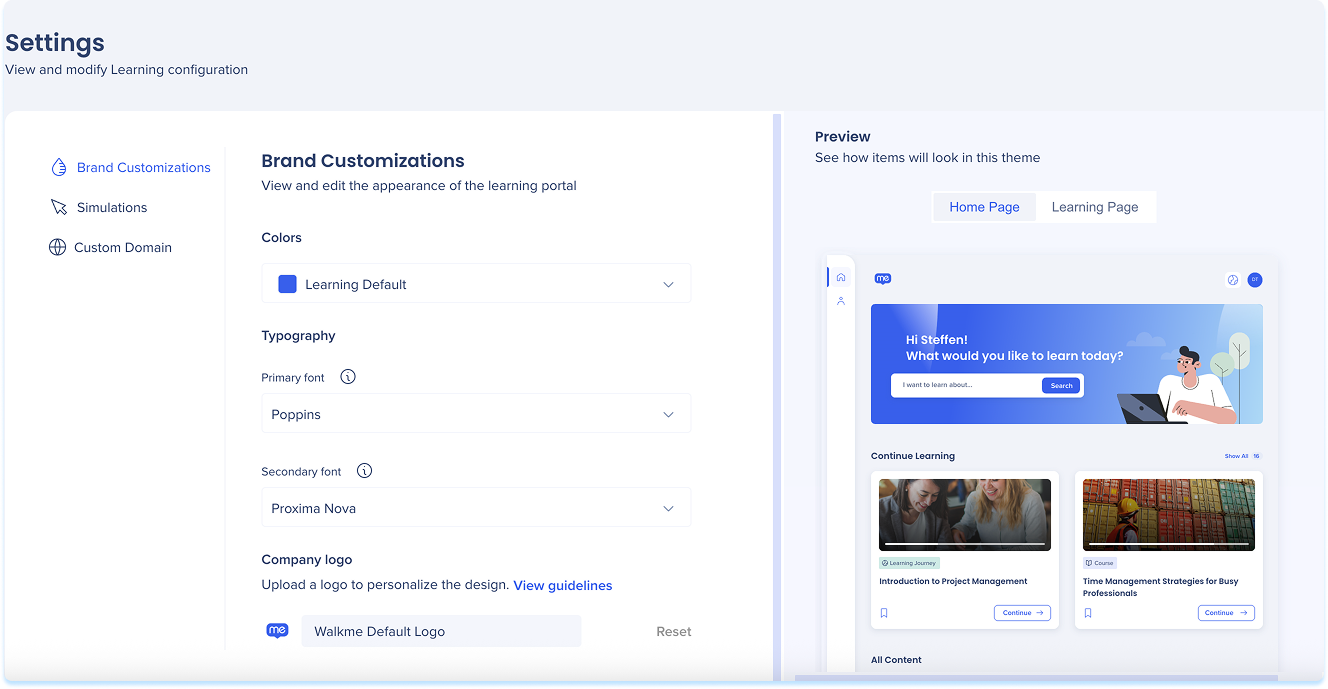
Settings Page in WalkMe Learning Arc
Transition SAP Enable Now Content
Transition content from SAP Enable Now into your learning environment. Instead of building everything from scratch, you can import existing SAP Enable Now content, convert it into microlearnings, and deliver it directly through the portal.

Transition SAP Enable Now Content
Learning Analytics
The Learning Analytics page helps you track learner engagement and performance across all courses. You can view overall learning trends, monitor completion rates, and identify learners who may need additional support.
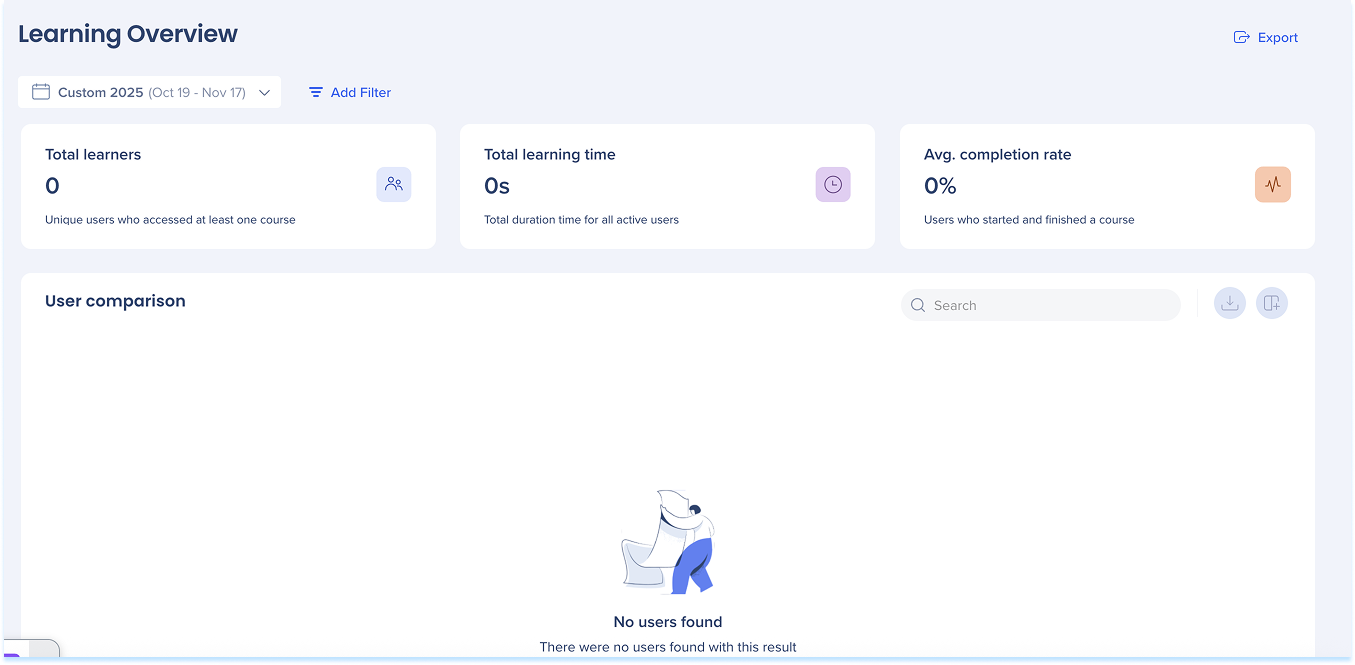
Learning Analytics: Getting Started Guide
Portal
Publish your learning program to your users. The portal is where learners access assigned courses, track progress, and complete training.
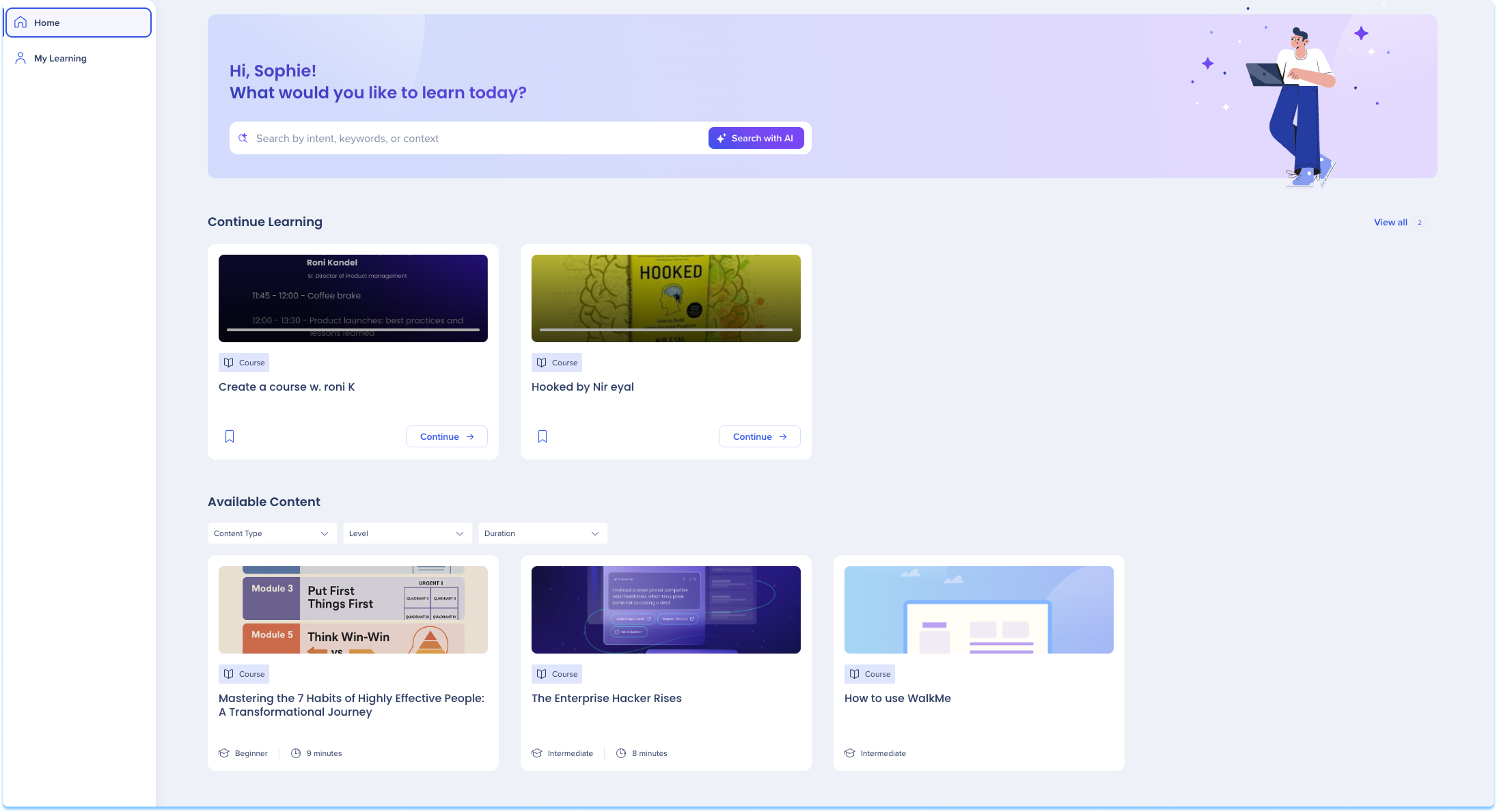
WalkMe Learning Arc Portal
Technical Notes
General
-
File uploads support files up to 200 MB
- Video file uploads support files up to 500 MB and up to 60 minutes
- Videos longer than 60 minutes may still be analyzed as long as they stay under 500 MB, though processing stability is not guaranteed.
- Tip: To keep videos under 500 MB, compress them before uploading by lowering the resolution (for example, to 720p) or reducing the bitrate.
-
AI Analysis doesn't support XLSX files
-
Real-time translation availability depends on the content's source language, and some source languages support few or no target languages
-
Learning content creation is only available in the WalkMe Console
-
Machine translation isn't applied when a course opens in a popup from the Pro Menu
-
Hashing user details is not supported natively in WalkMe Learning Arc
- The UUID sent from your identity provider must be in email format. If the UUID uses a different format, users won't be matched and won't have access to learning content
- WalkMe Learning Arc doesn't support LLM Integration
SAP Enable Now
-
Only customers transitioning from an SAP Enable Now contract get access to the transitioning options and with that the SAP Enable Now Producer
-
Only Admin users can view and select API keys when connecting Producer
Learning Arc extension
- Existing WalkMe customers must install the WalkMe Learning Arc extension to record learning content
- This requires a deployment cycle and applies only to content authors, with no impact on learners
Models
- Currently, WalkMe uses Google and OpenAI models for AI features in WalkMe Learning Arc. However, WalkMe reserves the right to change the LLM vendor in the future to enhance the performance and quality of the service.
Virtual machine support
Last updated: May 2026
- WalkMe Learning Arc does not officially support deployment on virtual machines. While the product does not actively block usage in VM environments, full support and troubleshooting cannot be guaranteed, as each virtual machine setup may present unique restrictions. Most content editing features are expected to work, except for recording:
- Web recording: Generally expected to function in VM environments, since the browser tab and extension run together automatically. In Citrix VDI environments, the recording icon appears in recordings because VDIs don't have a dedicated GPU.
- Desktop recording: Not supported in VM environments. The WalkMe Menu must run on the same machine and within the same process as the target application.
- Content playback: Learners can play content in VDI environments (for example, Citrix), but performance depends on the VDI configuration. Videos and animations may lag or show visual artifacts, and in some cases screenshots may load slowly.


