Brief Overview
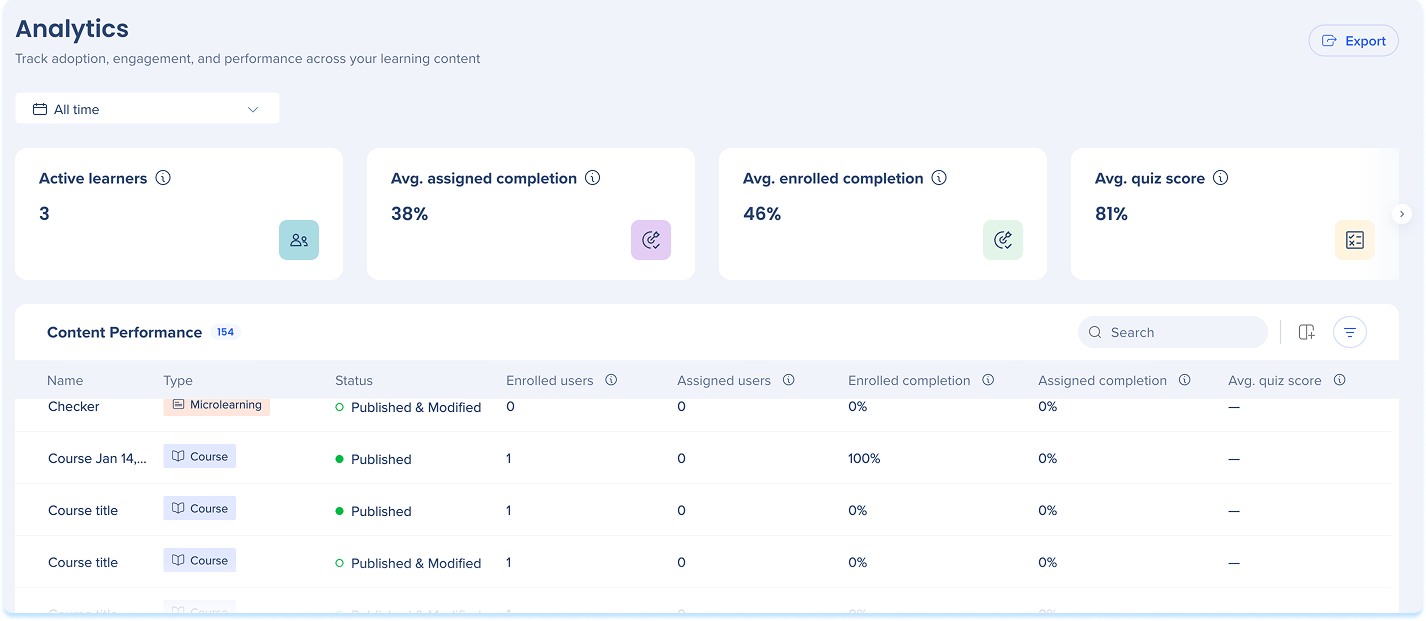
The Learning Analytics page helps you track adoption, engagement, and performance across your learning content. Use the page to monitor completion rates, quiz scores, and certificate progress, and to open individual courses or learning journeys for a closer look at learner activity.
The page has two levels: a dashboard that summarizes activity across all your learning content, and inner pages that break down performance for a single item.
Use Cases
- Monitor learner engagement across all content types
- Identify courses or learning journeys with low completion rates
- Track certificate progress across your organization
- Compare quiz performance across learning items
- Review individual learner progress in a specific course or learning journey
Access
Access Learning Arc in the console:
- Open the WalkMe Console
- Go to the Content category
- Select Learning Arc
- Select the Learning Analytics page
How It Works
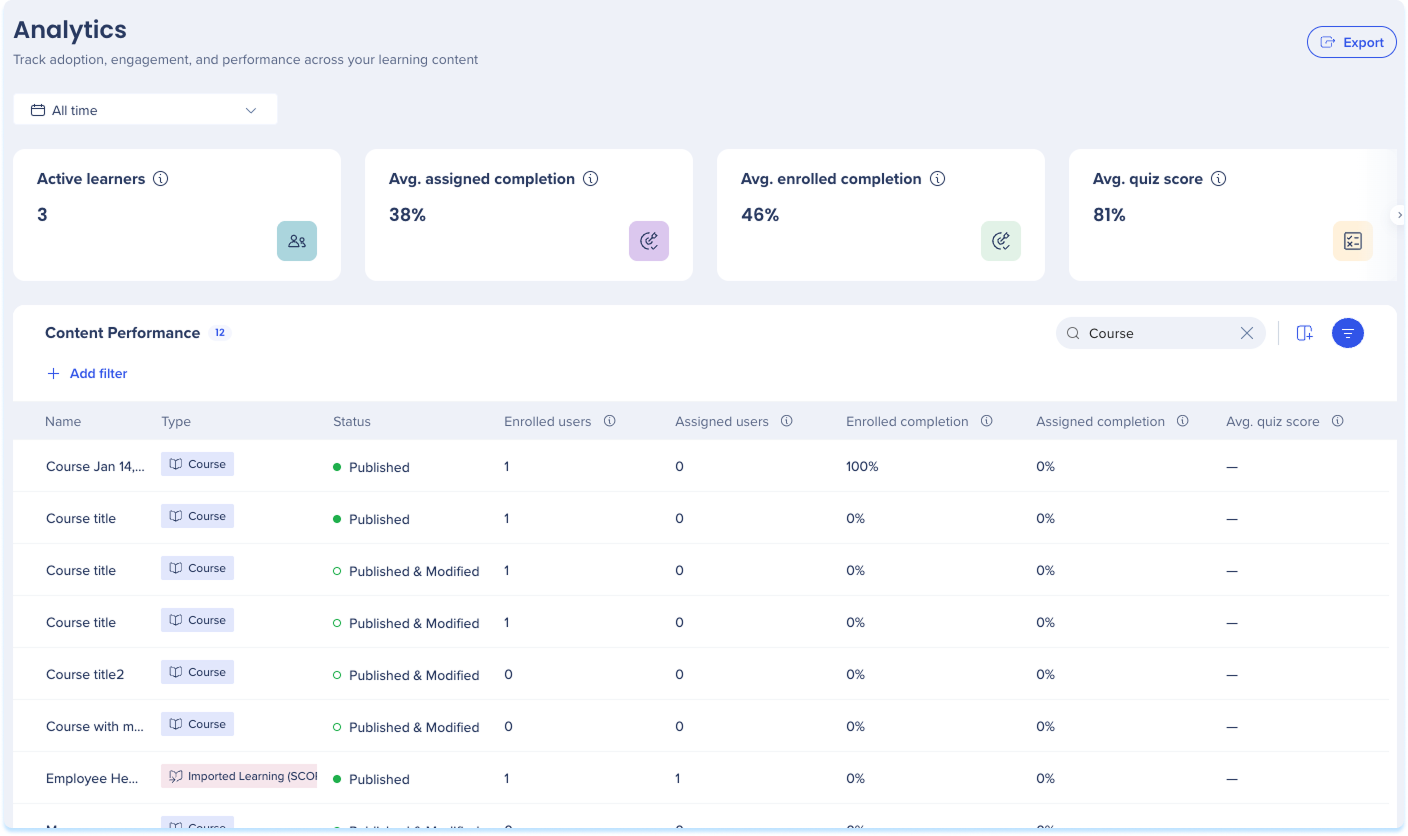
The dashboard opens with a row of filters, summary widgets, and the Content Performance table. Filters apply to the whole page, so the widgets and table update together.
Filter
One date range filter sits at the top of the dashboard. It sets the time scope for the whole page, so both the summary widgets and the Content Performance table reflect the range you choose:
- Date range: All time, Last 30 days, Last 90 days, Last 120 days, Last 12 months, or a custom range you set on the calendar
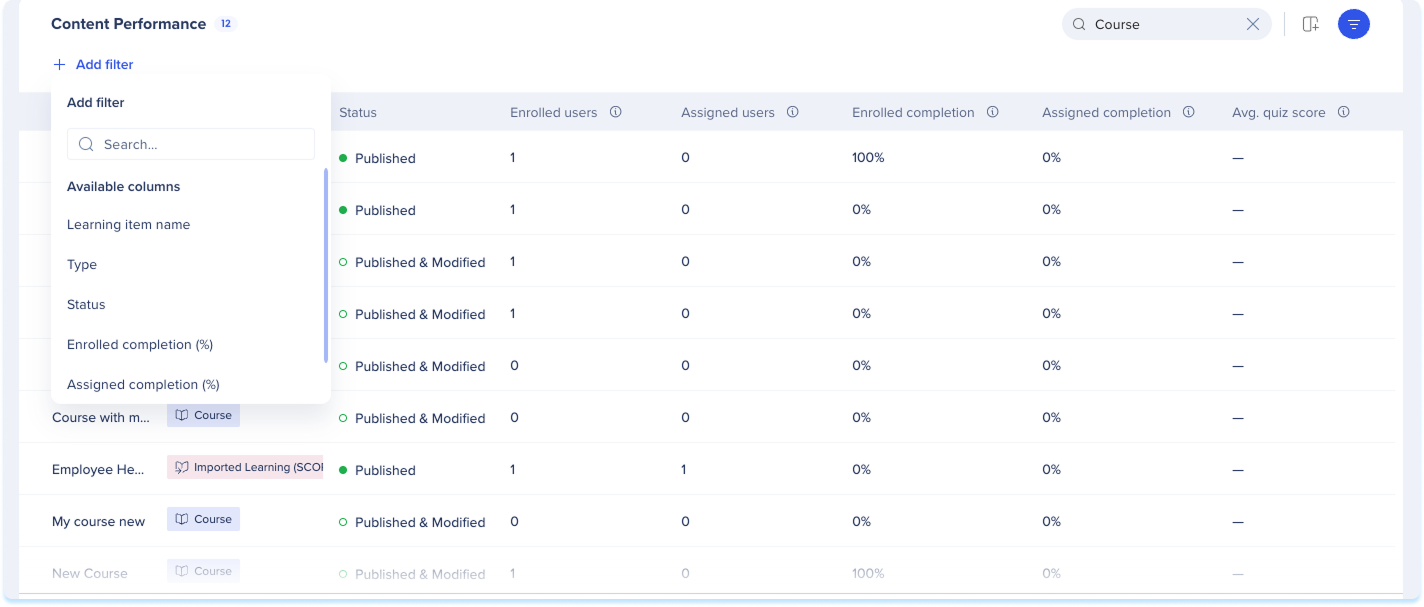
The summary widgets show activity across the content that matches your filters. Scroll the row to see them all. For any date range other than a custom range, each widget also shows the change compared with the previous period:
- Active learners: Distinct learners who started or completed at least one item in the selected period
- Avg. assigned completion: Average completion rate across items, for assigned learners only
- Avg. enrolled completion: Average completion rate across items, for assigned and self-enrolled learners who started in the selected period
- Avg. quiz score: Average score across all quizzes, counting each learner's latest attempt
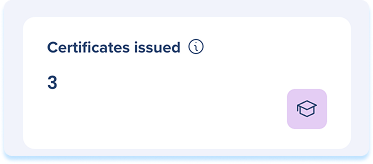
- Certificates issued: Total certificates issued in the selected period

Content Performance Table
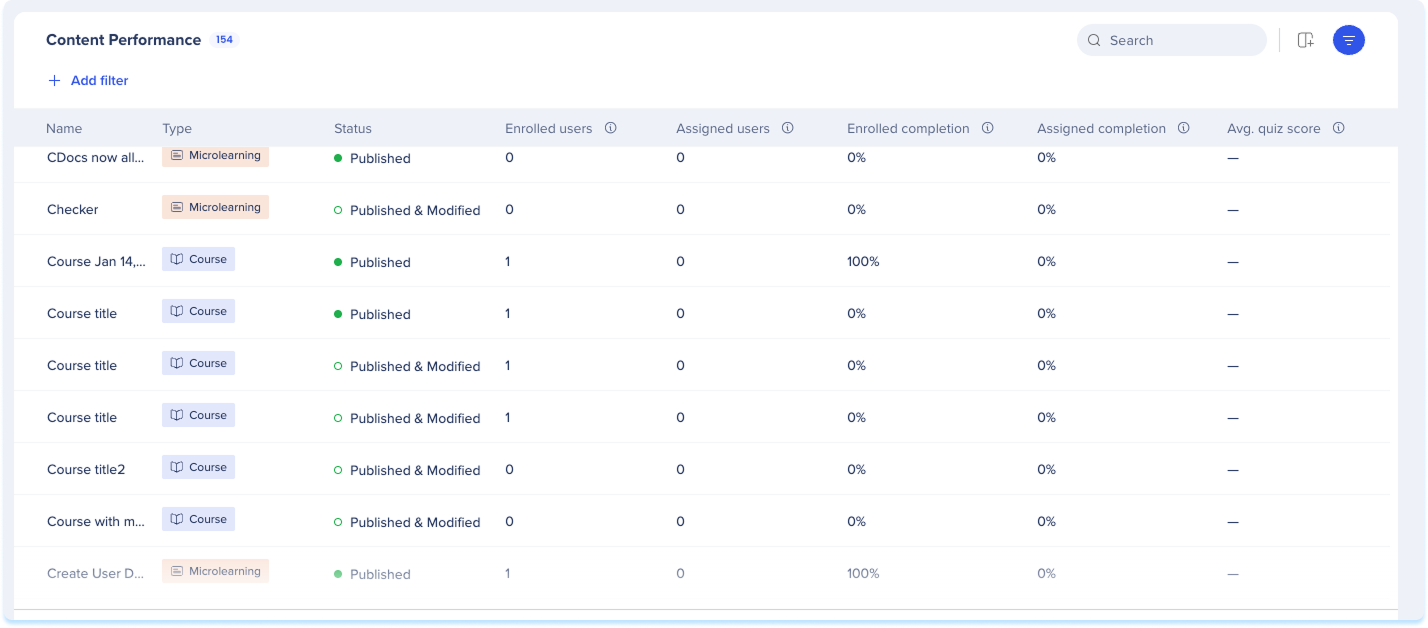
The Content Performance table lists every learning item that matches your filters:
- Name: The learning item's name. Select it to open the item's inner page
- Type: The content type, Course, Microlearning, Learning Journey, or Imported Learning (SCORM)
- Enrolled users: Distinct learners who started or completed the item, counting assigned and self-enrolled learners once each
- Assigned users: Distinct learners the item was assigned to, whether or not they started it
- Enrolled completion: Percentage of enrolled users who completed the item
- Assigned completion: Percentage of assigned learners who completed the item, including those who haven't started
- Avg. quiz score: Average score from each learner's latest quiz attempt
Content Analytics
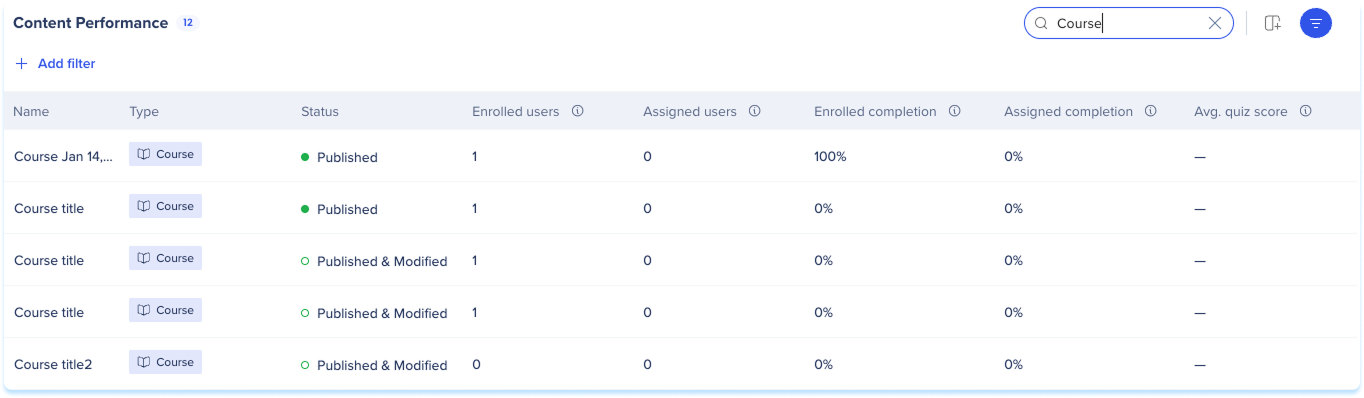
Search
Search for an item in the search bar.
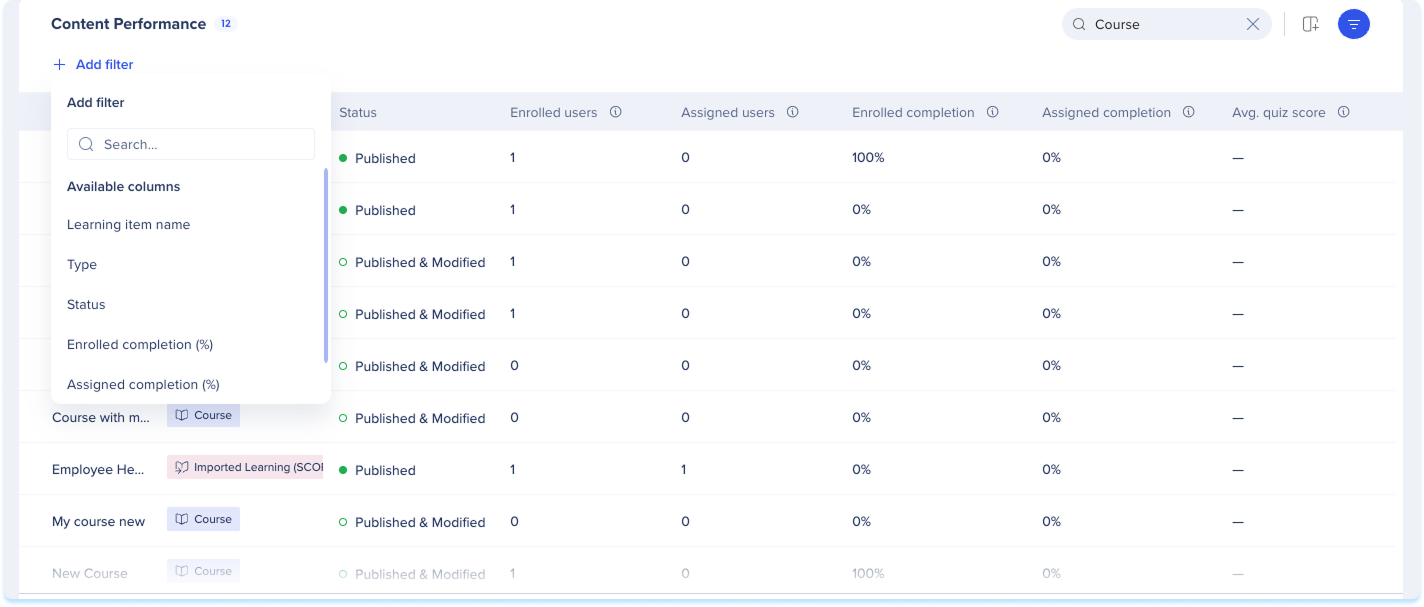
Add a filter
- Select Add filter
- Choose a column and set a value
- Select Apply
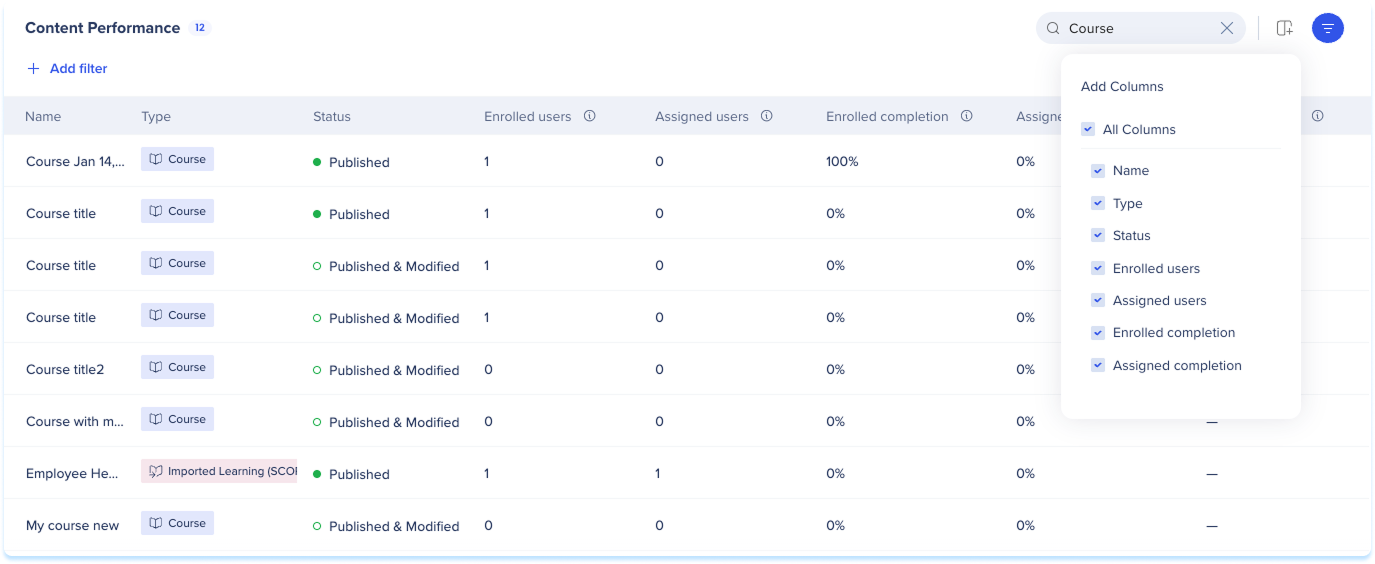
Manage columns
- Select Manage Columns
- Choose which columns to show
- Select Apply
Export
- Select Export to download the table as a CSV file
Technical Notes
Metrics and funnel logic
-
Assigned learners and enrolled learners are counted separately. Enrolled includes both assigned and self-enrolled learners
-
Summary widgets compare the selected period to the previous one. Comparison is turned off for custom date ranges
-
Course funnels track two paths: assigned learners move through Assigned, Started, Completed, and self-enrolled learners move through Viewed, Started, Completed
Data and customization
-
“Manage Columns” pulls dynamic IdP attributes, like Department, into the Content Performance table
-
CSV export reflects the current view. Only the filters and columns applied at the time of export are included
- Analytics data doesn't expire and stays available for as long as the learning item exists
Reminders and actions


