Brief Overview
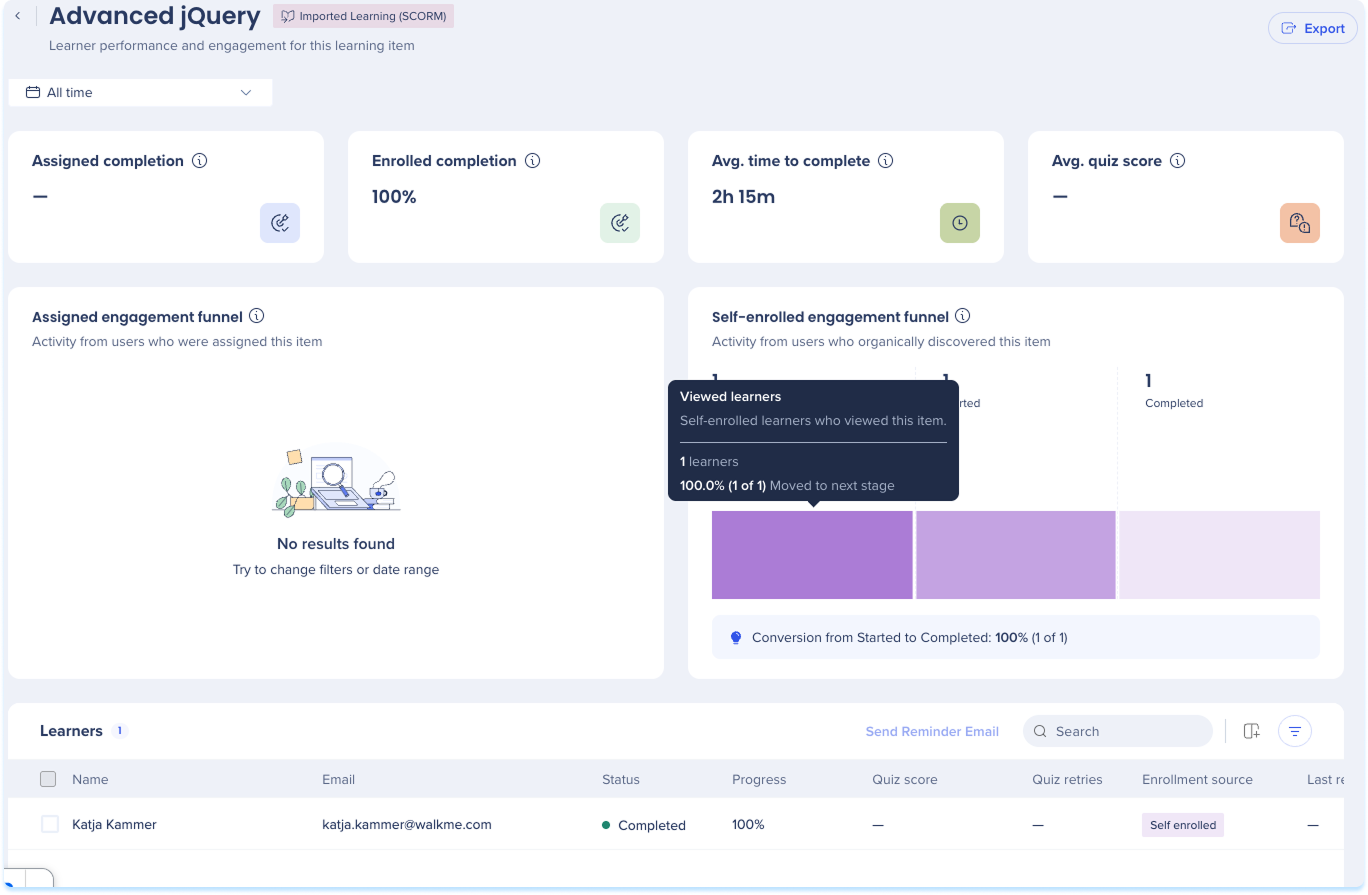
An inner page shows completion, time, and quiz performance for a single learning item. The layout depends on the content type: courses, microlearning, and imported learning show engagement funnels, and learning journeys show the courses inside the journey.
Course Analytics
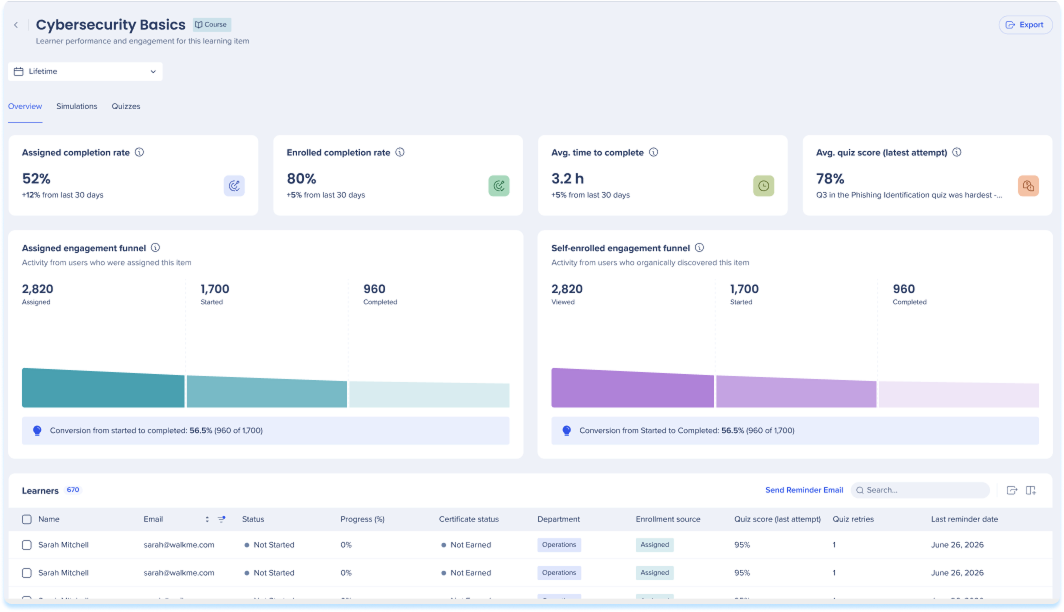
The course inner page shows completion, time, and quiz performance for a single course.
Filter
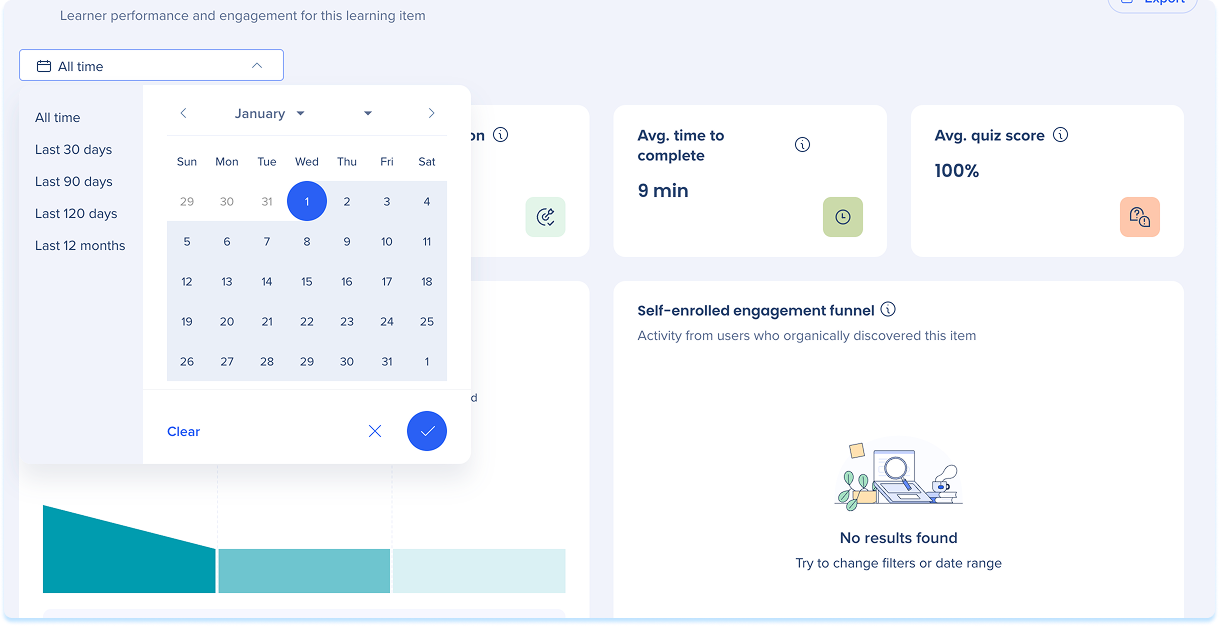
One date range filter sits at the top of the dashboard. It sets the time scope for the whole page, so both the summary widgets and the Learners table reflect the range you choose:
- Date range: All time, Last 30 days, Last 90 days, Last 120 days, Last 12 months, or a custom range you set on the calendar
- Assigned completion: Percentage of assigned learners who completed the course in the selected period
- Enrolled completion: Percentage of enrolled users who completed the course in the selected period
- Avg. time to complete: Average time between starting and completing the course
- Avg. quiz score: Average score across all quizzes, counting each learner's latest attempt

Engagement funnels
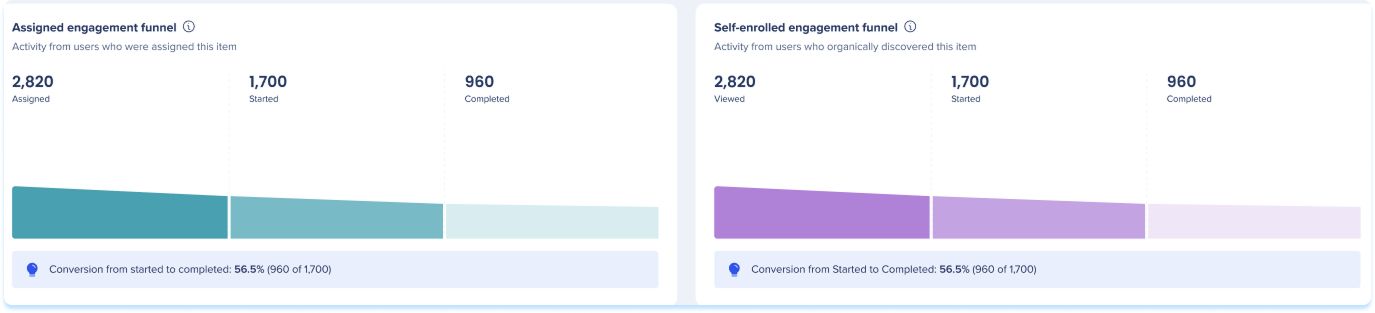
Two funnels show how learners move through the course:
- Assigned engagement funnel: Activity from learners who were assigned the course, across three stages: Assigned, Started, and Completed
- Self-enrolled engagement funnel: Activity from learners who found the course on their own, across three stages: Viewed, Started, and Completed
Hover a stage to see the number of learners and how many moved to the next stage. A summary below each funnel shows the conversion rate from Started to Completed.
Learners table
The Learners table shows performance for each learner with access to the course:
- Name: The learner's name
- Email: The learner's email address
- Status: Not Started, Started, or Completed
- Progress: The learner's completion percentage
- Quiz score: The learner's latest quiz score
- Quiz retries: Number of times the learner retried a quiz
- Enrollment source: How the learner joined, Assigned or Self enrolled
- Completion date: The date the learner completed the course
- Start date: The date the learner started the course
- Last reminder sent: The date of the last reminder email sent to the learner

Table actions
- Search in the search bar
- Select Add filter to filter by status, enrollment source, quiz score, or quiz retries
- Select Export to download the table

Send a reminder email
You can email learners a reminder from the Learners table:
- To remind one learner, select their row, then select Send Reminder Email
- To remind several learners, select their checkboxes, then select Send Reminder Email from the tool bar
The Last reminder sent column shows each learner's most recent reminder date.
Note
You can send reminder emails to assigned learners whose status is “Not Started” or “In Progress.” Learners with other statuses aren't eligible. Some learners may already have a recent reminder.

Microlearning Analytics
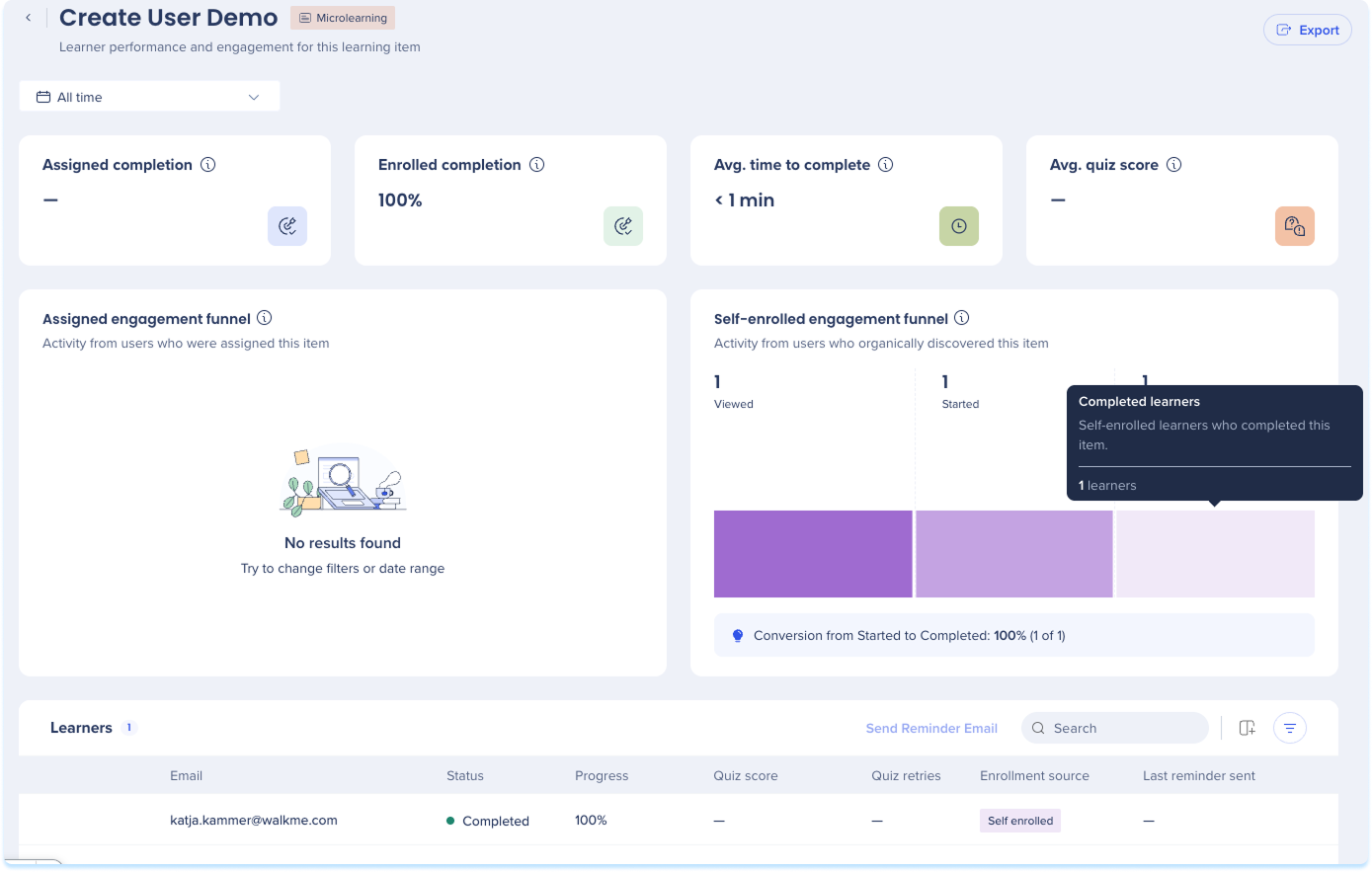
A microlearning inner page uses the same layout as a course inner page: the same summary widgets, both engagement funnels, and the Learners table with the reminder flow.
Imported Learning (SCORM) Analytics
An imported learning (SCORM) inner page uses the same layout as a course inner page: the same summary widgets, both engagement funnels, and the Learners table with the reminder flow.
Learning Journey Analytics
A learning journey inner page shows completion, time, and quiz data for the journey as a whole, with separate tabs for course-level and learner-level views.
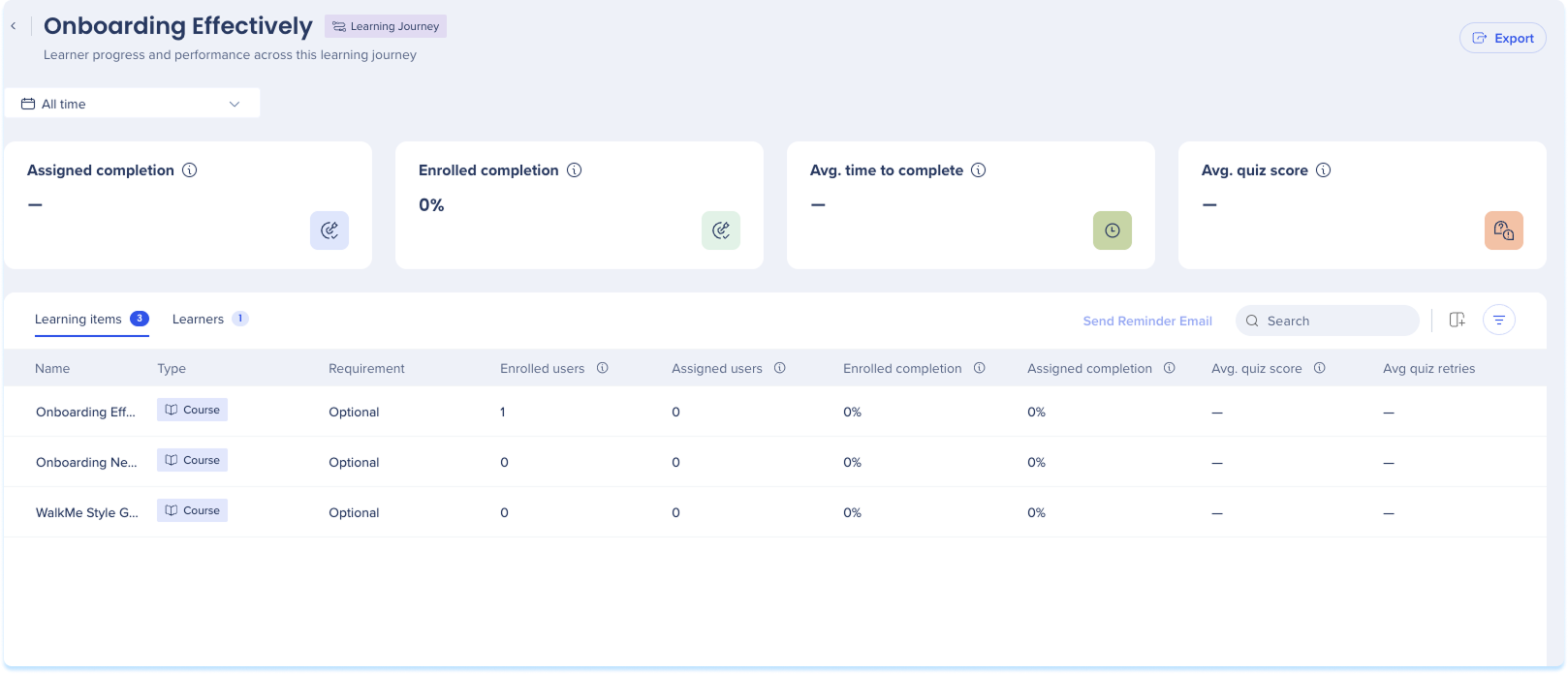
- Assigned completion: Percentage of assigned learners who completed the journey in the selected period
- Enrolled completion: Percentage of enrolled users who completed the journey in the selected period
- Avg. time to complete: Average time between starting and completing the journey
- Avg. quiz score: Average score across all quizzes in the journey, counting each learner's latest attempt

Learning item tab
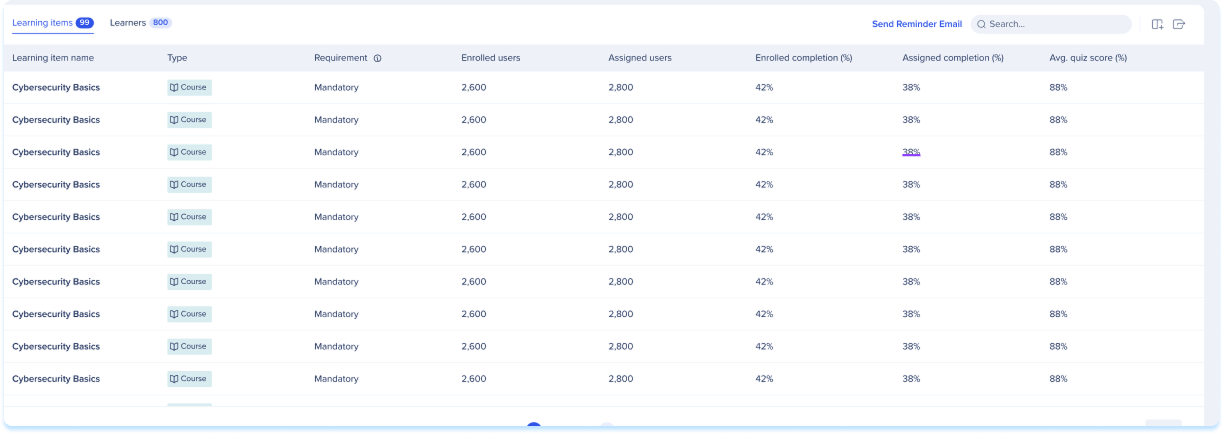
The Courses tab lists the courses and microlearning in the journey. Select an item's name to open its own inner page:
- Name: The item's name
- Type: Course or Microlearning
- Requirement: Whether the item is Mandatory or Optional in the journey
- Enrolled users: Distinct learners who started or completed the item, counting assigned and self-enrolled learners once each
- Assigned users: Distinct learners the item was assigned to
- Enrolled completion: Percentage of enrolled users who completed the item
- Assigned completion: Percentage of assigned learners who completed the item
- Avg. quiz score: Average score from each learner's latest quiz attempt
- Avg. quiz retries: Average number of quiz retries per learner
Learners tab
The Learners table shows performance for each learner with access to the learning journey:
- Name: The learner's name
- Email: The learner's email address
- Status: Not Started, Started, or Completed
- Progress: The learner's completion percentage
- Quiz score: The learner's latest quiz score
- Quiz retries: Number of times the learner retried a quiz
- Enrollment source: How the learner joined, Assigned or Self enrolled
- Last reminder sent: The date of the last reminder email sent to the learner
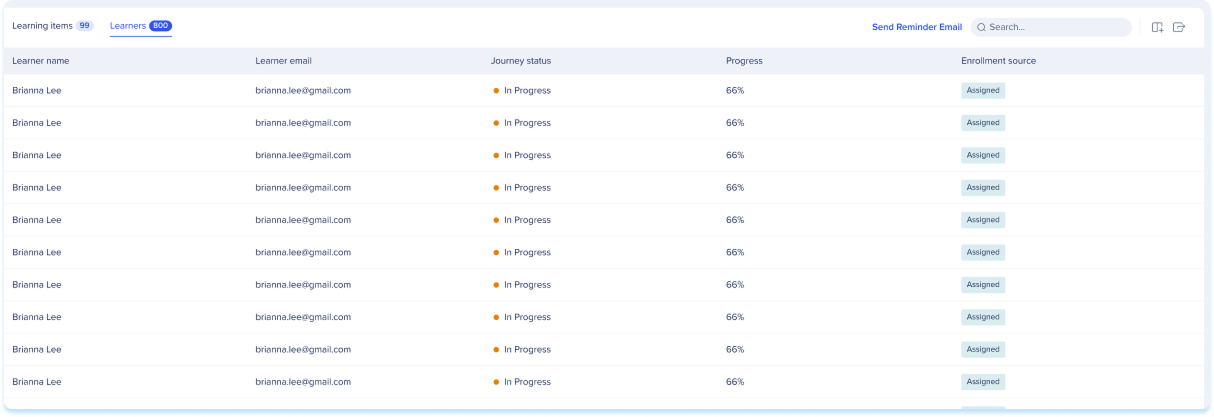
Table actions
- Search in the search bar
- Select Add filter to filter by status, enrollment source, quiz score, or quiz retries
- Select Export to download the table

Send a reminder email
You can email learners a reminder from the Learners tab:
- To remind one learner, select their row, then select Send Reminder Email
- To remind several learners, select their checkboxes, then select Send Reminder Email from the tool bar
The Last reminder sent column shows each learner's most recent reminder date.



