Brief Overview
A learning journey guides learners through related learning content in a clear, structured sequence. It shows learners what to complete, in what order, and what's required to finish. Use a learning journey to combine courses and microlearning into a single path with defined steps, prerequisites, and completion rules.
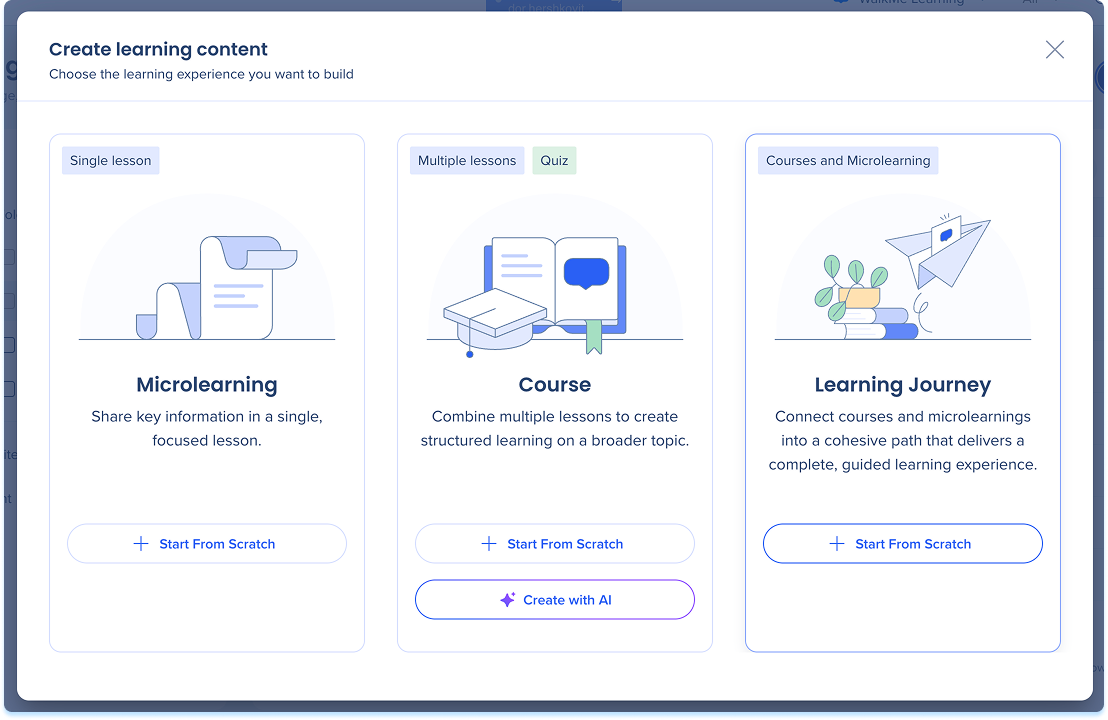
Create a Learning Journey
- Go to the Learning Content page
- Select + Learning Content
- Select Start from scratch
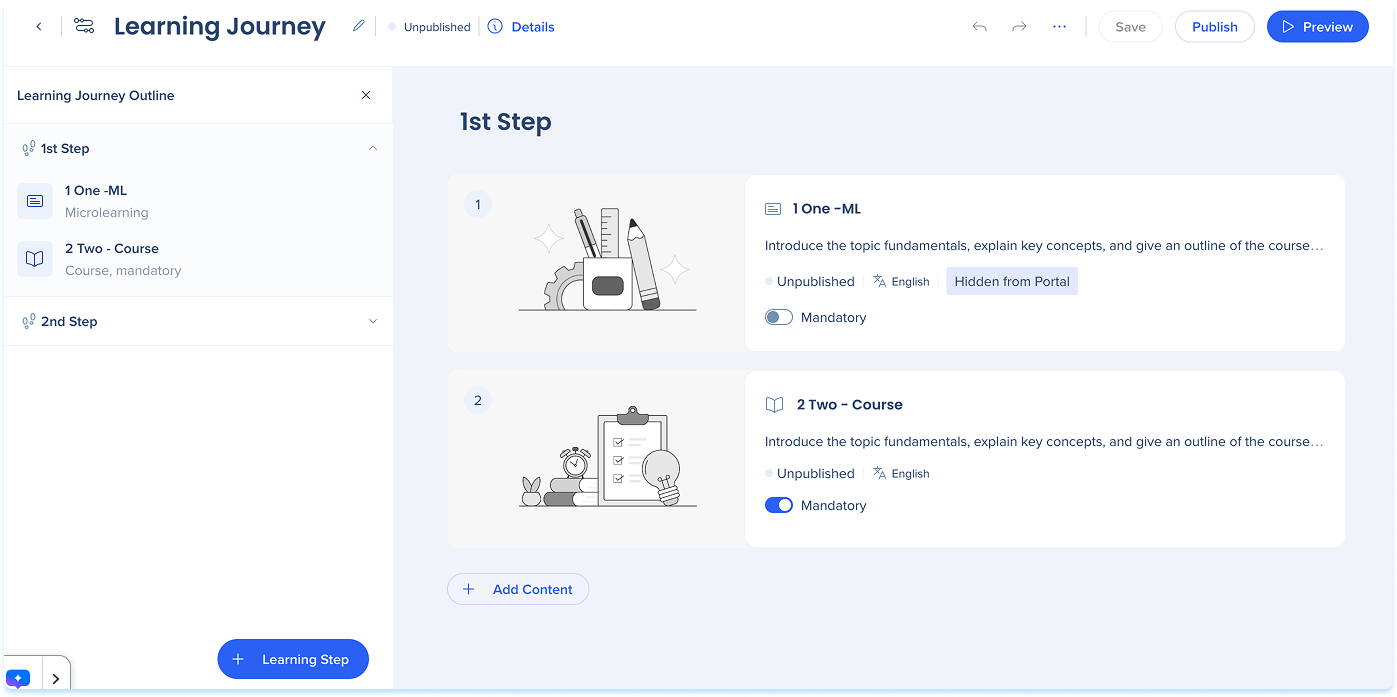
Journey Structure
A learning journey is made up of steps. Each step contains one or more courses or microlearning items and represents a stage in the learning path. Learners move through steps in order, completing the content in each one before progressing.
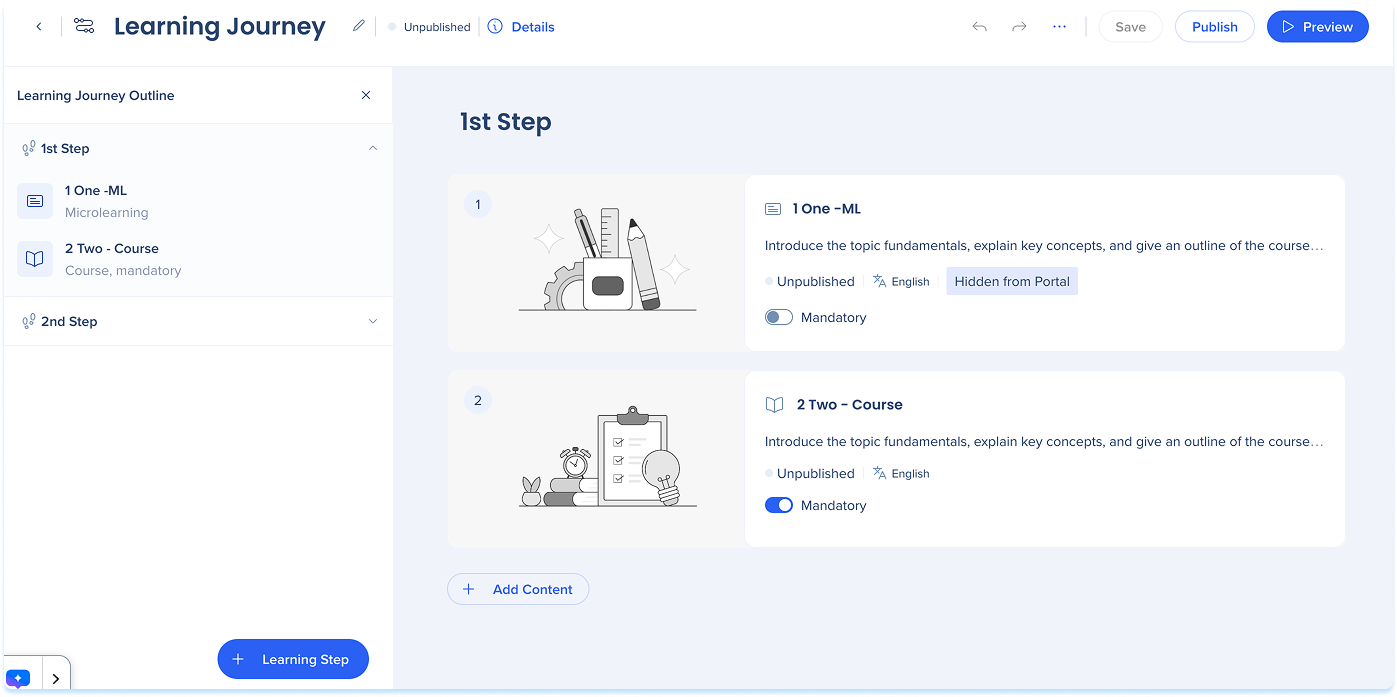
Add steps
- Select + Learning Step at the bottom of the layers panel
- Select the step title and fill in a clear, descriptive name
- Drag steps in the layers panel to reorder them
Add Content to Steps
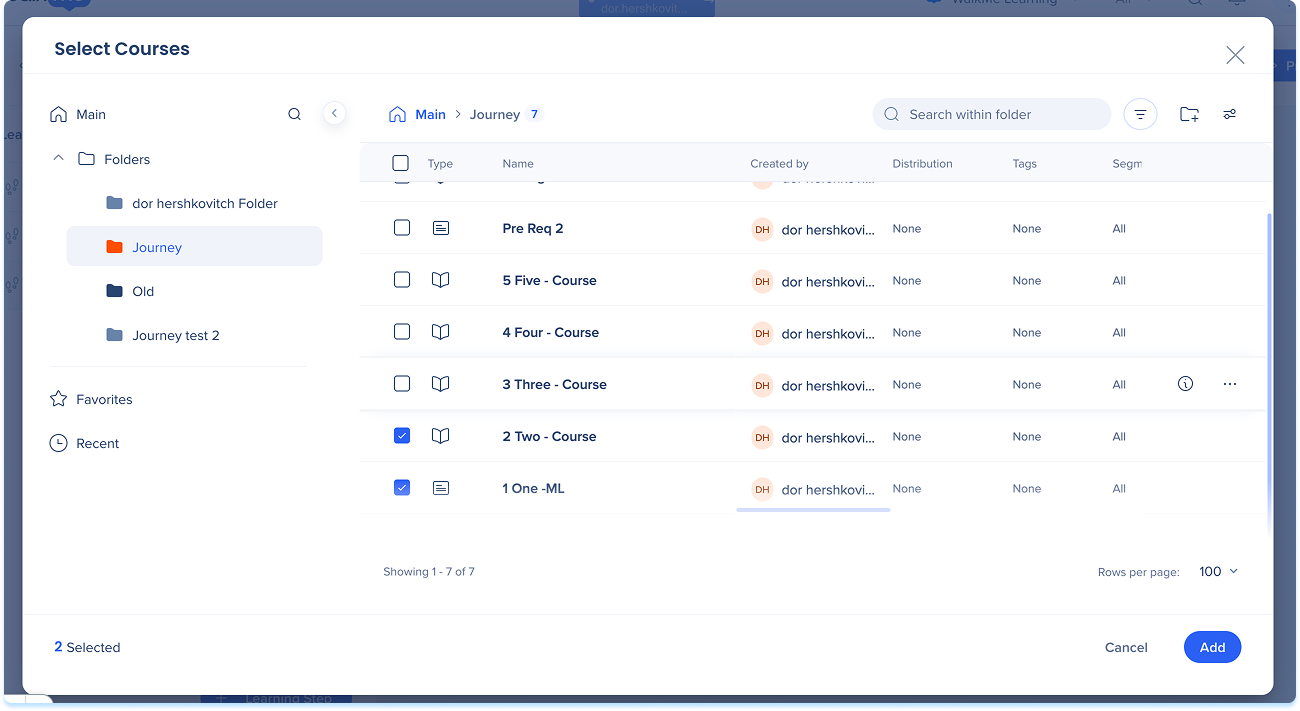
- In the step you want to build, select Add Content
- In the Select content popup, select one or more courses or microlearning items
- Select Add
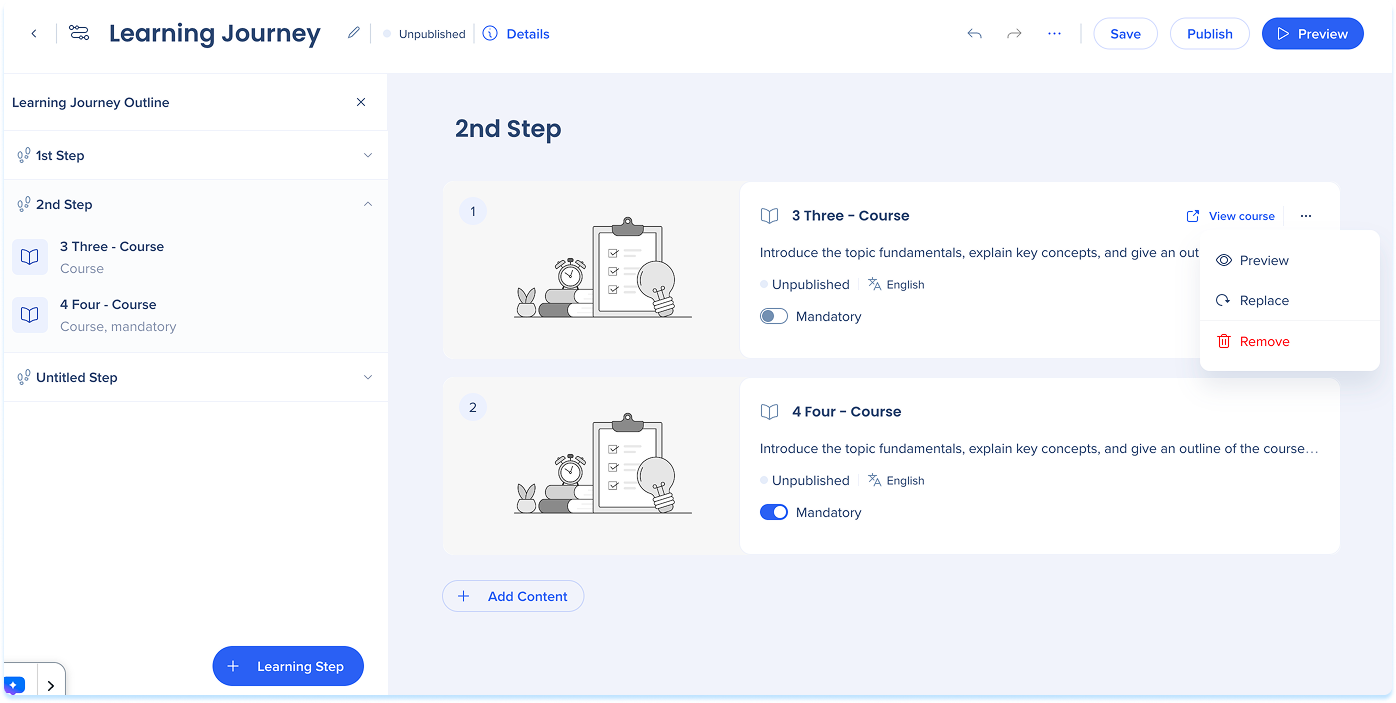
The selected content appears as a numbered card in the step, showing the content title, description, type, and publication status. Drag cards up or down within the step to change their order.
Manage Content
Content actions
- Select the Options menu on a content card to:
- Preview: View the content as a learner sees it
- Replace: Swap the content for a different course or microlearning
- Remove: Remove the content from the step
To open the course builder, hover over the content card and select View Course or View microlearning.
Set mandatory content
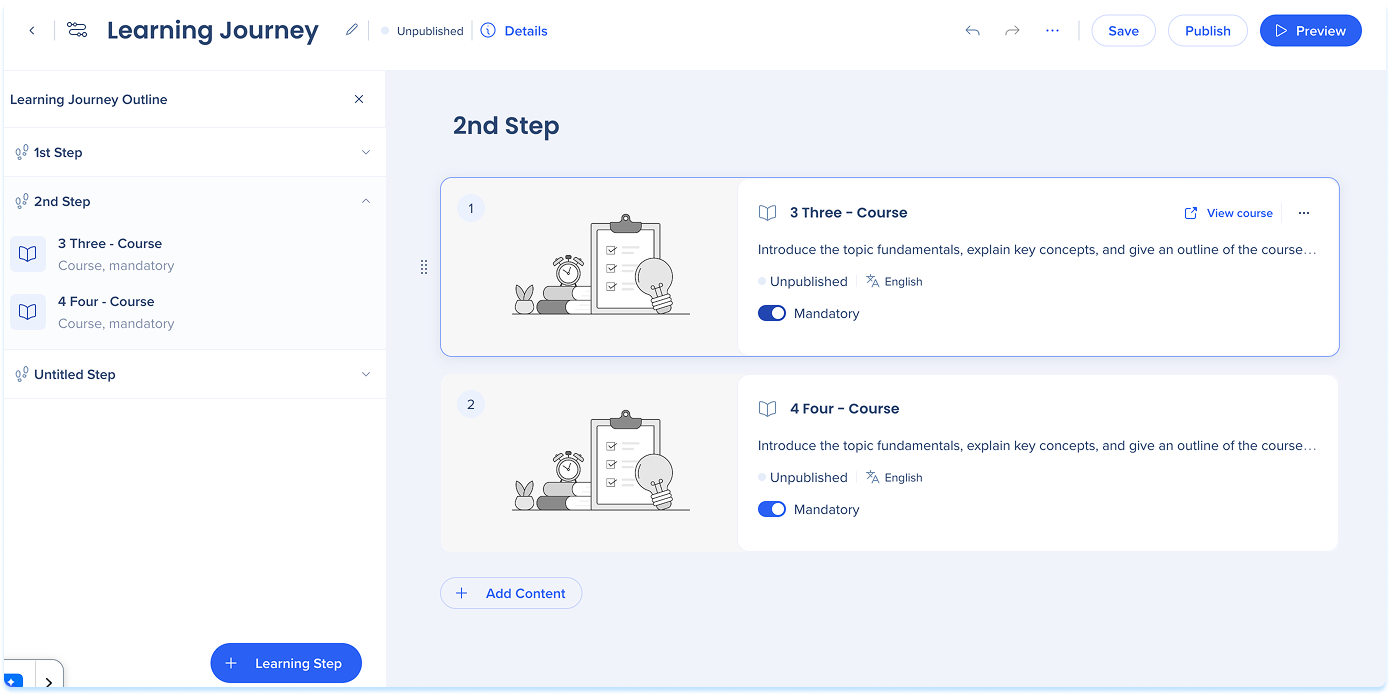
Mandatory content must be completed to finish the learning journey.
- On the content card, turn on Mandatory
The item is marked as mandatory for journey completion
Content details
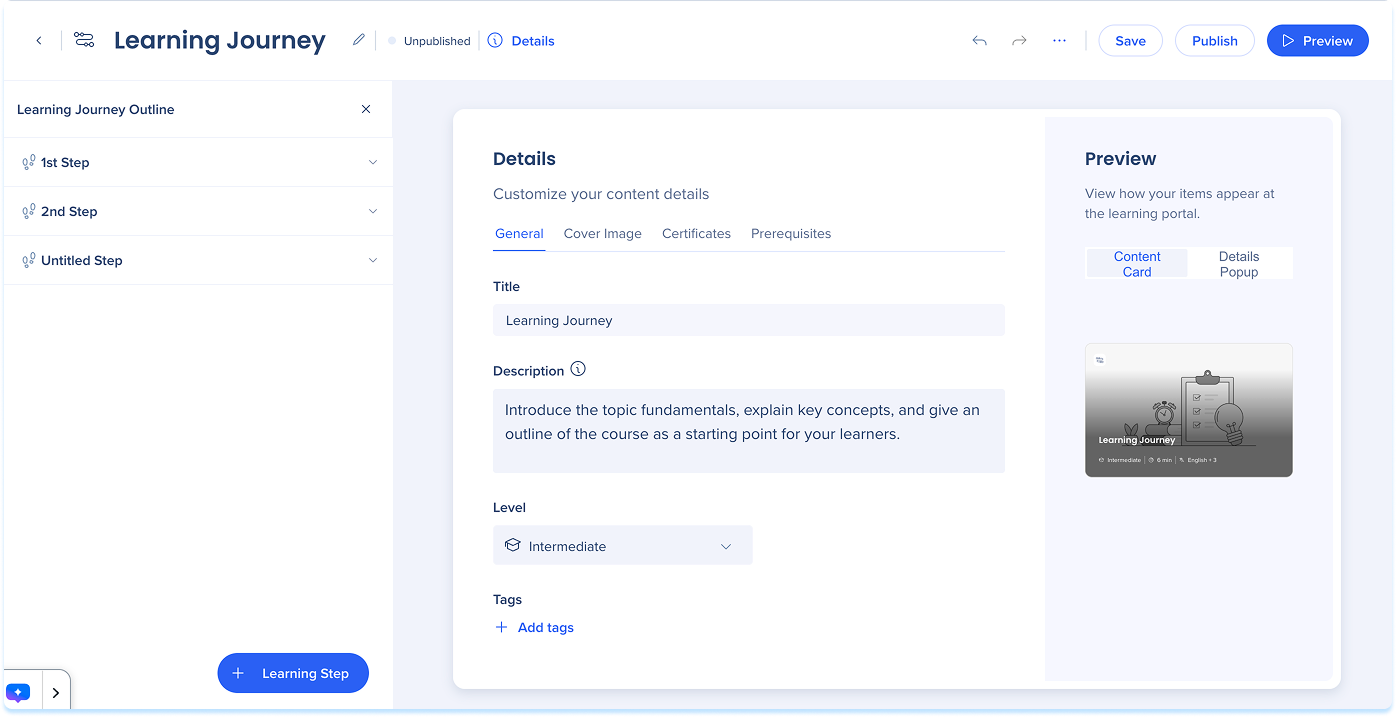
Use content details to set prerequisites and control what learners see in the learning portal.
Content Details
Technical Notes
- Unpublishing a standalone course also unpublishes it from any learning journey it belongs to
- The mandatory setting applies to the entire course or microlearning, not to individual quizzes
- If the same course is used in two learning journeys, completion data isn't shared, learners need to complete it separately in each journey
- Publishing a new version of a learning journey resets progress for learners who haven't completed it. They need to start from the beginning.
- A learning journey overrides course-level segmentation. Learners assigned to the journey can be assigned courses even if those courses are segmented for a different audience
- If a course inside a learning journey is hidden in the portal or segmented to a different audience, it won't appear to learners on its own, but it will still be visible as a prerequisite item within the journey


