Brief Overview
Now you can build native survey campaigns without the need for any coding or 3rd-party integrations. Surveys in WalkMe Mobile are on-screen images, questions and buttons that provide your end-users with the opportunity to submit feedback about your app or a process within it.
Surveys are only available to end-users who have upgraded to the WalkMe Mobile SDK version 1.14.0 and higher.
Here is a simple Survey in all of its glory!
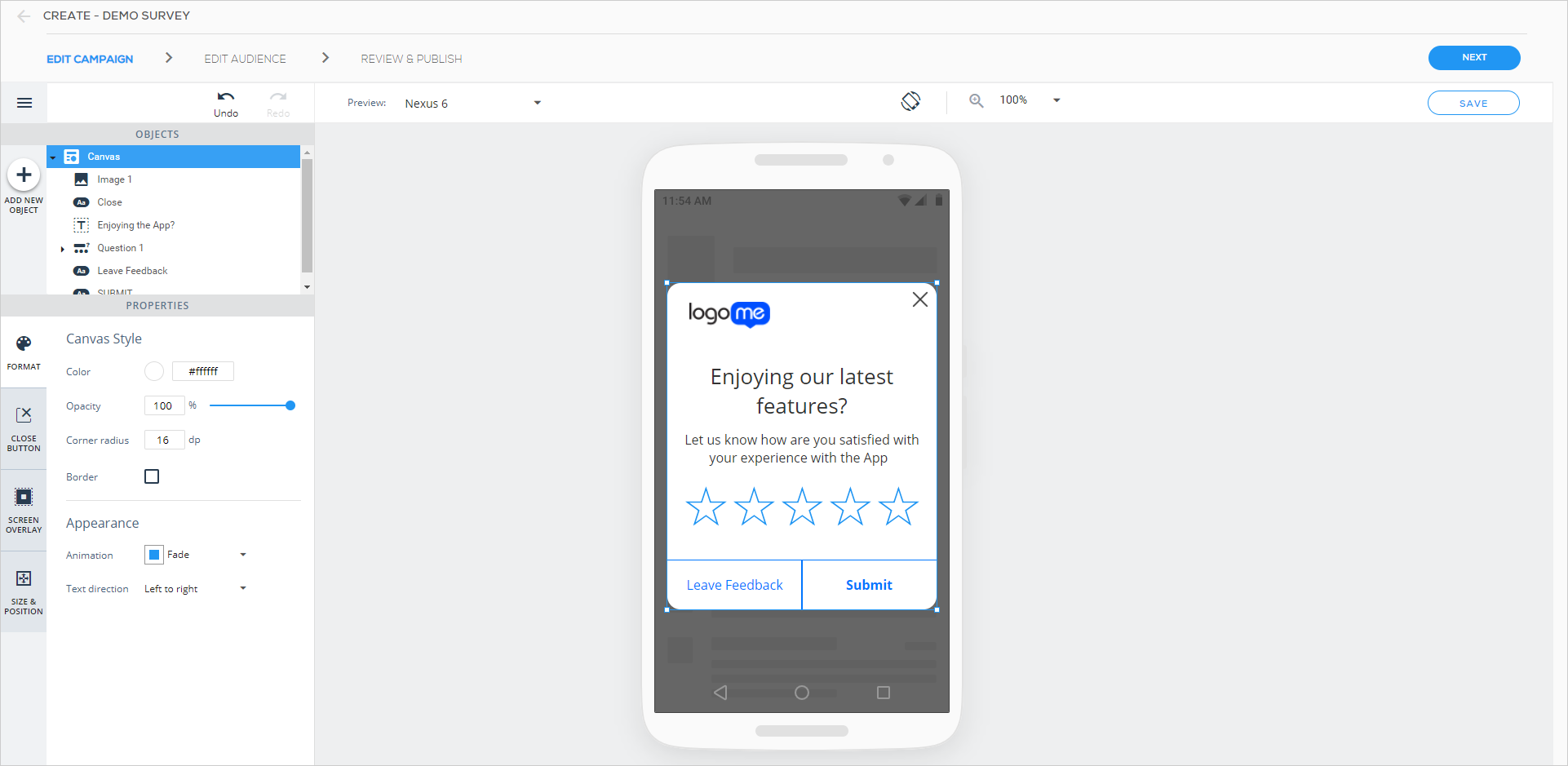
This is one of numerous types of surveys you can create in WalkMe Mobile.
There are currently four Survey objects you can drag from the OBJECTS inventory into your device preview screen:
- Rate (available in Star, Smiley and Number style);

- Free-Text;

- Checkbox; and

- Radio-Button.

Use Cases
- Discover how satisfied your users are with your app;
- Gauge your users' support experiences to ensure they receive the help they need;
- Find out what features your customers want you to create next;
- Enable your users to provide you with feedback in the form of surveys with stars, smiley faces, numbers, open answers, checkboxes, and radio-buttons;
- Analyze all of your end-users' responses using custom reports and act accordingly.
Survey Results
Survey data is available in the WalkMe Console's Campaigns dashboard. There are also custom reports available that show the aggregated results of surveys and the raw data of each user's submission(s).
Survey Analytics
Survey analytics are available in the form of custom reports. If you are interested in Survey analytics, please contact your Customer Success Manager and request that the report be added to your reports list.


