SAP EnableNow Companion to WalkMe DAP Migration Options
On-Screen Help
Hotspots
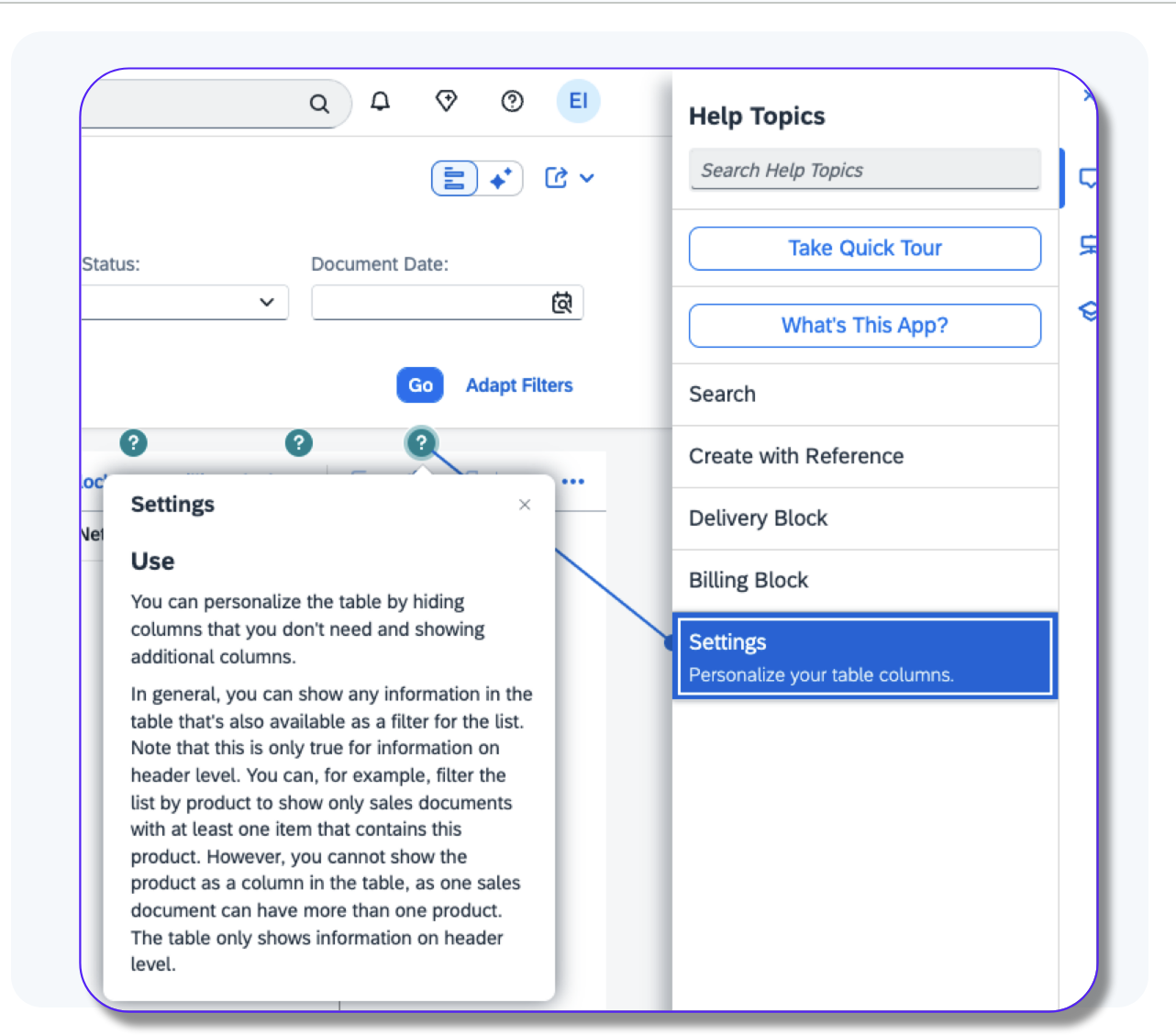
What is it? Visual indicators on the screen, with “Lasers” to Data Tile, opening an information window (Tooltip)
WalkMe Integration Option: Received via API from Companion and presented via the Combined WalkMe Menu.
Other Options:
- Build as WalkMe Smartips.
- Customize Solution Accelerators (desktop on request
Note: Desktop integration/options in development
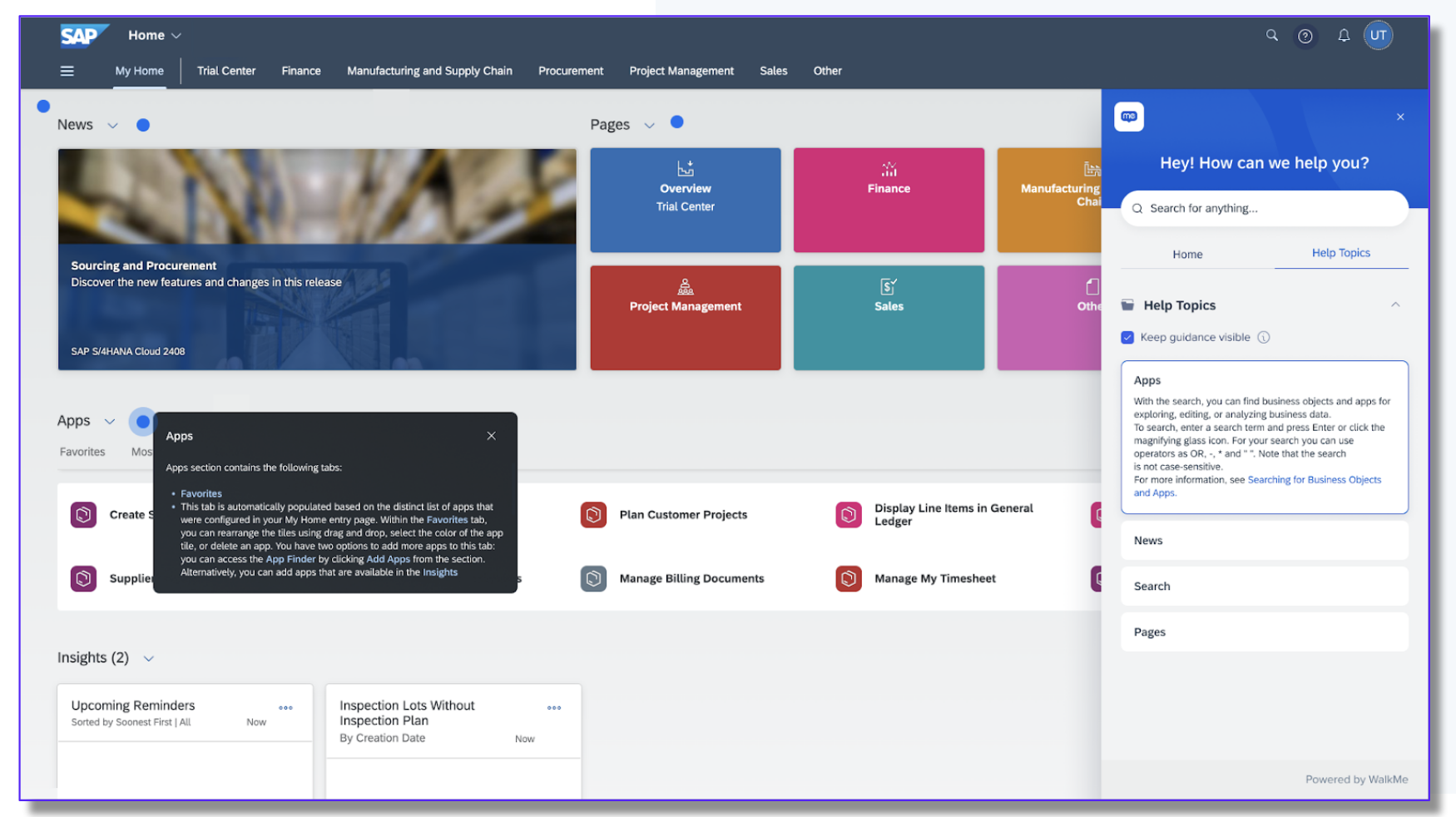
Data Tiles (no Hotspot)
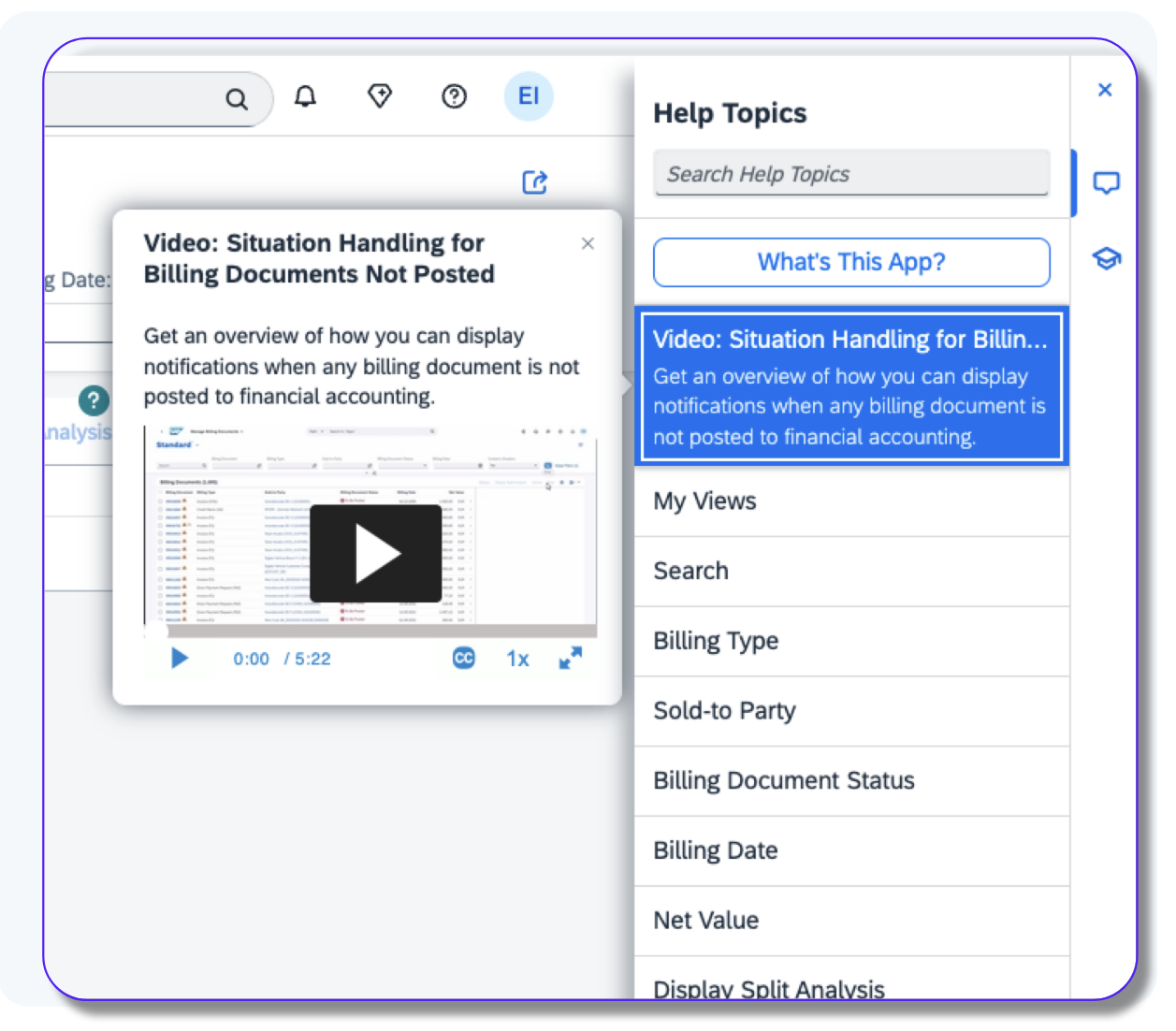
What is it? Tiles that can display information, in a “tooltip” type box (can include images and video), but have no Hotspot connected. Can also be referred to as “Announcements”
WalkMe Integration Option: Received via API from Companion and presented via the Combined WalkMe Menu
Other Options:
- Build as WalkMe Resources or Smart WalkThru Pop-Ups.
- Customize Solution Accelerators (desktop on request)
Note: Desktop integration/options in development
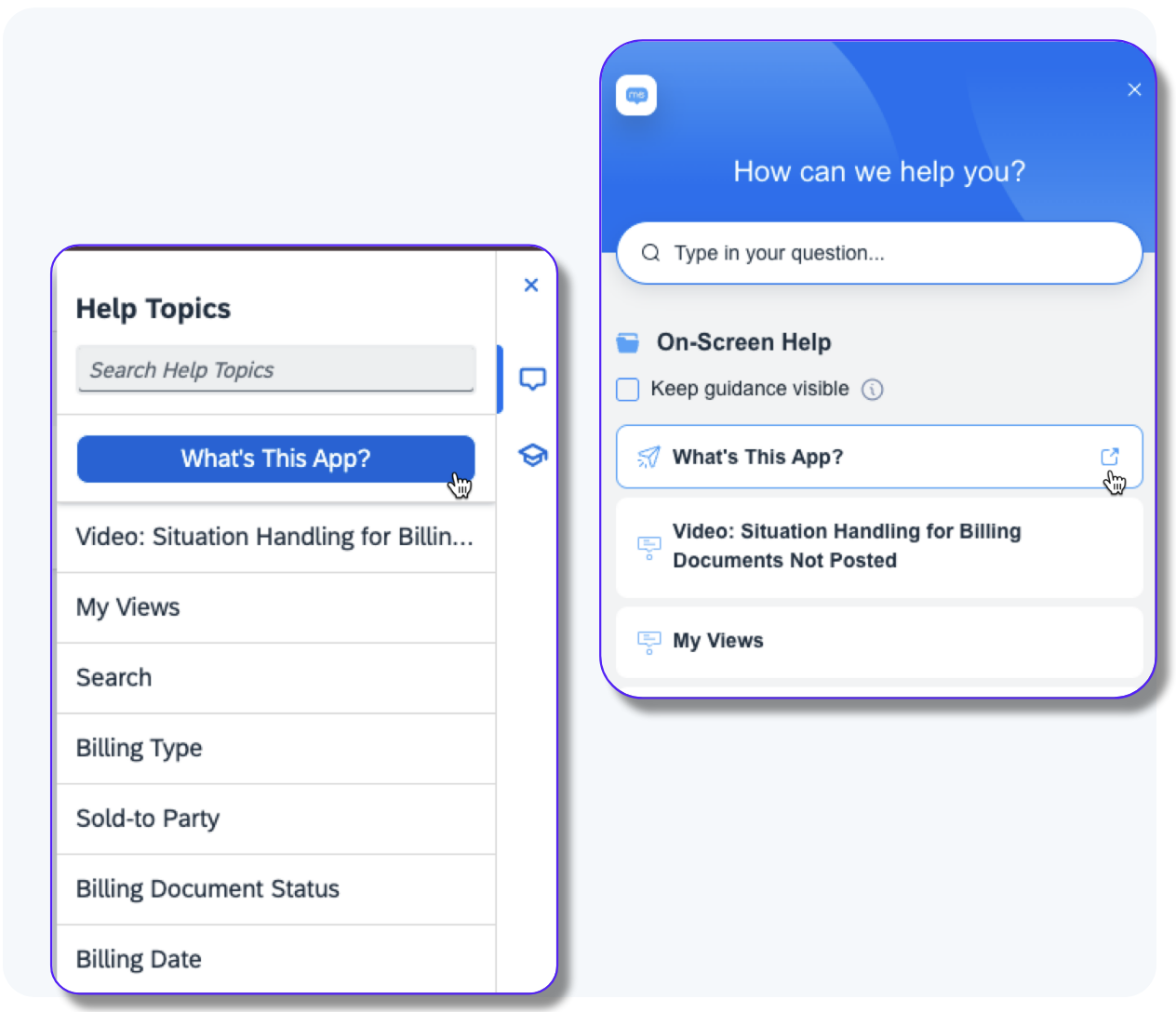
What is it? Buttons that would lead to an info page (mostly on the Help Portal) - For example, What's this app?, SAP Community
WalkMe Integration Option: Received via API from Companion and presented via the Combined WalkMe Menu with an icon to indicate will open in a new tab
Other Options:
- Build as WalkMe Shuttles.
- Customize Solution Accelerators (desktop on request)
Note: Desktop integration/options in development
Guided Tours
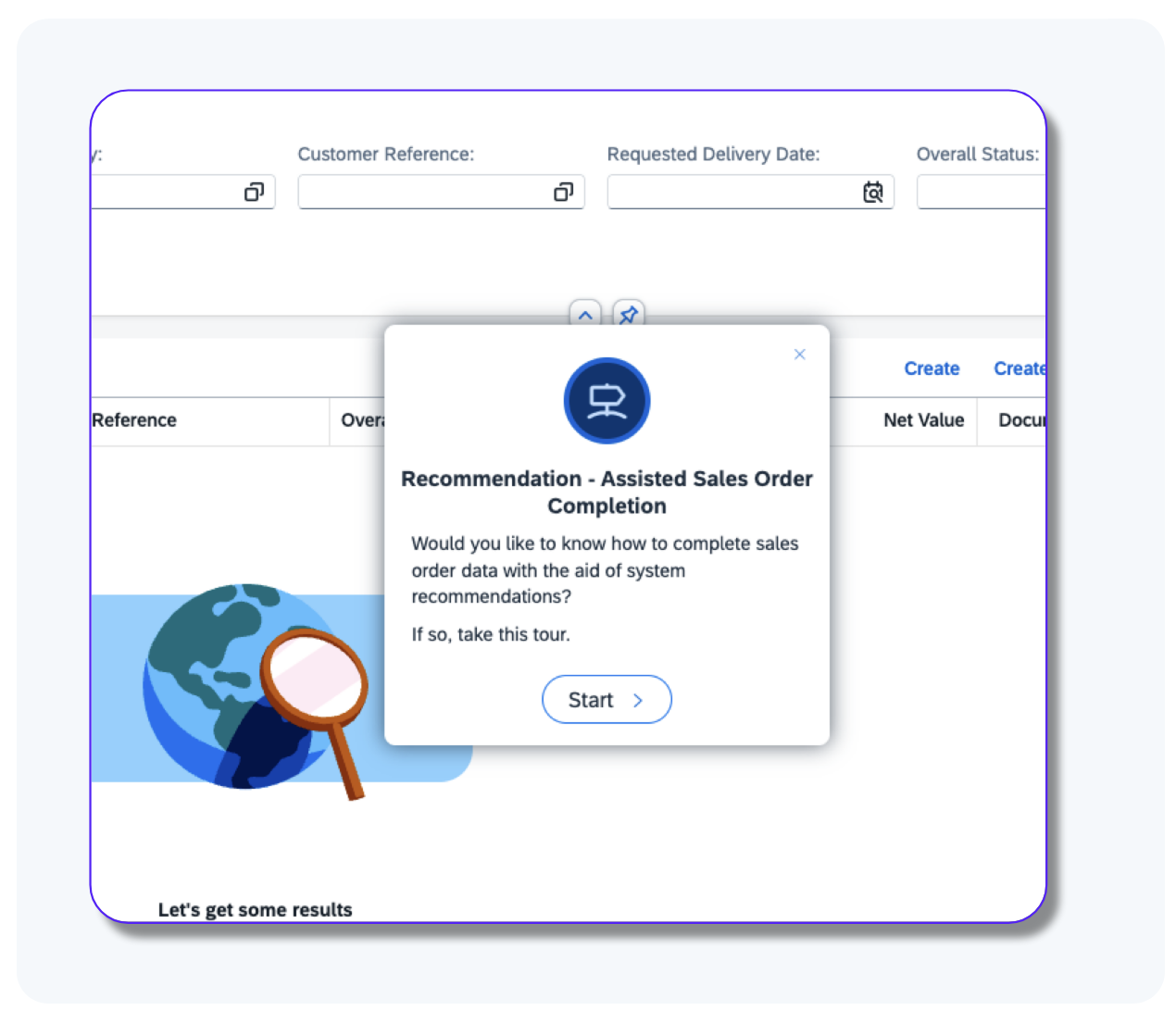
What is it? A guided tour is a step-by-step guide through an app process. The instruction is shown next to the related UI element.
WalkMe Integration: None
Migration Options:
- Recreating the desired Guide Tours as WalkMe Smart WalkThrus
- Customize Solution Accelerators (desktop on request)
Migrating current Guided Tours to WalkMe Smart WalkThrus isn't a viable option.
Current Content Considerations
- Adoption Usage (WalkMe tracked events)
- Help Tickets
- Level of customization - EnableNow preferred vs Custom build
- Onboarding new employees vs OnDemand
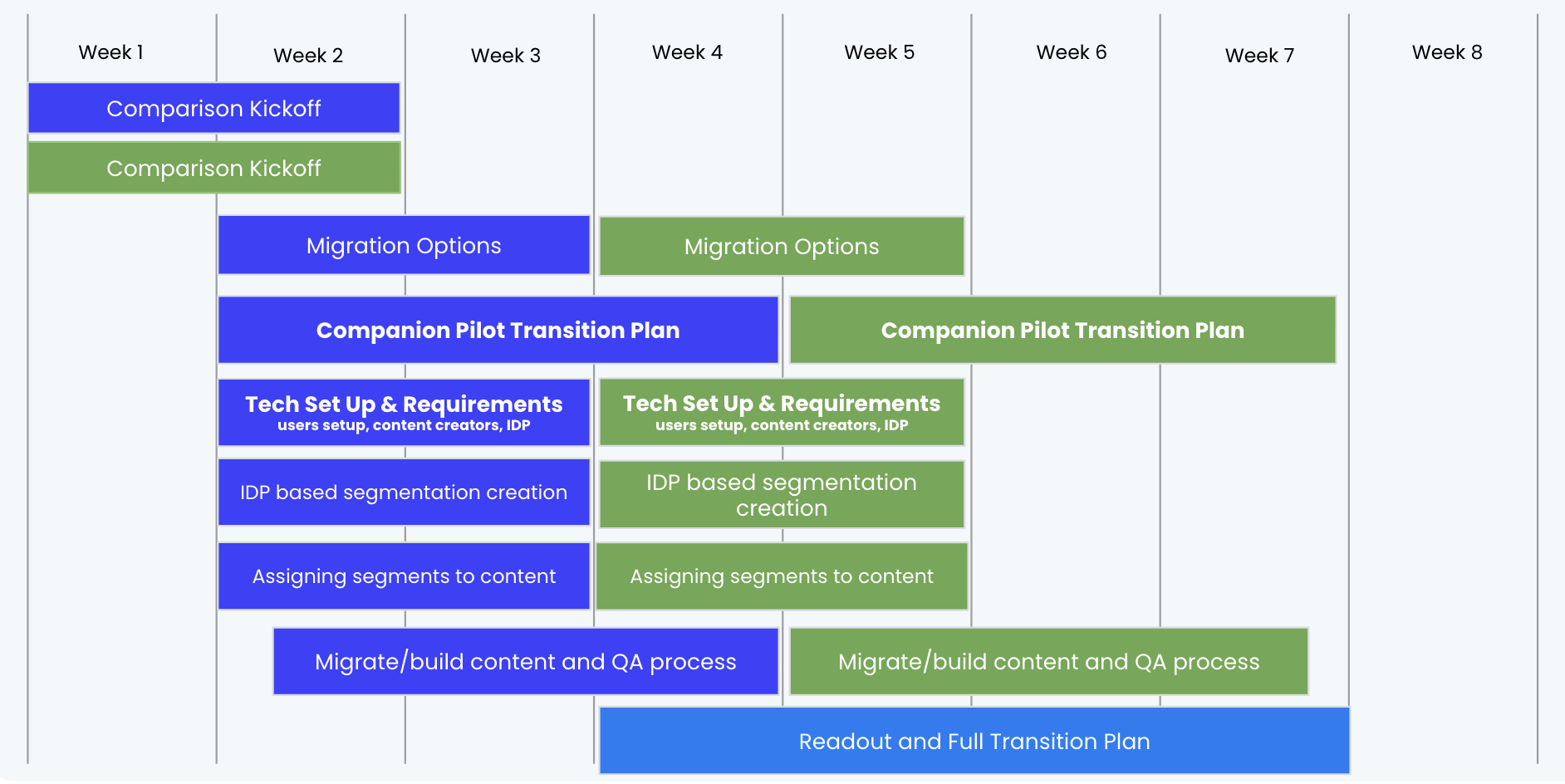
Companion customer transition pilot timeline
| Action |
Duration (Weeks) |
Timeline |
| Comparison Kickoff |
2 weeks |
Weeks 1–2 |
| Migration Options |
3 weeks |
Weeks 2–4 |
| Companion Pilot Transition Plan |
5 weeks |
Weeks 2–6 |
| Tech Set Up & Requirements |
3 weeks |
Weeks 2–4 |
| IDP-Based Segmentation Creation |
3 weeks |
Weeks 2–4 |
| Assigning Segments to Content |
3 weeks |
Weeks 2–4 |
| Migrate / Build Content & QA Process |
5 weeks |
Weeks 2–6 |
| Readout & Full Transition Plan |
1 week |
Week 7 |
Key Considerations
- Current Content Considerations
- Adoption Usage (WalkMe tracked events)
- Help Tickets
- Level of customization
- Onboarding new employees vs OnDemand
- UI Interfaces
- Hosting Requirements
- Use Case Selection
- Workflows and tasks
- Additional insights (ie. Smart Goals, workflow insights, etc)
- Migration Options
- Integrate WalkMe on EnableNow (limited features)
- Integrate desktop (product support)
- Build
- Build with accelerators
- Retire content
Pilot Migration Plan
SAP EnableNow - WalkMe Pilot Migration Plan


