Welcome to the WalkMe Help Center

Please login in order to continue:

Work flows better with WalkMe
Work flows better with WalkMe.

EnableNow Companion – WalkMe DAP Feature Comparison – SAP SEN EAB Lighthouse Program

Last Updated December 5, 2025

SAP EnableNow - WalkMe Capabilities

Overview

WalkMe DAP SAP Companion, a component of SAP Enable Now
DAP is a no-code solution powered by AI/ML that analyzes how humans interact with software. Using proactive recommendations to improve UX, customers use DAP to solve the biggest digital transformation paradox – the adoption of the digital tools. This is hugely attractive to enterprises that want to not only protect their investments, but reap more value. With SAP Enable Now, SAP customers can create guided product tours within SAP tools to educate users on how to perform tasks in the SAP application(s). The guidance is basic and used to solve for only linear processes. In-app help includes hot spots to highlight screen elements and provide help bubbles containing text or video elements. Reporting is limited to content consumption.

WalkMe Benefits for In App Guidance 

Benefits Customer Value
Advanced Interactive FeaturesWalkMe enables non-linear, goal-based tours that allow user decision points, progress tracking, and seamless cross-platform transitions—ideal for complex workflows.  Improved user engagement due to self-directed, relevant experiences.
Faster onboarding and reduced time-to-productivity for new employees.
Lower training costs by replacing static content with interactive journeys.
Cross-system consistency, especially helpful in hybrid SAP and non-SAP landscapes (e.g., SuccessFactors + Ariba + ServiceNow etc.).
Process AutomationWalkMe can automate form fills, validations, and step-by-step processes, reducing friction for users navigating SAP or non-SAP  transactions or self-service tasks. Reduces error rates in data-heavy processes (e.g., expense entry, time reporting).
Saves time for users and support teams.
Increases process compliance by automating policy-driven workflows.
Boosts ROI on SAP & non-SAP  by enabling faster transaction execution.
Detailed Personalization and User SegmentationOrganizations can tailor experiences to different user personas based on role, language, skill level, or geographic location. Delivers targeted support, improving relevance and clarity for diverse user bases.
Accelerates adoption among non-technical or infrequent users.
Reduces support tickets by guiding the right users at the right time.
Enhances employee satisfaction through personalized experiences.
Comprehensive AnalyticsWalkMe provides granular visibility into user actions, drop-off points, and success metrics across SAP & non-SAP workflows. Identifies training gaps and workflow inefficiencies quickly.
Supports continuous improvement through data-driven decisions.
Enables ROI tracking on training and adoption initiatives.
Drives strategic alignment by measuring actual user behavior vs. intended process design.

AI-Powered Intelligence
WalkMe integrates AI for predictive assistance, personalized content delivery, and smart workflow automation that adapts in real-time.
Enhances user experience by proactively guiding users to what they need.
Reduces cognitive overload with just-in-time recommendations.
Improves productivity by dynamically optimizing workflows.
Future-proofs your SAP environment with scalable, intelligent assistance.

Strategic Advantage & Development:
WalkMe aligns with SAP's strategic vision by delivering embedded, adaptive content that enhances user experience and evolves seamlessly with future SAP innovations.
Easily adopt new platform capabilities and without retraining or disruption.
Embedded, in-the-flow guidance reduces reliance on classroom training and lowers support ticket volume.
Future-Proof Digital Enablement preserving the value of adoption efforts across upgrades and platform changes.

On-Screen Help

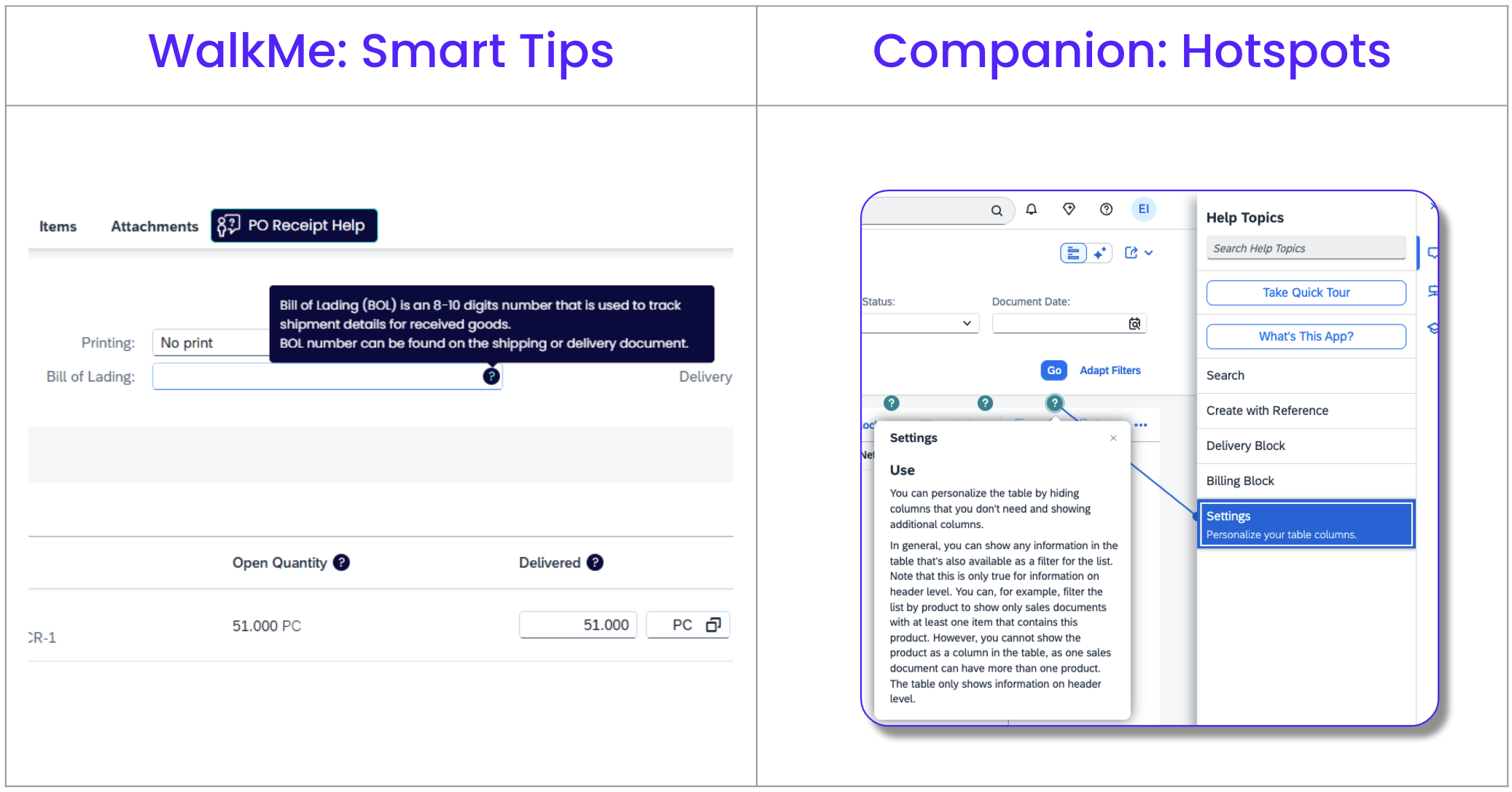
WalkMe: Smart Tips Companion: Hotspots
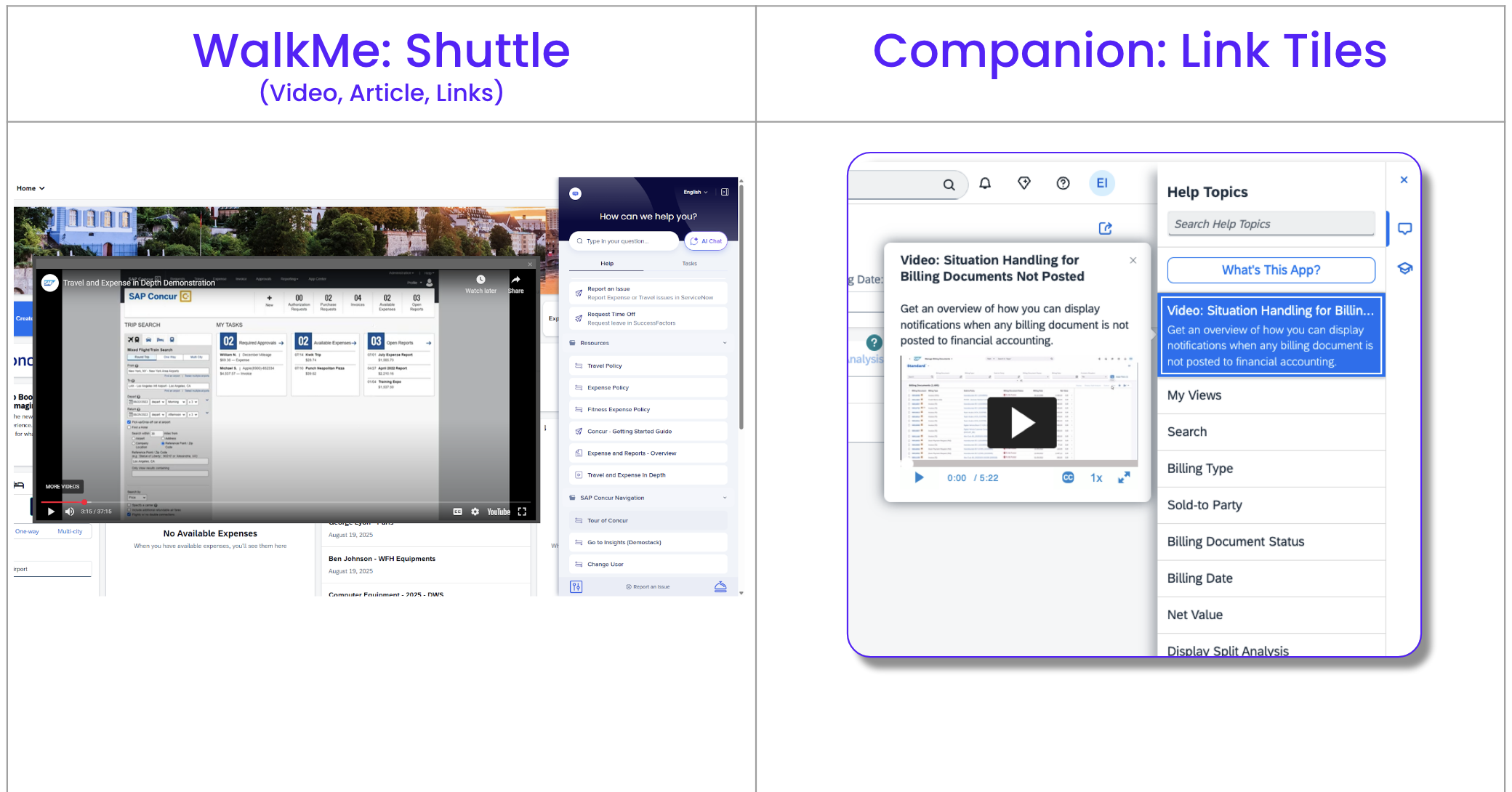
WalkMe: Shuttle (Video, Article, Links) Companion: Link Tiles
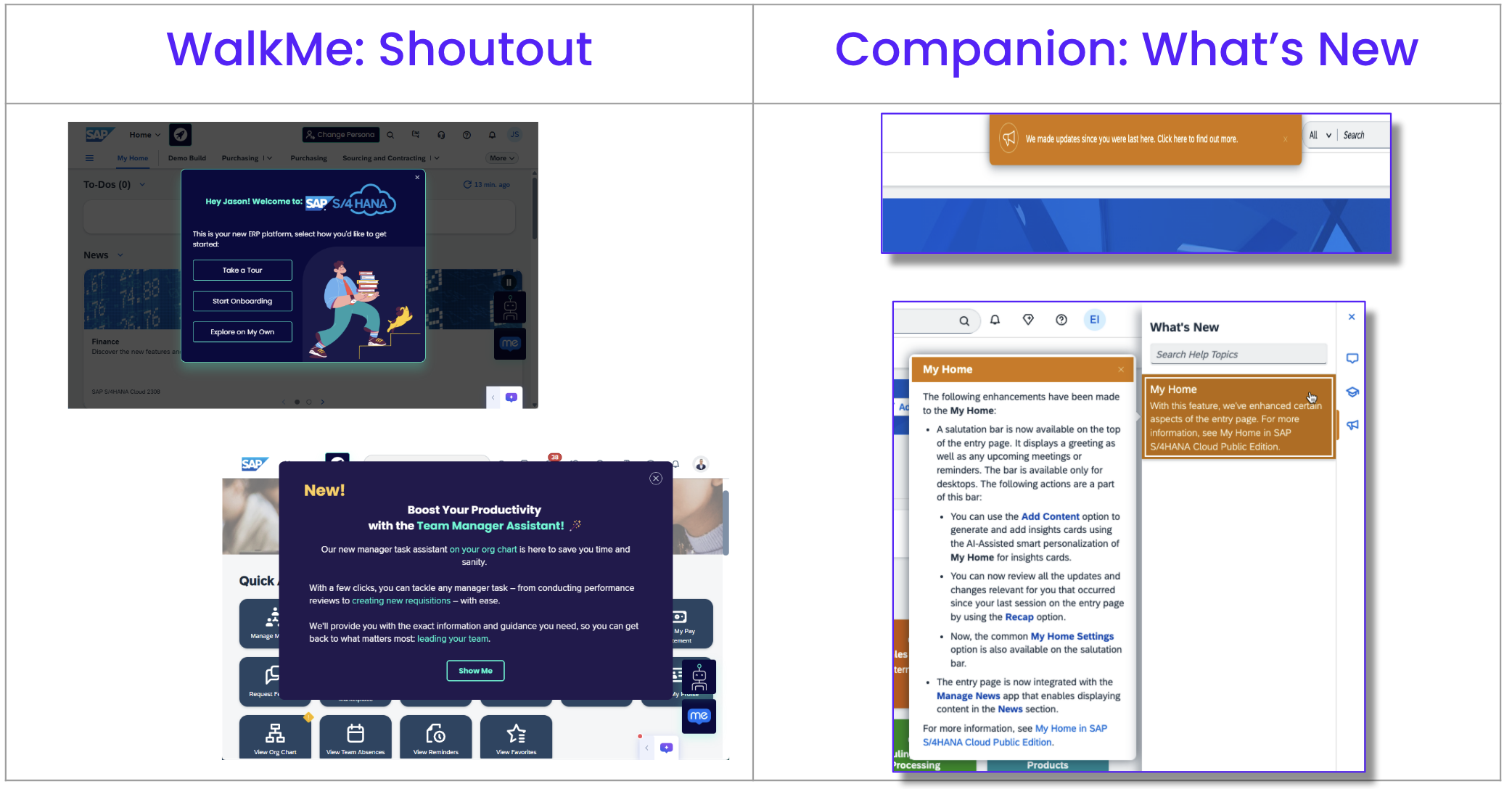
WalkMe: Shoutout Companion: What's New

Guided Tours

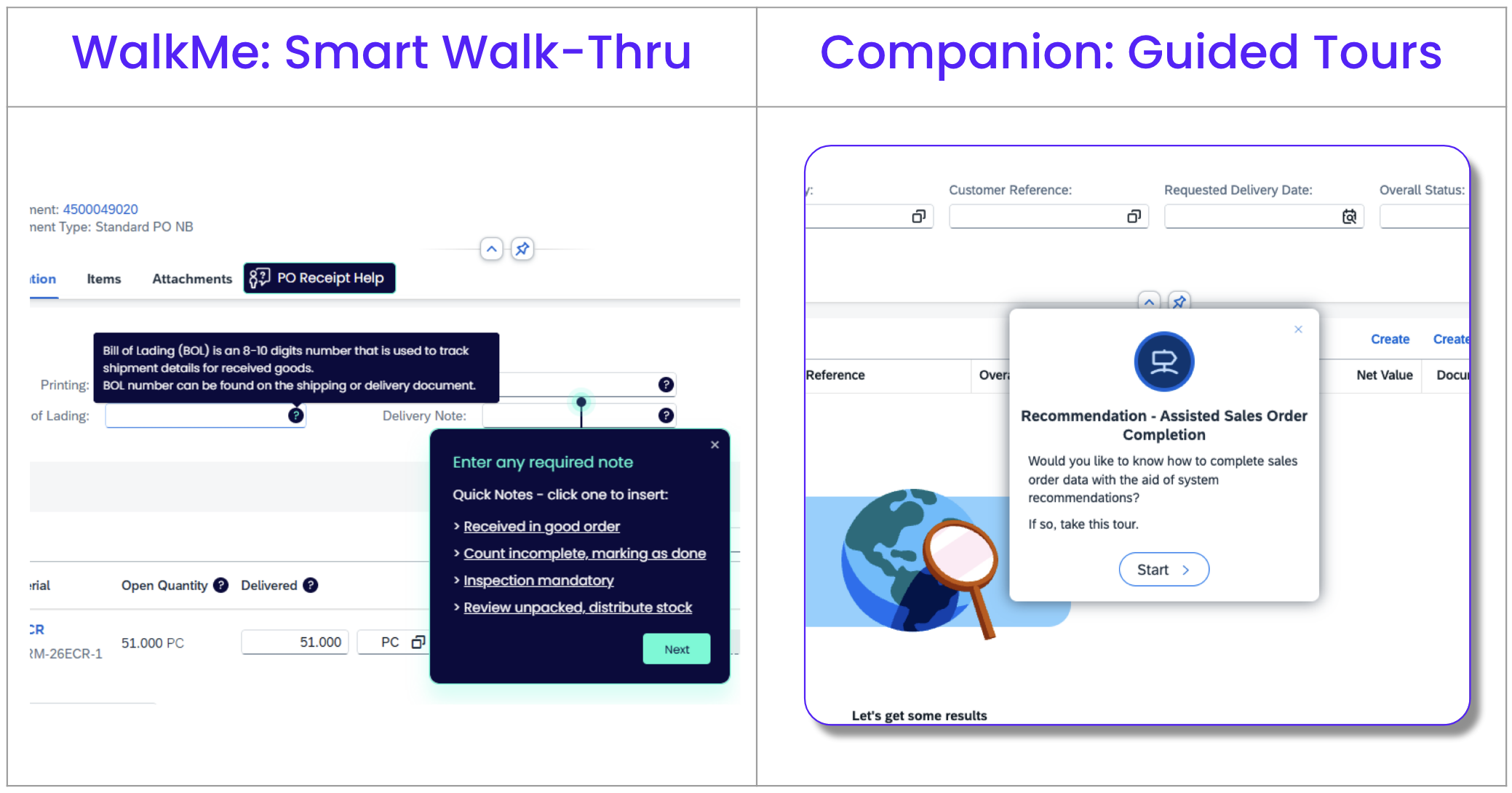
WalkMe: Smart Walk-Thru Companion: Guided Tours

Companion vs DAP Capabilities

Scroll each table for comparison.

User Experience

Capability WalkMe  SAP Enable Now / SAP Companion 
One-off message or banner ShoutOut ✅ Rule-based popups and banners Text Pop-Up ✅ Info pop-ups inside SAP
Check input before submit Validation SmartTip ✅ Checks input and blocks submit Feature Conditions Checks input values, but doesn't block submission
Step-by-step shown inside the live screen Smart Walk-Thru ✅ Rich, step-by-step guides live on screen Guided Tour ✅ Guided tours shown on SAP screens
Task list that tracks first-time work Onboarding Tasks ✅ Track list guides and tracks progress Guided Tour or 'Your Onboarding Checklist' ✅ Basic tour-based checklist
Small inline tips over fields or icons SmartTips ✅ Inline tips that check user input On-Screen Help / Text Pop-Up ✅ Simple text hints
Ask users for ratings or input Surveys / NPS ✅ In-app surveys & NPS Surveys / NPS Surveys linked from external sources only
Capability WalkMe SAP Enable Now / SAP Companion
Show the right help based on page, role Segmentation Rules/Rule Engine ✅ Precise rule targeting by page, role, or data Context ID / business roles ✅ Guided help shows ID/roles to show
Continue help across multiple systems Cross-App Solution ✅ Keeps guidance when users switch apps SAP Companion Guided Tours across apps ❌ Cannot cross apps
Auto-fill and click for the user Automation Process (Auto-Steps)

✅ Auto-fills fields & clicks for user

❌ Limited desktop

Automation Process ❌ No automation available
Screen-recorded walk-through

❌ WalkMe Stories / Share

✅ Deliver Demo/Practice in Learning GA

Basic video-style replay (no practice) Simulation (Demo/Practice/Test) ✅ Delivers full demo, practice and test created in SAP Enable Now
Show menus to the right crowd Segmentation Center ✅ Deep segmentation & data-based targeting User Groups /
Business Roles
✅ Role-based targeting

AI Assistance

Capability WalkMe SAP Enable Now / SAP Companion 
Contextual and always-on AI guidance AI Chat / Contextual AI Engine ✅ Embedded in workflows, triggers next action (not available) ❌ Not available
Auto-prompted help without clicks Always-On AI Assistance ✅ Shows help without prompting (not available) ❌ Not available
Instant AI help via button On-Demand AI Assistance ✅ Universal help bar across apps (not available) ❌ Not available
Auto-generated responses from enterprise data AI Answers ✅ Real-time responses + rescan & validation (not available) ❌ Not available
Conversational bots with AI-driven steps AI Conversations in ActionBot ✅ Smarter prompts reduce back & forth (not available) ❌ Not available
Templates with AI-generated content Writing Assistance Templates ✅ AI pulls content from page/app context (not available) ❌ Not available

Builder Experience

Capability WalkMe SAP Enable Now / SAP Companion 
Unified, browser-based content builder WalkMe Editor ✅ Agile, single-screen building & editing SAP Companion Editor Mode ✅ Browser Based content builder within SAP Companion
Advanced condition builder Visual Condition Builder ✅ Complex rule creation without code SAP Companion conditions ✅ Basic conditions can be used
Prebuilt templates Premium Content (Configurable Accelerators)

✅ Configurable content accelerators for key workflows and applications

 ❌ Limited to Web (Future desktop on request)

Standard Content (in-app and learning)

✅ Pre-built content varies by application

❌ Redesign limited to digital learning content

Company-wide branding settings Theme Manager & Branding

✅ Fonts, colors, logos across platforms

❌ Limitations (e.g. Desktop)

Templates, Styles and Resources ✅ Full customization capabilities across all outputs
Save once, reuse often Custom Template ✅ Templates you reuse in any build Templates & Content Objects ✅ Templates stored for reuse

Platform

Capability WalkMe SAP Enable Now / SAP Companion 
Generate Word/PDF/PPT from content Stories Export / CSV Export ✅ One-click export to PDF, Word, PPT, etc. Documentation Export ✅ Export of docs & scripts from SAP Enable Now interface. 
Control over builder access and segments Content Permissions & WalkMe Profiles ✅ Assign permissions per builder/segment Workspace Permission ✅ Workspaces
Connect and data link API Keys, Outgoing Data, System Integrations ✅ Rich REST/JSAPI, SSO, data export SAP Companion API
/ SCIM / SAML
Limited API (DOM variables)
SCIM/SAML 
Embedded guidance without browser extensions SAP Snippet (Ariba, S/4HANA, etc.) ✅ Native SAP deployment without extension SAP Companion framework

✅ Download of SAP Companion framework possible off-line

Embedded integration without snipped are available for certain SAP apps

Unified hub to automate workflows Browser Extension ✅ Connects all apps, automates in ActionBot Separate panel per application ❌ Delivery of content per application

Analytics

Capability WalkMe SAP Enable Now / SAP Companion 
Track use and measure impact WalkMe Insights

✅ Real-time usage, funnels, export reports

❌ Desktop limitations

Manager Usage Reports ✅ Basic usage reports
View software usage across org WalkMe Discovery ✅ License and friction analysis (not available) ❌ Not available
Journey & workflow behavior analytics Workflow Insights

✅ Tracks task/process completion

❌ Desktop limitations

(not available) ❌ Not available
Form & field optimization insights UI Intelligence ✅ Real-time fix recommendations (not available) ❌ Not available
Re-create full user session * Insights Session Playback ✅ Replay full user session (not available) ❌ No live session view, aggregated reports
Loader Loading...
EAD Logo Taking too long?

Reload Reload document
| Open Open in new tab

Was this article helpful?

Thanks for your feedback!

Be part of something bigger.

Engage with peers, ask questions, share ideas

Ask the Community
×