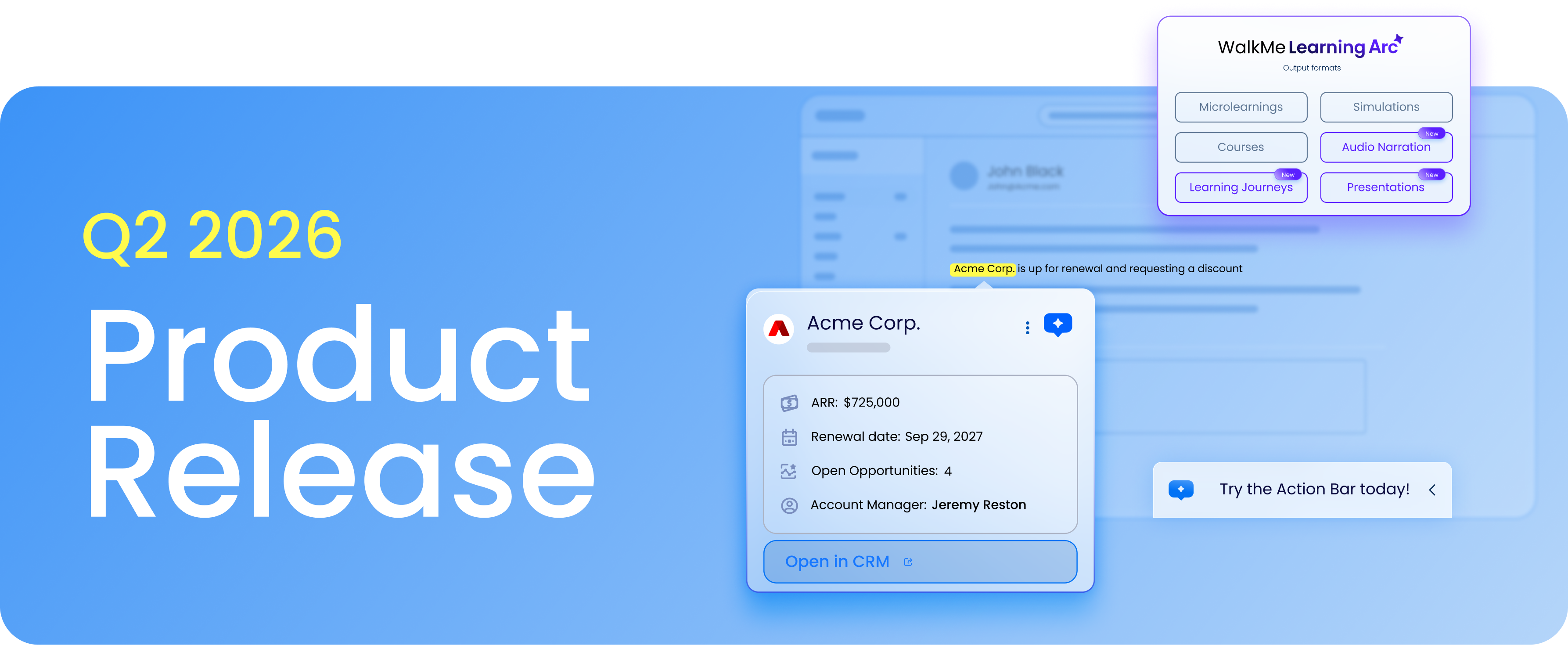
This page explains what changed in the Q2 '26 release, how each update works, and when to use it. It's written for admins, builders, and program owners who want clear, practical guidance.
All updates are available starting May 18, 2026.
What's included in this release
This release includes updates across the full WalkMe platform. This page focuses on the following key updates:
- Contextual AI Assistance: Smart Highlights bring live business data directly into the apps employees use, a Solutions Gallery offers pre-built AI-powered workflows, and AI Chat delivers context-aware responses based on what's visible on screen.
- Integrated Digital Learning: Enhanced AI authoring at three levels of granularity, Learning Journeys for multi-course sequencing, audio narration, SCORM export, improved support for SAP Enable Now transitions, and rich simulation enhancements.
- Enterprise-Grade Operability & Governance: Migration of Admin Center to Console, new survey features with branching logic and SCIM IDP support, desktop analytics dashboards, mobile guidance in Console, and Safari extension support for iOS and iPadOS.
Learn about all the details. Register now for the Q2 '26 Release Webinar
June 3, 2026 | 11:00am EST
Contextual AI Assistance
WalkMe's Q2 2026 release delivers AI innovation across the full deployment lifecycle, from how AI gathers context, to how teams get started, to how organizations track and govern usage. The following features give teams new ways to deliver smarter, more helpful AI-powered guidance.
AI Content in the Solutions Gallery
What it does
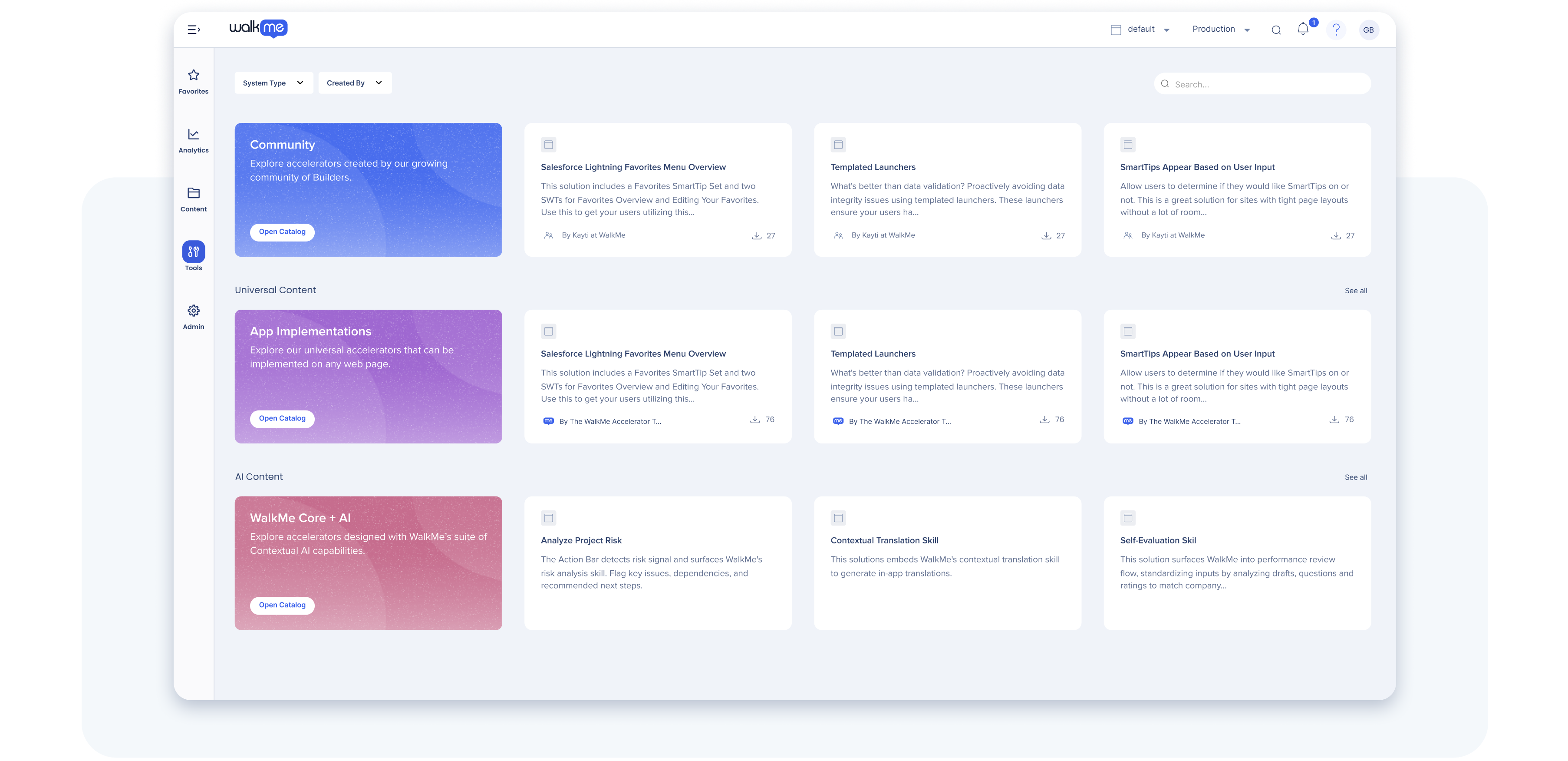
The new contextual AI solutions in the Solutions Gallery provide pre-built, AI-powered workflow templates that builders can draw inspiration from and activate with minimal configuration. Instead of building from scratch, builders select a prompt-ready template (such as performance reviews, competitive selling, or purchase requests), customize it for their company's processes, and deploy immediately.
Why it matters
Accelerates time-to-value by offering proven use cases. Builders can get ideas and see what's possible before investing in custom development, lowering the barrier to AI adoption and enabling faster deployment of high-impact guidance.
Data center availability
US | EU | SAP
Smart Highlights
What it does
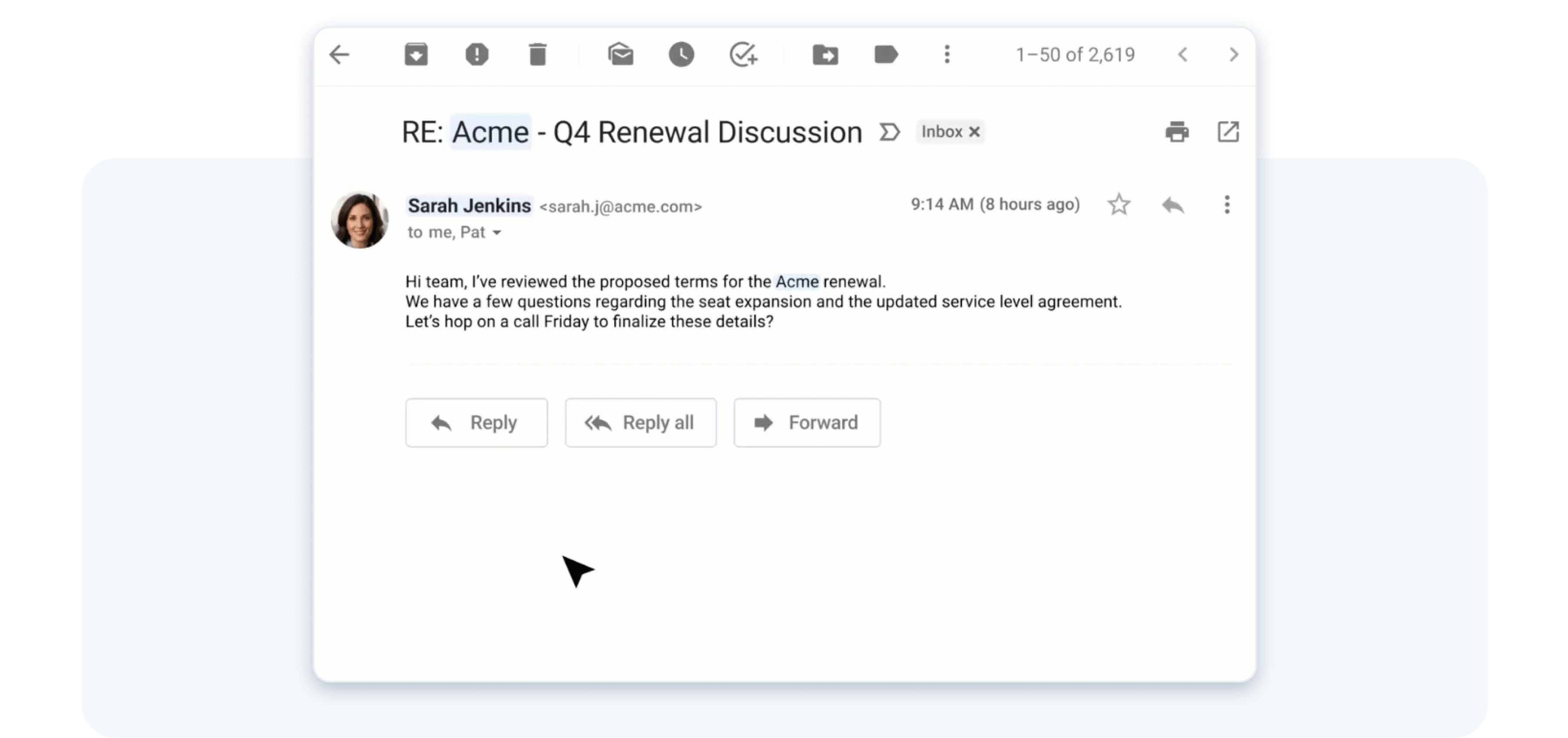
Smart Highlights surface information from ServiceNow, SAP S/4HANA, SuccessFactors, and Salesforce directly within the app employees are currently using, without switching tabs or windows. Key data points appear in-context, enabling faster decision-making and reducing errors caused by incomplete information. WalkMe's technology does not require additional API setup, and honors existing user permissions, meaning Smart Highlights only show what a user is already authorized to see.
Why it matters
Staying in context eliminates friction. Users access real-time data without tab-switching, reducing task completion time and cognitive load. This is especially valuable in high-volume, data-driven workflows like sales and customer service.
Example use case
A sales rep gets an email about a potential renewal. Without leaving their inbox, they hover over the account name and instantly see relevant data pulled from across their enterprise systems, account health, usage trends, and contract details, all surfaced inline, right where they're already working. Everything they need to walk into that renewal conversation informed is already there.
Data center availability
US | EU | SAP
AI Usage Dashboard
What it does
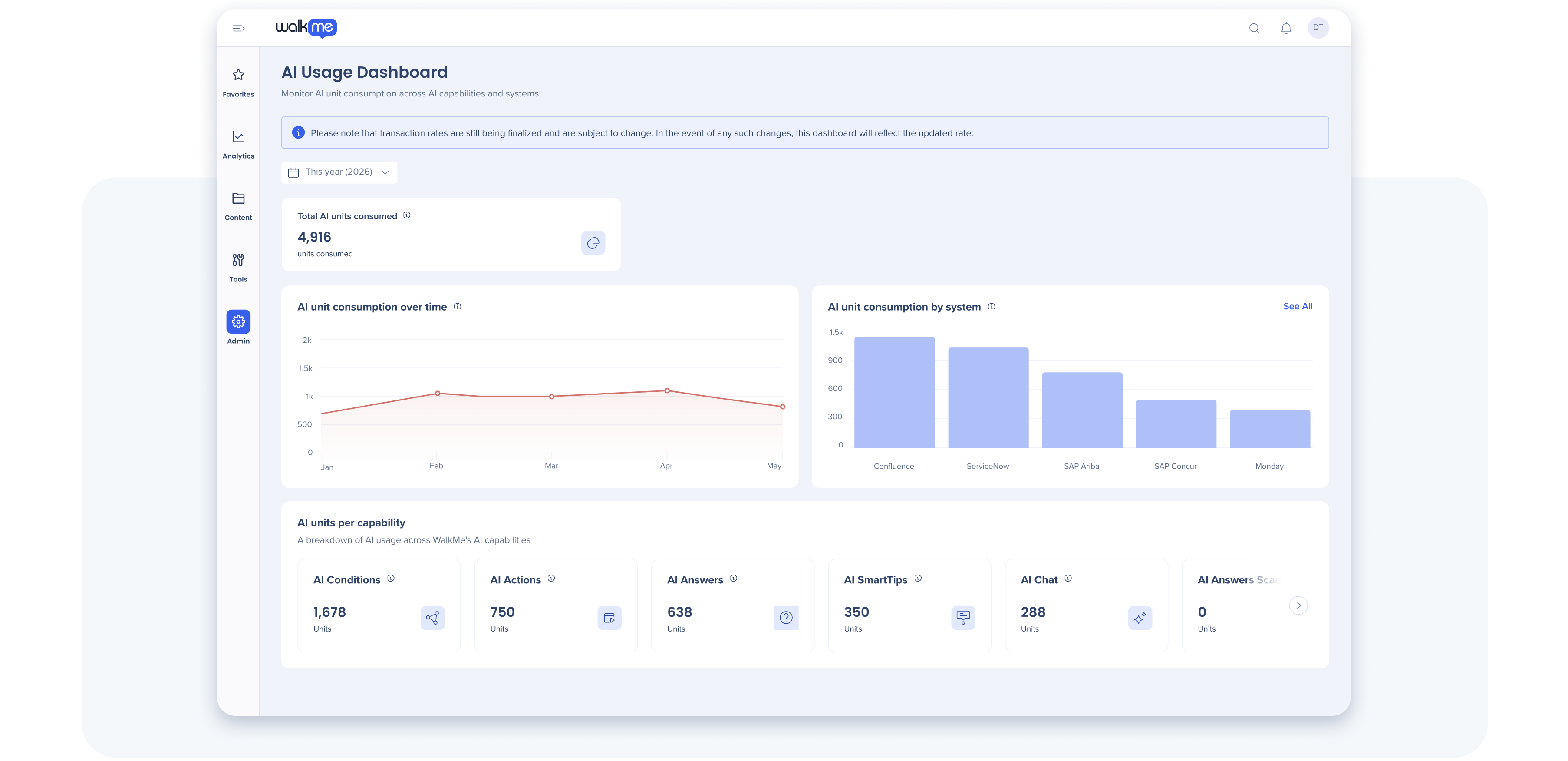
The AI Usage Dashboard provides comprehensive visibility into how AI is being used across systems, teams, and features. Track which AI capabilities are driving adoption, measure engagement with AI-powered experiences, and project consumption during WalkMe's promotional AI period.
Why it matters
Enables data-driven governance and ROI justification. Organizations can see where AI delivers value, identify high-adoption features, and prepare for usage-based billing with confidence and transparency.
Data center availability
US | EU | SAP
➡️ Discover the latest Contextual AI Capabilities
AI Chat: Connect to Page Context
What it does
AI Chat now reads and understands what's visible on the user's current screen. Instead of requiring users to manually copy and paste data into a search query, AI Chat analyzes the on-screen context and delivers task-relevant answers automatically.
Why it matters
Reduces friction and speeds up problem-solving. Users get task-relevant answers without leaving their work or manually extracting data. This eliminates repeated copy-paste actions and delivers guidance tied directly to what the user is doing right now., improving satisfaction and task completion rates.
Data center availability
US | EU | SAP
Action Bar Updates
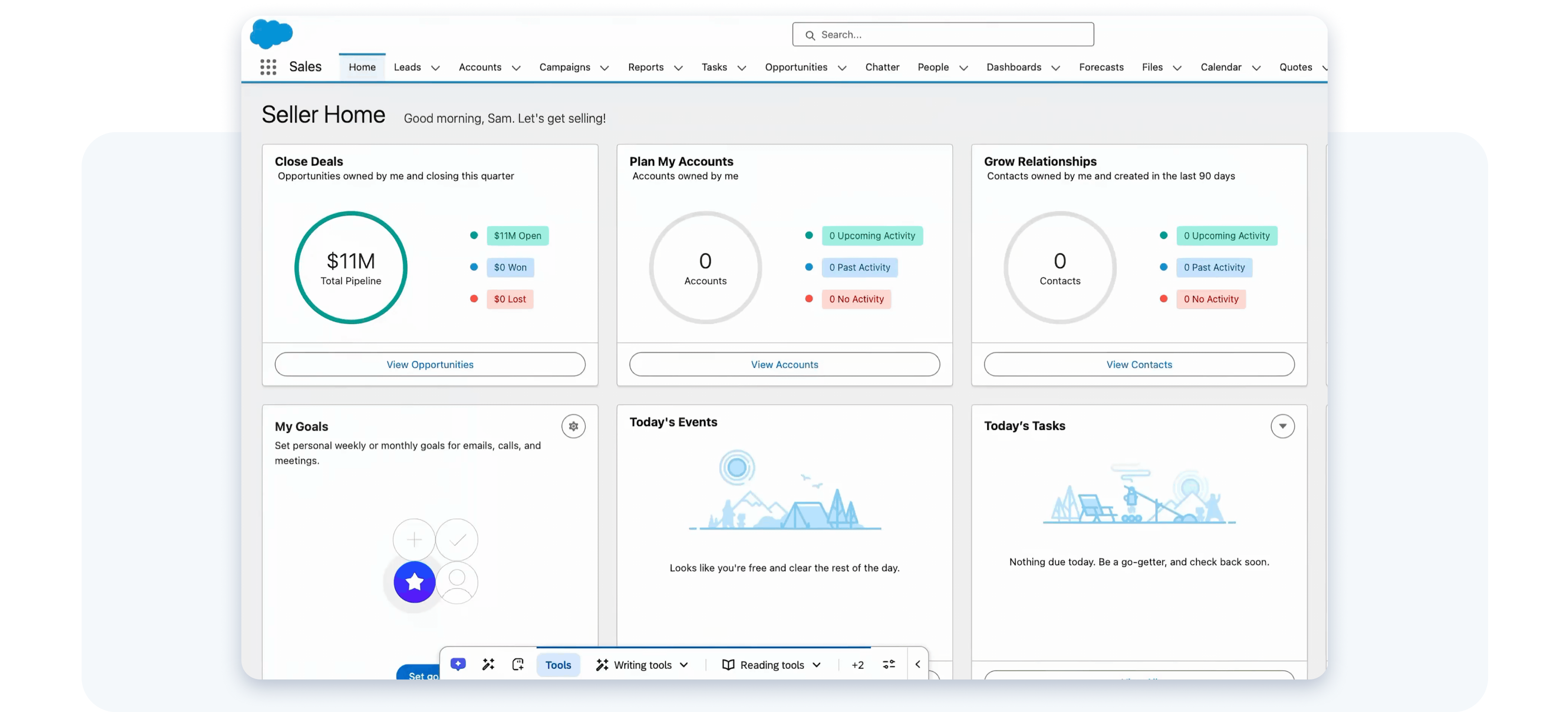
The Action Bar continues to evolve with new capabilities that make proactive AI assistance simpler to deploy, manage, and scale globally. See the Q1 '26 release page for foundational Action Bar capabilities.
What changed
Q2 introduces streamlined deployment workflows, making it faster to configure and launch AI-powered Action Bar across systems and regions. Rather than configuring system by system, admins can now set up in bulk which systems will have Action Bar with AI Enabled and which system will have the Action Bar with default, non-AI settings.
Data center availability
US | EU | SAP
Integrated Digital Learning: WalkMe Learning Arc
WalkMe Learning Arc, our new digital learning product, is accelerating content authoring with AI and bringing learning directly into the flow of work. Q2 '26 matures the platform with new authoring precision, broader integrations, richer learner experiences, and distribution flexibility.
Enhanced Authoring and Editing with AI
What it does
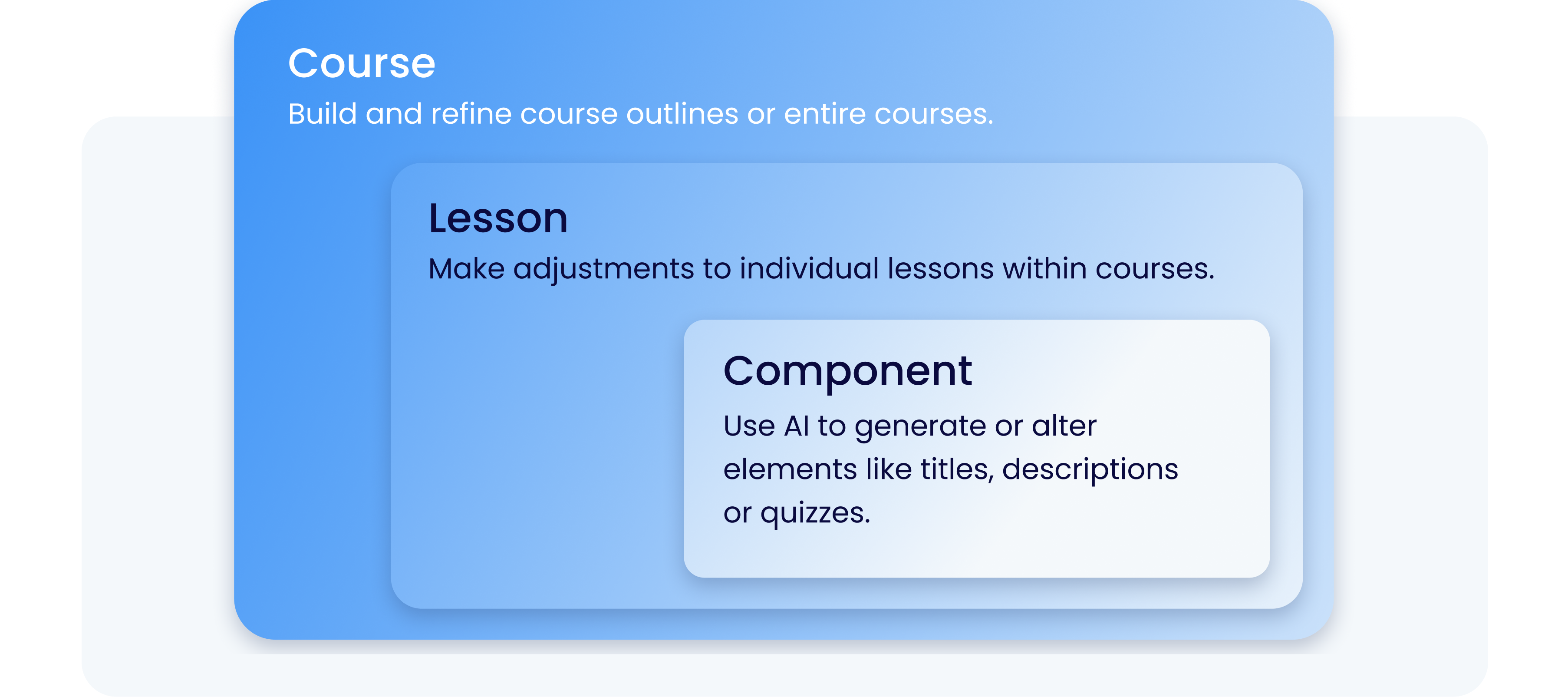
Authors can now guide AI-powered content generation at three levels of granularity: entire courses, specific lessons, or individual paragraphs. This precision control means AI assists where needed while preserving organizational voice and editorial standards across all levels of content creation.
Why it matters
Gives authors real control over AI assistance without losing the benefits of automation. Teams can enforce voice and quality standards while still accelerating content creation, balancing speed with consistency.
Example use case
A compliance team updates policy language in a specific lesson. Instead of regenerating the entire course, the author instructs WalkMe to apply AI refinements only to that one paragraph using the updated policy as context. The rest of the course remains unchanged, maintaining consistency.
Data center availability
US | EU | SAP
Audio Narration
What it does
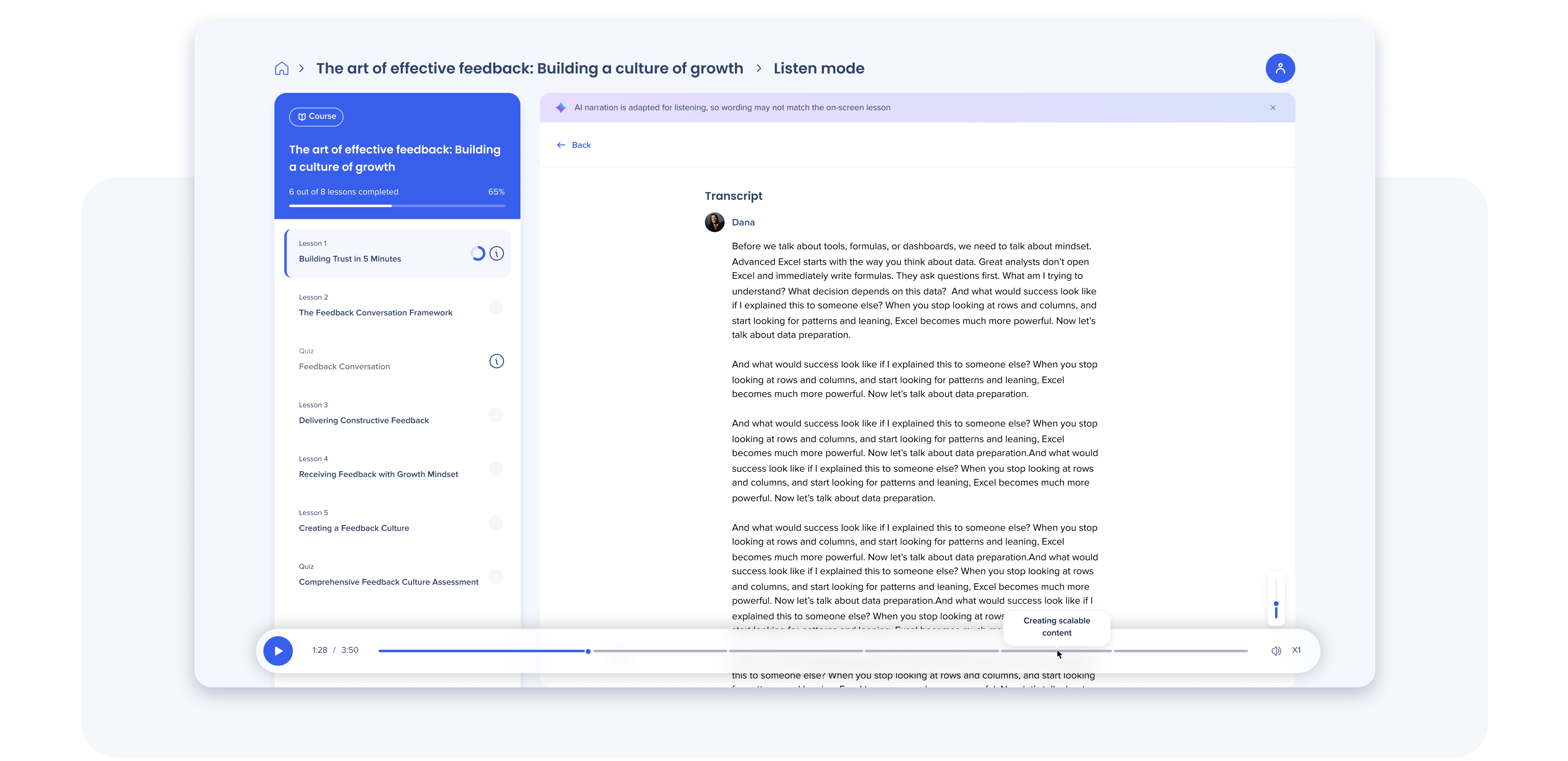
WalkMe Learning Arc now includes an option to consume learning experiences with an engaging, high-fidelity narrator.
Why it matters
Expands learning accessibility for employees with different learning preferences. Audio-first experiences enable learning while commuting, multitasking, or working hands-on—increasing completion rates and accommodating diverse accessibility needs.
Data center availability
US | EU | Canada | FedRAMP | SAP
Learning Journeys
What it does
Learning Journeys allow authors to sequence multiple courses and microlessons into curated learning paths. Learners progress through structured milestones, with readiness checks ensuring mastery before advancing to the next course.
Why it matters
Creates clear progression paths for learners and ensures skill-building sequences are followed in the right order. Organizations can confidently build multi-course certification programs that scale across teams.
Example use case
A financial services firm creates a certification journey: Foundation Accounting → Advanced Configuration → Regulatory Compliance. Learners must achieve 80% on Foundation before the system unlocks Advanced. Only after both are complete does Regulatory Compliance appear, ensuring prerequisite knowledge.
Data center availability
US | EU | Canada* | FedRAMP* | SAP
*Excludes generative AI capabilities
SAP Enable Now Transition Enhancements
For customers migrating from SAP Enable Now (SEN) to WalkMe Learning Arc, Q2 introduces three major enhancements that reduce friction during the transition.
- Workspace flexibility: Import multiple SAP Enable Now workspaces into a single WalkMe Learning Arc instance, eliminating the need to maintain separate learning systems.
- URL redirect: Direct URLs to SEN objects continue to work within WalkMe Learning Arc, preventing broken links and ensuring existing bookmarks and references remain functional during migration.
- On-Premises to Cloud migration path: Support for transitioning from on-premises SAP Enable Now directly to cloud-based WalkMe Learning Arc, enabling modernization without content loss.
Data center availability
US | EU | Canada | FedRAMP | SAP
Simulation Enhancements
Ten enhancements span authoring, learner experience, distribution, and insights, making simulations more powerful and easier to create at scale.
- Authoring: Accelerates creation using AI for step content, tools for slide replacement/image upload, asset duplication, and visual clarity toggles.
- Learner experience: Adds step audio narration (TTS/recording) in demo mode and improves interaction accuracy for native HTML dropdowns.
- Distribution: Expands reach via SCORM export (for LMS tracking), standalone links for all modes (Demo, Practice, Test), and new HandsOn PDF export formats.
- Visibility: Introduces a new Simulation report in Insights that logs detailed, per-user, per-step, and per-mode learner interactions.
Data center availability
US | EU | Canada | FedRAMP | SAP
➡️ Start creating learning content
Enterprise-Grade Operability & Governance
Q2 closes the gap on platform capabilities enterprise customers have been requesting most. These updates consolidate management tools, enhance survey capabilities, expand analytics coverage, and bring mobile guidance fully into the Console ecosystem.
Admin Center Migration to Console and other Improvements
What changed
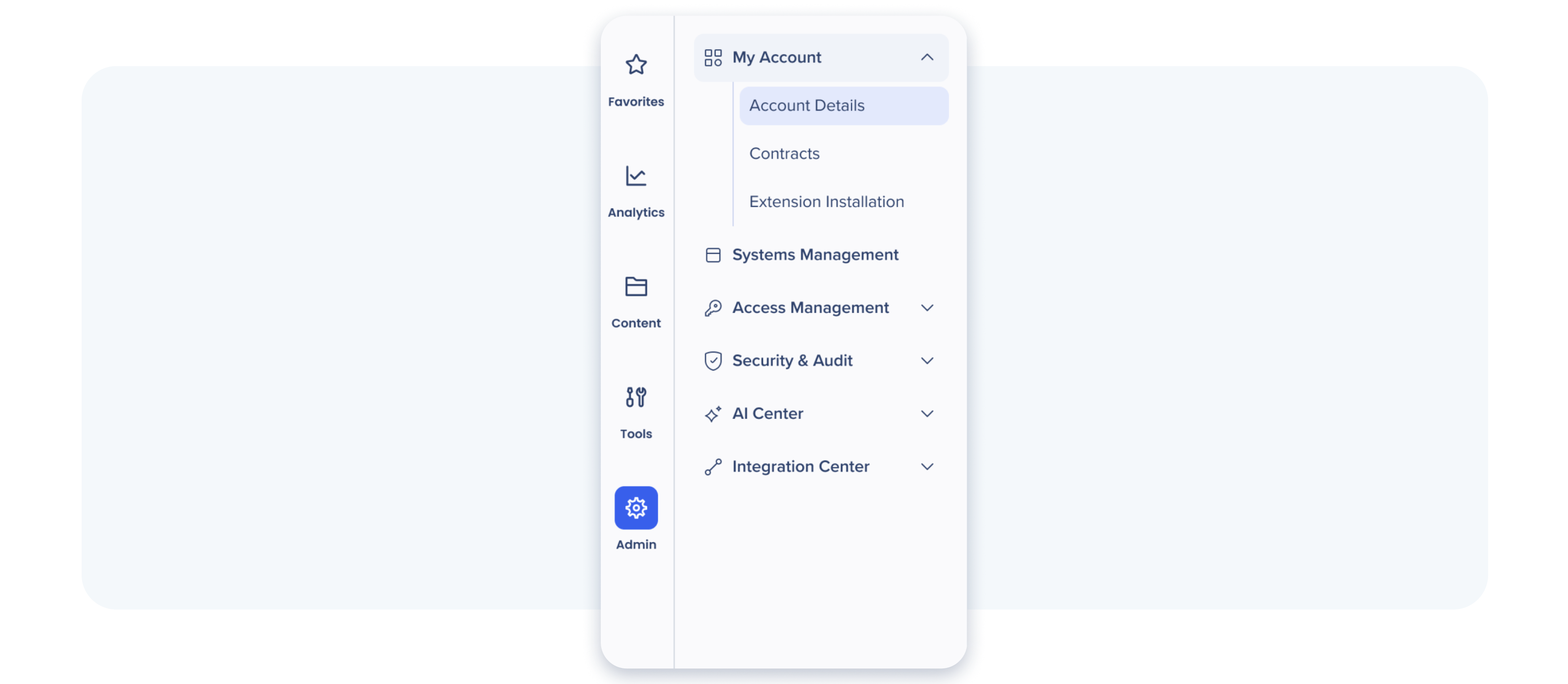
All Admin Center functionality has been consolidated into the WalkMe Console. Users, permissions, and settings are now managed in one unified hub, eliminating the need to switch between tools. Additionally, you can now create and manage systems in Admin Center with greater clarity and control. Ensure alignment with your entitlements, simplify Learning Arc system setup, and make it easier to understand which products can be linked to each system.
Why it matters
Simplifies administration by centralizing all platform management in a single location. Admins complete tasks faster without context-switching, and governance becomes more transparent and easier to audit.
Data center availability
US | EU | Canada | FedRAMP | SAP
➡️ Access Console Admin Settings
Surveys: Logic and IDP Integration
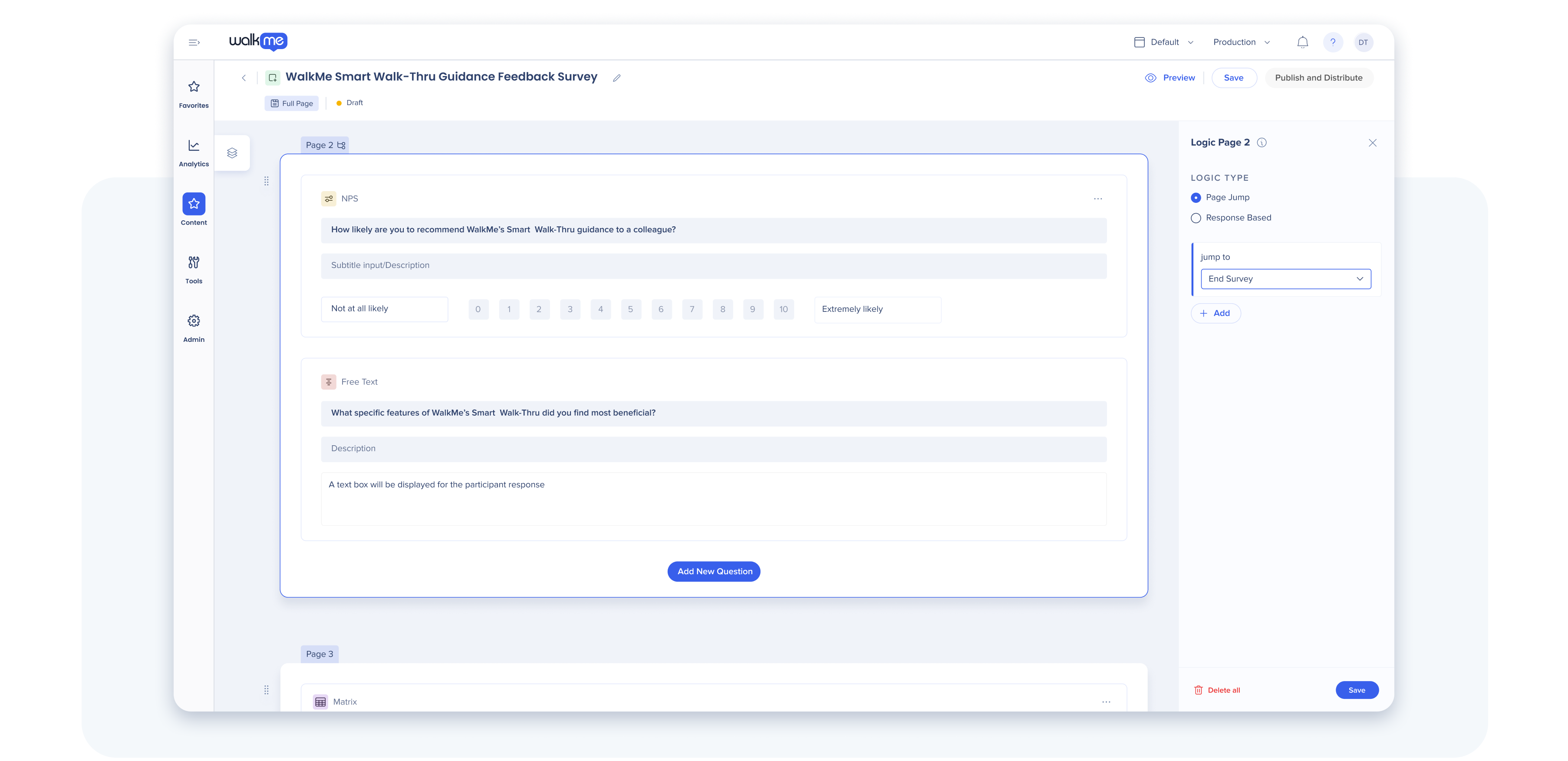
Branching logic
Survey respondents now follow personalized paths based on their answers. Branching logic shows only the questions that are relevant to each respondent, creating a tailored survey experience that improves response quality and completion rates.
Example use case
A financial services firm launches a post-go-live survey across SAP and Salesforce. Using branching logic, SAP users answer 5 questions about navigation; Salesforce users answer 5 different questions about dashboards. Non-adopters are asked why they're not using the system, then routed to role-specific follow-ups. Within 48 hours, the team has clean data: SAP users struggle with multi-step workflows, Salesforce users need better dashboard guidance. They immediately adjust their guidance strategy by system instead of wading through irrelevant responses.
SCIM IDP Integration
Pull survey recipients directly from your SCIM IDP directory, eliminating manual distribution and ensuring you reach the right audience instantly without workarounds or manual list management.
Example use case
An enterprise with 15,000 employees previously spent 4 hours every quarter manually exporting employee lists from their IDP, checking data integrity, and uploading recipient lists to WalkMe. Now, when HR updates the IDP with new hires, departures, and org moves, WalkMe syncs automatically. The quarterly 'Adoption Health Check' survey targeting the Finance department deploys in 30 seconds to exactly 847 Finance employees, no CSV exports, no mismatches, no manual list management.
Data center availability
US | EU | Canada | FedRAMP | SAP
Desktop Guidance: Enhanced Analytics
What it does
The same Insights dashboards available for web guidance are now available for desktop applications and SAP GUI. This unified analytics approach provides a single, comprehensive view of WalkMe adoption across your entire organization—desktop, web, and on-premises systems included.
Why it matters
Eliminates siloed analytics. Admins and program managers get complete visibility into guidance usage and learner engagement without switching between different reporting tools, enabling better decision-making and more accurate ROI calculations.
Data center availability
US | EU | Canada | FedRAMP | SAP
Mobile Guidance in Console
What changed
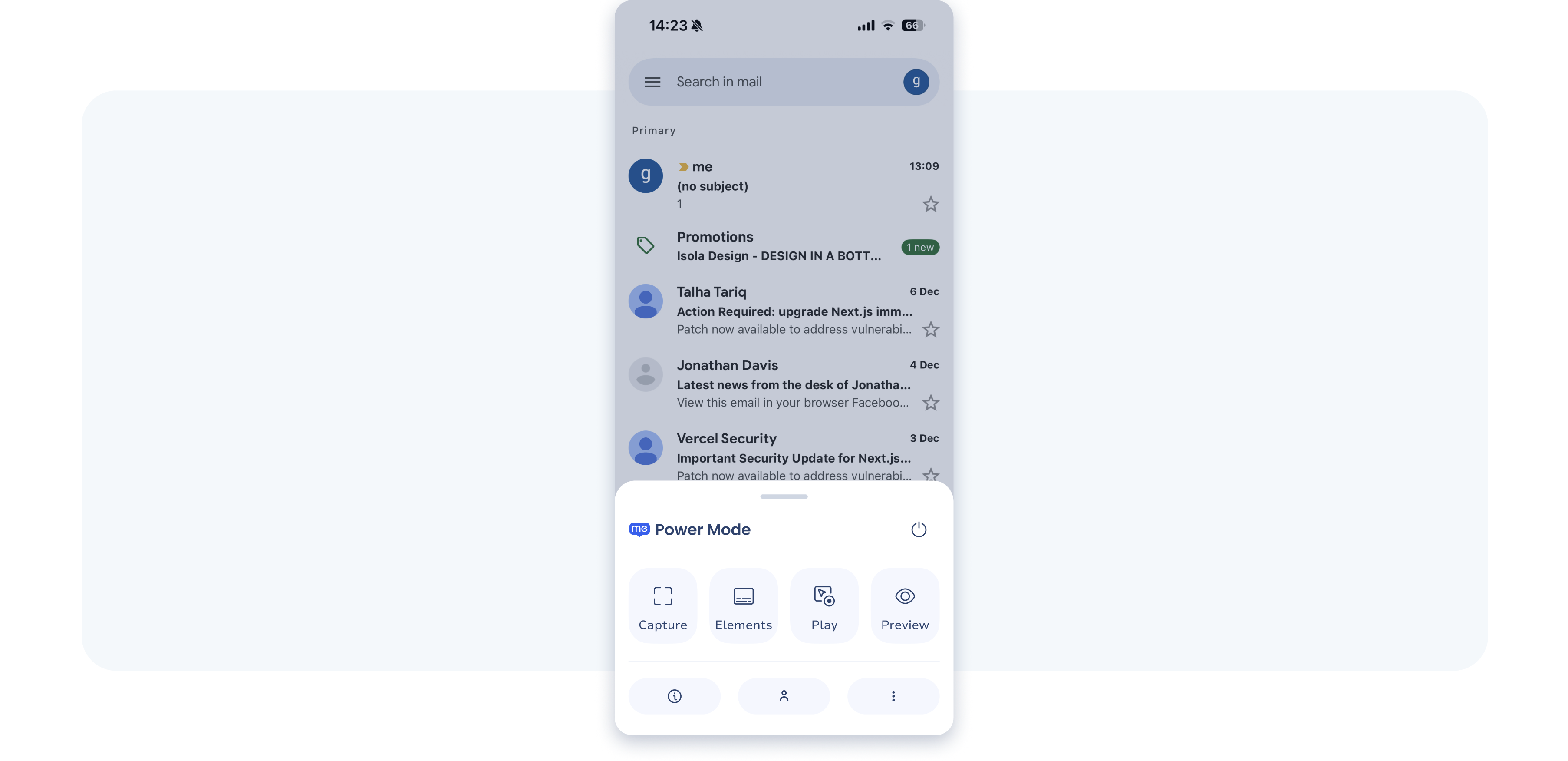
The Mobile SDK and console now provide a unified authoring and management experience for native mobile app guidance. Builders can set up, manage, and track mobile guidance for homegrown apps using the same workflows they use for web guidance.
Why it matters
Extends WalkMe's reach to mobile-first workforces. Organizations can deliver consistent guidance across web and mobile without maintaining separate tooling or workflows. New Power Mode authoring makes mobile guidance creation faster and more intuitive.
Example use case
A logistics company built a custom mobile app for warehouse teams. Previously, mobile guidance required a separate tool from their web guidance stack. Now with Mobile SDK in Console, builders manage both web and mobile from one place. They create a 'Receive Shipment' Smart Walk-Thru using the same Console editor, Power Mode authoring, and Insights dashboards. Warehouse teams see contextual guidance. Updates deploy in parallel across both platforms, and completion rates appear in a single Insights report.
Data center availability
US | EU | Canada | SAP
Safari Extension for iPad & iPhone
What it does
WalkMe now delivers guidance within Safari on iOS and iPadOS, enabling support for third-party web apps used by frontline teams—such as logistics, warehouse, and field service apps.
Why it matters
Brings WalkMe to the mobile workforce. Frontline teams using iPhones and iPads can access guidance for web-based field apps, improving task accuracy and completion rates in high-mobility scenarios.
Example use case
A field service company equips 500 technicians with iPhones to access job details through a web-based portal. Previously, WalkMe couldn't deliver guidance on mobile Safari, so technicians called the office or relied on printed job cards. With the Safari extension, WalkMe guidance now appears directly in Safari. Technicians see smart tooltips for confusing fields, step-by-step walkthroughs for complex procedures, and one-click access to knowledge articles. First-call resolution improves 25%, and technicians spend less time on support calls and more time with customers
Data center availability
US | EU | Canada | SAP
Register for the Q2 '26 Release Webinar
June 3, 2026 | 11:00am EST
Join WalkMe product leaders for a guided walkthrough of the Q2 '26 Release. You'll see live examples, real demos, and understand how these new capabilities support adoption and learning at scale.
➡️ Save your spot
Looking for more detail?
All product updates will be available starting May 18, 2026. Rest assured, your current implementation will remain unaffected by the updates until you publish again.
For a complete list of updates—including minor enhancements and fixes—visit our Release Notes and filter by your data center to view details specific to your environment.
🗓️ Data center rollout order
- US and EU – May 18, 2026
- Canada – May 25, 2026
- SAP – June 8, 2026
- FedRAMP – June 1, 2026
Let's stay connected
 Join the WalkMe Community — Learn from and collaborate with other DAP professionals
 Subscribe to Release Notes — Stay up to date on new features, improvements, and fixes
Issues with receiving new updates?
For customers that run WalkMe on their local servers, reach out to your Customer Success Manager or WalkMe contact to learn how you can gain access to these new features.


