Brief Overview
User notifications are system-triggered email notifications sent to learners when key learning events occur, such as being assigned a course or earning a certificate. These emails help learners understand what action is required and stay informed about their learning progress. Each email notification can be enabled or disabled globally. When enabled, emails are sent automatically when the related event occurs.
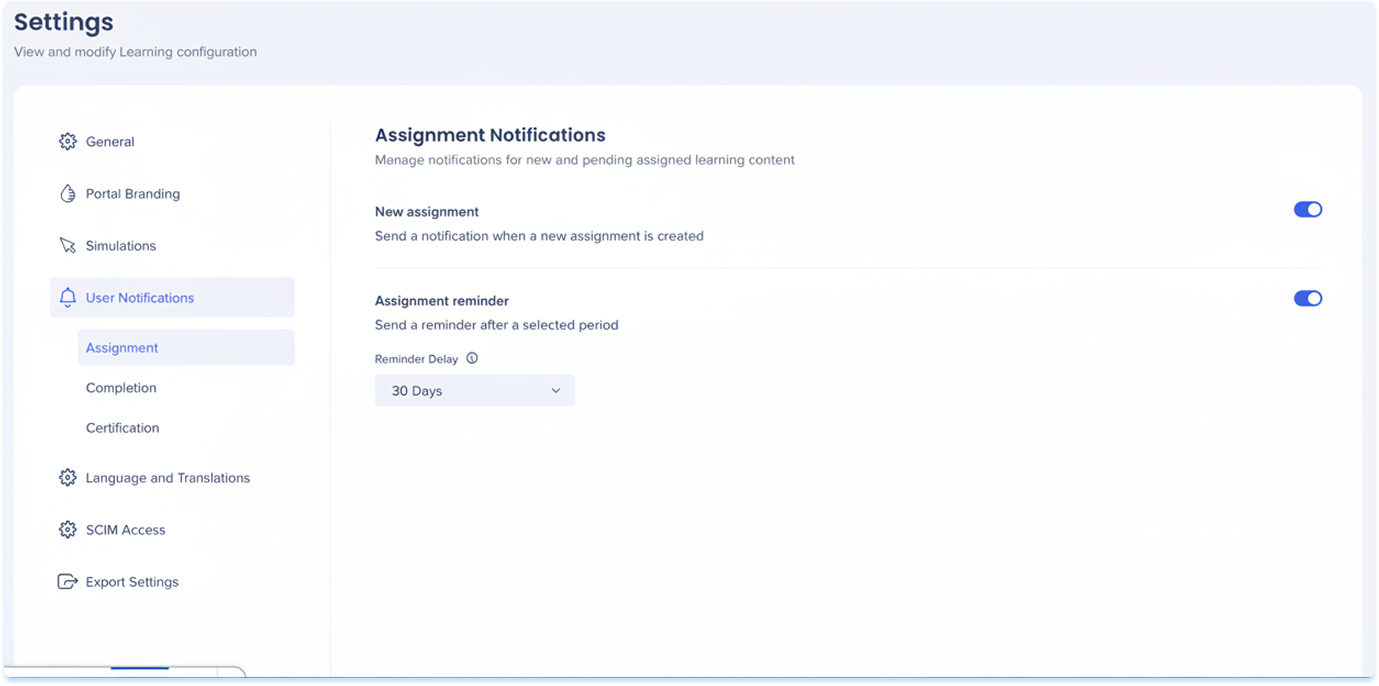
Assignment notifications
New assignment
Sends an email to learners when new learning content is assigned.
Why it's sent
- Notifies learners that action is required
- Drives course starts
Triggered when
Learning content is assigned to an individual learner, or segment

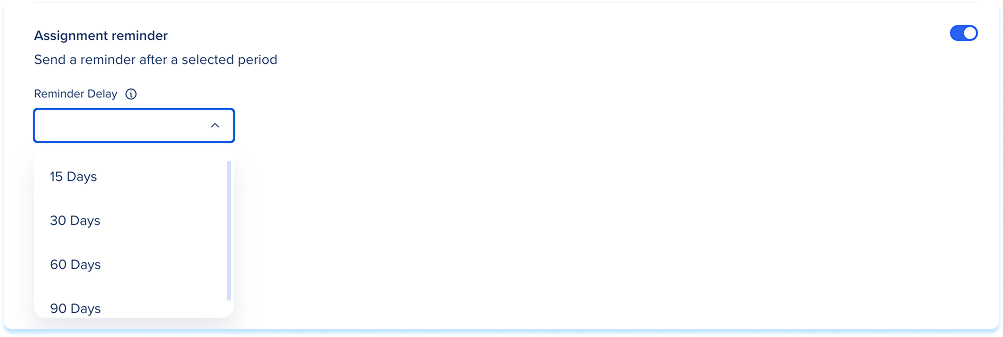
Assignment reminder
Sends a reminder email to learners who haven't completed assigned learning content.
Why it's sent
- Nudges learners to take action
Triggered when
The selected number of days has passed since assignment and the course is still incomplete.
You can choose when the reminder is sent:
- 15 days
- 30 days
- 60 days
- 90 days
Completion Notifications
Course completion
Sends an email to a learner when they complete a course.
Why it's sent
- Confirms course completion
- Reinforces learning progress
- Encourages continued learning
Triggered when
A learner completes a course

Certification Notifications
Certificate earned
Sends an email to a learner when they earn a certificate.
Why it's sent
- Acknowledges achievement
- Makes certification feel official
Triggered when
A learner's certification status changes to earned

Certificate expired
Sends an email to a learner when their certificate expires.
Why it's sent:
- Lets learners know their certification is no longer valid and may need to be renewed.
Triggered when:
A learner's certificate reaches its expiration date.

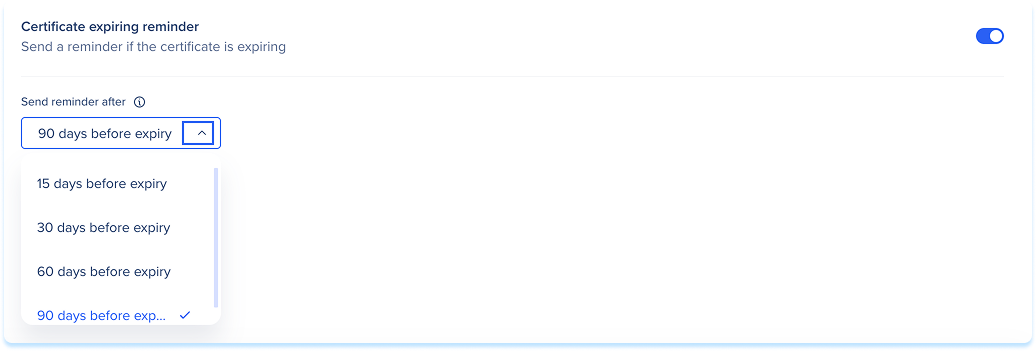
Certificate expiring reminder
Sends a reminder email to learners before their certificate expires.
Why it's sent:
- Gives learners advance notice so they can renew before their certificate lapses.
Triggered when:
The selected number of days before expiry is reached.
To set when the reminder is sent, choose one of the following from the Send reminder after dropdown:
- 90 days before expiry
- 60 days before expiry
- 30 days before expiry
- 15 days before expiry
Technical Notes
- Emails will be sent once to users per event
- Emails will be sent only to published courses
- Certificates:
- Expiring window defaults to 30 days if not configured
- Certificates with no expiry remain permanently valid with no notifications triggered


