Brief Overview
The mobile menu enables you to seamlessly adapt the application to your preferred language, with English being the default option. The selected translation language is automatically applied across all your devices, eliminating the need for manual configuration. The translation process include two types: Menu language (localization) and Resources language (multi-language), ensuring a flexible and consistent experience.
Get to Know
The application language is the language of the mobile menu interface. So the tabs, settings, and widgets will appear in the selected application language.
The translations are managed by WalkMe and accessible to everyone. The supported languages are:
- Chinese
- English
- French
- German
- Japanese
- Korean (New!)
- Portuguese
- Spanish
- Turkish
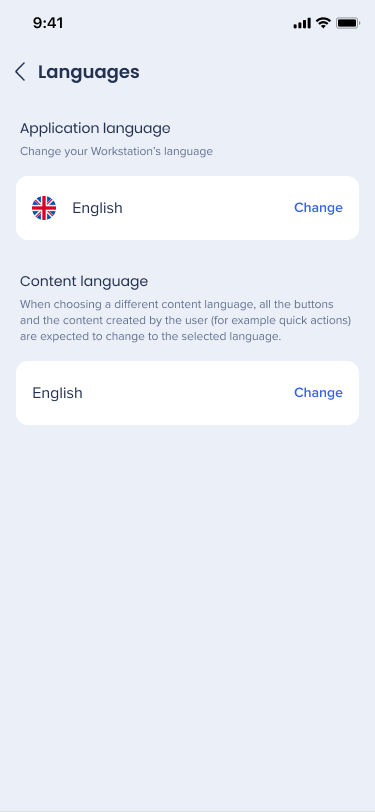 Resource Language
WalkMe offers organizations to translate their WalkMe content using WalkMe's Multi-Language. Meaning that the content in the Resources tab can be in a different language than the application. Languages available for Resources is at the discretion of the organization.
Settings and Deployment
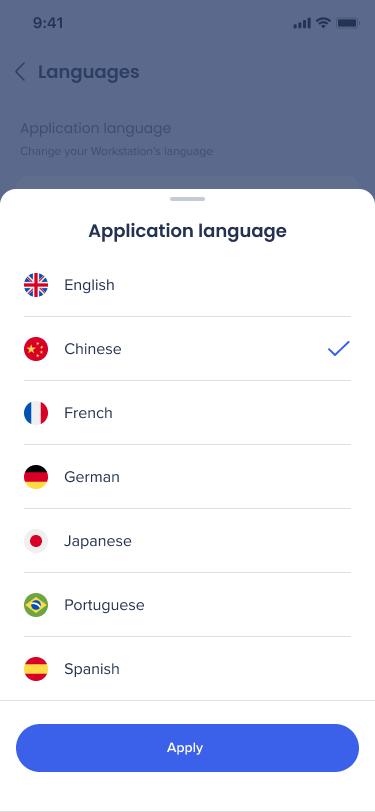
Users can change the language anytime by:
- Open the Settings tab → Languages
- Select the type (Application language / Content language)
- Select the preferred language
- Click Apply


 Menu Language