Brief Overview
Engaged Elements are captured in the WalkMe Editor. In Insights Classic, these elements will then be automatically shown as Tracked Events and can be analyzed in Insights just as any other Tracked Event.
To learn more about Tracked Events, please refer to the About Insights Tracked Events article.
How to Create an Engaged Element
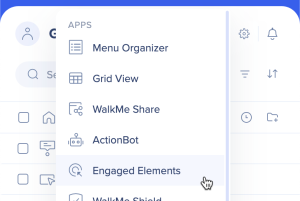
- In the Editor go to Apps → Engaged Elements
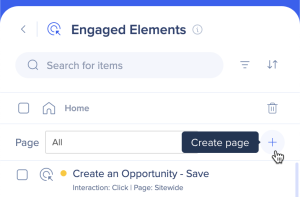
- Click on the + icon to create a new page
- Capture the element you wish to track
- Give the Engaged Element a name
- Specify the interaction type you wish to track:
- Click: Will be triggered each time a user clicks on the defined Engaged Element
- Input: Will be triggered each time a user changes an input
- For example, in a text field, the input event will be triggered once a user changes the text input and focuses out of the defined Engaged Element field
- Hover: Will be triggered each time a user hovers for more than 300 ms on the defined Engaged Element
- Visible: Will be triggered each time the defined Engaged Element is apparent on every page load or URL change - If the event is removed and then visible again, the event will be triggered again
- Click Save
- Publish to the relevant environment
How to Use All Site Pages (Sitewide)
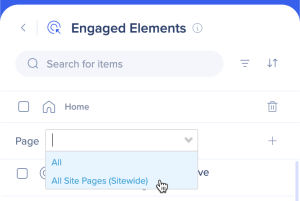
When selecting an element that is placed on a component of the site that is common to all pages, such as a header, footer, or sidebar navigation, make sure to specify to track the element Sitewide to cover all pages where it appears.
This means selecting All Site Pages (Sitewide) from the dropdown before capturing the Engaged Element.