Brief overview
Insights dashboards provide a lot of useful information to help you understand your users engagement on your site. These dashboards can also be configured in many different ways to provide more in-depth analytics using filters, date range selectors, and more.
Using Insights Favorite Views, you can now save all the page controllers and filters that you have a preference to, save to a favorite view, and easily get back to it those same views without having to reconfigure it again and again.
How it works
By using favorite views, a user can create multiple views in Insights that they can access quickly.
- Have a preferred data filter?
- Always going to the same tracked events list?
- Want to keep a specific view sorted?
Keep your dashboards configured the way you need them most!
What is a favorite view?
A view includes the entire view selection of the user available on all Insights dashboards.
Examples of saved configuration:
- Date range selection
- Filters selection
- Segments selection (where available)
- Table columns sorting selection
- Tracked events list in the Tracked events analytics dashboard
- Users/Accounts toggle selection
- Selected columns in the Users page
How to save a view
- In order to save an Insights dashboard configuration, click on the star button:
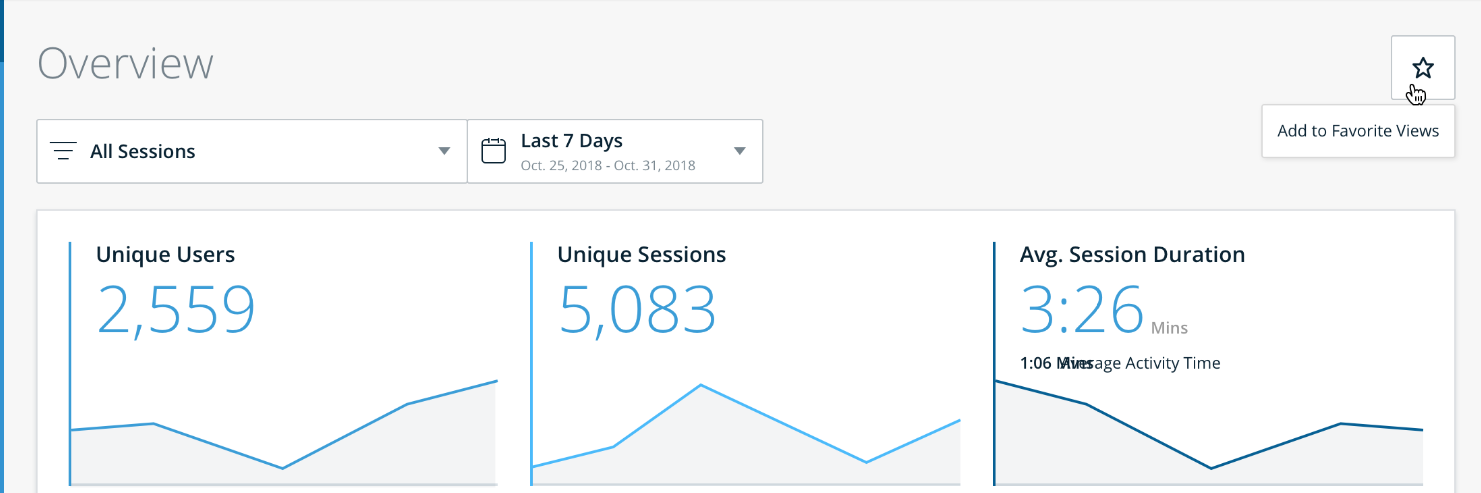
- Chose a name for the view. By default, the name includes the dashboard name, the date range, and the filters selection:
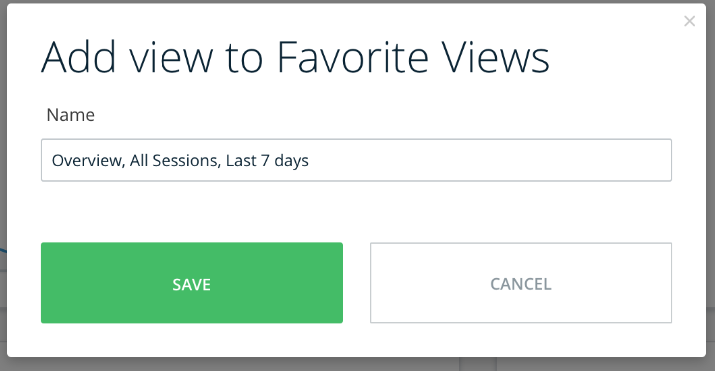
- Upon saving the view it will be added to the Favorite view menu and the star will change color to be yellow, indicating that the page was saved to a Favorite view.
- Upon modifying any of the available dashboard configurations, such as filters, date range, or toggle buttons, the selection of the view in the menu will remain the same and the star will turn to white - indicating that the view is being edited.
How to access saved views
Use Favorite Views in the Insights side bar menu to navigate to any of your saved views.
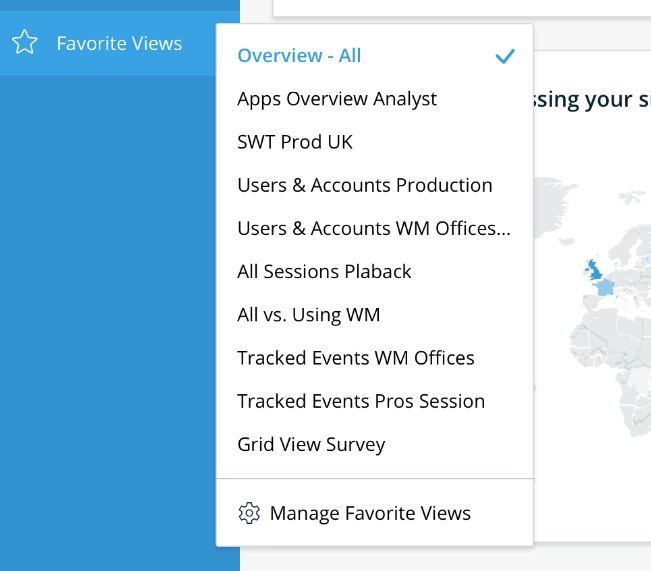
You can also click Manage Favorite Views to see the full list of your views.
Here, you can search for a view, sort views by creation date, and remove any views that are no longer in use.
Note
- Users can have up to 10 favorite views
- View names are limited to 200 characters and must be unique
How to modify a view
You can modify a saved view name in one of two ways:
- Go to Manage Favorite Views and click the edit button
- Click the yellow star on a page that indicates you are currently viewing a saved view and click Remove
Currently, the only way to modify the view configuration is by creating a new view. Just chose your preferred dashboard settings and all its selectors and save to a new view.
Tip Tuesday Video
Tip Tuesday
To see more Tip Tuesday videos on WalkMe World click here.


