Brief Overview
The Events page in the WalkMe Console lets you create Engaged Elements by capturing elements directly from the WalkMe Editor.
Access
You can create Engaged Elements from the Events page in the WalkMe Console.
Insights Events Page
How It Works
An Engaged Element is a WalkMe content type that is published from the editor and tracked automatically.
It can be tracked when the element appears on screen or when a user interacts with it.
About Insights Engaged Elements
Create an Engaged Element
To create an Engaged Element:
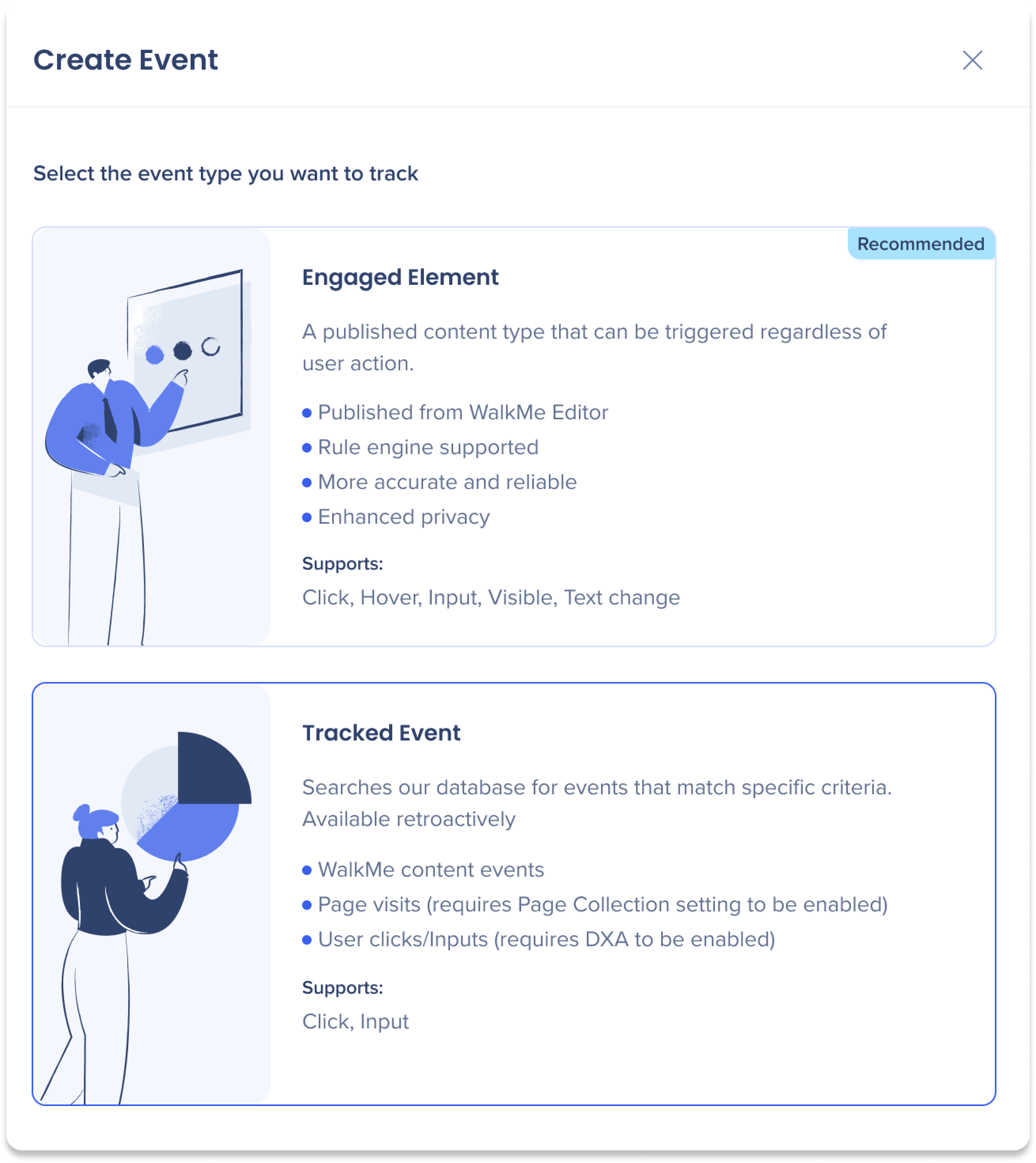
- Select Create Event on the Events page

- Select Engaged Element as the event type
-
Select a system
-
Select Open Editor to start capturing the element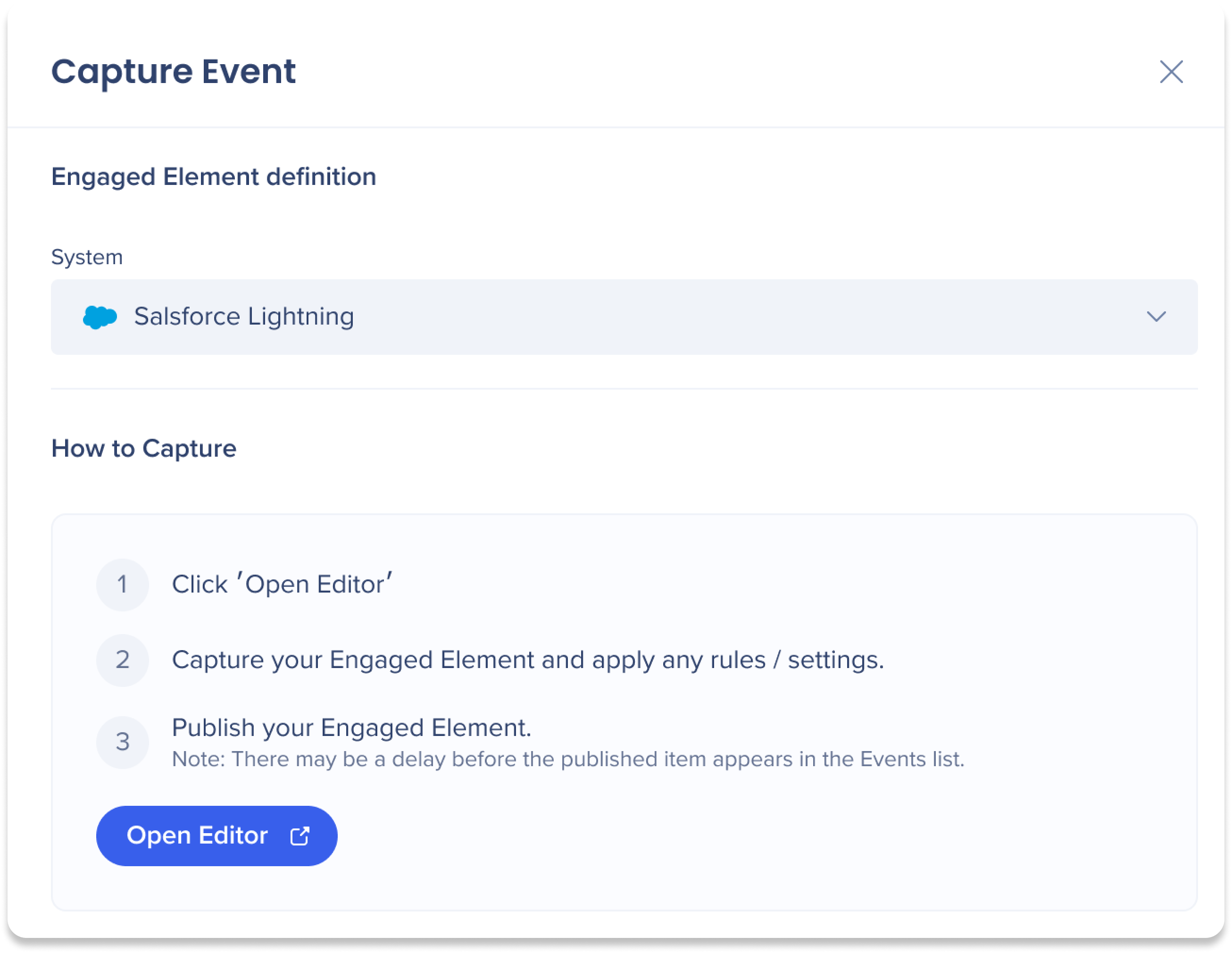
-
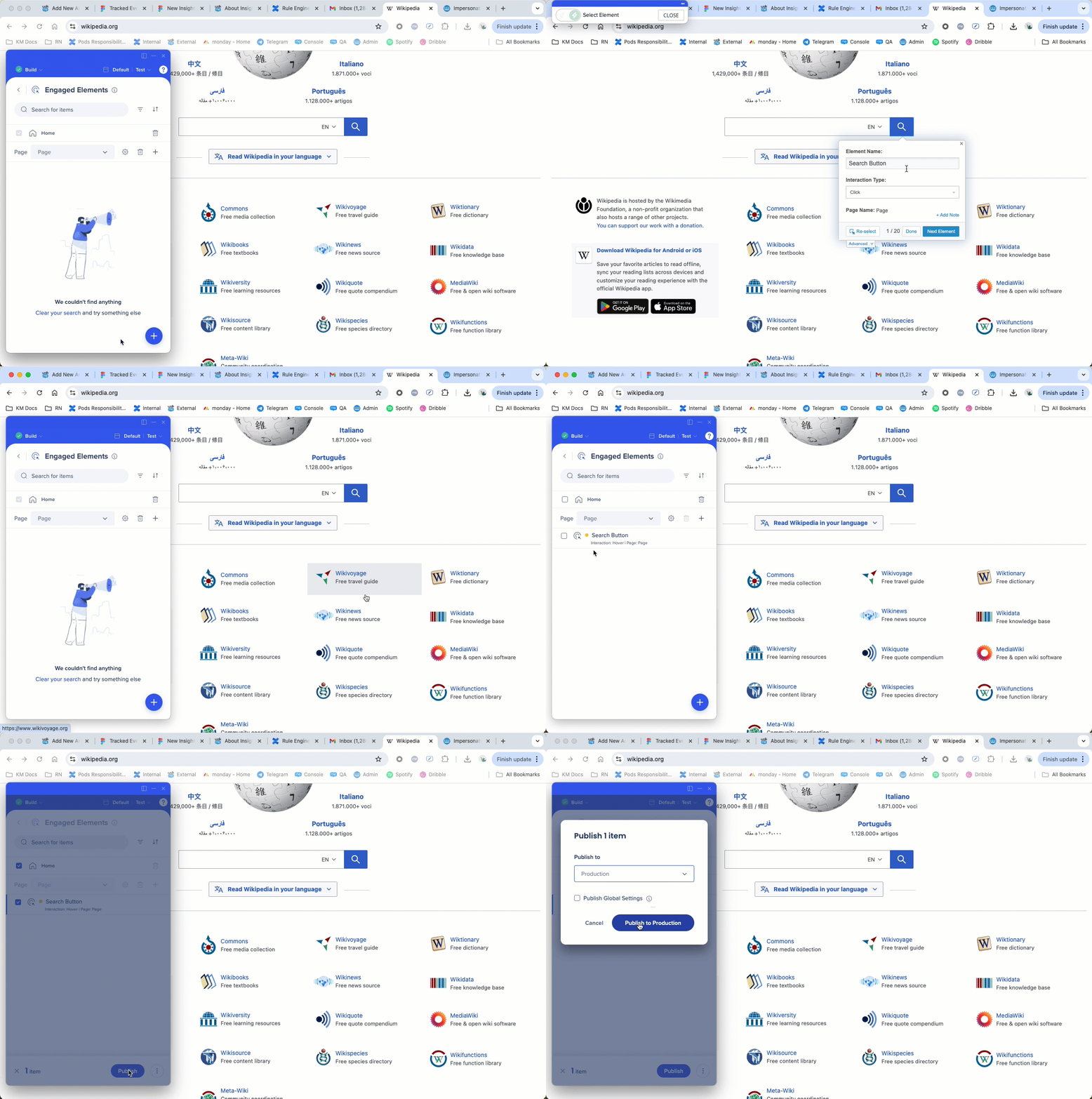
Select the Create icon
-
Capture the element you want to track
-
Enter an element name
-
Select the interaction type to track:
- Click: Triggered when a user clicks the element
- Input: Triggered when a user changes an input value
- For example, in a text field, the event triggers when the user changes the text and exits the field
- Hover: Triggered when a user hovers over the element for more than 300 ms
- Visible: Triggered when the element appears on page load or URL change
- If the element is removed and becomes visible again, the event triggers again
- Text change: Triggered when the text content of the element changes
-
Select Save
-
Publish to the Production environment
After publishing:
- You are returned to the Management tab on the Events page
- Refresh the page to view the new Engaged Element in the Events list
How to use All Site Pages (Sitewide)
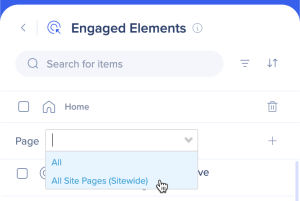
Use All Site Pages (Sitewide) when the element appears on components shared across multiple pages, such as headers, footers, or sidebar navigation.
To track the element across all relevant pages:
- Select All Site Pages (Sitewide) from the dropdown before capturing the Engaged Element
Technical Notes
Prerequisites
- DeepUI is required to use Engaged Elements
- Users must have access to the relevant system to view Events
Support
- Only the Production environment is supported
-
Desktop and mobile systems are not supported
-
Mobile web data is not supported
-
Action Bot and TeachMe are not supported
-
Insights officially supports Chrome


