Brief Overview
In the Insights Console, mobile web data is integrated across OOTB dashboards, custom dashboards, filters, flow analytics, events and reports, allowing organizations to analyze engagement across both Desktop and Mobile Web platforms.
This ensures that analytics in the console provide a complete and accurate view of user behavior across all supported environments.
Use Cases
- Evaluate WalkMe engagement across Desktop and Mobile Web
- Filter dashboards or reports by platform for device-specific insights
- Analyze user trends and completion rates by device type
- Include both Desktop and Mobile Web data in multi-system reports
How It Works
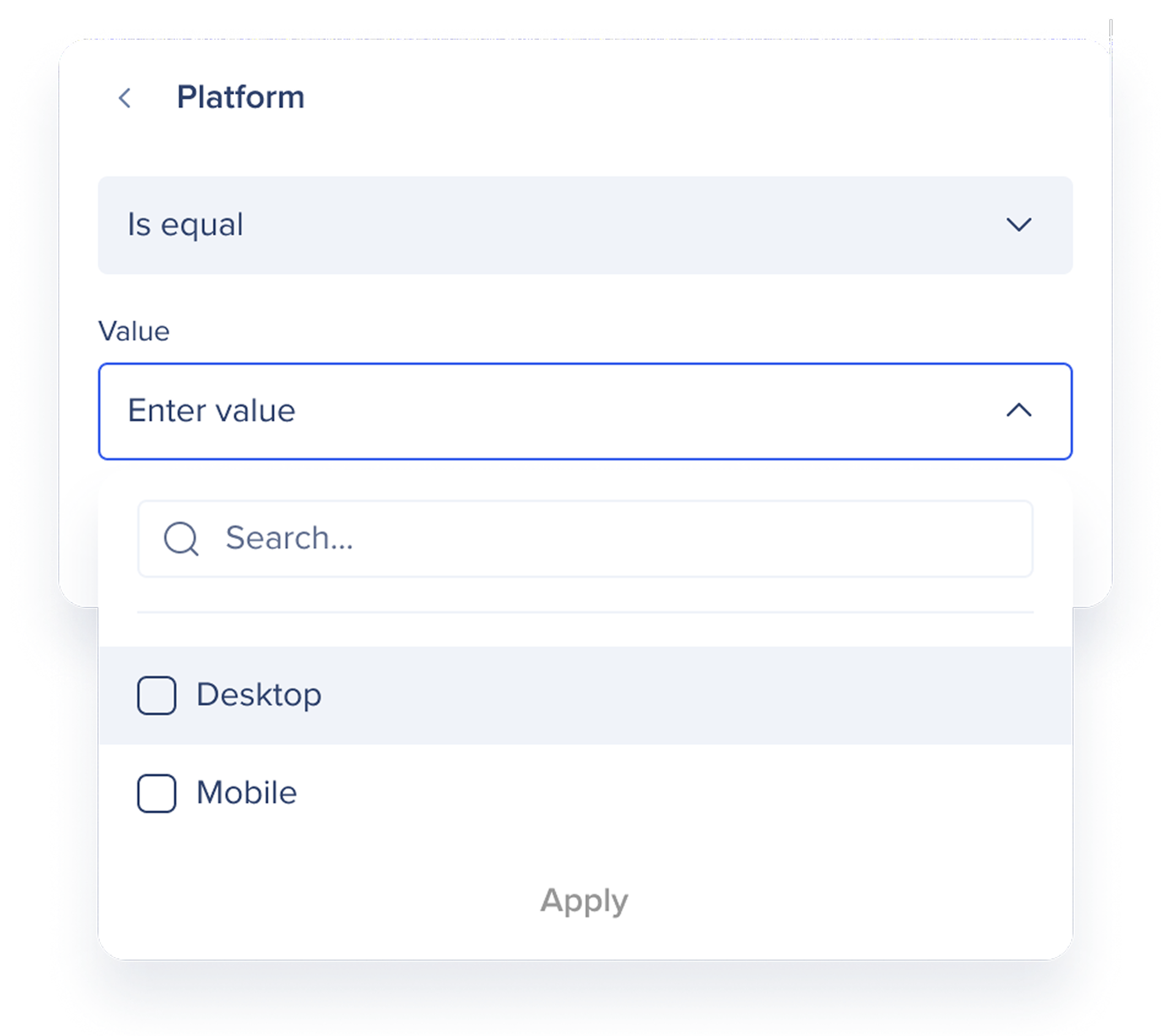
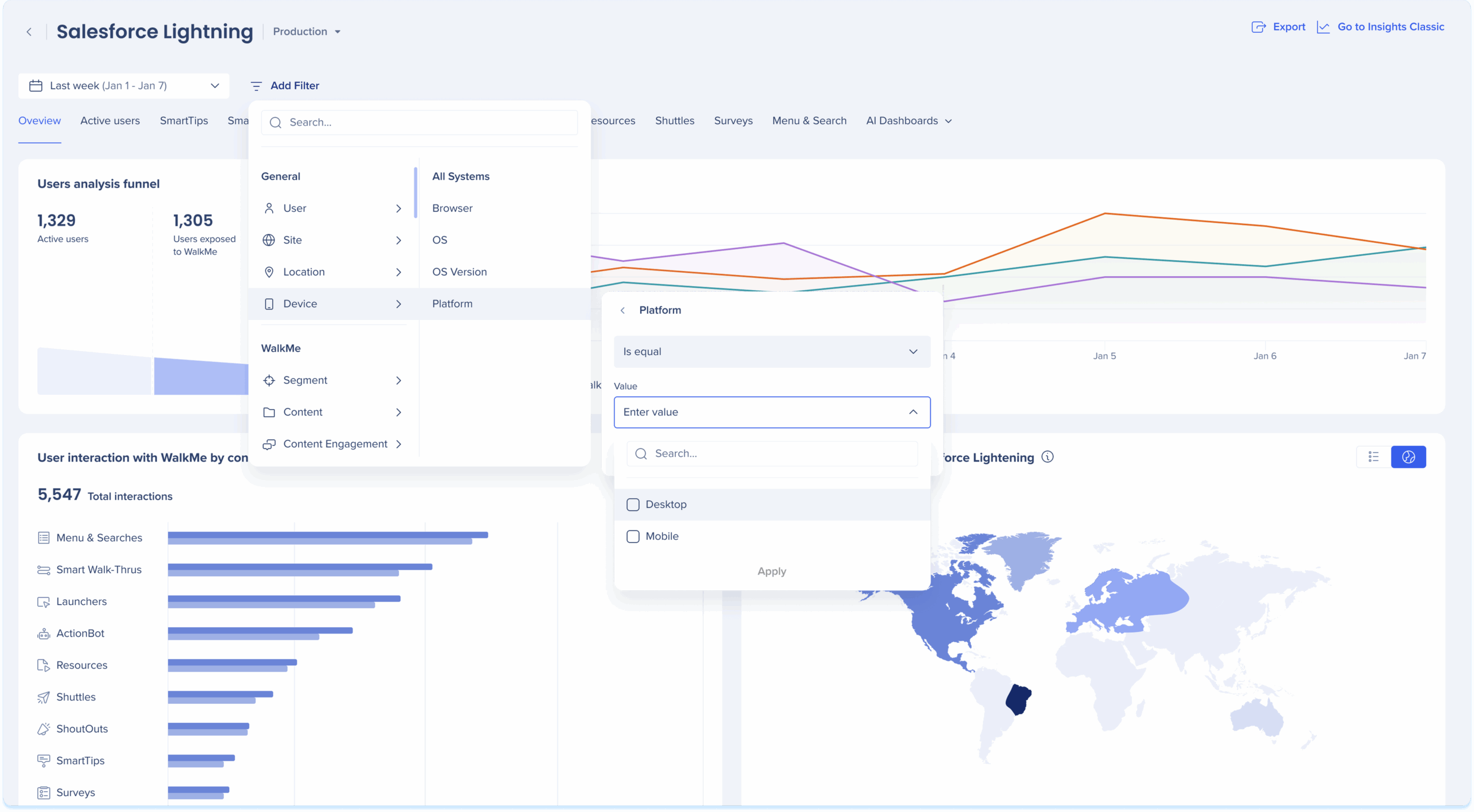
The Platform property is now available as a filter under the Device category across Insights Console dashboards and reports.
Filter values:
Supported operators: is equal and is not equal
Location: Filter panel in all OOTB dashboards, Reports, Events, Flow Analytics, and Custom Dashboards
Note
The filter is always visible to ensure cross-system consistency, even if a system does not currently collect Mobile Web data.
Data Filtering
Pre-defined dashboards
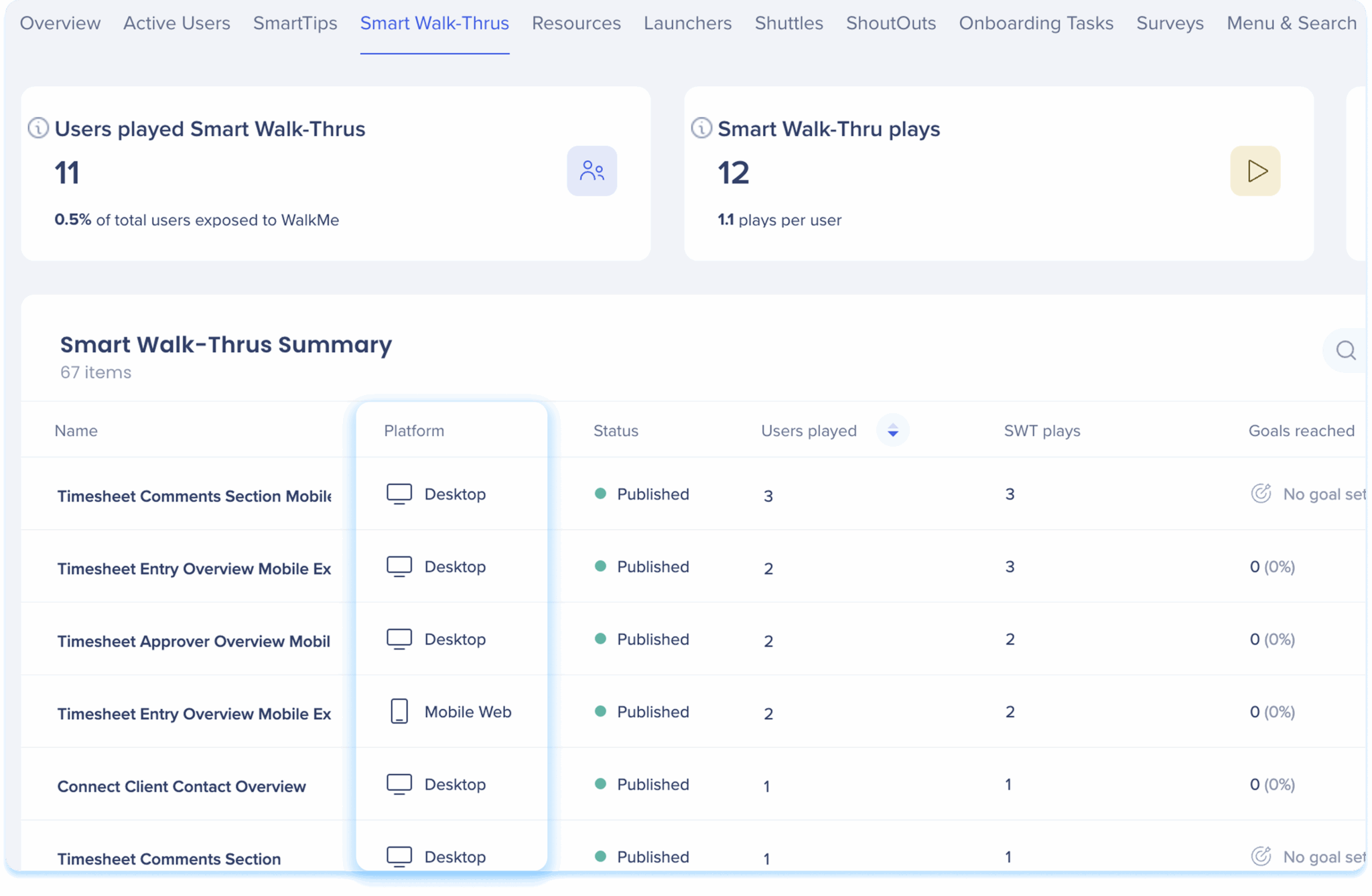
Console system dashboards include a Platform column to distinguish between Desktop and Mobile Web usage in all relevant summary tables.
Dashboards including the Platform column:
- Active Users
- SmartTips
- Smart Walk-Thrus
- Resources
- Launchers
- Shuttles
- ShoutOuts
- Onboarding Tasks
- Surveys
- Menu & Search
Insights Content Tabs
Reports
Reports in the console include Mobile Web data for both out-of-the-box and custom templates.
The Platform column identifies the data source as Desktop or Mobile Web
The Platform filter can be applied to manual exports, subscriptions, and scheduled reports
About Insights Reports
Flow Analytics
In Flow Analytics, the Platform property enables filtering and comparison across user journeys.
- Appears as a subcategory under Device in filters and conditions
- Supported in:
- Filtering the entire flow
- Conditions defining entry or exit logic
- Show Data As for aggregated metrics per platform
- Expand By and Split By for side-by-side platform comparisons
Flow Analytics
Custom Dashboards
Mobile Web data is supported throughout Custom Dashboards as a filter and column in summary tables.
- Summary tables include a Platform column as the first column
- The custom widget builder allows users to:
- Select Platform as a dimension or measure
- Build widgets comparing Desktop and Mobile Web engagement
- Apply dashboard-level filters to Platform values
Custom Dashboards
Differences Between Insights Classic and Console
| Feature |
Insights Classic |
Insights Console |
| Filters |
Device Type filter available across dashboards |
Platform filter under Device category |
| Dashboards |
Available in standard dashboards |
Same |
| Reports |
Device column |
Platform column |
| Flow Analytics |
Not available |
Supported though Flow Analytics |
| Custom Dashboards |
Not available |
Supported with Platform filter, widgets, and custom widget builder |
Console Benefits
Console adds extended flexibility through multi-system support, custom dashboard filtering, and Flow Analytics unavailable in Classic.
Technical Notes
- Smart Walk-Thru step analysis is not currently supported for mobile web data


