Brief Overview
Slash commands are shortcuts that perform various tasks and access specific features within the desktop menu. Whether you want to clear update history with a simple "/clear-updates-history" command or navigate through integrations setup with "/integrations-wizard," these commands make it easy to execute actions directly from the search bar.
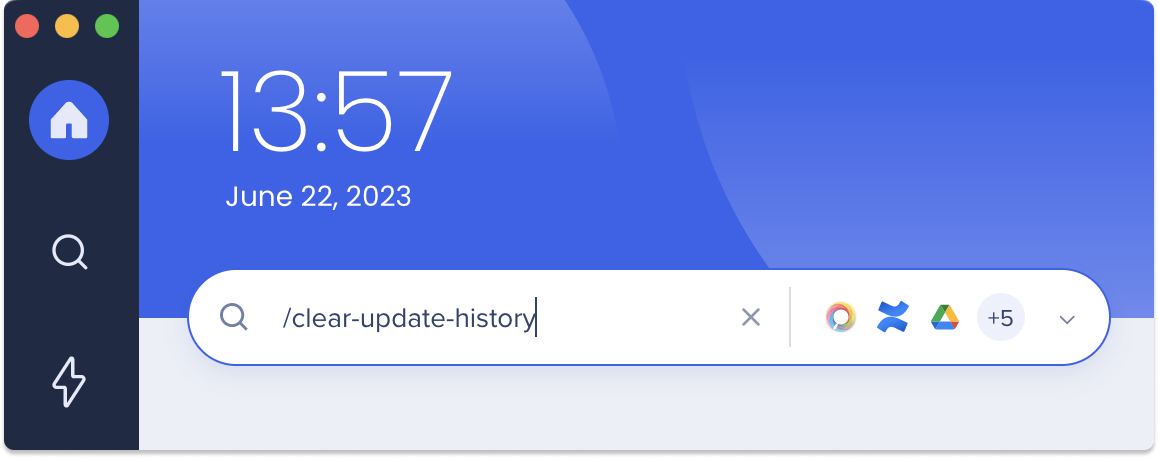
Get to Know
Executing a command is simple:
- Open the WalkMe Menu app for desktop
- Type the command, including the slash, in the search bar
- If the command was successful, it will disappear from the bar
- Depending on the command you entered, you will be directed to the relevant page automatically. For example, if you use the "/integrations-wizard" command, it will launch the onboarding experience. Conversely, certain actions like clearing cache can be completed instantly with the "/clear-cache" command.
Available Slash Commands
| Command |
Description |
/clear-updates-history
|
Clear the update history, ensuring that any previous updates are removed from the system's memory |
| /clear-recent-search |
Clear the recent results the user found relevant and clicked them |
| /clear-search-hints |
Clear the recent search suggestion from the desktop menu memory |
| /clear-drive-widget |
Clean up the cached version of Google Drive Widget |
| /refresh |
Refreshing the SDK content |
| /close |
Closing the desktop menu app |
| /change-env |
Change environment (Production, Test and Success are supported)
Learn more about the change environment command |
| /editor-mode-on |
Enter Play/Preview Editor mode
Learn more about the preview content command |
| /clear-cache |
Clear the desktop menu network session |
| /integrations-wizard |
Displays the integrations setup wizard (this also initiates the onboarding experience) |


