Brief Overview
Manage the overall preferences for WalkMe Learning Arc, including AI audio. The AI audio feature converts text-based course content into AI-generated narrations. The feature relies on an organization-level configuration and a mandatory approval workflow to ensure accuracy before content becomes visible to learners.
AI Audio
Feature set up
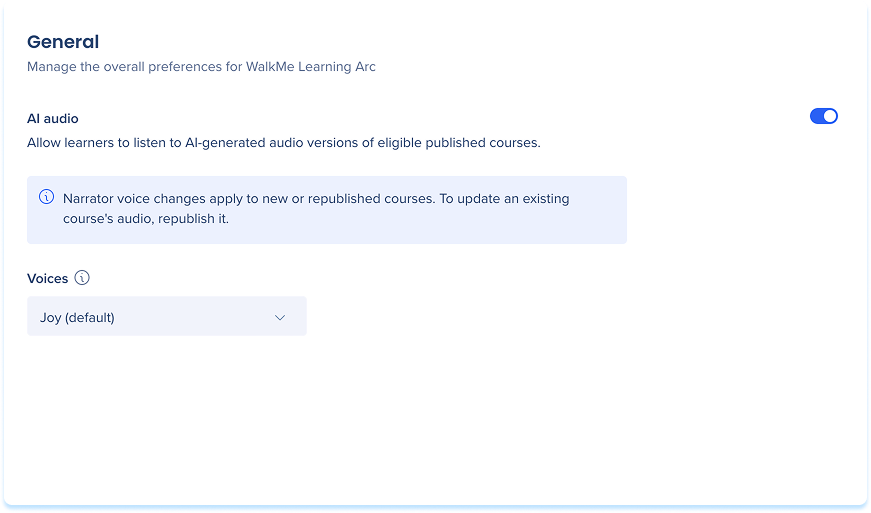
- Go to the Settings page in WalkMe Learning Arc
- Select the General tab
- Turn off AI audio to disable audio versions of courses
-
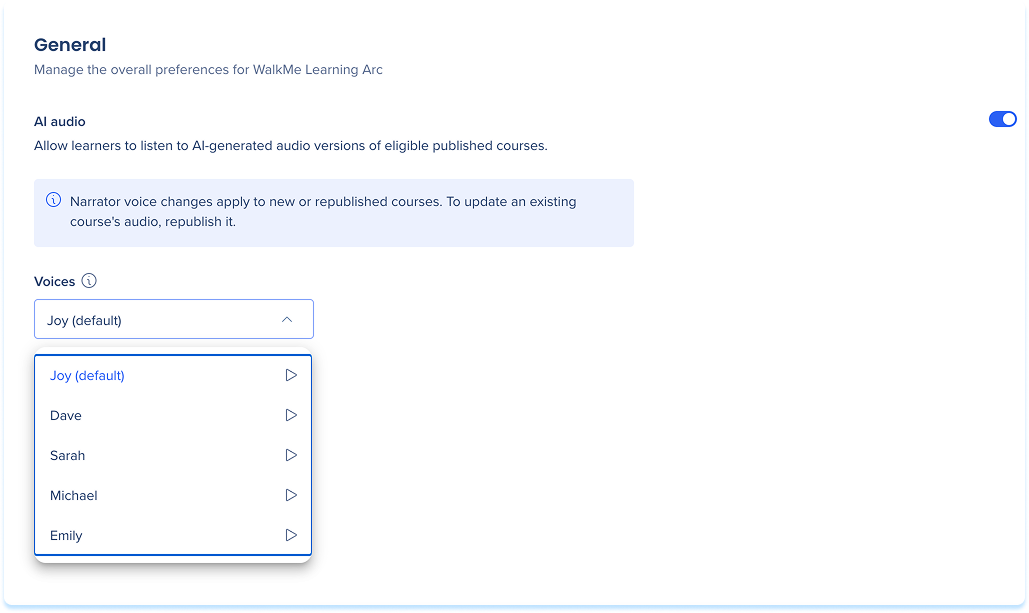
Select one default voice from the Voices dropdown
Audio generation and approval
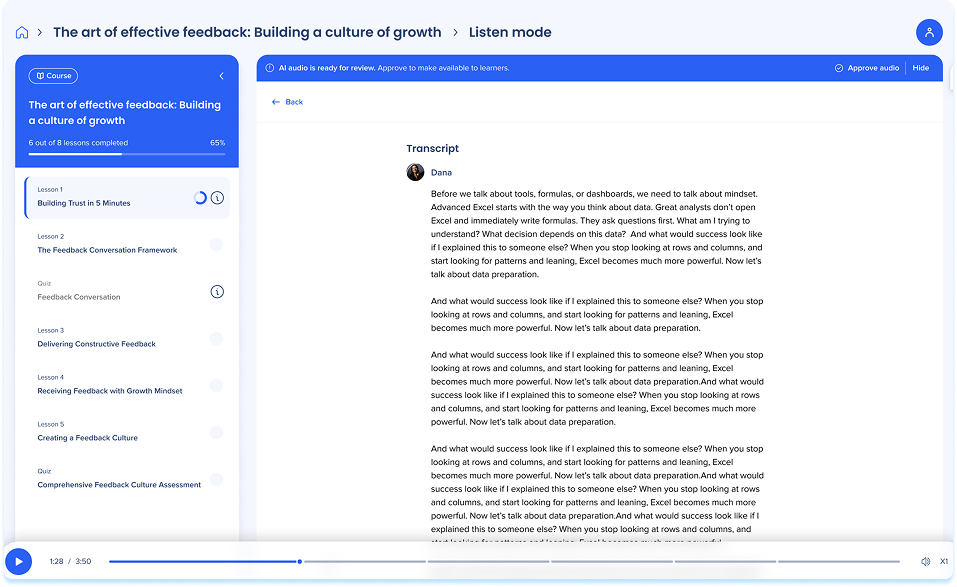
Once the course is published, the audio will be automatically generated. Audio is hidden from learners by default. When generation is complete, a notification appears in the portal. Review the content to ensure accuracy.
- Select Approve to make the Listen button visible to learners in the course
- Select Hide to keep the audio unavailable
Note
If you hide the audio, learners won't be able to use listen mode for the course. To restore access, republish the course and you'll receive a notification to review the new AI audio.
Technical Notes
- AI audio is limited to English portals, and courses must contain text.


