Brief Overview
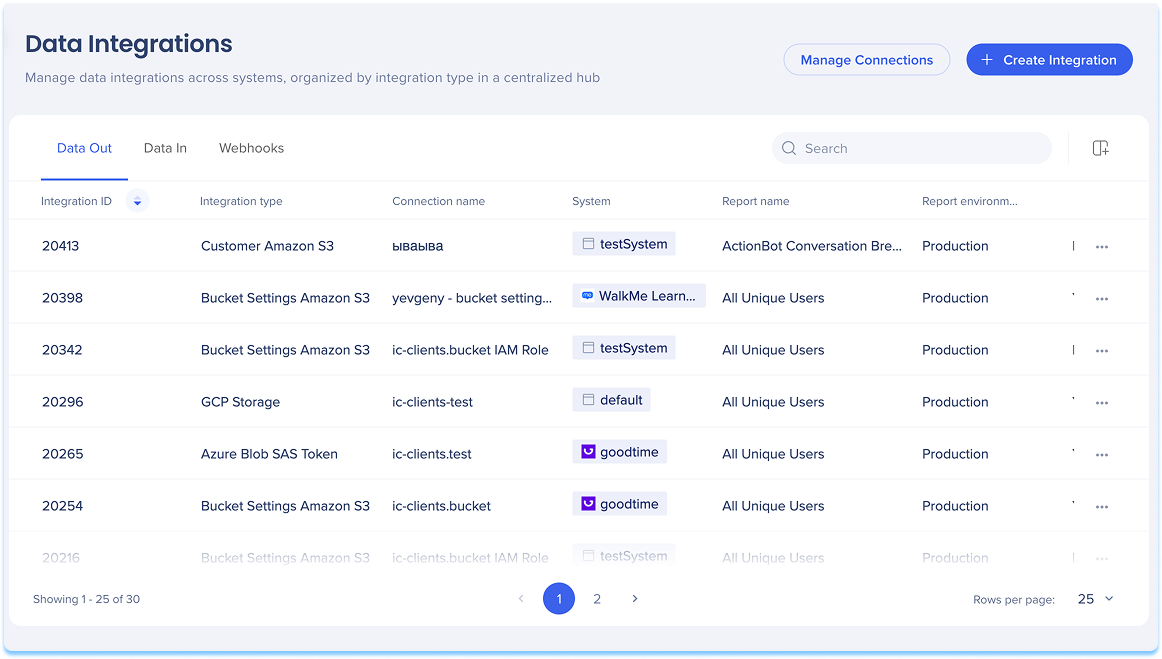
WalkMe offers several methods to export analytics data to third-party platforms. Whether you use a data warehouse, a BI tool, or a cloud storage provider, these integrations are designed to fit a wide range of data ingestion needs.
This page gives you an overview of the available export options.
Insights Reports Subscriptions
Send scheduled Insights reports to any email address. Use this to deliver reports directly to individuals or teams.
About Reports
Amazon S3 Integration
Export Insights reports to an Amazon Simple Cloud Storage (S3) bucket on a scheduled basis. From there, you can connect data warehouse or BI tools to analyze your systems and increase visibility of WalkMe engagement across your organization.
AWS S3 Outgoing Integration in Console
Salesforce Data Integration
Make WalkMe data accessible directly in Salesforce. Using the Outgoing Integrations in the Insights Data Integration Center, WalkMe Insights data can be used in Salesforce workflows, reports, and activities.
Salesforce Connection in Console
Events Sent in Real-Time via Webhooks
Webhooks deliver real-time WalkMe event data to your system of choice, triggered by the event itself. Your teams get the information instantly — no delay — so they can take immediate action on time-sensitive data.
Use webhooks to send WalkMe event data to your analytics or BI tool, or to trigger third-party APIs.
Webhooks (Real-Time) Integrations in Console
Azure Blob Integration
Use Azure as your primary cloud provider to transfer WalkMe data directly to Azure Blob storage. This gives you flexibility in how you consume data and integrate it with your in-house BI tools.
Azure Blob Connection in Console
Google Cloud Storage Integration
Sync data between WalkMe and Google Cloud Storage (GCS). Export data from WalkMe to GCS, or import data from GCS to WalkMe. Secure access to your buckets is managed through GCP IAM service accounts.
Google Cloud Storage Outgoing Integration
SFTP Integration
The SFTP integration is designed for customers who need secure and reliable file transfer for sensitive or large data sets, regulatory compliance, business process automation, or seamless integration with existing IT infrastructure.
SFTP Outgoing Integration


