Brief Overview
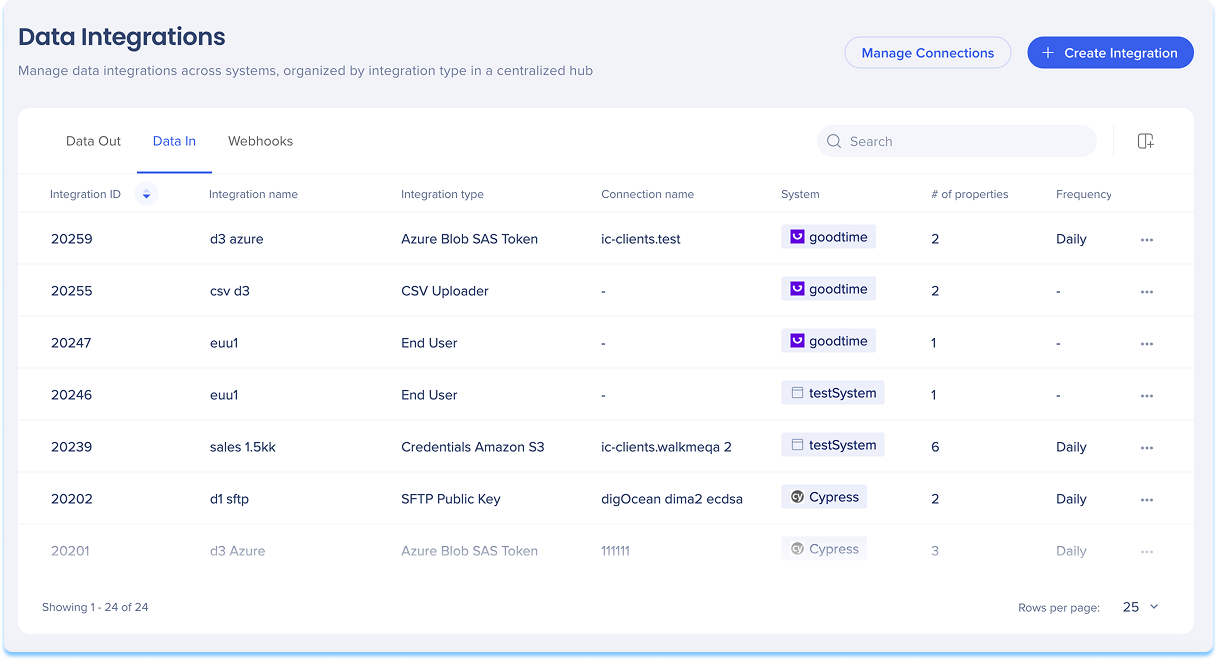
WalkMe supports several methods for importing end-user data from external systems into the platform. These methods are designed to enhance segmentation, reporting, and filtering by bringing in custom attributes. This article outlines the available import options and how they can be used to enrich WalkMe data with external user information.
Technical Notes
Validation limitation
- The second-row sampling is the standard logic for all CSV column ingestion
- This impacts any column where the value in the second row is interpreted as a specific data type (e.g., Number, Date, Boolean) that is incompatible with subsequent rows
Based on this, the workaround (reordering the file so the most "complex" or string-like value appears in the second row) is a general requirement for any column with mixed-format data.
Double-mapping limitation
- If users enter the same property for both the WalkMe uniqe idenitifier column and a property (Properties) the double-mapped column will not display in Insights as user attributes
- The user must enter two different values
Number of properties limitation
- The maximum number of proprerties per integration per system is 100
- If a user reaches the maximim limit all attributes will be disabled and the user will not be able to add any more across that system
ID validation limitation
- If the second row contains a numeric value (for example, 123), that column is defined as a Number. If subsequent rows contain values with String formatting, like IDs with zeros at the begining 0123, the upload validation will fail as there are mixed data types
- Customers must reorder their source file so that a value with a leading zero appears in the second row
Resolve mixed data type validation errors
- To prevent validation failures caused by mixed data formats (such as alphanumeric IDs where some rows begin with zeros and others do not), manually set the column type during setup
- This overrides the automatic second-row sampling logic
How to resolve validation errors
From incoming integration configuration navigate to Map Columns. Locate the column in Properties, change the data type (dropdown) for that column to String.
End User Update API Integration
This integration provides a secure method to import user data into WalkMe through API calls. Once the data is imported, it can be utilized to enhance user profiles, allowing for more precise segmentation and content personalization.
This integration is particularly useful for organizations looking to maintain up-to-date user information and deliver tailored experiences based on real-time data.
End User Update API Incoming Integrations in Console
Salesforce Integration
The Salesforce Incoming Integration allows for the periodic import of data from any Salesforce object into WalkMe's End User Object. This data becomes available for segmentation, filtering on Insights, and reporting, enabling businesses to target end-users based on specific criteria such as account status or customer type.
By leveraging Salesforce data, organizations can personalize WalkMe content and analyze user interactions more effectively.
Salesforce Incoming Integration in Console
Amazon S3 Integration
This integration connects third-party software via Amazon S3 to WalkMe, facilitating the import of attributes and data for analytics and content personalization. By importing data from Amazon S3, organizations can enrich user profiles and create more targeted user experiences.
This integration is ideal for businesses that use Amazon S3 as their primary cloud storage solution and want to leverage their existing data within WalkMe.
AWS S3 Incoming Integration in Console
Google Cloud Storage Integration
The Google Cloud Storage integration allows for the seamless import of user data into WalkMe. This data can be used to enrich user profiles, segment content, and personalize user experiences.
By integrating with Google Cloud Storage, organizations can ensure that their user data is always up-to-date and leverage it to deliver more relevant and engaging content to their users.
Google Cloud Storage Incoming Integration in Console
Azure Blob Integration
This integration offers a seamless way to import data from Azure Blob storage into WalkMe, significantly enhancing user experience through advanced personalization and automated updates. By importing data from Azure Blob, organizations can create more personalized user experiences and automate updates based on the latest data.
This integration is particularly beneficial for businesses that use Azure as their primary cloud storage provider.
Azure Blob Incoming Integration in Console
SFTP Integration
The SFTP Incoming Integration enables the secure import of user data from an SFTP server into WalkMe. This data can be used to enrich user profiles, segment content, and personalize user experiences.
By leveraging SFTP, organizations can ensure that their data transfers are secure and reliable, making it an ideal solution for businesses that require secure file transfers.
SFTP Incoming Integration in Console
CSV Incoming Integration
This integration allows for the manual import of user data into WalkMe by uploading a local CSV file. Once imported, the data can be used to create segmented and personalized user experiences.
This integration is particularly useful for organizations that have data stored in CSV format and want to leverage it within WalkMe to enhance user engagement and deliver more targeted content.
CSV Incoming Integration in Console


