Brief Overview
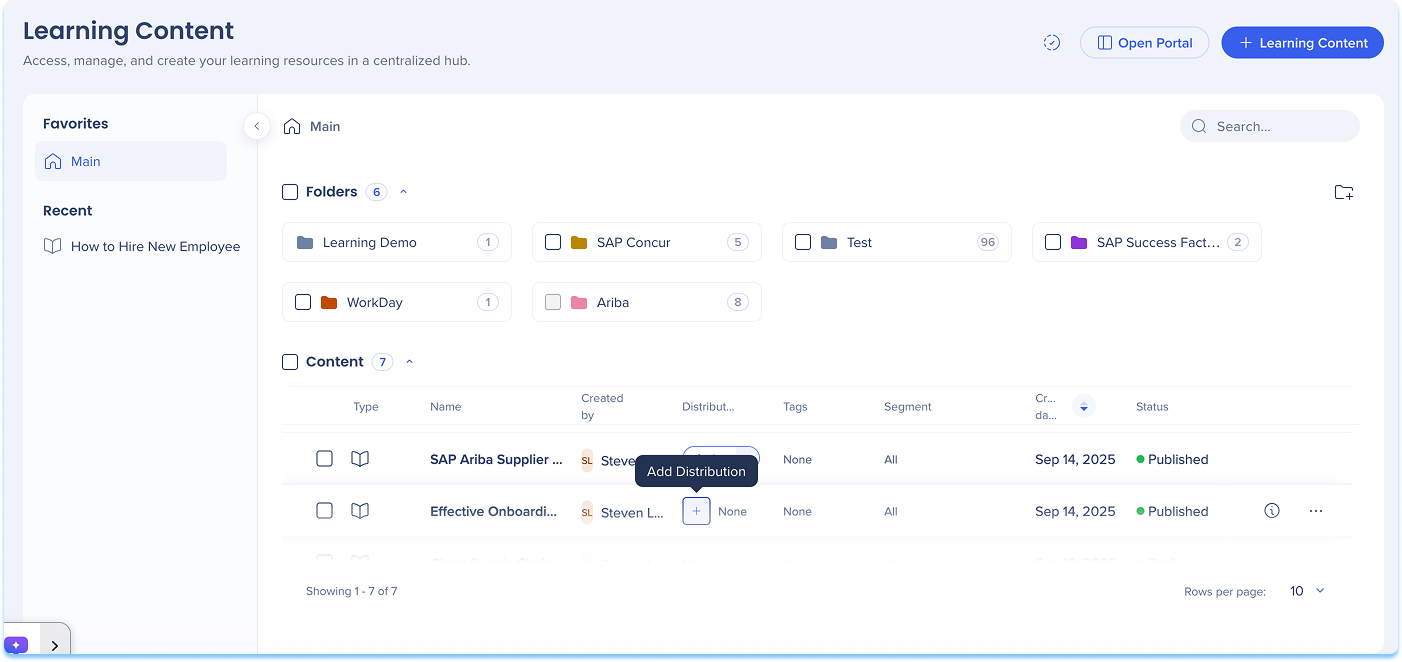
Distributions let you control where learning content appears in-app, specifically in the Pro Menu. This ensures learners see the most relevant content in the right place at the right time. Use the Distribution column on the Learning Content page in the console to add, edit, or remove distribution rules for each item. This gives you full control over in-app visibility and makes it easier for learners to find the information they need, right where they work.
Add a Distribution
To define where learning content will appear in-app:
- Go to the Learning Content page
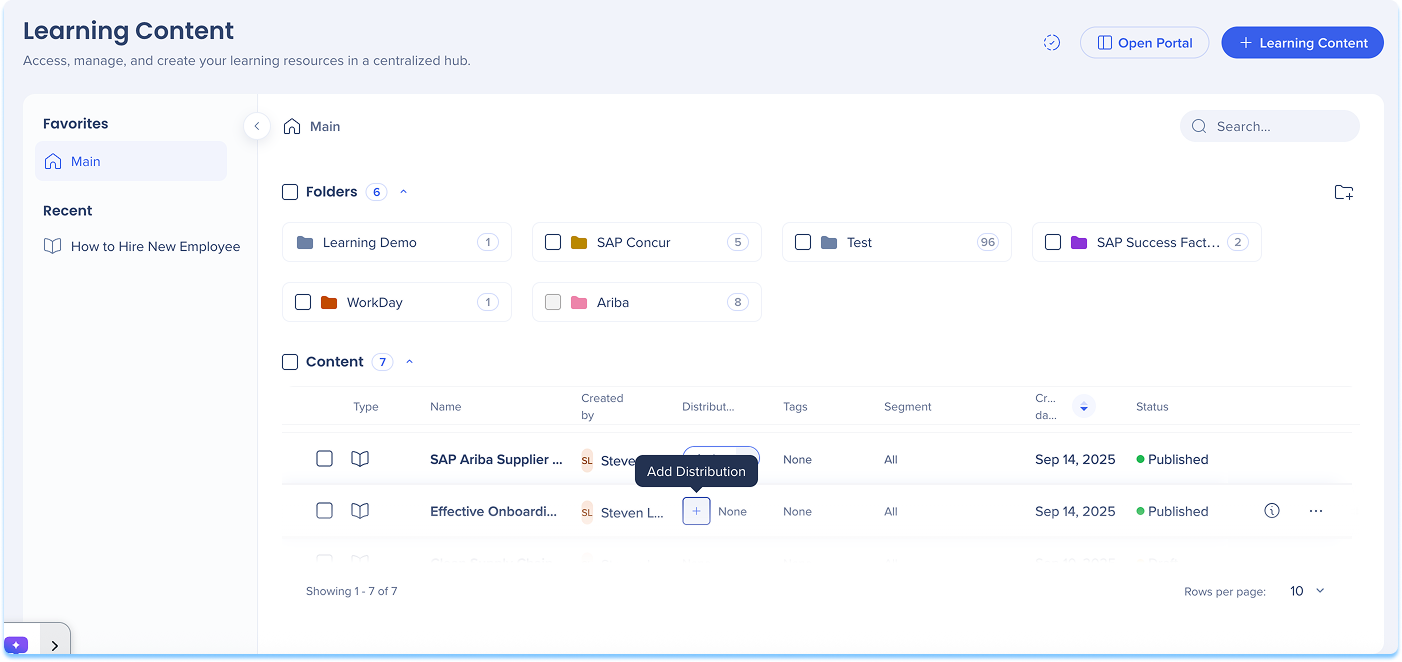
- In the Distribution column of the content line, select + Add Distribution
-
The Create a Distribution condition builder opens
Anmerkung
-
Die Verteilung ist mit dem Veröffentlichungsstatus des Lernelements verknüpft
-
Alle Aktualisierungen der Verteilungsregeln werden wirksam, sobald die neue Version veröffentlicht wird.
-
Enter a Title for your distribution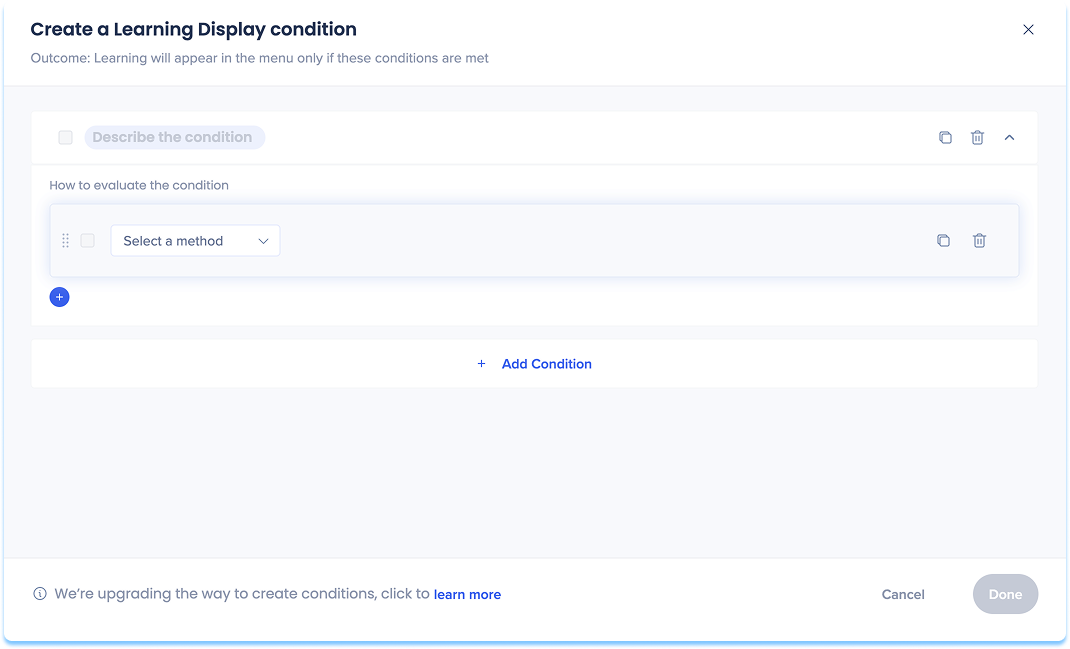
-
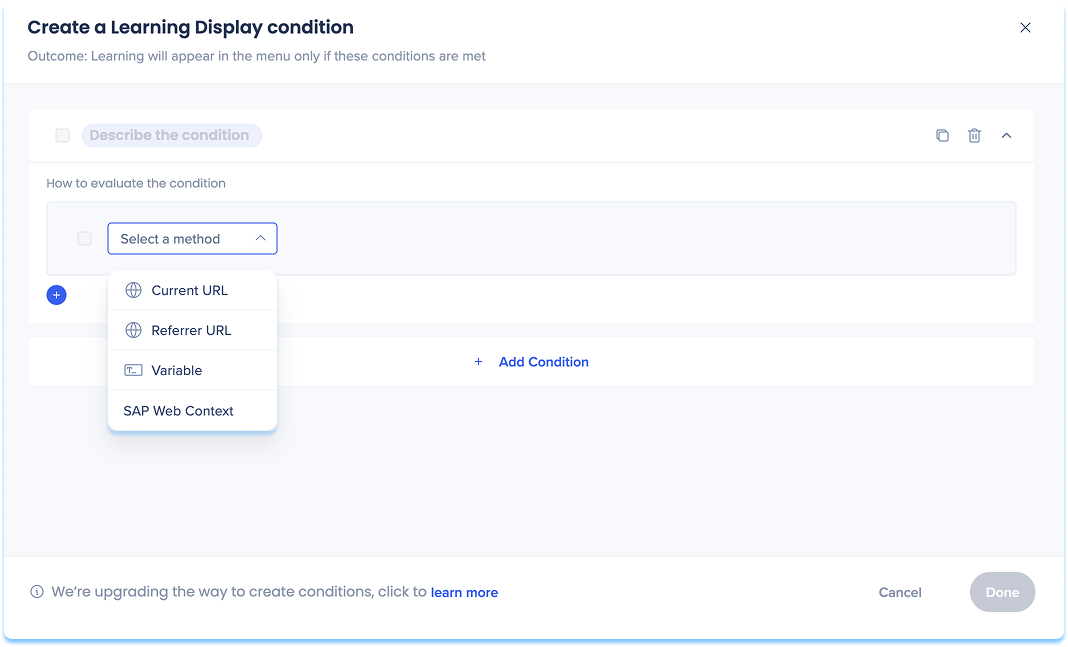
Choose how to define the in-app location:
-
Current URL: The page the user is currently viewing
-
Referrer URL: The page the user visited right before the current one
-
Variable: Uses dynamic attributes for personalized targeting
-
SAP Web Context: Used for transitioned SAP Enable Now content that contains Context
SAP Web Context
Wenn Sie SAP Enable Now-Inhalte übertragen, die Kontext enthalten, erkennt WalkMe diese Werte automatisch und speichert sie in den übertragenen Inhalten. Wenn Sie diesen Inhalten eine Verteilung hinzufügen, wird der Kontext als Vorschläge angezeigt.
Die vorgeschlagenen SAP Web-Kontext-Typen können umfassen:
-
Produkt
-
Bildschirm-ID
-
Version
-
System
Nach dem Öffnen des Bedingungs-Builders überprüfen Sie die vorausgefüllten SAP Web Context-Felder und aktualisieren Sie sie bei Bedarf.
Hinweis: WalkMe unterstützt die Verwendung von SAP Web Context, aber wir empfehlen, neue Anzeigebedingungen nach Möglichkeit mithilfe von URL-Regeln zu definieren.
-
Set variables for your chosen option
-
Select Save
Anmerkung
Für SAP Enable Now-Kunden, die zu WalkMe Learning Arc wechseln, werden Begleitinhalte nicht automatisch übertragen.
Um SEN-Begleitinhalte weiterhin verwenden zu können, müssen Kunden aktive Verträge sowohl für SEN als auch für WalkMe Learning Arc aufrechterhalten: nur solange, wie SAP Enable Now verfügbar ist.
Manage a Distribution
To update or control existing distributions:
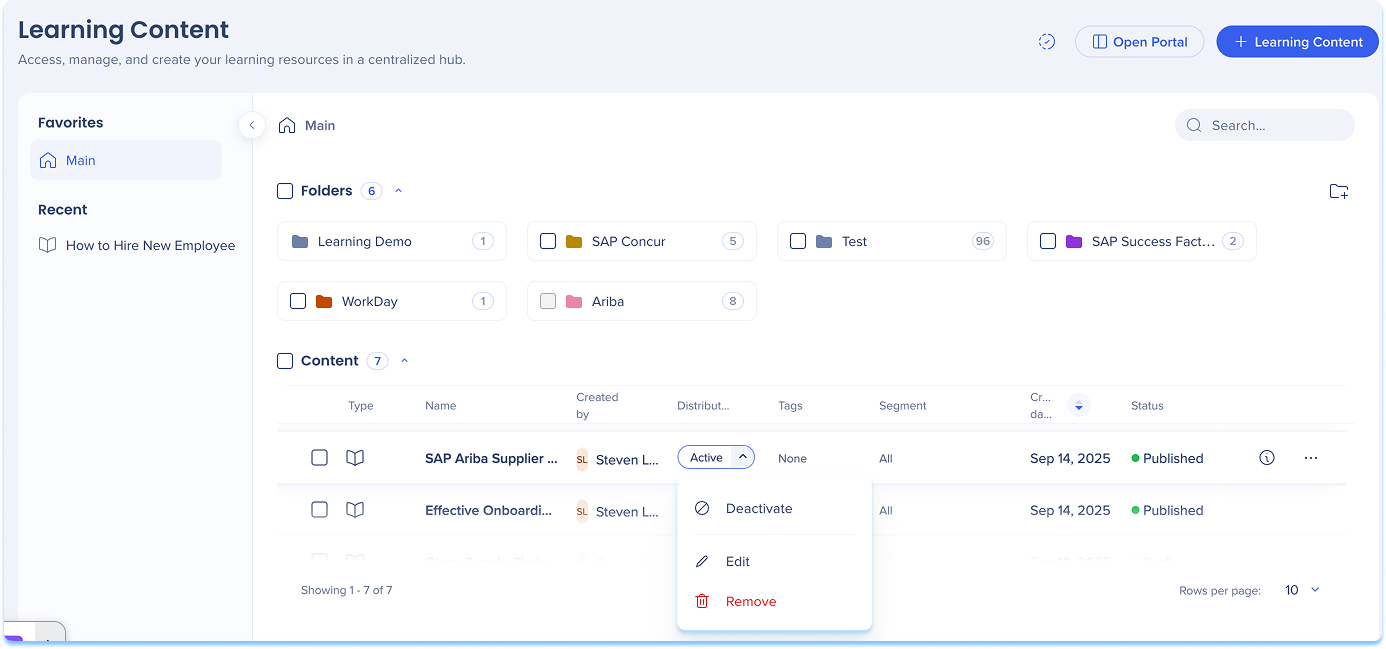
- In the Distribution column, open the dropdown
- Select one of the following actions:
- Activate / Deactivate: Turn the distribution on or off
- When turned off, the item will not appear in-app until reactivated
- Edit: Update or modify distribution conditions
- Remove: Delete the distribution definition from the content item
After you define distribution rules for learning content, the relevant course will automatically appear in the Pro Menu when users access the defined page. Learning content in the Pro Menu helps you access contextual learning materials directly within the flow of work.
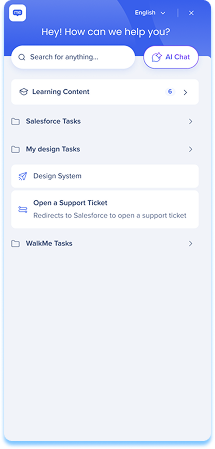
In the Menu:
- Learning content appears under a dedicated Learning content banner
- Relevant content is displayed based on the current screen context
- If you have WalkMe, both WalkMe content and learning content are shown
- If you don't have WalkMe, only learning content is shown
- Select Show more to view additional learning items for that page
WalkMe Pro Menu
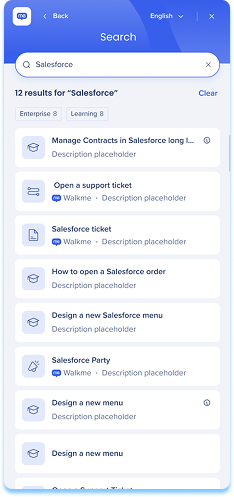
Search behavior
- From the main screen, search results include all content types
- From the Learning content screen, search results show only learning content
Accessing content
- By default, Learning Arc content opened from the pro menu launches in a new browser tab
Anmerkung
Das Öffnen von In-App-Inhalten (z. B. als Popup) ist verfügbar, muss aber vom Entwicklerteam aktiviert werden. Um dies anzufordern, wenden Sie sich an Ihren Customer Success Manager oder an WalkMe Kontakt. Die Änderung ist global und gilt für alle Lerninhalte, die über das Menü gestartet werden. Wir empfehlen, das Testen nach der Aktivierung durchzuführen, da einige Anwendungen die In-App-Wiedergabe aufgrund der Einstellungen der Inhaltssicherheitsrichtlinie (CSP) einschränken. CSP-Probleme sind in der Regel etwas, das Ihre Organisation selbst lösen kann.
- Line of Business (LOB) content opens in the SEN Trainer
Technical Notes
- When a single account has multiple Learning Arc systems with in-app learning content deployed on the same site, it is not currently supported to display different content to different users based on user properties. Segmentation can restrict a user's access to specific content, but does not filter what is visible in the menu.


