Brief Overview
Distributions let you control where learning content appears in-app, specifically in the Pro Menu. This ensures learners see the most relevant content in the right place at the right time. Use the Distribution column on the Learning Content page in the console to add, edit, or remove distribution rules for each item. This gives you full control over in-app visibility and makes it easier for learners to find the information they need, right where they work.
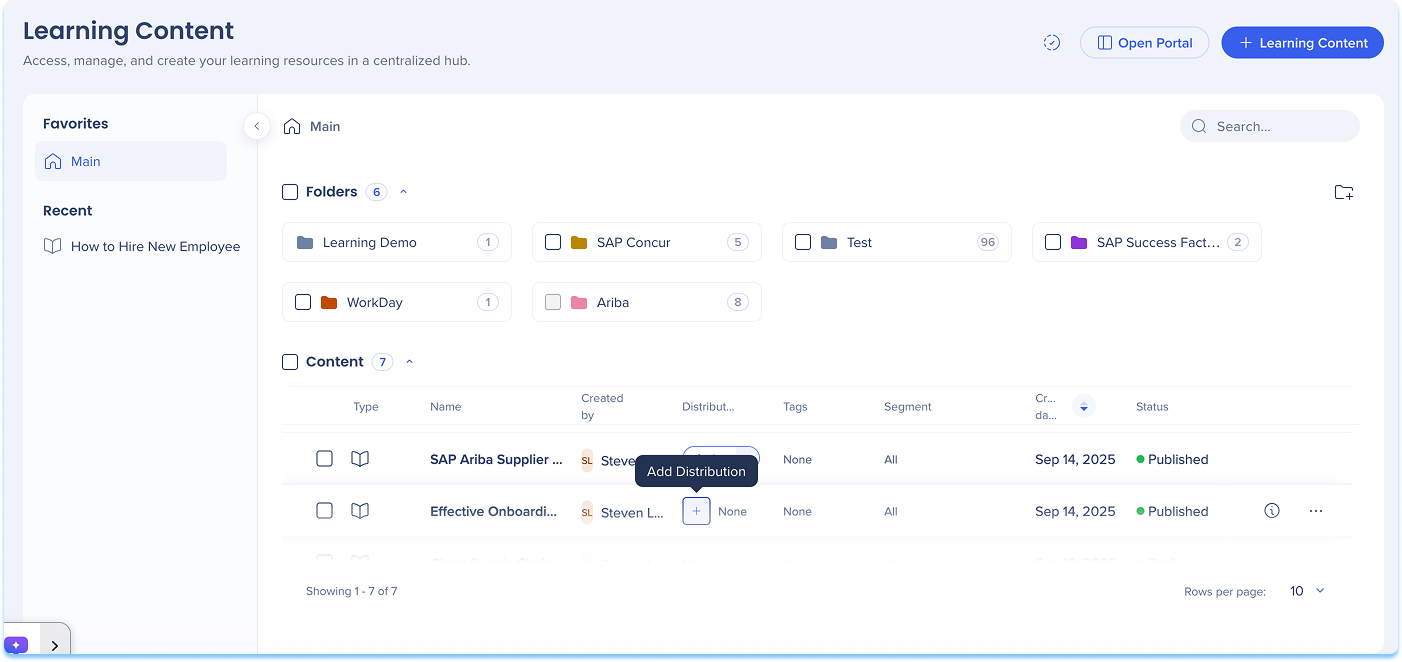
Add a Distribution
To define where learning content will appear in-app:
- Go to the Learning Content page
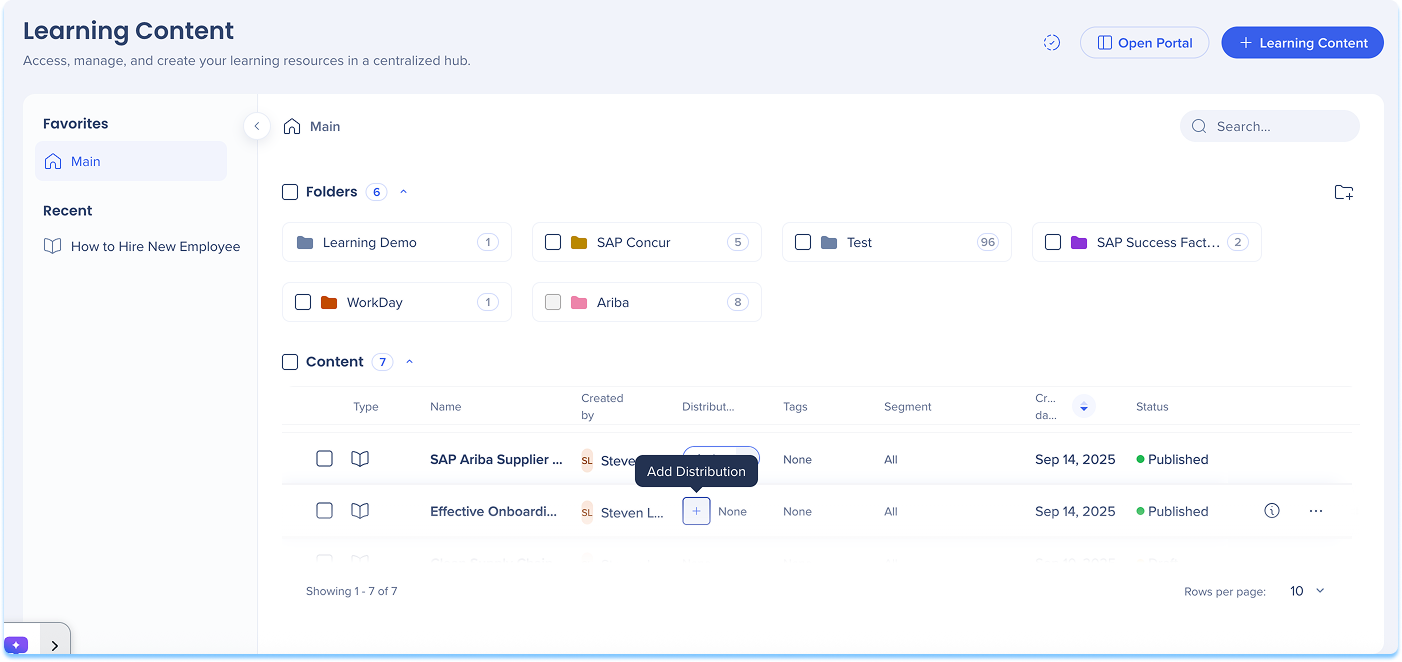
- In the Distribution column of the content line, select + Add Distribution
-
The Create a Distribution condition builder opens
-
Enter a Title for your distribution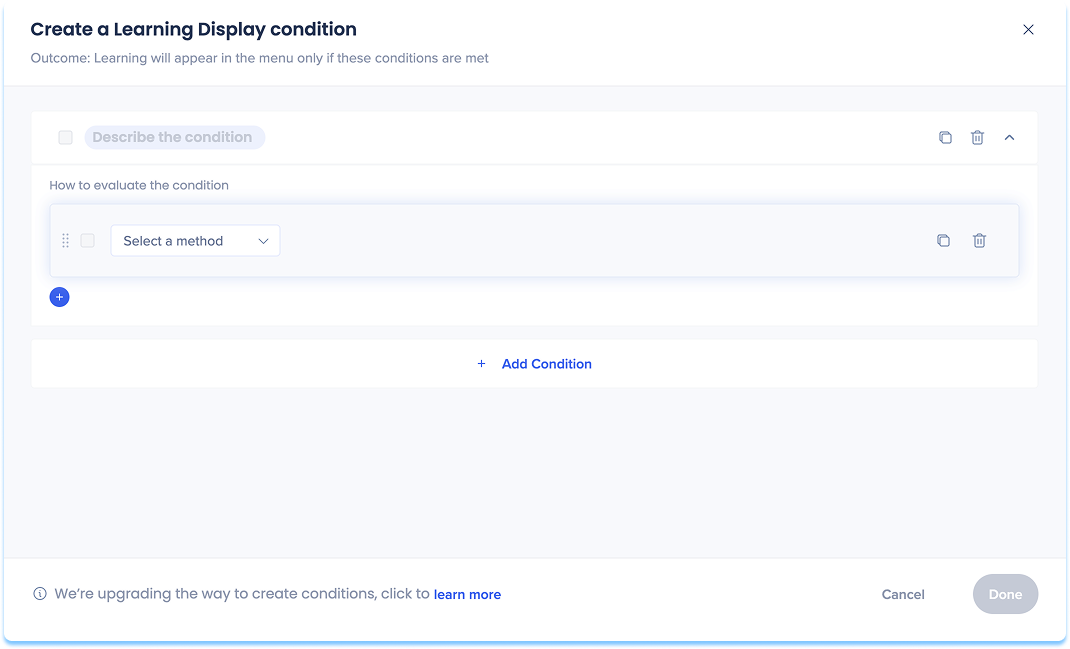
-
Choose how to define the in-app location:
-
Current URL: The page the user is currently viewing
-
Referrer URL: The page the user visited right before the current one
-
Variable: Uses dynamic attributes for personalized targeting
-
SAP Web Context: Used for transitioned SAP Enable Now content that contains Context
SAP Web Context
Cuando haces la transición de contenido de SAP Enable Now que incluye Contexto, WalkMe reconoce y guarda automáticamente estos valores en el contenido en transición. Cuando añades una distribución a ese contenido, el Contexto aparece como sugerencias.
Los tipos de SAP Web Context sugeridos pueden incluir:
-
Producto
-
ID de pantalla
-
Versión
-
WalkMe Menu
Después de que se abra el creador de condiciones, revisa los campos precargados de SAP Web Context y actualízalos si es necesario.
Nota: WalkMe admite el uso de SAP Web Context, pero recomendamos definir nuevas condiciones de visualización utilizando reglas de URL cuando sea posible.
-
Set variables for your chosen option
-
Select Save
Nota
Para los clientes de SAP Enable Now que hagan la transición a WalkMe Learning Arc, el contenido complementario no se transfiere automáticamente.
Para continuar utilizando el contenido complementario de SEN, los clientes deben mantener contratos activos tanto para SEN como para el Arco de aprendizaje de WalkMe: solo mientras SAP Enable Now siga disponible.
Manage a Distribution
To update or control existing distributions:
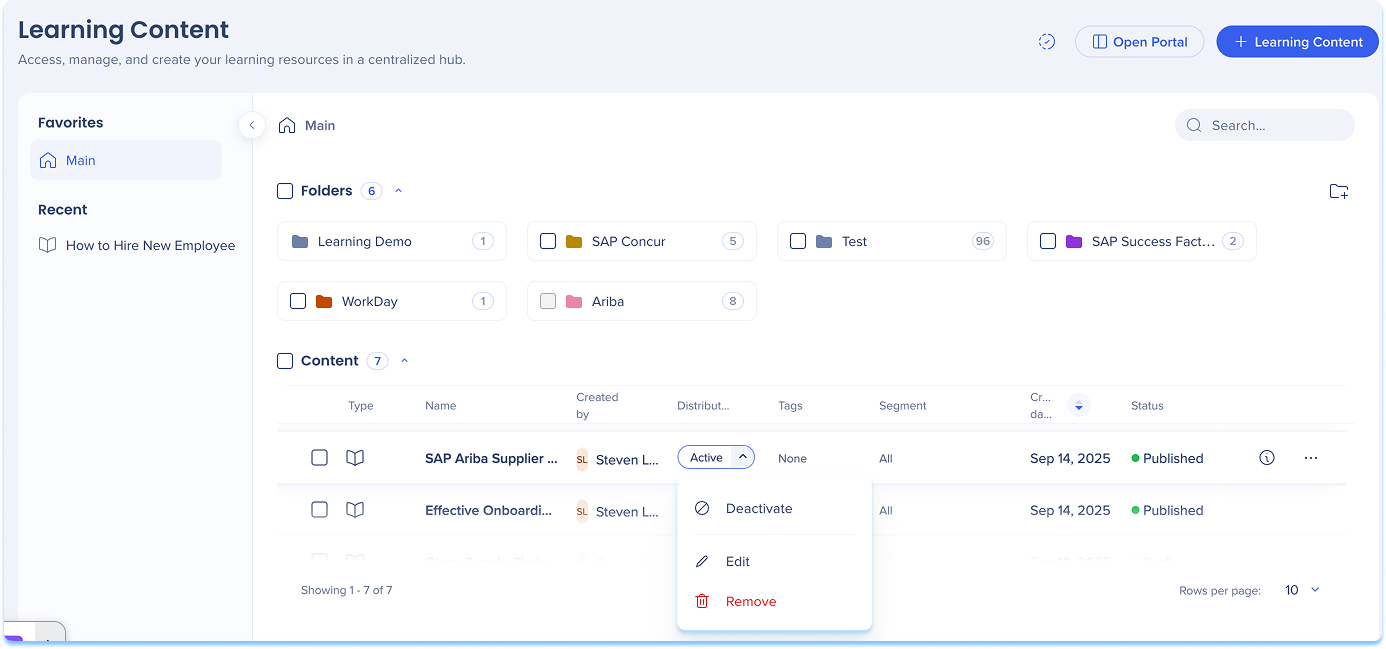
- In the Distribution column, open the dropdown
- Select one of the following actions:
- Activate / Deactivate: Turn the distribution on or off
- When turned off, the item will not appear in-app until reactivated
- Edit: Update or modify distribution conditions
- Remove: Delete the distribution definition from the content item
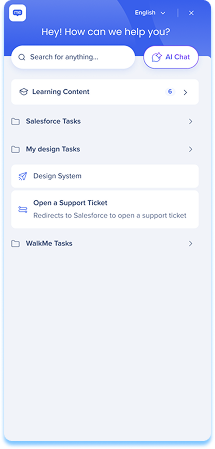
After you define distribution rules for learning content, the relevant course will automatically appear in the Pro Menu when users access the defined page. Learning content in the Pro Menu helps you access contextual learning materials directly within the flow of work.
In the Menu:
- Learning content appears under a dedicated Learning content banner
- Relevant content is displayed based on the current screen context
- If you have WalkMe, both WalkMe content and learning content are shown
- If you don't have WalkMe, only learning content is shown
- Select Show more to view additional learning items for that page
WalkMe Pro Menu
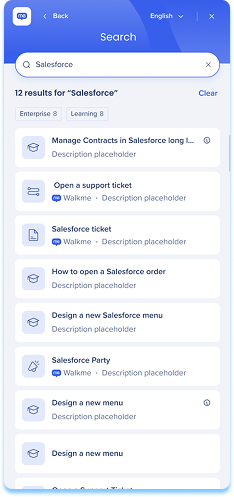
Search behavior
- From the main screen, search results include all content types
- From the Learning content screen, search results show only learning content
Accessing content
- By default, Learning Arc content opened from the pro menu launches in a new browser tab
Nota
La apertura de contenido en la aplicación (por ejemplo, como una ventana emergente) está disponible, pero el equipo de desarrollo debe activarlo. Para solicitar esto, ponte en contacto con tu Gerente de éxito del cliente o con el contacto de WalkMe. El cambio es global y se aplica a todo el contenido de aprendizaje iniciado desde el menú. Recomendamos probar después de activarla, ya que algunas aplicaciones restringen el renderizado en la aplicación debido a la configuración de la Política de seguridad de contenido (CSP). Los problemas de CSP suelen ser algo que tu organización puede resolver por su cuenta.
- Line of Business (LOB) content opens in the SEN Trainer
Technical Notes
- When a single account has multiple Learning Arc systems with in-app learning content deployed on the same site, it is not currently supported to display different content to different users based on user properties. Segmentation can restrict a user's access to specific content, but does not filter what is visible in the menu.


