Brief Overview
Distributions let you control where learning content appears in-app, specifically in the Pro Menu. This ensures learners see the most relevant content in the right place at the right time. Use the Distribution column on the Learning Content page in the console to add, edit, or remove distribution rules for each item. This gives you full control over in-app visibility and makes it easier for learners to find the information they need, right where they work.
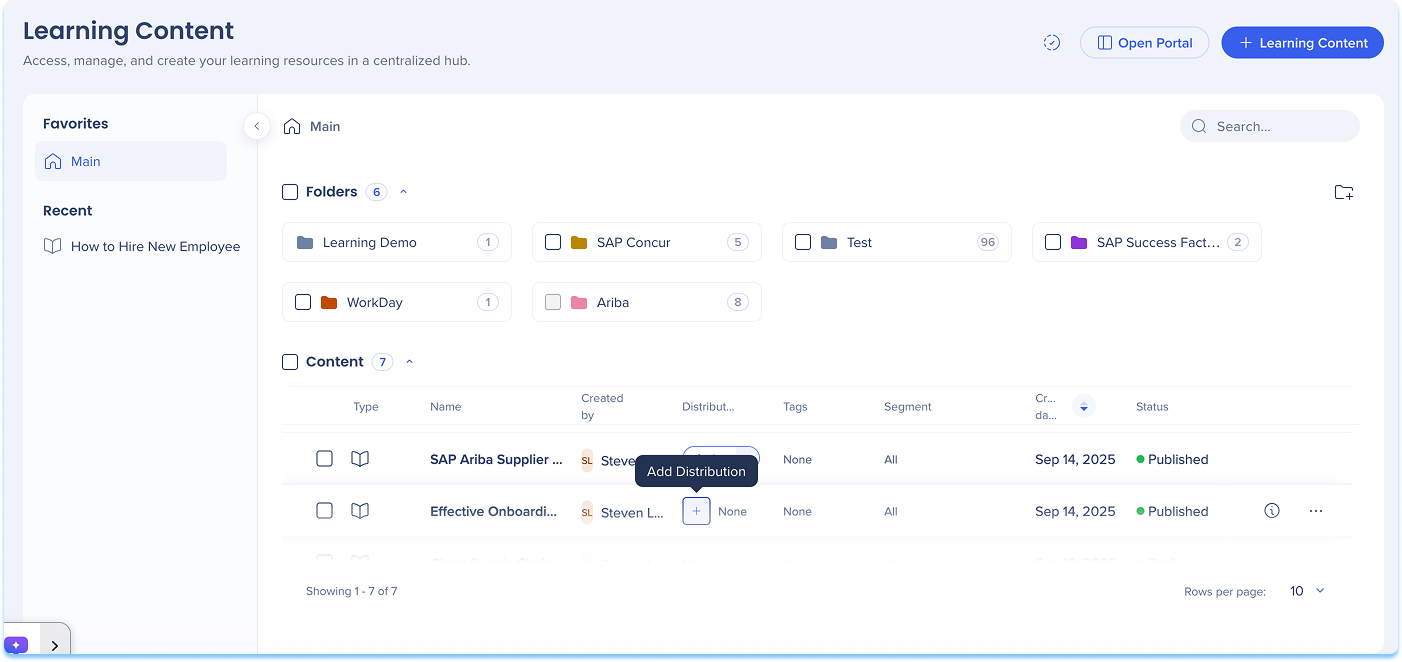
Add a Distribution
To define where learning content will appear in-app:
- Go to the Learning Content page
- In the Distribution column of the content line, select + Add Distribution
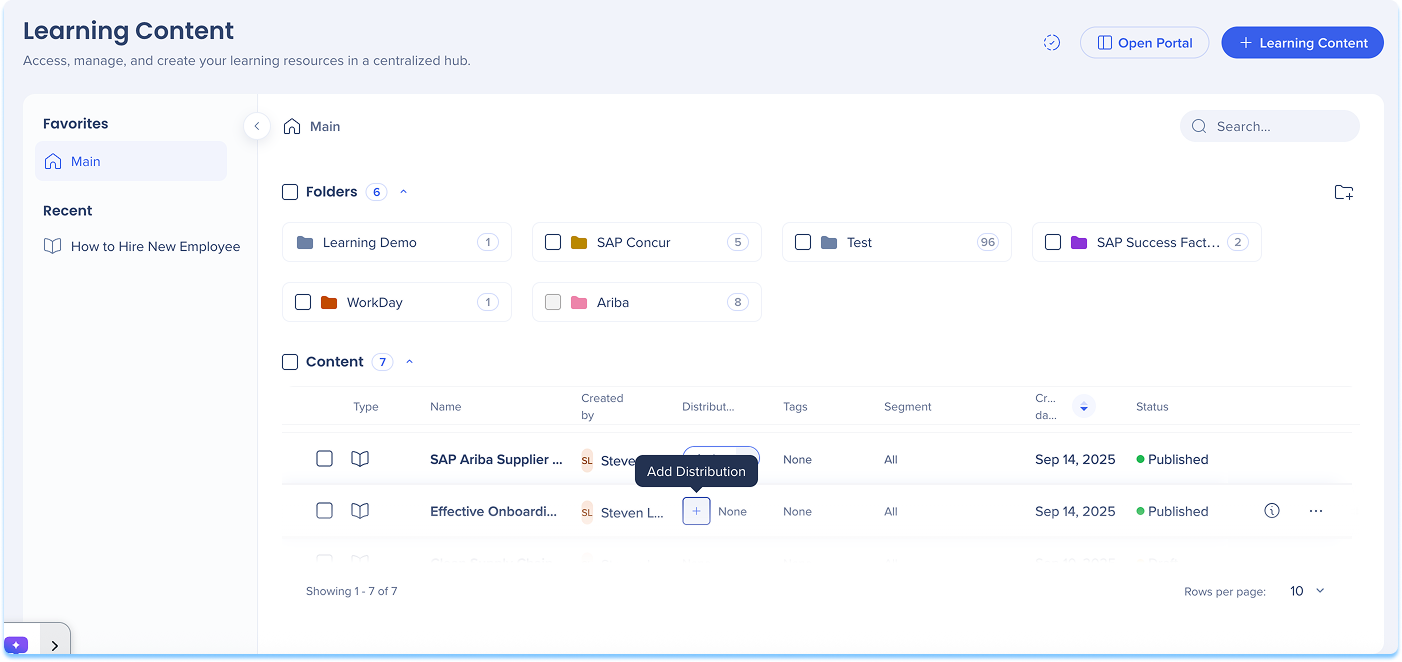
-
The Create a Distribution condition builder opens
-
Enter a Title for your distribution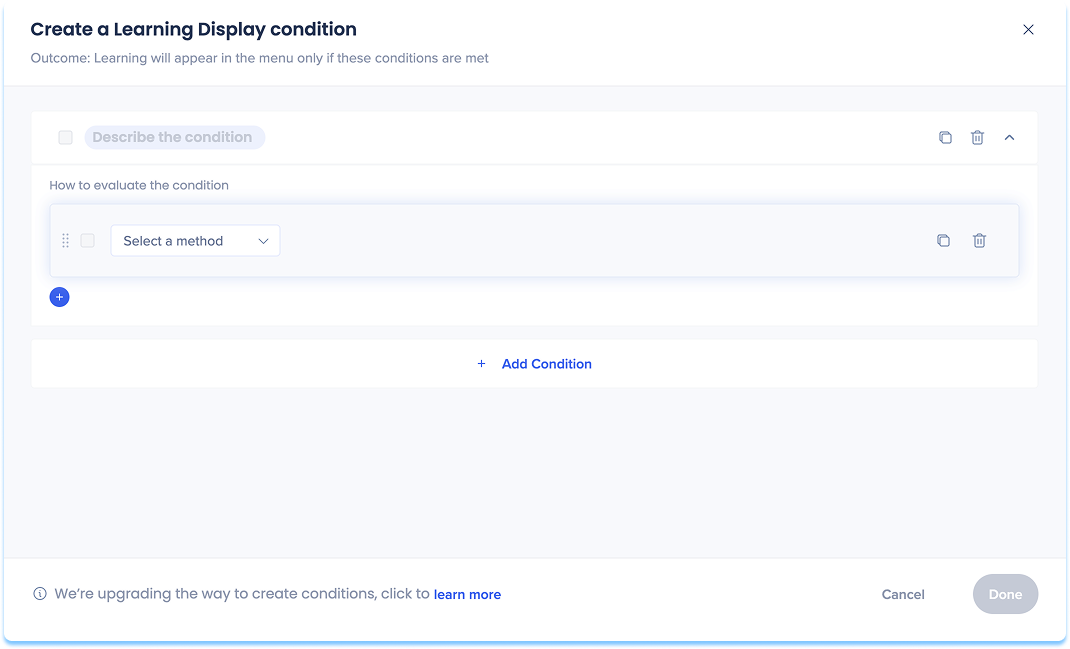
-
Choose how to define the in-app location:
-
Current URL: The page the user is currently viewing
-
Referrer URL: The page the user visited right before the current one
-
Variable: Uses dynamic attributes for personalized targeting
-
SAP Web Context: Used for transitioned SAP Enable Now content that contains Context
SAP Web Context
Quando você faz a transição do conteúdo SAP Enable Now que inclui Contexto, o WalkMe reconhece e salva esses valores automaticamente no conteúdo transitado. Quando você adiciona uma distribuição a esse conteúdo, o Contexto aparece como sugestões.
Os tipos de SAP Web Context sugeridos podem incluir:
-
Produto
-
ID de tela
-
Versão
-
Sistema
Depois que o construtor de condições for aberto, reveja os campos SAP Web Context pré-preenchidos e atualize-os, se necessário.
Observação: o WalkMe oferece suporte ao uso do SAP Web Context, mas recomendamos definir novas condições de exibição usando regras de URL, quando possível.
-
Set variables for your chosen option
-
Select Save
Observação
Para clientes do SAP Enable Now que fazem a transição para o WalkMe Learning Arc, o conteúdo complementar não é transferido automaticamente.
Para continuar usando o conteúdo complementar do SEN, os clientes devem manter contratos ativos para o SEN e o WalkMe Learning Arc: somente enquanto o SAP Enable Now estiver disponível.
Manage a Distribution
To update or control existing distributions:
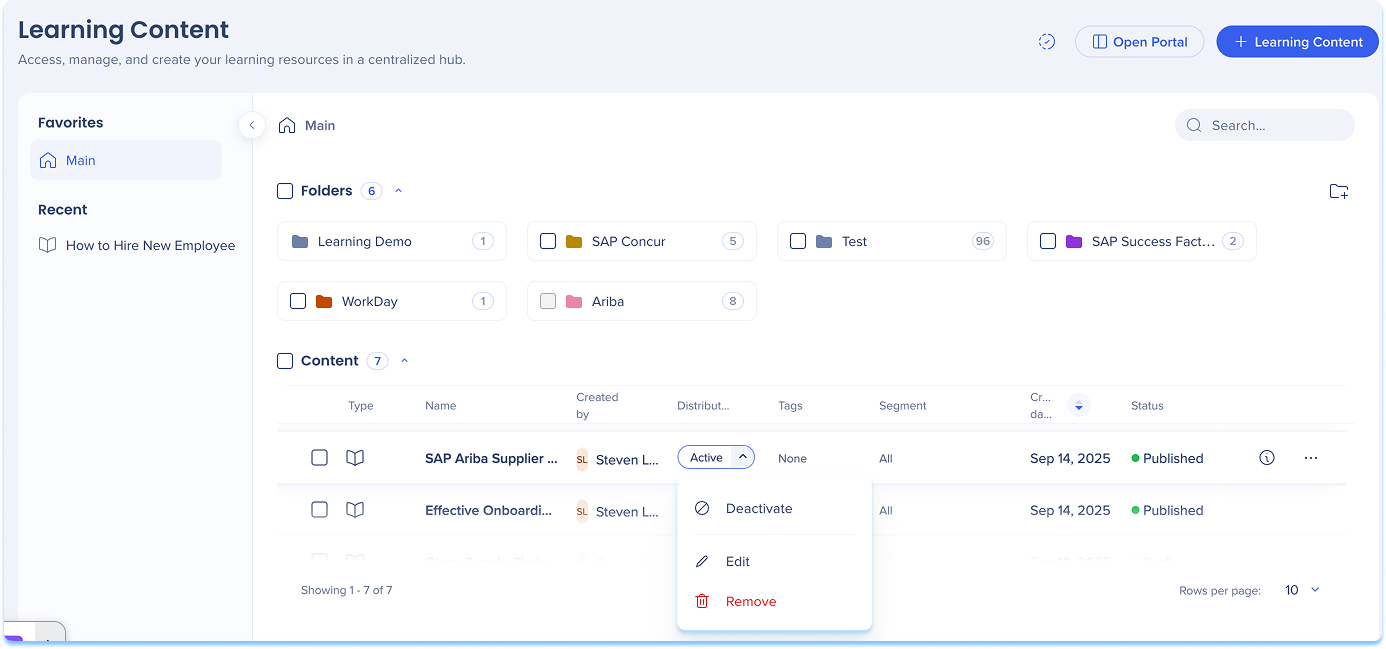
- In the Distribution column, open the dropdown
- Select one of the following actions:
- Activate / Deactivate: Turn the distribution on or off
- When turned off, the item will not appear in-app until reactivated
- Edit: Update or modify distribution conditions
- Remove: Delete the distribution definition from the content item
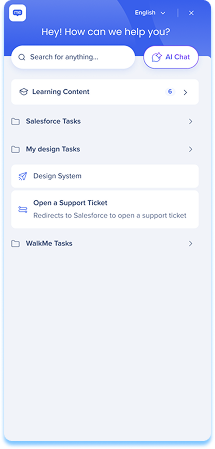
After you define distribution rules for learning content, the relevant course will automatically appear in the Pro Menu when users access the defined page. Learning content in the Pro Menu helps you access contextual learning materials directly within the flow of work.
In the Menu:
- Learning content appears under a dedicated Learning content banner
- Relevant content is displayed based on the current screen context
- If you have WalkMe, both WalkMe content and learning content are shown
- If you don't have WalkMe, only learning content is shown
- Select Show more to view additional learning items for that page
WalkMe Pro Menu
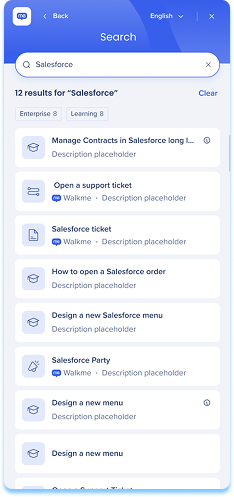
Search behavior
- From the main screen, search results include all content types
- From the Learning content screen, search results show only learning content
Accessing content
- By default, Learning Arc content opened from the pro menu launches in a new browser tab
Observação
A abertura de conteúdo no aplicativo (por exemplo, como um popup) está disponível, mas precisa ser ativada pela equipe de desenvolvimento. Para solicitar isso, entre em contato com o Gerente de Sucesso do Cliente ou com o WalkMe. A alteração é global e se aplica a todo o Conteúdo de Aprendizado iniciado no Menu. Recomendamos testar depois de ativada, pois alguns aplicativos restringem a renderização no aplicativo devido aos ajustes da Política de segurança de conteúdo (CSP). Geralmente, os problemas de CSP são algo que sua organização pode resolver em seu nome.
- Line of Business (LOB) content opens in the SEN Trainer
Technical Notes
- When a single account has multiple Learning Arc systems with in-app learning content deployed on the same site, it is not currently supported to display different content to different users based on user properties. Segmentation can restrict a user's access to specific content, but does not filter what is visible in the menu.


