Brief Overview
Distributions let you control where learning content appears in-app, specifically in the Pro Menu. This ensures learners see the most relevant content in the right place at the right time. Use the Distribution column on the Learning Content page in the console to add, edit, or remove distribution rules for each item. This gives you full control over in-app visibility and makes it easier for learners to find the information they need, right where they work.
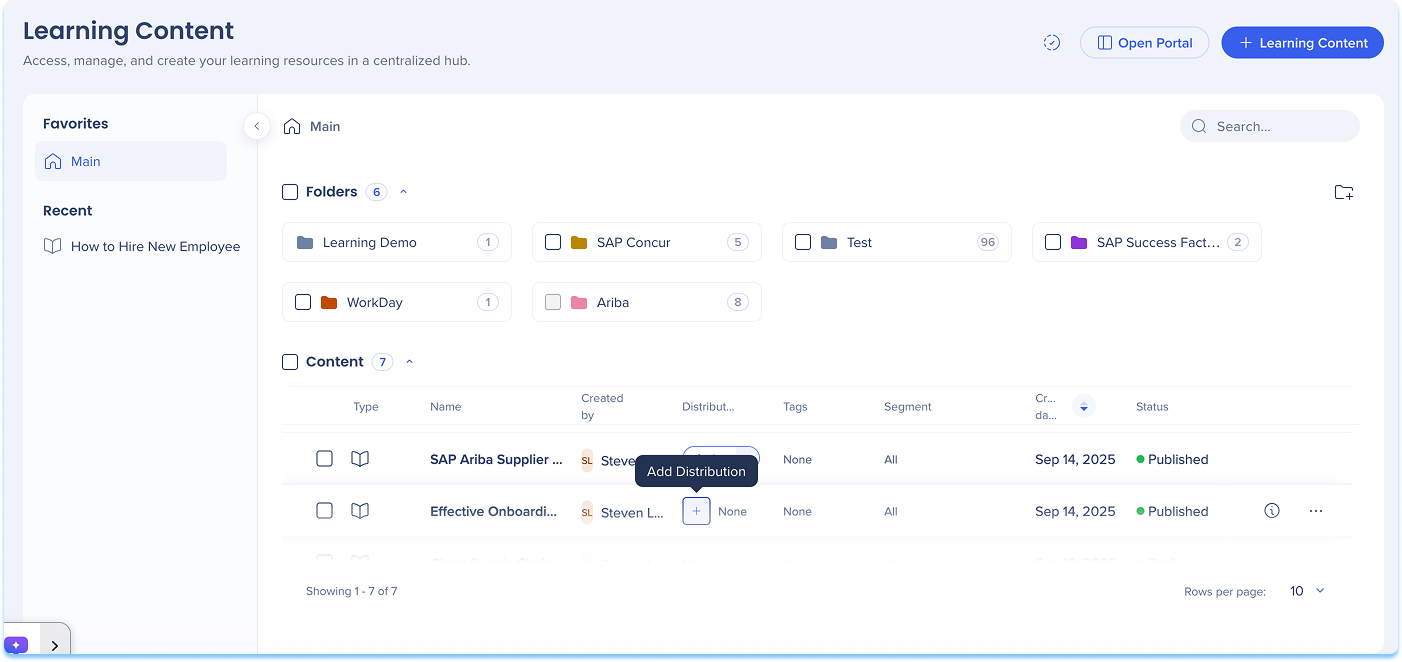
Add a Distribution
To define where learning content will appear in-app:
- Go to the Learning Content page
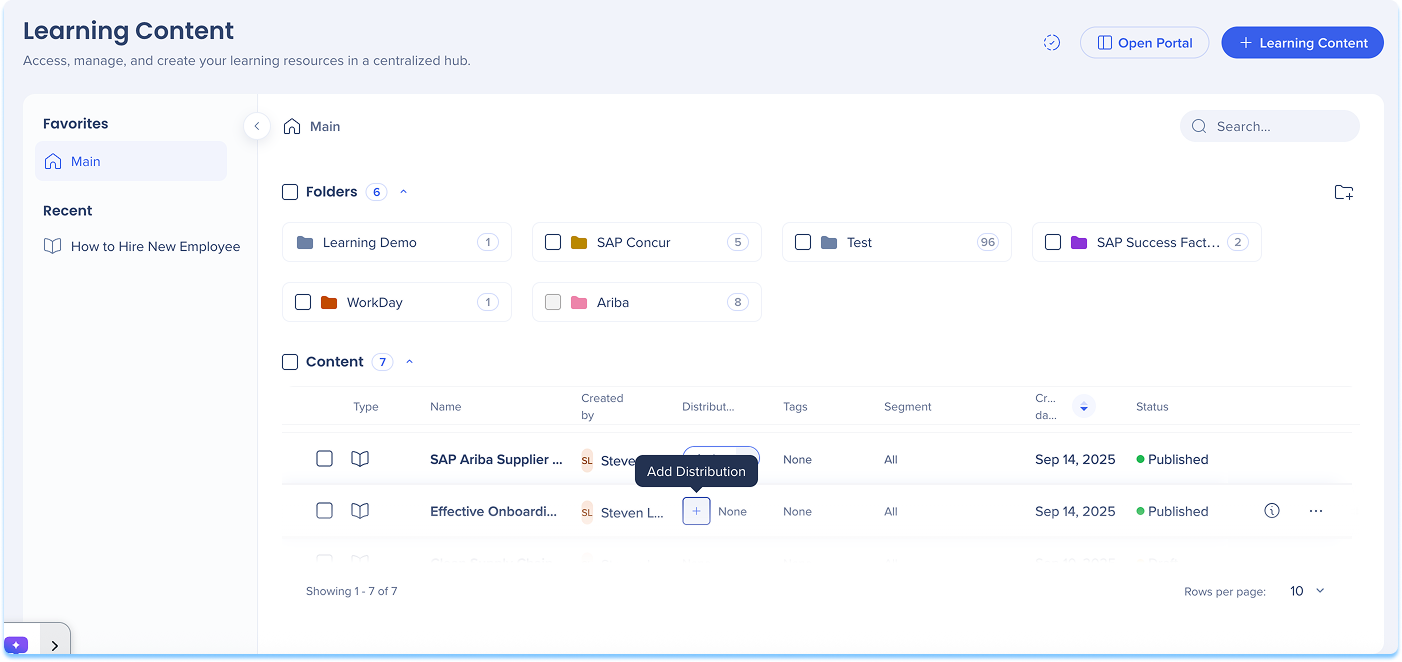
- In the Distribution column of the content line, select + Add Distribution
-
The Create a Distribution condition builder opens
-
Enter a Title for your distribution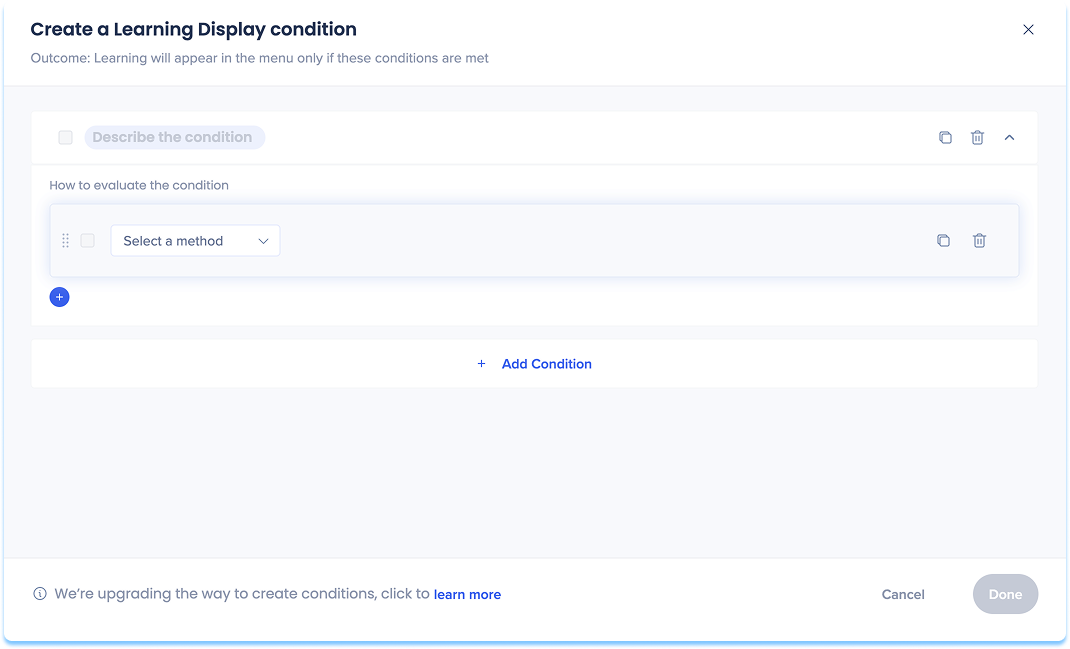
-
Choose how to define the in-app location:
-
Current URL: The page the user is currently viewing
-
Referrer URL: The page the user visited right before the current one
-
Variable: Uses dynamic attributes for personalized targeting
-
SAP Web Context: Used for transitioned SAP Enable Now content that contains Context
SAP Web Context
Lorsque vous transférez du contenu SAP Enable Now qui comprend du contexte, WalkMe reconnaît automatiquement et enregistre ces valeurs dans le contenu transféré. Lorsque vous ajoutez une distribution à ce contenu, le contexte apparaît sous forme de suggestions.
Les types de SAP Web Context suggérés peuvent inclure :
-
Produit
-
Identifiant d'écran
-
Version
-
le système
Après l'ouverture du générateur de conditions, examinez les champs SAP Web Context préremplis et mettez-les à jour si nécessaire.
Remarque : WalkMe prend en charge l'utilisation de SAP Web Context, mais nous vous recommandons de définir de nouvelles conditions d'affichage à l'aide de règles d'URL lorsque cela est possible.
-
Set variables for your chosen option
-
Select Save
Remarque
Pour les clients SAP Enable Now qui passent à WalkMe Learning Arc, le contenu d'accompagnement n'est pas transféré automatiquement.
Pour continuer à utiliser le contenu compagnon SEN, les clients doivent maintenir les contrats actifs pour SEN et WalkMe Learning Arc : uniquement tant que SAP Enable Now reste disponible.
Manage a Distribution
To update or control existing distributions:
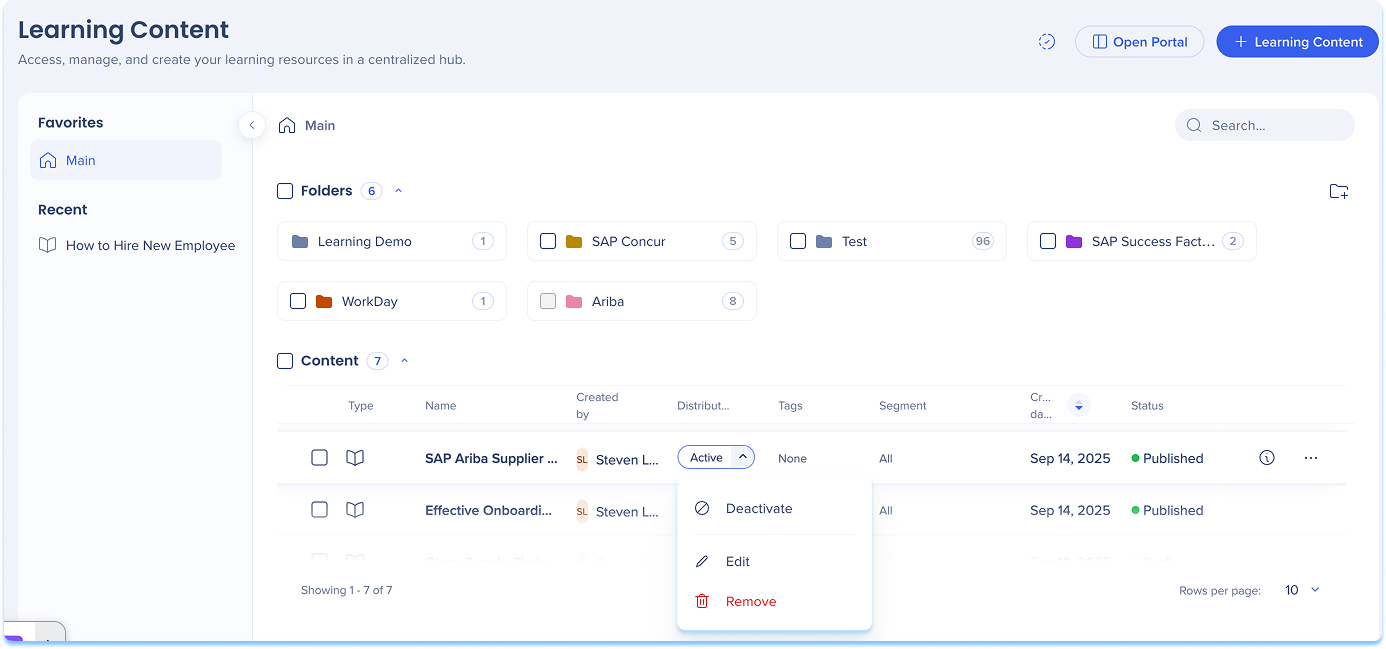
- In the Distribution column, open the dropdown
- Select one of the following actions:
- Activate / Deactivate: Turn the distribution on or off
- When turned off, the item will not appear in-app until reactivated
- Edit: Update or modify distribution conditions
- Remove: Delete the distribution definition from the content item
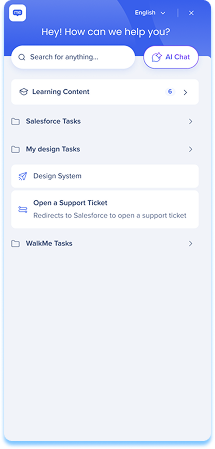
After you define distribution rules for learning content, the relevant course will automatically appear in the Pro Menu when users access the defined page. Learning content in the Pro Menu helps you access contextual learning materials directly within the flow of work.
In the Menu:
- Learning content appears under a dedicated Learning content banner
- Relevant content is displayed based on the current screen context
- If you have WalkMe, both WalkMe content and learning content are shown
- If you don't have WalkMe, only learning content is shown
- Select Show more to view additional learning items for that page
WalkMe Pro Menu
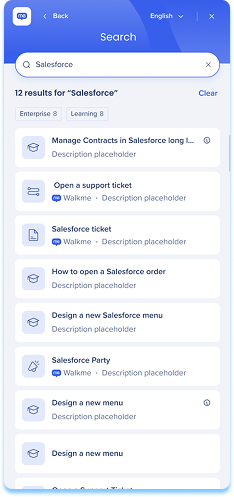
Search behavior
- From the main screen, search results include all content types
- From the Learning content screen, search results show only learning content
Accessing content
- By default, Learning Arc content opened from the pro menu launches in a new browser tab
Remarque
L'ouverture de contenu dans l'application (par exemple, sous forme de fenêtre contextuelle) est disponible mais doit être activée par l'équipe de développement. Pour le demander, contactez votre gestionnaire de réussite client ou votre contact WalkMe. La modification est globale et s'applique à tout le contenu d'apprentissage lancé à partir du menu. Nous vous recommandons de tester après son activation, car certaines applications restreignent le rendu dans l'application en raison des paramètres de la politique de sécurité du contenu (CSP). Les problèmes CSP sont généralement quelque chose que votre organisation peut résoudre de son côté.
- Line of Business (LOB) content opens in the SEN Trainer
Technical Notes
- When a single account has multiple Learning Arc systems with in-app learning content deployed on the same site, it is not currently supported to display different content to different users based on user properties. Segmentation can restrict a user's access to specific content, but does not filter what is visible in the menu.


