Brief Overview
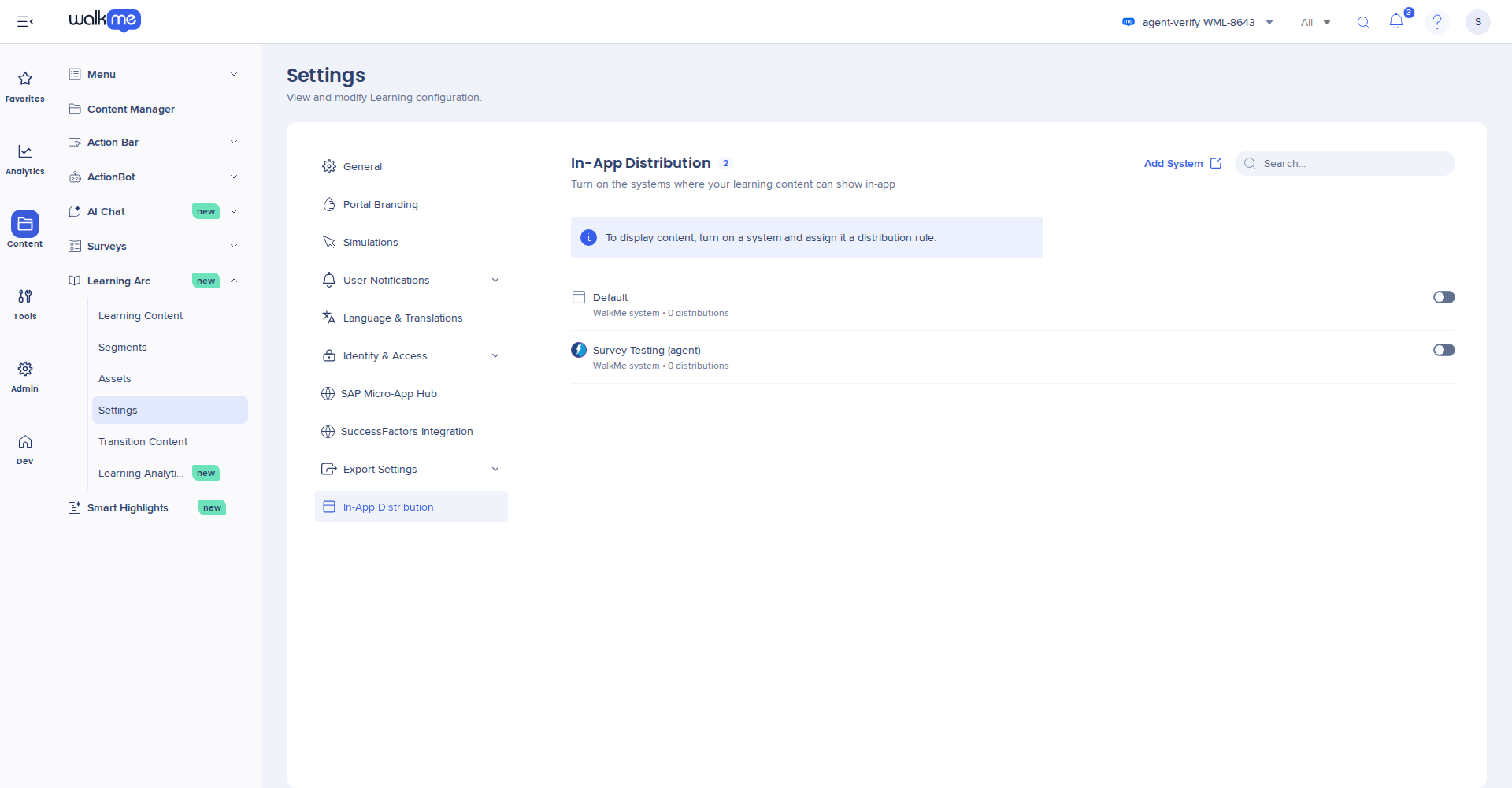
Use the In-App Distribution tab in Settings to choose the WalkMe systems where your WalkMe Learning Arc content can show in-app. Only a system you turn on here can be added to learning content. Turning a system off stops all learning content from showing in it.
This is the first step in setting up in-app distribution. After that, you add systems to each learning item in its Distribution tab.
Access
- Open WalkMe Learning Arc:
- Go to Settings
- Select In-App Distribution
How It Works
The In-App Distribution tab lists the WalkMe systems in your account. Each system you turn on becomes available to add to learning items. Content shows in-app only after you add the system to the item and publish it.
For an overview of initial setup, see: In-App Distribution: Getting Started Guide
What's on the tab
Each row shows:
- System name: The name of the system in the Admin Center
- Type and count: The system type and how many learning items are added to it, for example WalkMe system • 0 distributions
- On or off: On means learning items can be added to the system. Every system starts off
To find a system by name, use Search.
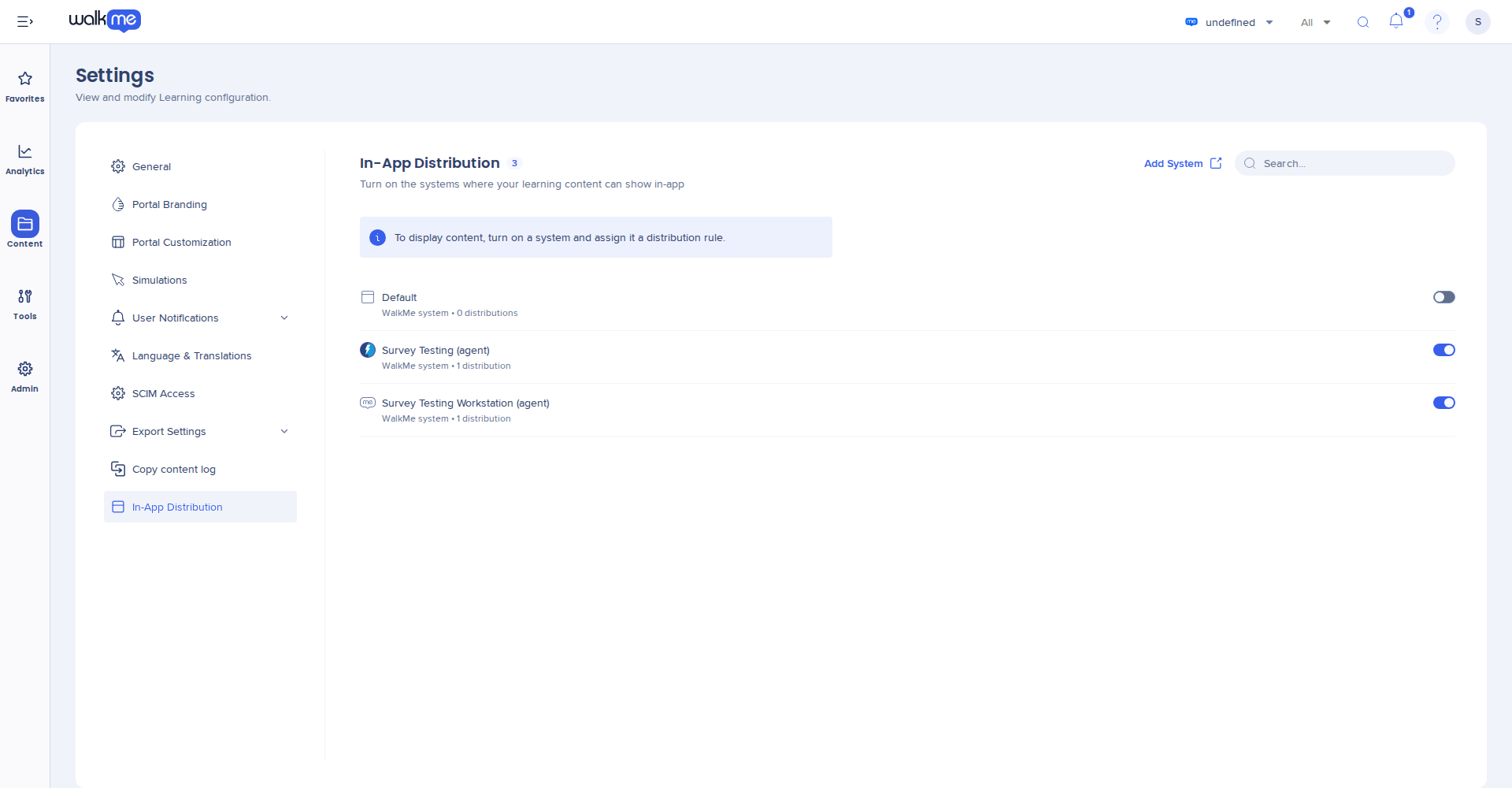
Turn on a system
On the In-App Distribution tab, turn on the system. The change saves right away.
The system now shows in the Add systems popup of every learning item. Next, add it to your content.
Managing In-App Distribution
Note
Turning a system on doesn't show any content yet. Learners see an item only after you add the system to the item, publish the item, and turn on Visible.
Add a system that isn't listed
- Select Add System. The Admin Center opens in a new tab, on the systems list
- In Learning Arc, go back to the In-App Distribution tab and reload the page
- Turn on the new system
Tip
If you don't have Digital Adoption, ask your CSM or TA to set one up for you
Turn off a system
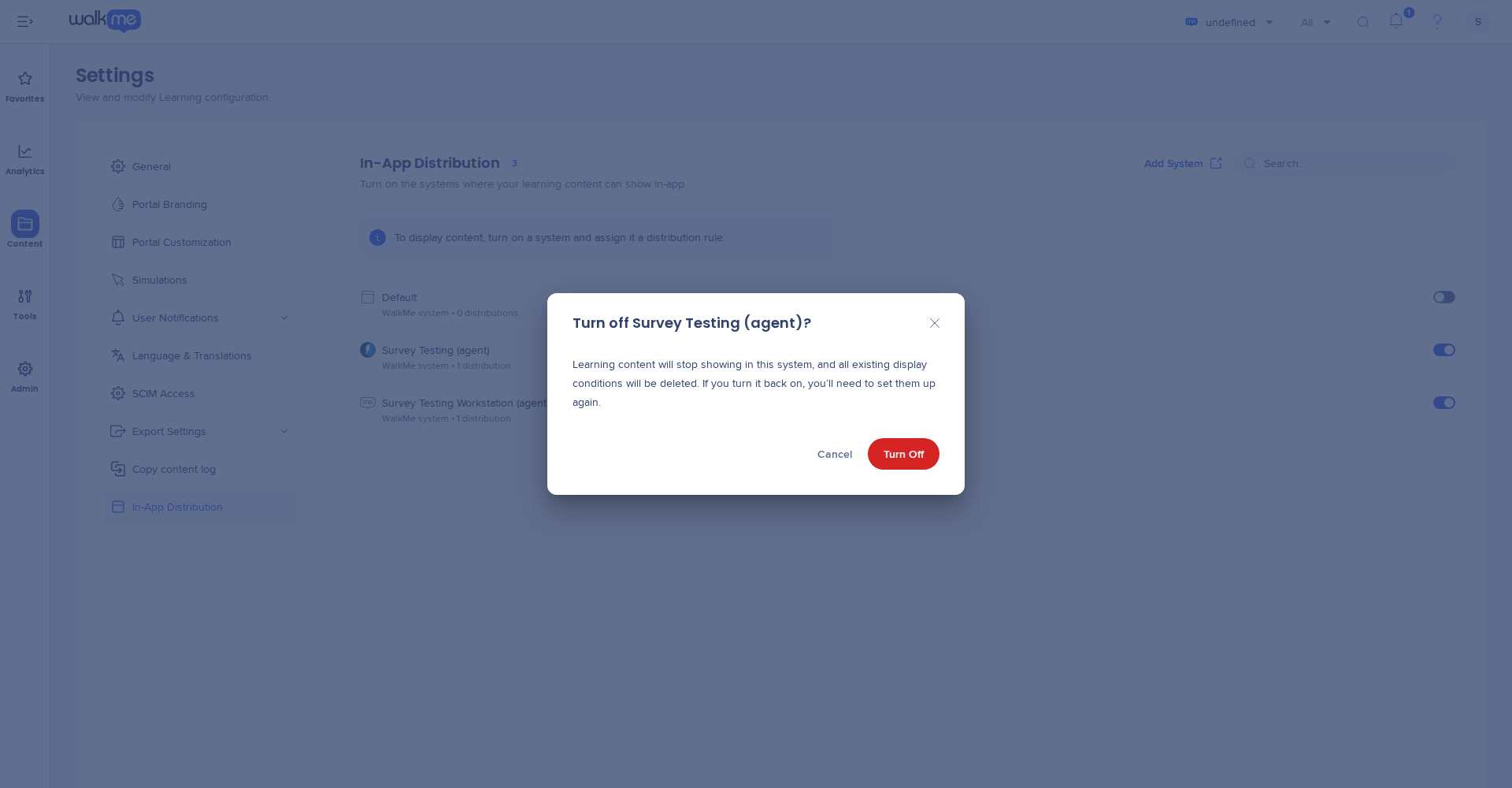
- On the In-App Distribution tab, turn off the system
- Select Turn Off to confirm
When you turn a system off:
- Learning content stops showing in that system
- The system is removed from every learning item
- The display conditions for that system are deleted
- The system no longer shows in any item's Distribution tab or Add systems popup
Note
Turning the system back on doesn't bring its content back. Add the system to each item again and set up the display conditions again.
Technical Notes
Limitations