Brief Overview
The condition builder is the interface for creating and managing conditions in WalkMe. Use it to define the logic that controls when content appears, how Smart Walk-Thrus and other items behave, and whether goals are met.
Use Cases
- Segmentation: Show content to specific user groups based on a variable, like department
- Smart Walk-Thru flow: Route users down different paths based on their actions or app state
- Goals: Track success by checking if a user reached a page or clicked an element
- Display conditions: Control launcher and resource visibility by page or context
Access
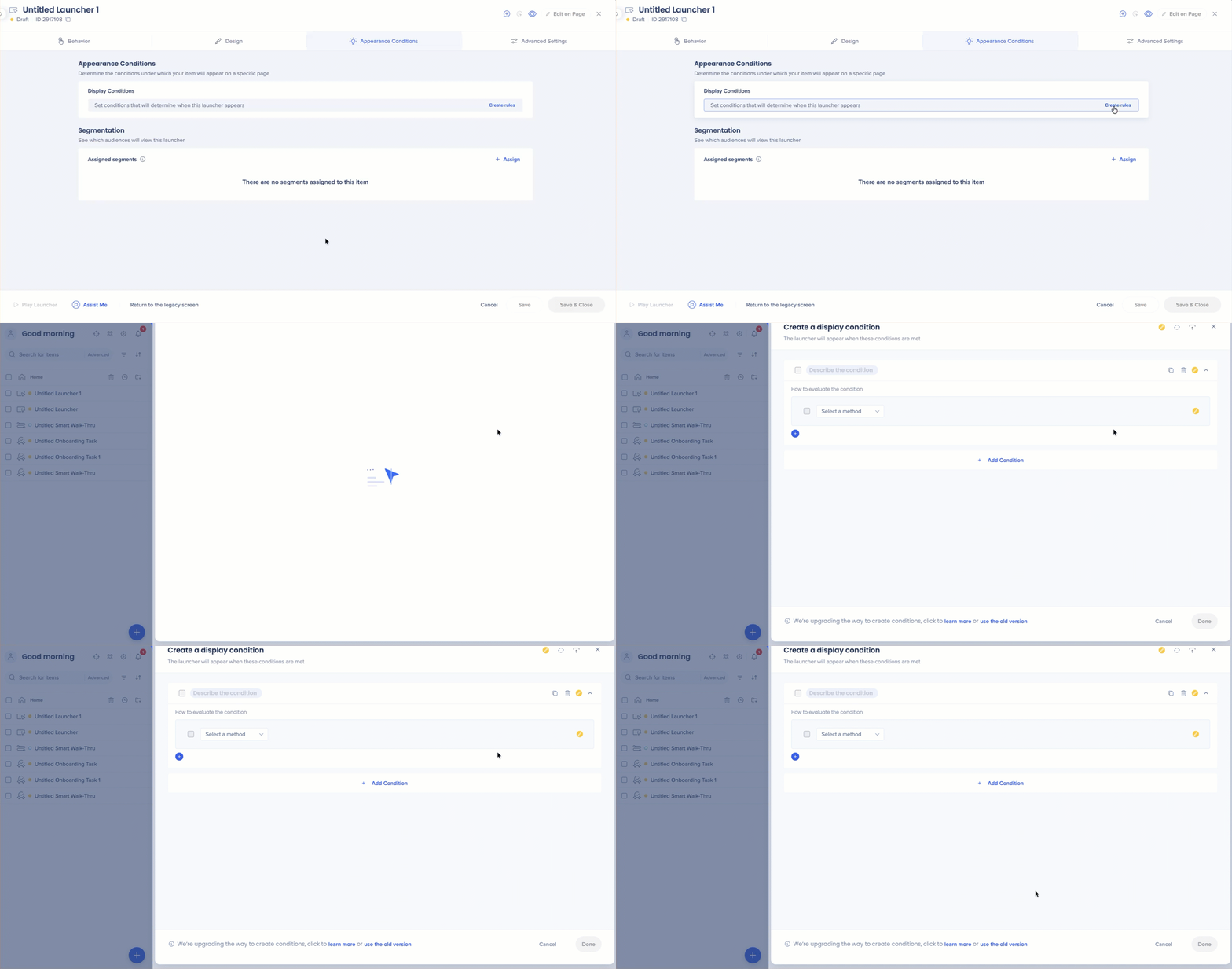
Open any WalkMe item in the editor and navigate to Appearance Conditions or segments. The condition builder loads automatically.
How It Works
The condition builder evaluates data points in your application—URL, user data, on-screen elements—and returns True or False. When a condition is True, the associated WalkMe action or content triggers.
Example: IF the current URL contains /dashboard, THEN display the ShoutOut.
Definitions
- Condition = the whole logic block (what you're building in the condition builder)
- Rule = a single statement line within a condition
Evaluation logic
- Top-down: Statements are scanned in order. WalkMe combines them to reach a final result.
- Live browser state: The builder evaluates the page as it appears right now. Navigate to the target page to see accurate status indicators.
- Status indicators: Each statement shows a real-time status to the right:
- ✓ True: Condition is met
- ! False: Condition is not met
- ? Cannot Assert: WalkMe can't evaluate the condition—usually because the target page or element isn't loaded
Rule types
Every rule has three parts: a type, an operator, and a value.
Select a type to define what WalkMe should evaluate.
- Current URL: Checks the current page URL
- Referrer URL: Checks the URL the user navigated from
- Element on screen: Checks any element on the page for visibility, content, length, or type
- Selected element: Checks a specific element already captured in the Editor
- jQuery: Checks an element by jQuery selector—useful for hard-to-identify elements or performance optimization
- Variable: Checks a JavaScript variable or function
- Cookie: Checks a browser cookie value
- WalkMe Data and JSON object: Checks WalkMe-specific or JSON data values
- Integrations: Checks data from IDP, CSV, API, or behavior-based integrations
- User session: Checks End User Object data, including calculated metrics like First Seen, Last Seen, or Number of Sessions
- Browser type and window size: Checks the user's browser or viewport dimensions
- Date and time: Checks day, month, specific date, or time of day (24-hour format, like 16:00). Auto Play items set to expire on a date do so at the end of that day.
- WalkMe Language and Language: Checks the active WalkMe language or the browser/system language (Multi-Language must be enabled for WalkMe Language)
- Platform: Checks whether WalkMe is running on Windows, Mac, or Web (Desktop/Mobile system types only)
- Workday: Checks Workday-specific contexts: form, worklet, subpage, page, or inbox item
- Salesforce: Checks the tab or URL within Salesforce (requires sfVars)
- SKU/Model: Checks PC or Mac hardware identifiers (Desktop/Mobile system types only)
- Current flow: Checks whether an iframe, frameset, or popup is active
- Onboarding task, TeachMe course, and TeachMe quiz: Checks completion of onboarding or TeachMe content
- Segment: Checks whether an existing segment is met—lets you reuse saved logic. If the referenced segment is deleted, the condition will indicate this and stop evaluating.
- Number/date comparison: Evaluates numeric or date-based comparisons
- Highlighted text and Focused input field: Checks the text user selected on screen
Note
Some types are only available for specific features or system types.
Element on screen options
When Element on screen is selected, additional options appear:
- Re-select Element: Select Re-select Element to change the target element
- Settings: Select Settings to adjust precision settings so the element is identified consistently across page states
- View Element: Select View Element to see a screenshot of the selected element and verify it's correct
Note
Element on screen refers to any element on the page. Selected element refers to a specific element you've already captured in the editor.
Operators
Operators define the comparison logic. Only relevant operators appear based on the condition type selected.
- Is: Exact match
- Contains: True if the value appears anywhere in the string
- Value is like: Wildcard match using * to represent any character or set of characters (like /dashboard/* to match any sub-path)
- Matches: Combines exact and wildcard matching for partial or full URL matching
Note
The Matches operator is case sensitive.
- Visibility operators: Is Visible, Is Not Visible, Exists, Does Not Exist, Element Count, True/False (jQuery only)
- Sticky operators: Clicked (Sticky) and Hovered (Sticky) continuously check for the interaction rather than a one-time check. Contact support to enable.
- Content operators: Text Is, Text Is Like (* wildcards), Contains, Text Is Empty, Value Is Greater/Less Than, Length/Word Count
- Type operators: Valid Number, Valid Date, Valid Time, Valid US Phone Number, Valid Email, Is Selected (for radio buttons and checkboxes)
Note
Use Text Is with caution—rules based on exact text strings will break if your application is translated.
Dynamic conditions
Compare two screen elements against each other instead of comparing an element to a fixed value.
- Capture an attribute: Select the first element and define an attribute (like a jQuery selector)
- Select the second element: Choose it in the condition builder
- Apply the attribute: Type the first element's attribute into the value field to create the comparison
Entering values
- Current value filler: Select the magnifying glass icon to auto-fill the field with your current page URL or selected element value
- Expanding fields: Select a value field to expand it for easier editing of long strings
- Case sensitivity: URL inputs are not case sensitive. jQuery selectors and the Matches operator require exact casing.
Multiple statements
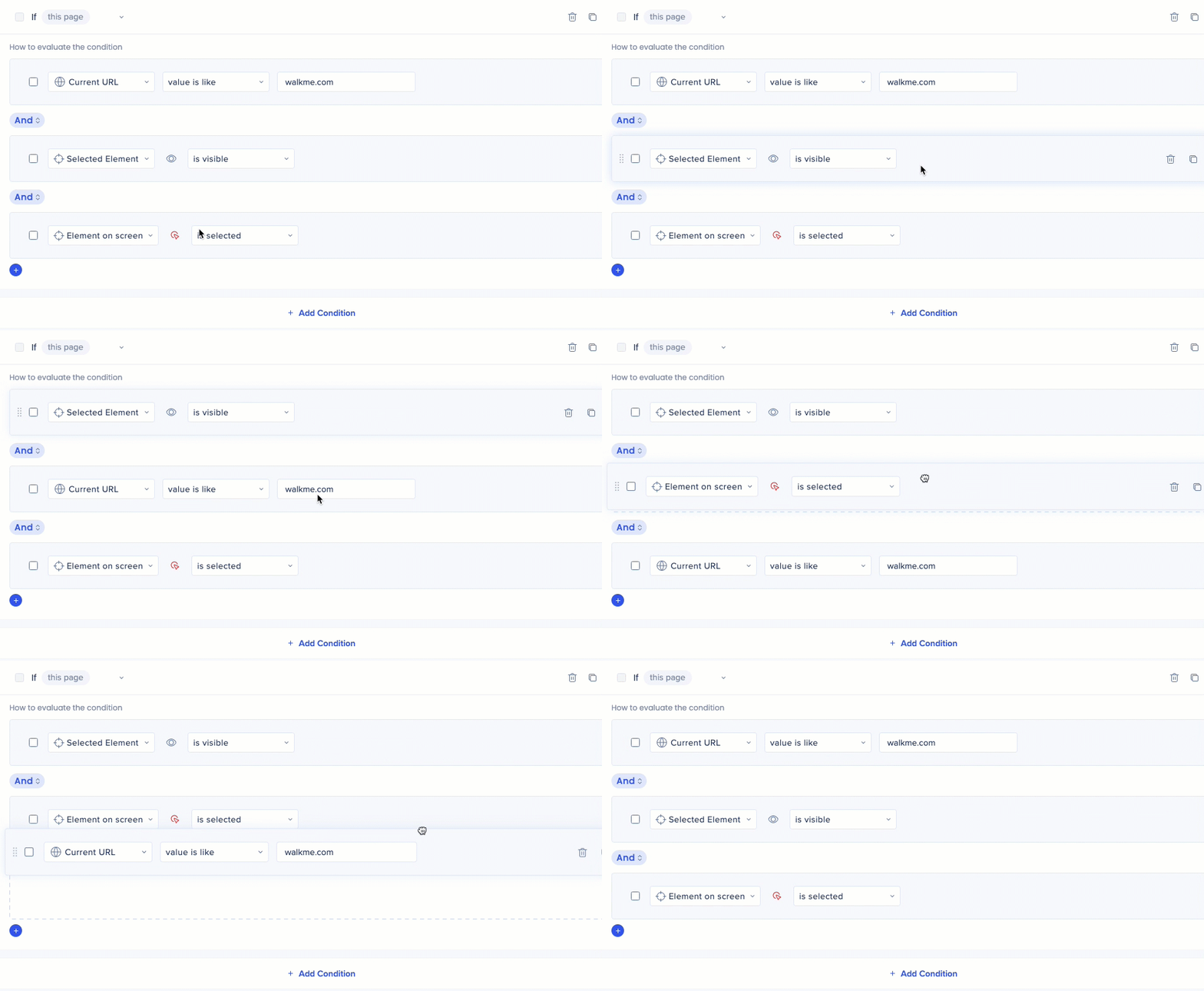
Add up to 60 statements per condition. Drag and drop to reorder them.
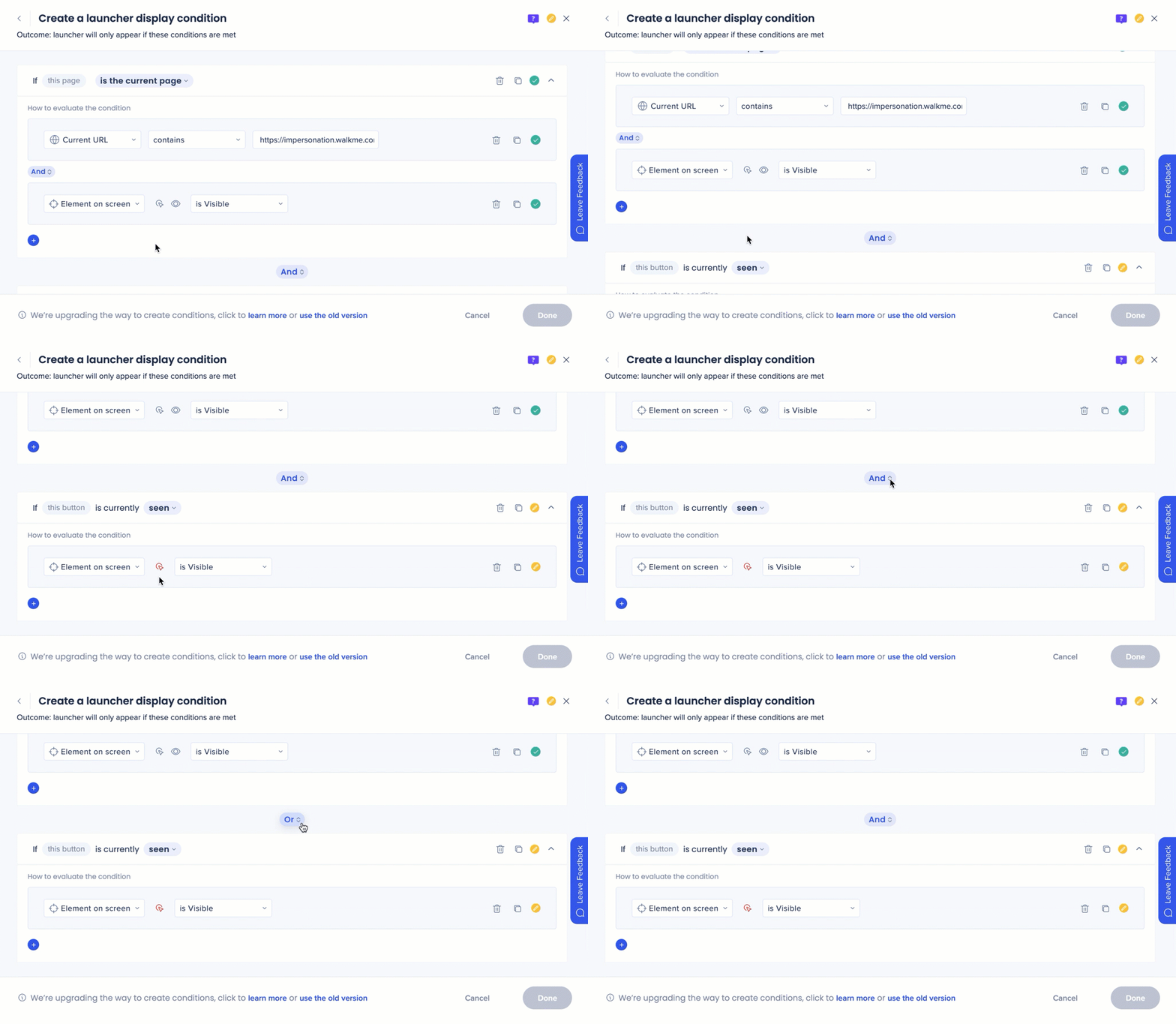
- And: All connected statements must be true
- Or: At least one statement must be true
Grouping
Groups evaluate a block of statements as a single unit. Grouping is handled automatically: when two or more rules exist under one condition alongside at least one independent rule, the grouped rules are evaluated together first.
Note
At least one statement or group must remain outside all groups for the logic to evaluate.
Example: A goal with two And statements—Statement 1 checks the URL, Statement 2 checks that the user clicked Submit. Both must be true, preventing false positives from other pages.
Multiple values
Check several values in a single statement using Any("value1","value2","value3") in the value field. Values are treated as Or. Supported for URL, Element on screen, jQuery, User Data, Workday, and Active Directory rule types.
Regular expressions
Use RegEx with jQuery and Element on screen rules to match complex patterns—useful for custom serial numbers, unique IDs, or any format standard operators can't handle. Test patterns at Regex101 before adding them to the builder.
Manage conditions
Save as segment
Reuse a complex condition elsewhere without rebuilding it. Open the condition, select Save as Segment, and give it a name. The condition is replaced with a reference to the new segment.
Import rules
Copy conditions from segments or goals in other apps. Select Import Rules, choose the app, then select the item to import from. You can also import start point rules for Smart Walk-Thru logic steps.
Duplicate a statement
Select the Duplicate icon next to any statement to create a copy, then adjust the values or operators as needed.
Move conditions
The condition builder supports full flexibility for reordering your logic.
- Drag-and-drop condition blocks to move rules to different positions within the builder
Performance
Rule types vary in processing cost. Prefer lighter rules where possible, especially in conditions with many statements.
- Light: URL, Variable, Cookie, User Data
- Moderate: Element on screen (Is Visible / Is Not Visible)
- Heavy: jQuery, Element on screen (Clicked / Hovered)
Tip
Put a Current URL rule first. If the user is on the wrong page, WalkMe stops evaluating immediately—no need to run heavier checks.
Technical Notes
- The builder evaluates your active browser window—navigate to the target page and be logged in as the correct user type to get accurate status readings
- Clicked and Hovered conditions can't be evaluated while the builder is open, since you can't interact with page elements while the editor is active
- Character limit per condition screen: 65,534
- Maximum statements per condition: 60
- RegEx is supported for jQuery and Element on screen rule types
- The conditions evaluation can only contain up to 100 unique integrations


