Brief Overview
Insights for mobile works the same way as Insights for web — giving you real-time analytics on how users interact with your WalkMe content and your app. When you select a Native Mobile system, Insights automatically shows only the tabs and metrics relevant to mobile.
About WalkMe Insights
Use Cases
- Track adoption across your app: See how many users are active, how many were exposed to WalkMe, and how many interacted with your content
- Measure content performance: Understand which Smart Walk-Thrus, ShoutOuts, and launchers are driving engagement — and which aren't
- Identify drop-off points: Use the Sessions tab to see where users abandon flows and where friction is highest
- Compare systems at a glance: Use the Systems Overview dashboard to monitor all your mobile and web systems from one place
Access
Access Insights in the console:
- Open the WalkMe Console
- Select the Analytics category
- Select Insights
How It Works
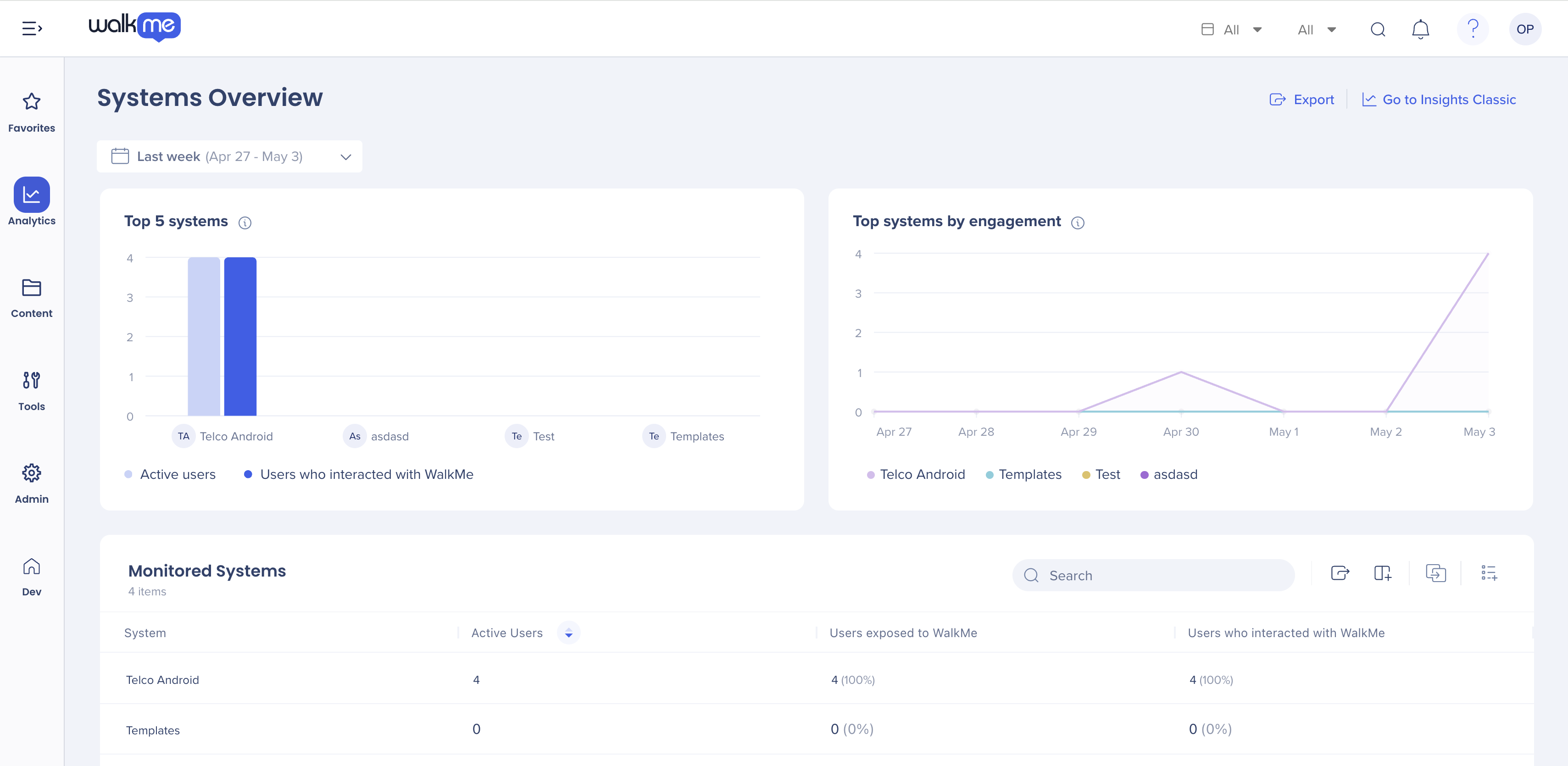
Systems overview
The Systems Overview dashboard gives you a high-level view of all the systems in your account. The Monitored Systems table shows active users, users exposed to WalkMe, and users who interacted with WalkMe for each system.
Select a system name in the table to open its dedicated Insights dashboard.
Mobile Insights tabs
When a Native Mobile system is selected, only the tabs relevant to mobile are shown. The following tabs are available:
- Overview: A summary dashboard showing the user analysis funnel, users exposure trend, interactions by content type, and where your users are located
- Active Users: A list of users who were active in the app while WalkMe was running
- Sessions: Session-level data showing how users move through the app
- Smart Walk-Thrus: Engagement data for your Smart Walk-Thrus
- Launchers: Engagement data for your launchers
- ShoutOuts: Engagement data for your ShoutOuts
- Surveys: Response and completion data for in-app surveys
Export
Select Export at the top right of any tab to download the current view. The export reflects the selected time range and any active filters.
Technical Notes
- Goals are not supported in the current phase
- Smart Walk-Thru step analysis is not supported in the current phase


