Brief Overview
WalkMe Mobile is a core strategic product designed to bring enterprise-scale digital adoption to the primary digital touchpoint: the smartphone. While mobile dominates user behavior—accounting for 85% of smartphone time—adoption remains fragile, with 25% of users abandoning an app after a single use.
WalkMe Mobile helps organizations overcome "software paralysis" by providing contextual guidance, personalized onboarding, and AI-powered stability directly inside mobile applications.
Use Cases
- Accelerate onboarding: Eliminate guesswork for new users with personalized, segment-aware flows that drive them to key features instantly
- Reduce churn and drop-offs: Surface friction points with analytics to understand who is stuck and why, then use in-app nudges to keep users on track
- Bypass app store delays: Deploy critical guidance and updates instantly within the app without waiting for app store approvals or developer resources
- Improve app health: Drive app growth by encouraging ratings, version updates, and in-app purchases through timely, contextual campaigns
How it Works
Create a system in the Admin Center
- Go to the Admin Center
- Select Create System
- Select Native Mobile
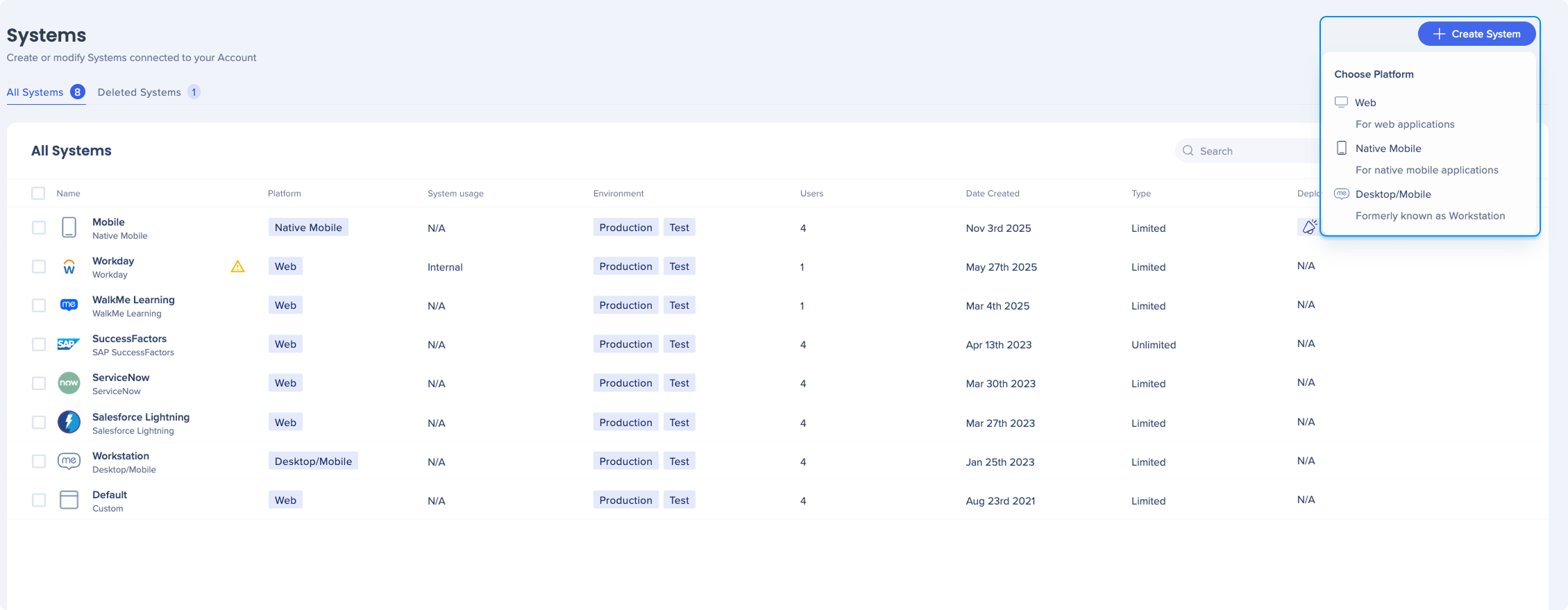
- Name your system
- Open the system you created
- Select the environment
- Configure the SDK integration
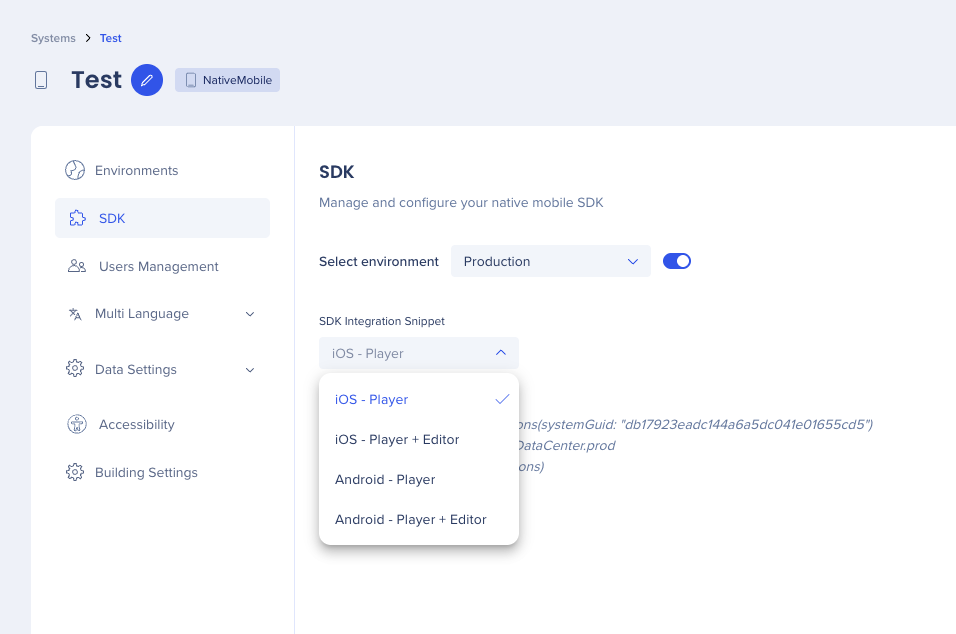
Integrate the SDK
What is the WalkMe Mobile SDK?
The WalkMe Mobile SDK is the on-device library that powers WalkMe Mobile inside your native iOS and Android applications. Once embedded, it renders in-app guidance and engagement content — Smart Walk-Thrus, ShoutOuts, launchers, and surveys — and captures the analytics that surface in WalkMe Insights.
The SDK applies to homegrown native apps (apps your organization builds and ships through the app stores). Content is authored and managed centrally in the WalkMe Console and delivered to the app without requiring an app store release, so you can update guidance at the speed of your business while preserving developer resources.
SDK integration options
There are two SDK variants. They share the same content-delivery engine; the difference is whether the build also includes the authoring (power mode) capability.
Option 1 — SDK without power mode (player-only)
This is the standard production variant. It delivers published WalkMe content to your users and reports analytics back to Insights, but does not include the on-device element-capture tooling.
Best for: production and release builds shipped to end users, where performance and a minimal footprint matter and no in-app authoring is needed.
Option 2 — SDK with power mode (builder-enabled)
This variant includes everything in the player-only build plus power mode, the on-device authoring tool. Power mode lets a builder capture screen elements directly in the running app; captured elements sync to Content Manager and become the building blocks for steps, rules, and tracked events.
Power mode is triggered by a configurable multi-finger press-and-hold gesture (adjustable in SDK settings). Best for: internal, development, or staging builds used by builders to create and maintain content.
A typical setup uses the builder-enabled variant for internal/dev builds and the player-only variant for production, so end users get a lean build while builders retain full authoring capability.
Getting started
- Choose the variant per build (player-only for production, builder-enabled where authoring is needed)
- Add the SDK to your iOS or Android project and initialize it with your System GUID and environment (Production, UAT, or a custom environment)
- The System GUID and snippet are available in the Admin Center for your mobile system
- The data center value is tied to where your WalkMe account is hosted and should be set accordingly
- Author and publish content from the console; it's delivered to the app automatically
Create content in the Content Manager
To create your WalkMe content for mobile:
- Go to the Content Manager
- Select Create New

- Select the item you'd like to create
Mobile in Console: Content Manager
See mobile data in Insights
Surface mobile data in WalkMe Insights and inherit several key value adds:
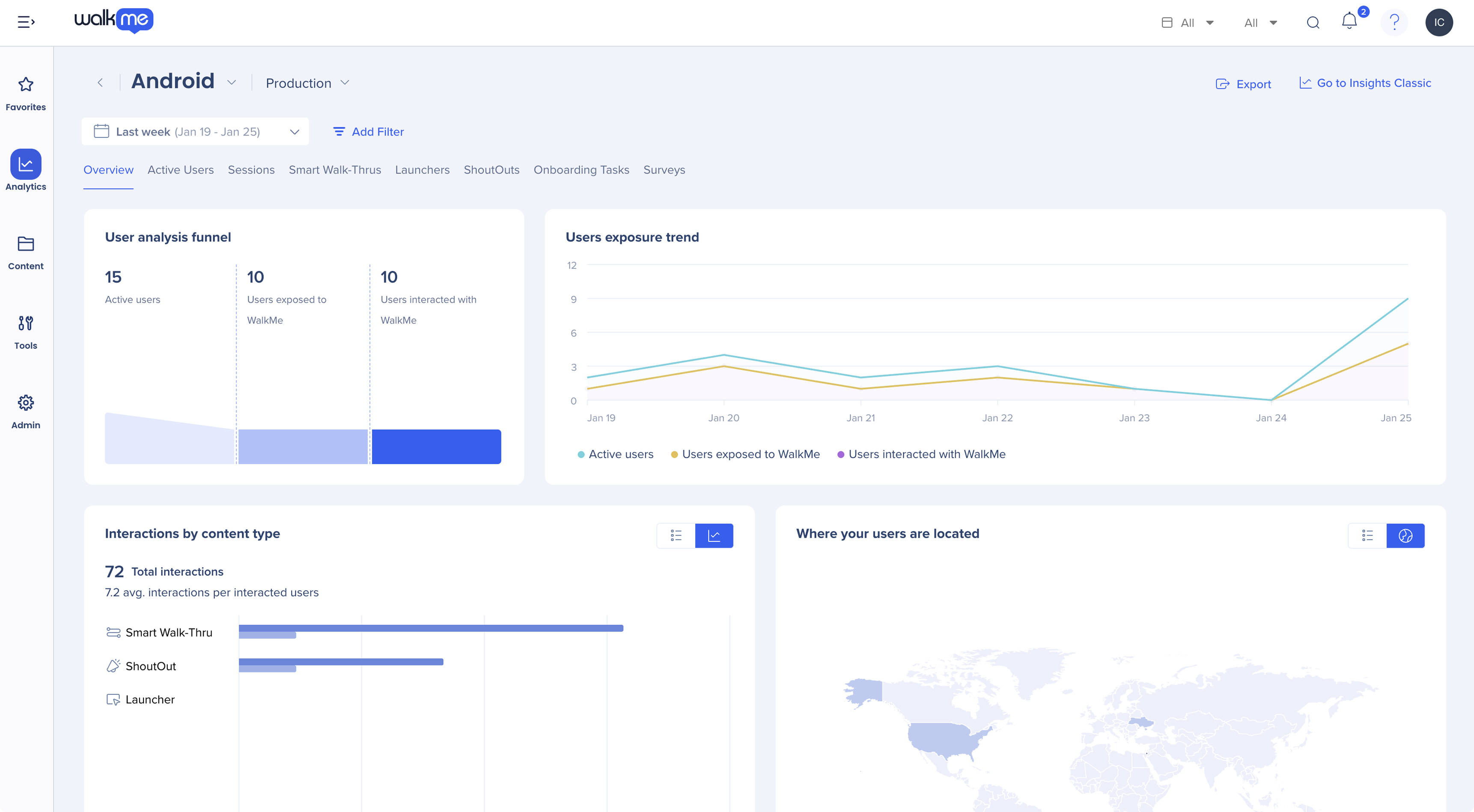
Mobile in Console: Insights
Power mode
With the power mode, you can moderate content through an administration menu in your app itself (without the need to create a WiFi or manual connection with the Mobile app in console).
- Capture: Capture screens, elements and capture and edit Smart Walk-Thrus
- Play: See what any item looks like in the app
- Preview: Test multiple items at once in the context you've created for them, accounting for segmentation
- View app info: View the information about the app, SDK, and device you are currently using
- Manage captured elements: View and update captured screens and elements
Once you enter power mode, all debug logs are automatically turned on.
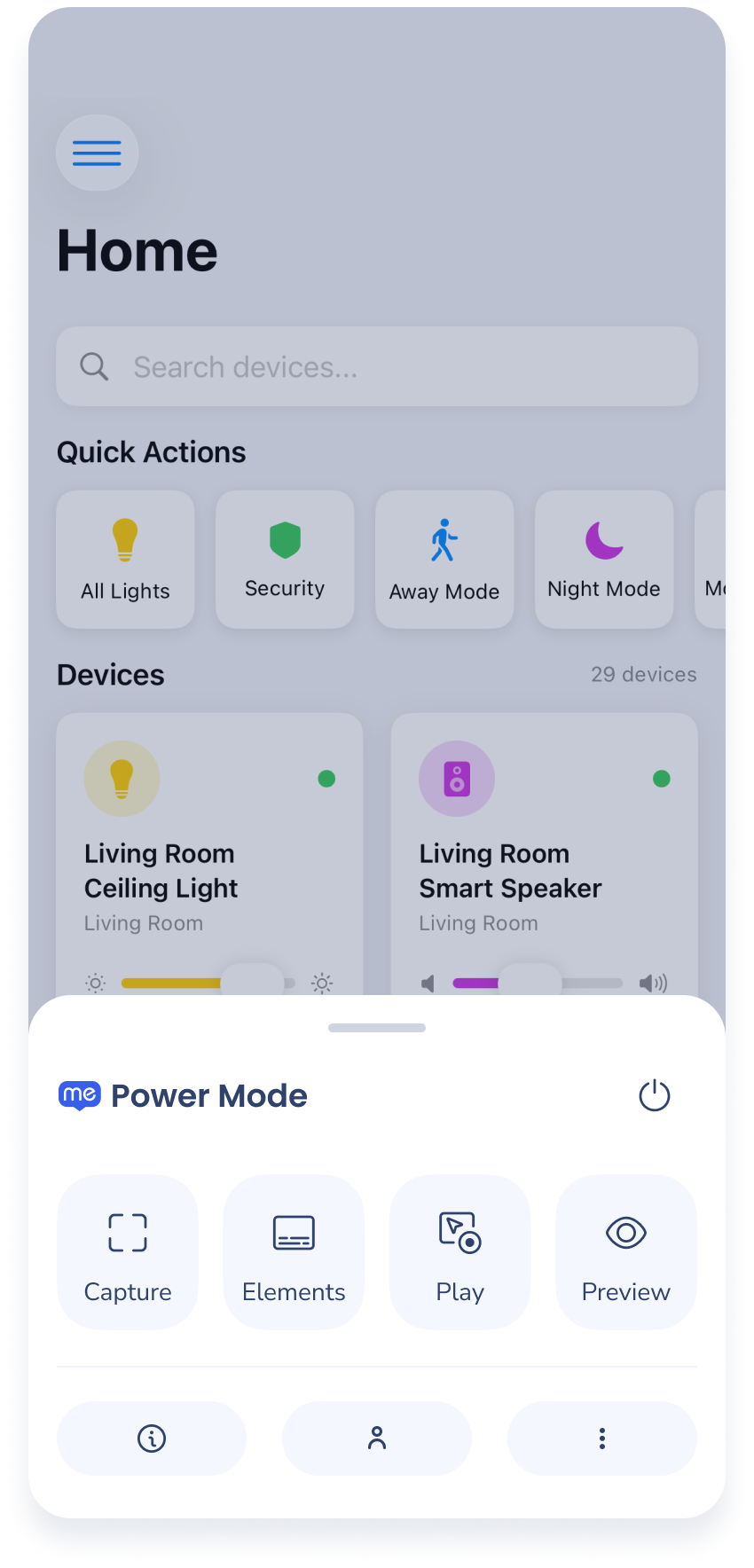
Mobile in Console: Power Mode
Technical Notes
- Supported SDKs:
- iOS
- Android
- React Native
- Flutter
- Cordova
- Capacitor
- .NET MAUI


