Brief Overview
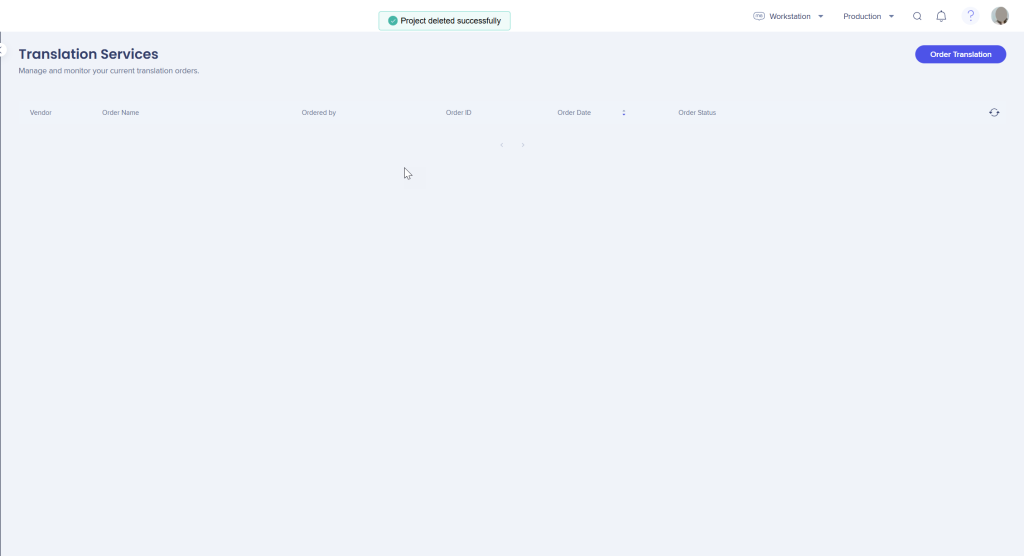
The Translation Services page lets you order translations and manage your current translation projects. Use this page to submit new requests through connected translation vendors and monitor ongoing projects in one place.
WalkMe partners with trusted translation platforms — including Lilt, XTM, and SMARTCAT — to streamline localization workflows directly from the Console.
Available actions:
- View translation projects: See all active and completed translation requests
- Order new translations: Submit content to connected providers directly from the Console
- Track project status: Monitor progress and ensure translations are returned correctly
Access
You can access the Translation Services page from the Multi-Language app in the WalkMe Console.
Multi-Language
How It Works
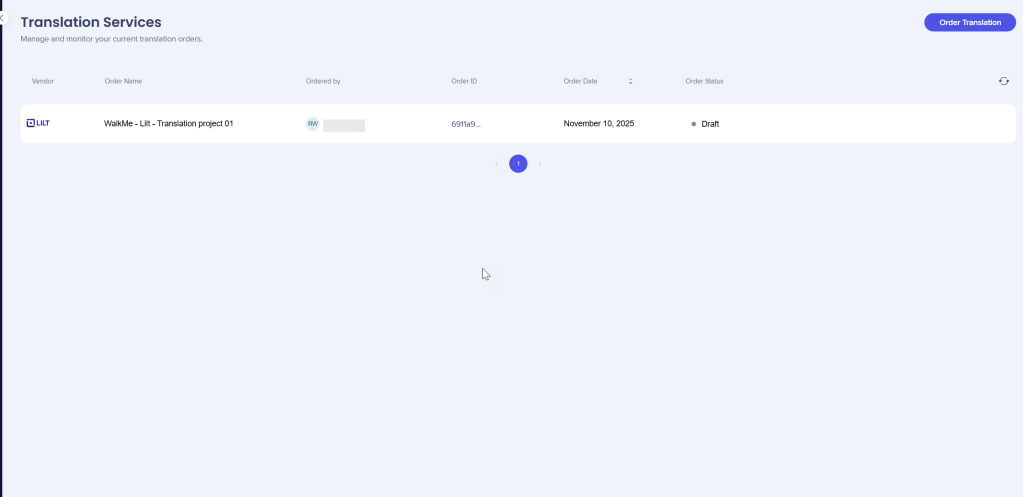
The Translation Services page lists all translation orders created in your account. Each order includes key details such as vendor, status, and order date, so you can easily monitor progress and manage translation workflows.
Order a translation
To submit a new translation request:
- Select Order Translation
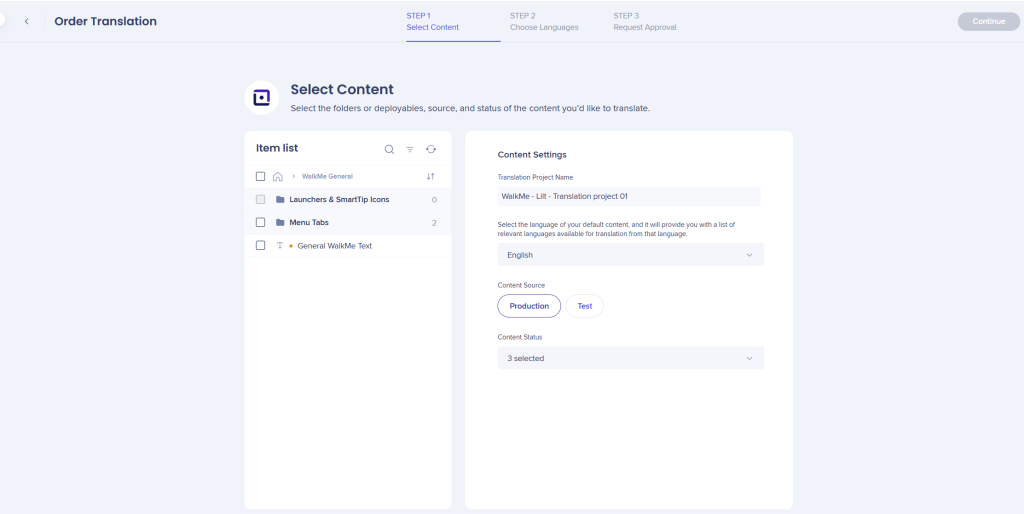
- Choose the items, language, and content source you want to translate
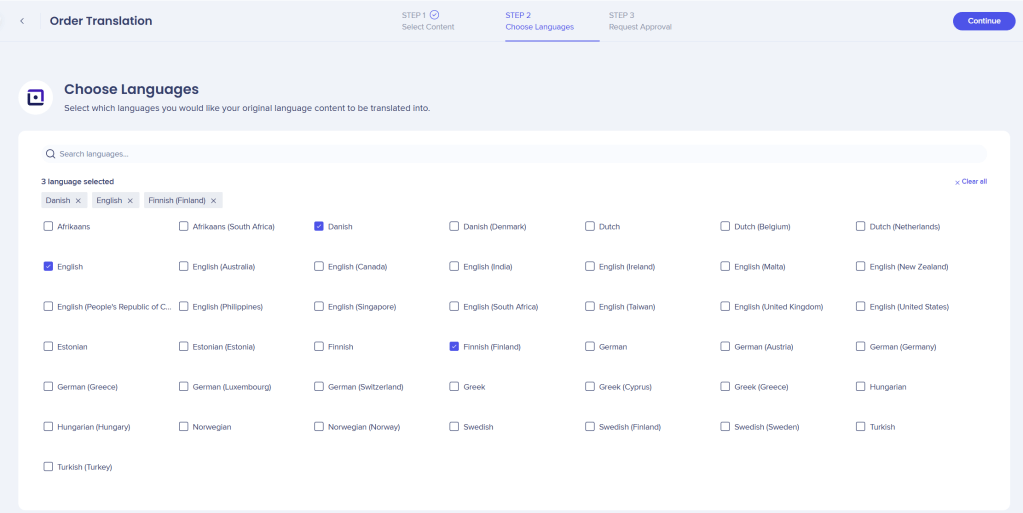
- Select the languages for translation, then select Continue
- Review the order details
- Select Send to submit the request
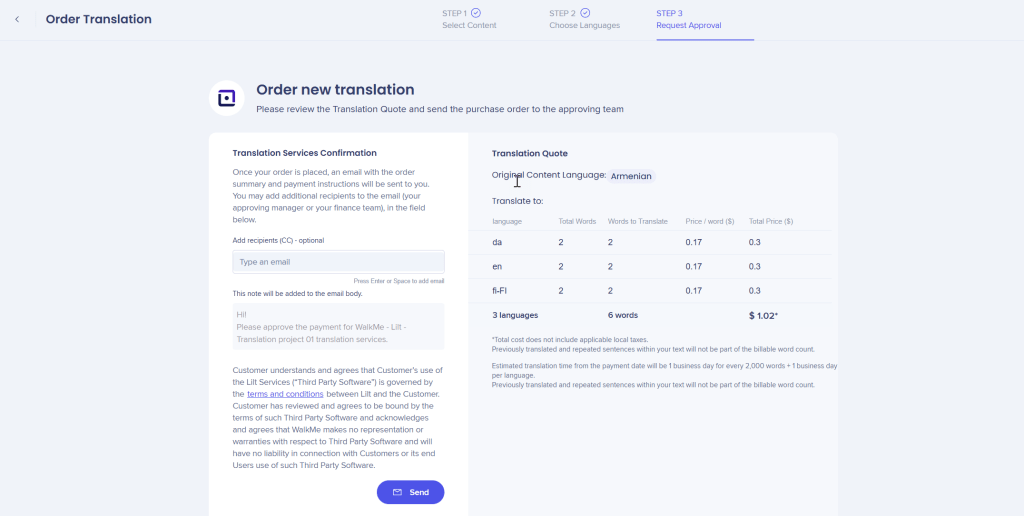
After submission, the order is prepared and sent to the selected translation vendor.
Review translation orders
Each translation order displays the following details:
- Vendor: Translation provider handling the order
- Order name: Name assigned to the translation request
- Ordered by: User who submitted the request
- Order ID: System-generated reference number
- Order date: Date the order was created
- Order status: Current progress of the order
- Draft
- In progress
- Pending payment
- Completed
Manage translation orders
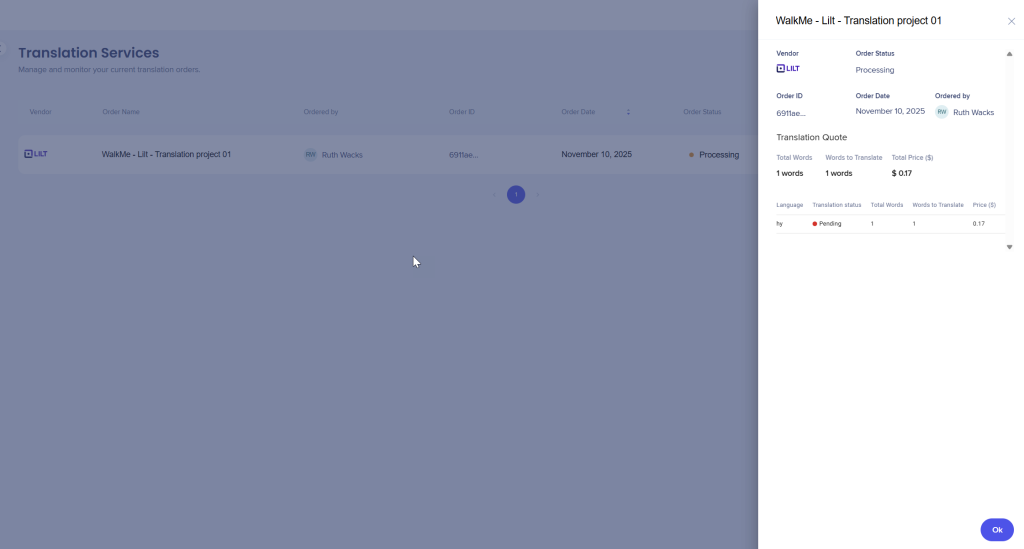
Hover over a translation order to access additional actions:
- Contact the vendor directly
- Go to Payment for billing details
- Resume an order
- Delete an order
These actions let you manage vendor communication and resolve issues without leaving the console.
Supported translation vendors
To configure and manage vendor-specific integrations, see:
Lilt Translation Integration
Lilt Translation Integration
XTM Translation Integration
XTM Translation Integration


