概要
WalkMeのオールインワンインストーラ(AIO)により、インストーラファイルは1つになるので、ITチームはWalkMeのユーザー拡張をすべてのブラウザタイプに幅広くデプロイしやすくなります。 ファイルのインストールもシンプルなので、クロスブラウザーでの使用やデプロイのエラーや異常を最小限に抑えることができます。
オールインワンインストーラは、IT管理者が実行する単一のファイルとなり、関連PCにブラウザ拡張機能を自動的にインストールします。
サポートされているブラウザ
|
Edge Chromium |
Safari
(12v以降) |
Firefox |
Google Chrome |
| Windows |
✅ |
|
✅ |
✅ |
| Mac |
|
✅ |
✅ |
|
| MacOS: |
|
|
|
|
|
|
|
✅ |
✅ |
|
|
|
✅ |
|
|
✅ |
サポート終了
WalkMeは、Microsoftのサービス終了に合わせて、2026年2月23日よりInternet Explorerのサポートを終了します。 サポートされているブラウザに移行して、完全な機能とアクセスを確保します。
前提条件
AIOインストーラーを使用してWalkMeを適切に実装するには、以下の条件が満たされている必要があります。
- WalkMeユーザー拡張機能は、手動またはMass Deploymentのいずれの方法でインストールされたかに関わらず、どのブラウザーにもインストールされていない必要があります
- WalkMeユーザー拡張機能がブラウザにインストールされている場合、AIOを使用してWalkMeをインストールする前に削除する必要があります
- 特定のブラウザーに拡張機能をすでにデプロイしている場合は、そのブラウザーのAIOインストーラーを使用できません。代わりにMass Deploymentウィザードを使用する必要があります
注 :
組織で他の拡張機能を一括デプロイするのと同じ方法でWalkMeをデプロイします
はじめに
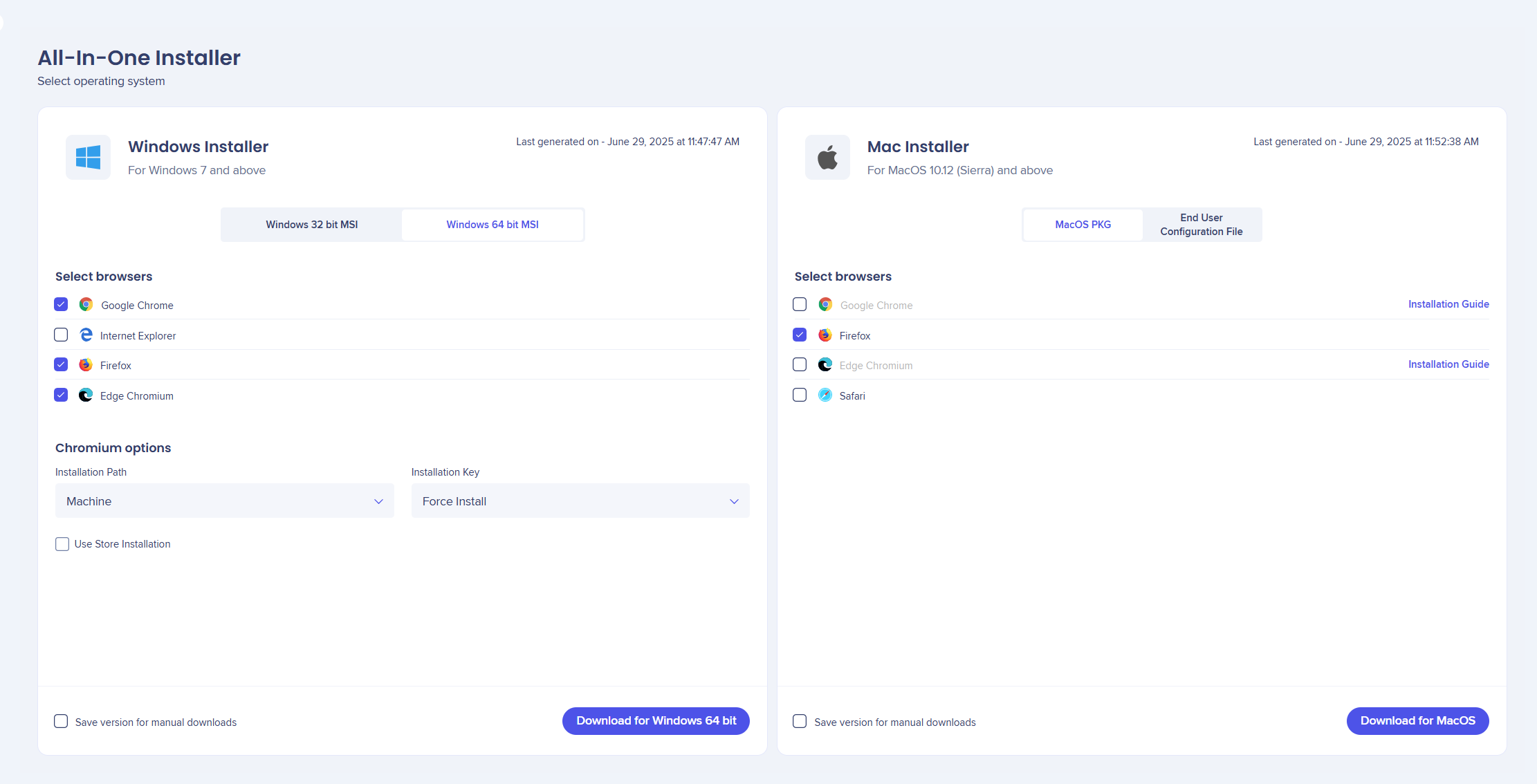
関連のインストーラファイルをダウンロードする際、初回は最大1分かかる場合があります。 初回以降は、ダウンロードのリクエストごとに数秒程度で完了します。
認証後、以下のようなダウンロードページが表示されます。
🎓 Digital Adoption Institute
アクセス
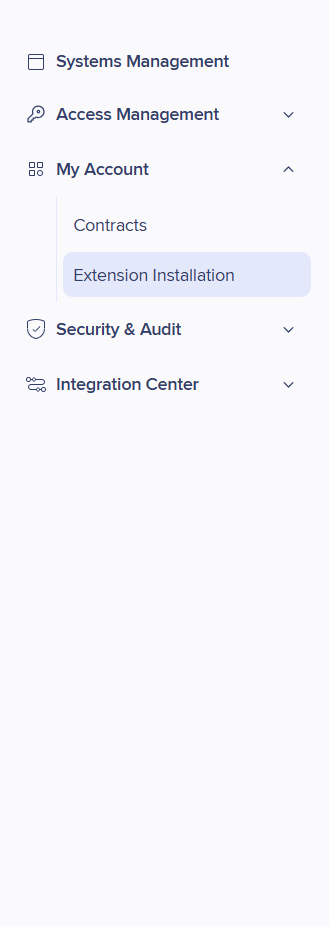
コンソールで拡張機能のインストールにアクセスするには:
- WalkMeコンソールを開きます
- [Admin(管理者)]を選択します
- 「マイアカウント」を選択します。
- 拡張機能のインストールに移動します
デプロイメント方法
Best Practice(ベストプラクティス)
AIOをインストールするためのベストプラクティスは、コンピュータの起動時に実行されるように一括デプロイすることです。
ハードウェアが異なるユーザー(32ビット/64ビットWindowsまたはMac)がいる可能性があるため、異なるセットアップごとにデプロイメントを分割することをお勧めします。 これにより、各ハードウェアに合わせてWalkMe拡張機能をインストールすることができるようになります。
サポートされる一括デプロイメント方法(MDM)
Macでは以下のようなMDMがサポートされています。
- Jamf
- AirWatch
- Mobile Iron
- Cicso Meraki
- Big Fix
- Intune
- Trend Micro
Windowsでは以下のようなMDMがサポートされます。
GPOによる一括デプロイ
GPOを使ってオールインワンを一括デプロイする場合、AIOデプロイメントには以下のような2つのポリシーが必要です。
- コンピュータ → 設定 → 管理テンプレート → システム → ログオン → コンピュータの起動時およびログオン時に常にネットワークを待機
- コンピュータ → 設定 → 管理テンプレート → システム → グループポリシー → スタートアップポリシー処理待ち時間を指定する:120に設定
WalkMe AIOの手動インストール
AIOを手動でローカルにインストールすることにした場合は、Firefoxを閉じて、インストールまたは削除を正常に完了させてください。
注
- Firefoxが開いている場合、ブラウザを閉じるように求めるポップアップが表示されます。
- 「無視」ボタンを押すと、Firefoxを閉じて、インストールプロセスが続行されます。
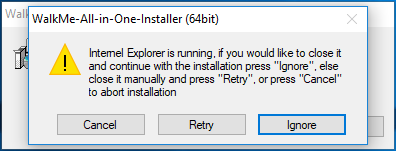 IE/Firefoxを閉じるように求めるポップアップ
バッチのインストールプロセス
インストール手順:
- コンソール(https://console.walkme.com/)から「拡張機能のインストール」を開きます。
- All-in-oneインストーラタブを選択します。
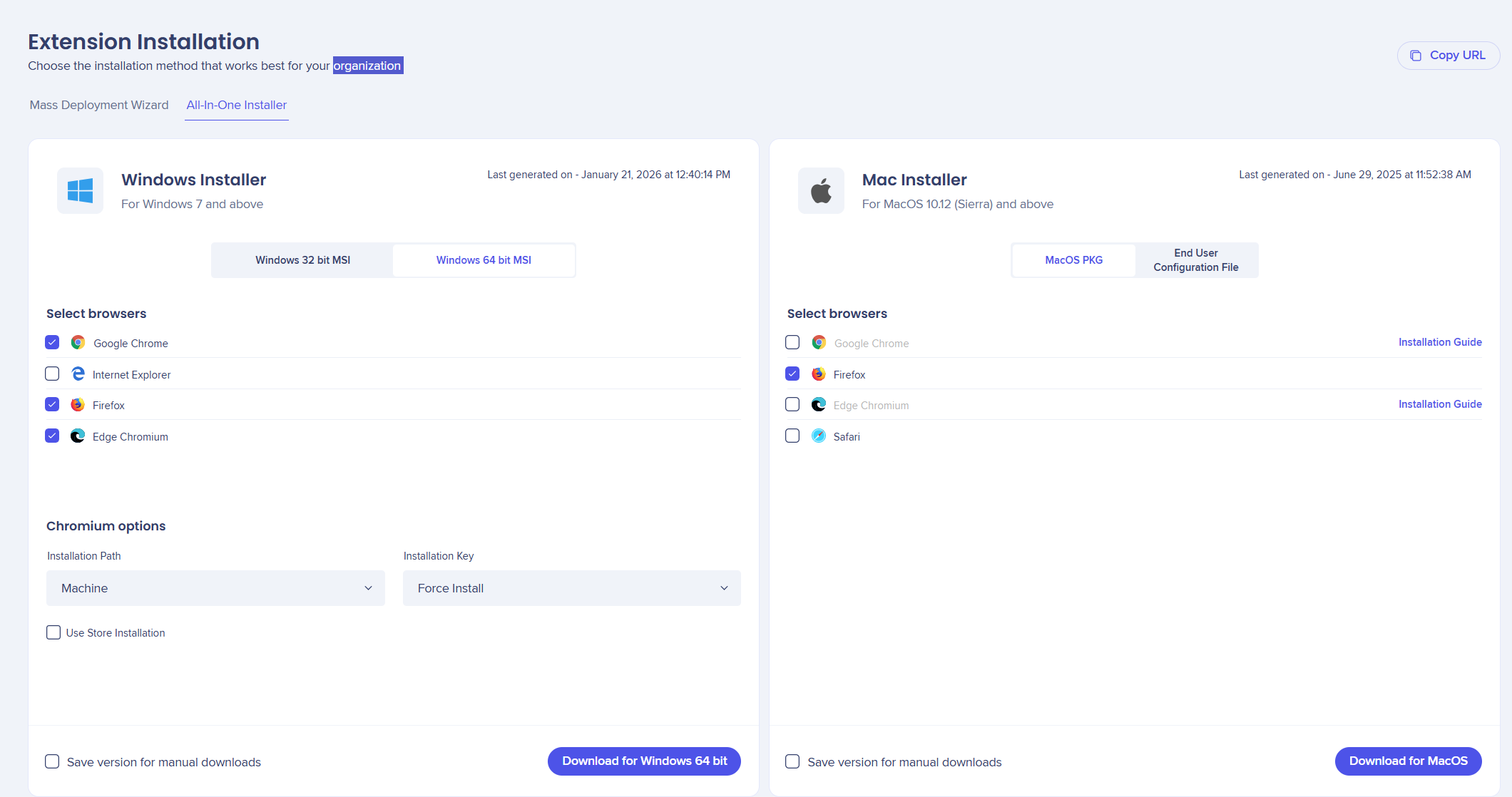
- [URLをコピー]をクリックし、新しいタブに貼り付けます
- 右上にある「?」をクリックして、ヘルプや追加のインストールオプションにアクセスできます
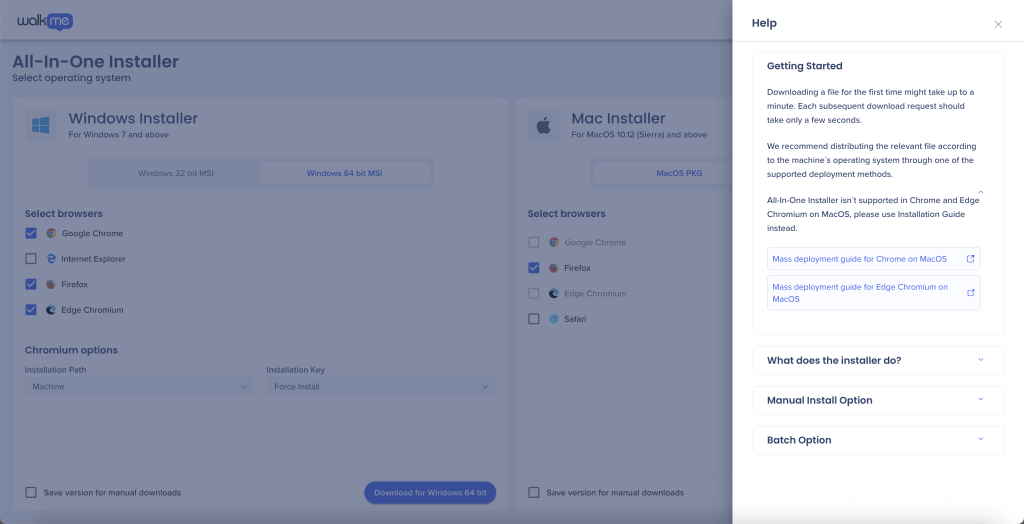
- すべて正しく変更できたら、デプロイの準備は完了です。
アンインストール
Windows
AIOを正しくダウンロードすると、[Programs and Apps(プログラムとアプリ)]にアプリケーションが1つ追加されています。
WalkMe All-in-oneインストーラを削除すると、以下のブラウザにインストールされている拡張機能がワンクリックで削除されます:Firefox、Chrome、Edge。
Mac
アンインストールするには:
- 管理者権限でMacターミナルで以下のコマンドを実行するために必要なpkgファイル:
sudo ~/walkme/removeWalkmeExtension
- Mobileconfigファイルについては、設定 - >デバイスマネージャー - >に移動して構成プロファイルを削除する必要があります


