Brief Overview
WalkMe's On-Demand AI provides users with reliable, omnipresent access to AI assistance and company resources via a conversational in-app interface. Users can initiate AI-driven support to get tailored responses, retrieve organizational knowledge, and trigger curated actions in real-time.
By integrating these capabilities directly into the application, WalkMe empowers users to find information and execute task automations efficiently, closing the loop between asking a question and completing a workflow.
This feature is part of WalkMe's Suite of Contextual AI Assistance, which provides access to an advanced set of WalkMe AI services – Pinned, Proactive, and On-Demand — to help inject workflows with AI-powered guidance and automations that improves user productivity and compliance across tasks, apps, and user workflows.
Onboarding Checklist
Connect Knowledge Sources to the AI Center
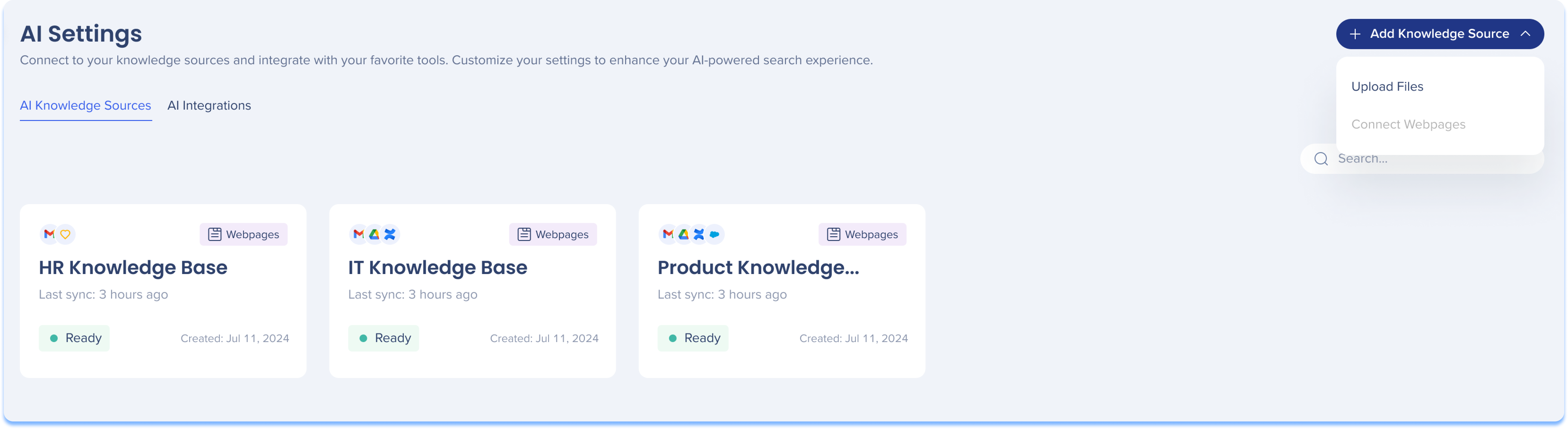
The AI Center is where you process connected knowledge sources—such as webpages and files—by extracting text-based content and converting it into vector embeddings for semantic search.
By connecting these sources, you enable AI Knowledge Referencing, which contextually retrieves company information from connected documentation to power WalkMe's proprietary RAG (Retrieval-Augmented Generation) service.
-
Ground AI Chat responses: Scan web pages or upload company wikis so AI Answers can retrieve accurate, company-specific information
-
Curate knowledge retrieval: Create custom Q&A responses that take priority over scanned files for critical policies or frequently asked questions
Get Started Now
You can start by uploading files directly for AI processing, or if you would like to upload a webpage knowledge source - please reach out to your Customer Success Manager (CSM).
AI Center
Explore On-Demand AI features
Utilize these capabilities to deliver conversational, user-initiated guidance within your application:
AI Chat
A conversational interface that acts as a single entry point for users to ask questions and access assistance directly in the flow of work.
-
Smart Routing: Understands natural language and automatically routes user questions to the most appropriate source
-
Company AI: Retrieves accurate, tailored responses from your organization's internal knowledge sources using AI Answers technology
-
Public AI: Handles general, open-ended queries using secure external LLMs
-
Text-to-Action: Interprets user requests and suggests direct, executable actions—such as launching a Smart Walk-Thru, triggering an ActionBot, or navigating to a specific tool
-
Session Continuity: Maintains conversational history and context across applications, even on pages where WalkMe is not installed
-
Action Bar: Can be launched directly from the Action Bar, carrying over full context, past actions, and next steps.
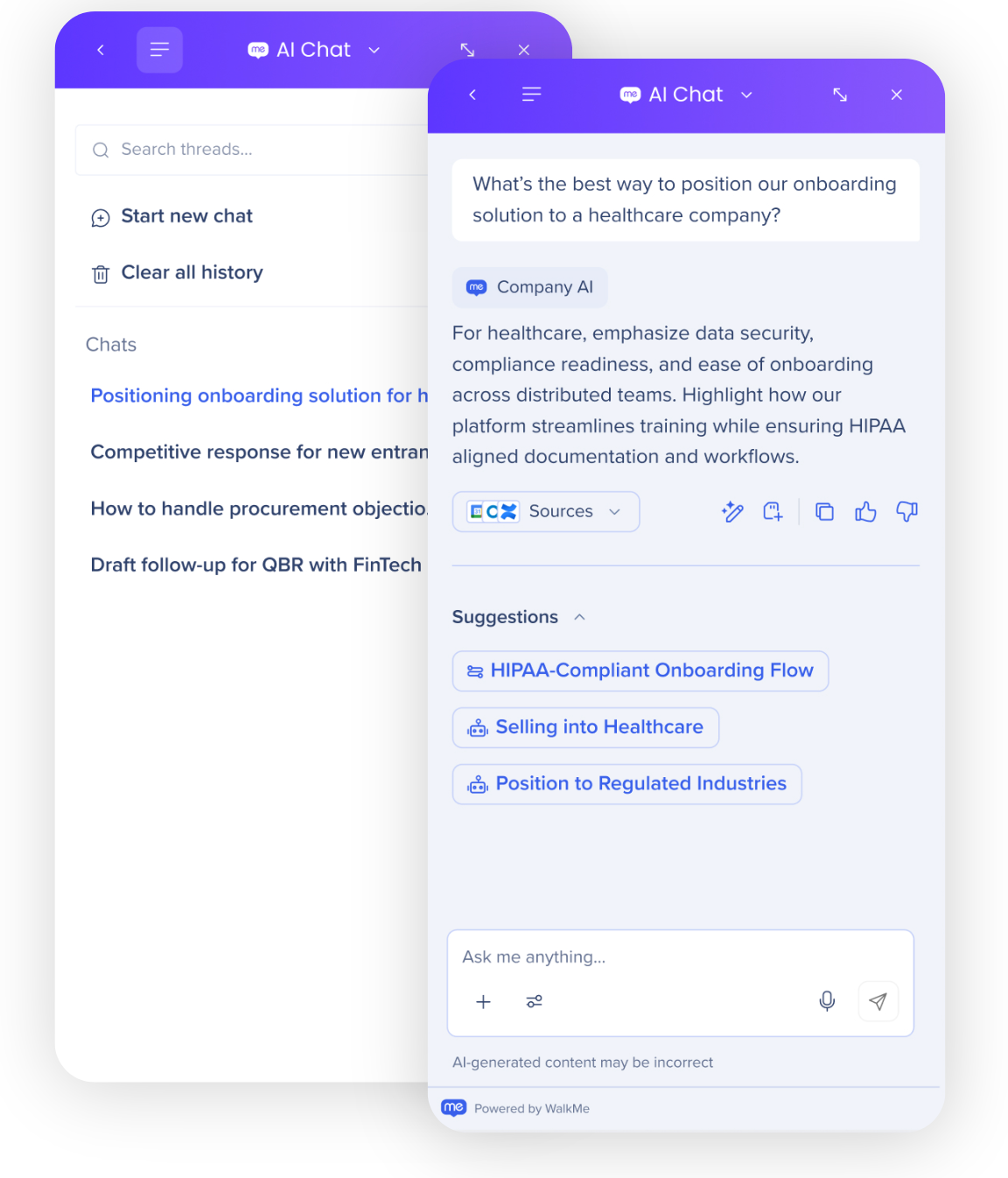
WalkMe AI Chat [Unified Chat]
AI capabilities in ActionBot
Use AI in ActionBot to create automated workflows that feel more natural, with fewer steps.
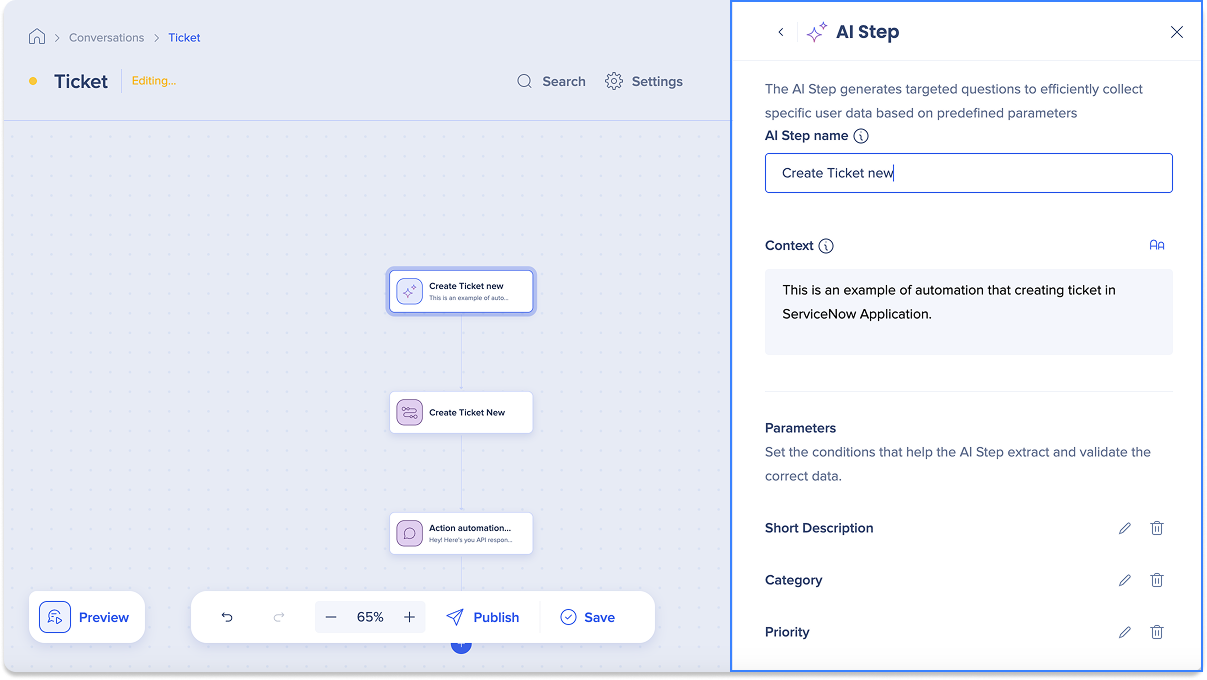
ActionBot Conversation Steps
The Pro Menu is the user access point for AI Chat. It can be customized and deployed across desktop, web, and mobile systems.
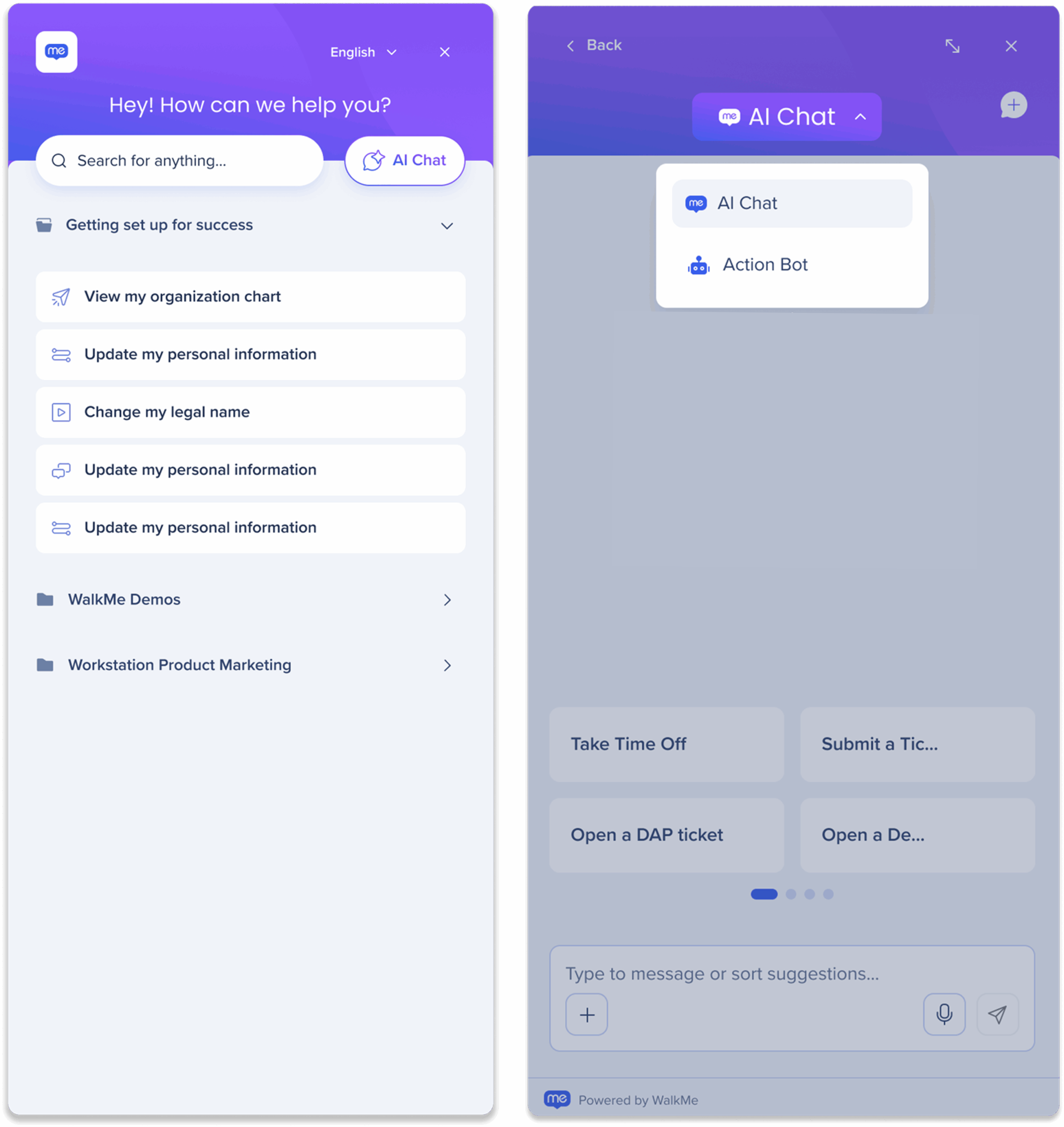
Follow this guide to learn more and enable the Pro Menu:
WalkMe Pro Menu
Visualize Adoption
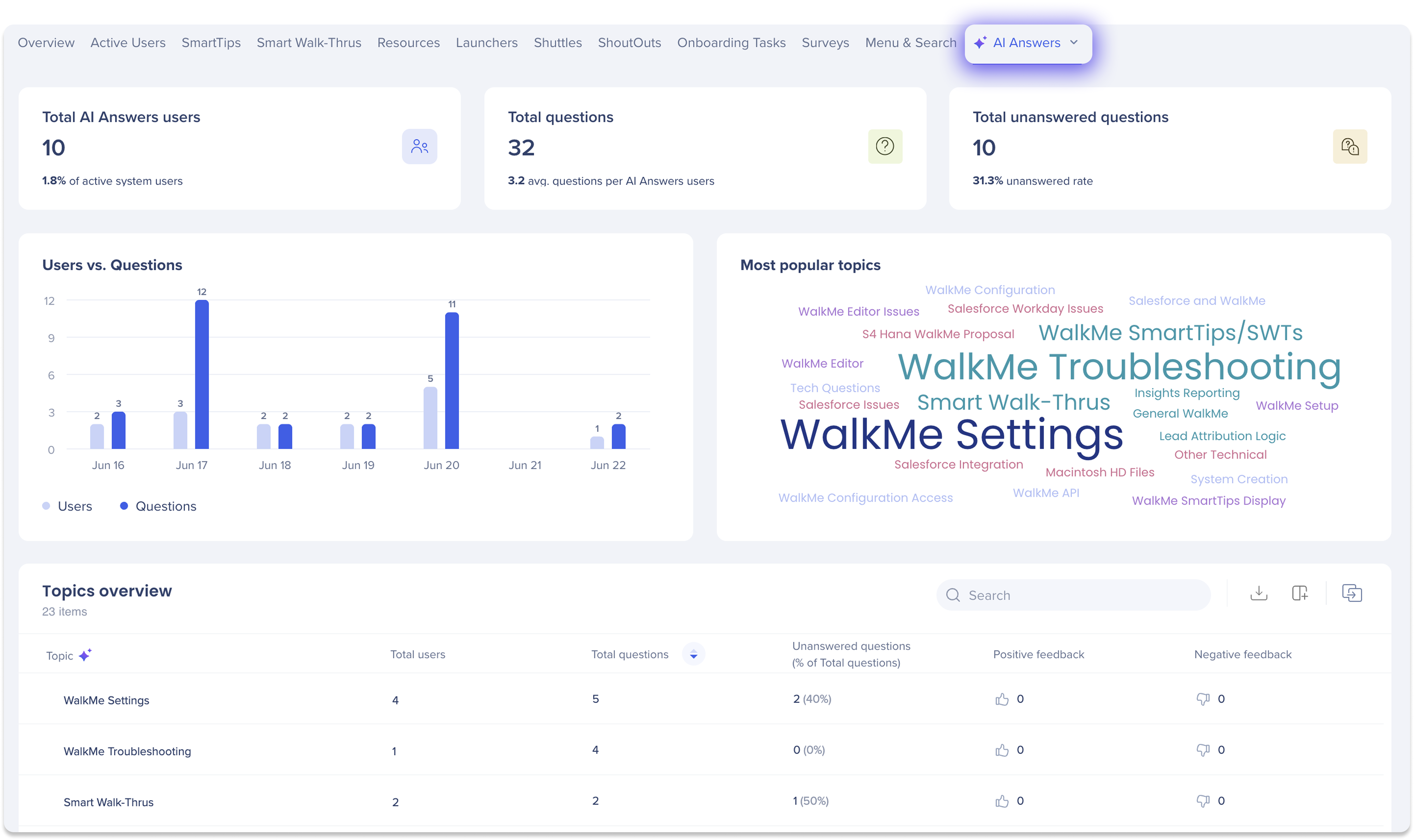
The AI Answers dashboard in the Insights Console helps you visualize how users engage with AI Chat and understand where support is most needed.
Track metrics like:
-
Total number of users asking questions
-
Average questions per user
-
Most common topics and unanswered queries
-
Feedback trends (positive/negative)
Use these insights to identify knowledge gaps, refine your content, and improve AI performance over time.
AI Dashboards


