Brief Overview
WalkMe for SAP GUI includes capabilities designed specifically for desktop. While many recent updates focus on closing gaps between Web and Desktop, some features are built exclusively for SAP GUI. This article outlines those features and explains how they work.
How it Works
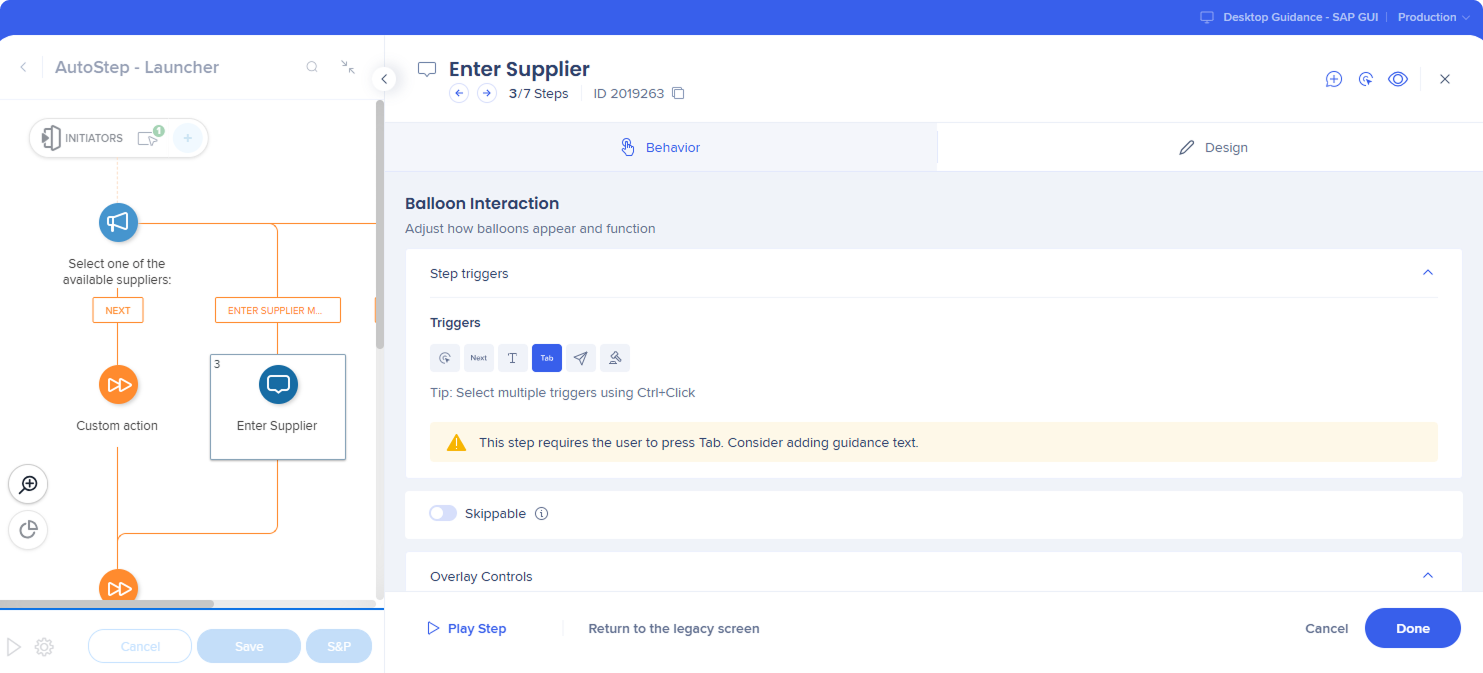
Tab trigger
- Forward (Tab): Pressing Tab triggers the step when the cursor is in the SAP field that the current step points to, and the Smart Walk-Thru advances to the next step
- Backward (Shift+Tab): Pressing Shift+Tab navigates back when the cursor is in the SAP field that the current step points to
Note
-
Only relevant for the regular steps
-
Backward (Shift+Tab) trigger works only when the previous step has a Tab trigger
-
This feature uses active keyboard listening (global key listener) to trigger step advance/back
Status bar error handling
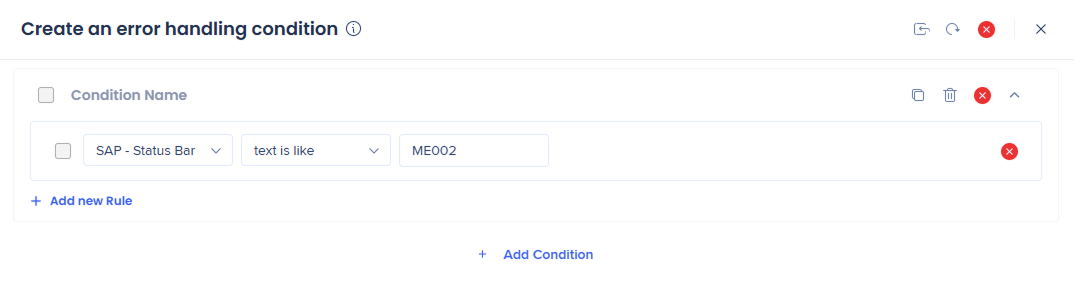
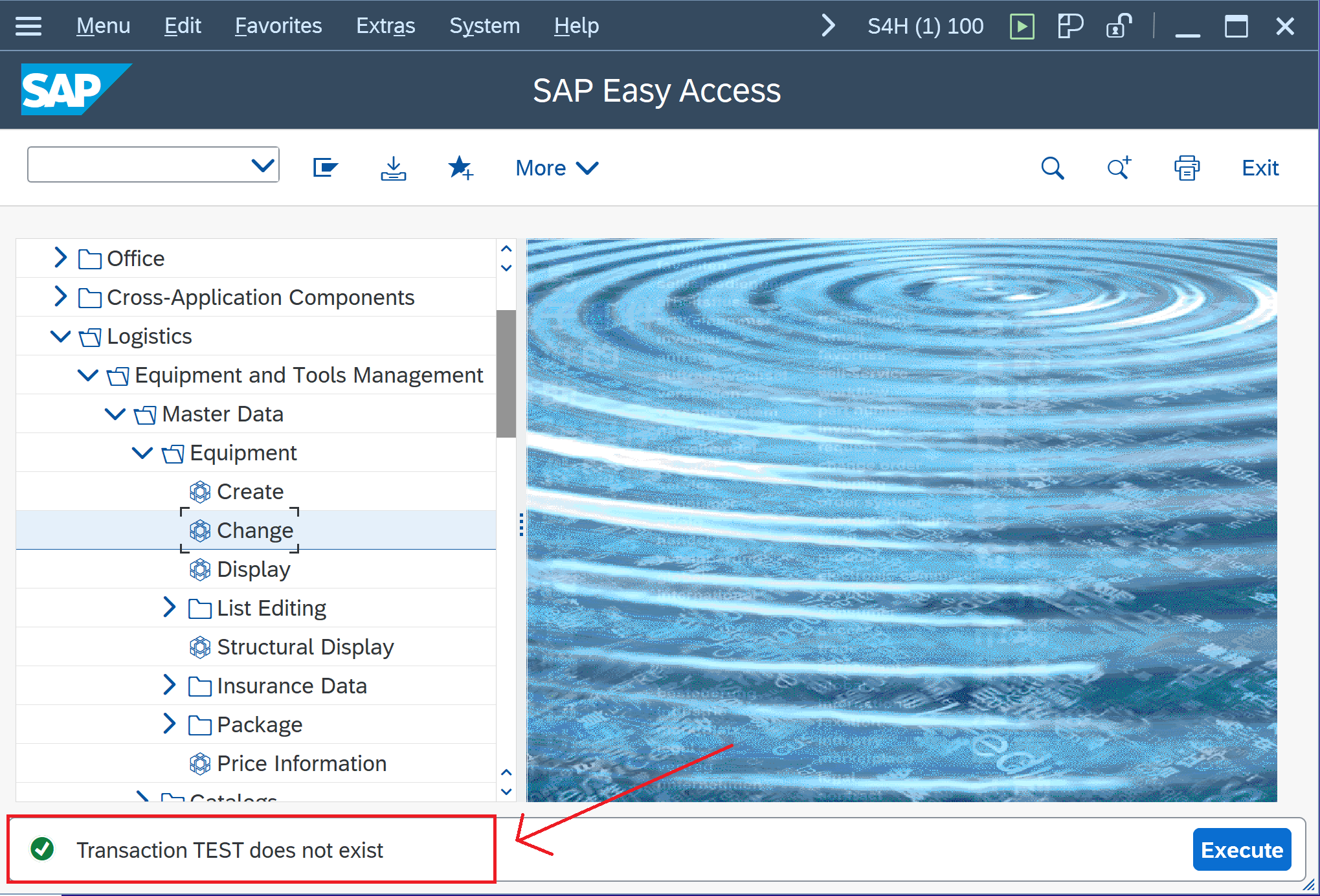
SAP – Status Bar category exposes SAP GUI status bar messages as a native input in the condition builder and Smart Walk-Thru error handling with no status bar element capture required.
Builders can evaluate the status bar using the standard structure MESSAGE_TYPE (MESSAGE_CODE): MESSAGE_DESCRIPTION and create the logic based on type/code and optional description matching, enabling more robust, maintainable automation driven directly by SAP's runtime message output.
Provides:
- Higher task completion: users recover from SAP errors immediately instead of abandoning the process
- Fewer tickets: common issues (missing fields, locks, authorizations) get resolved in-product
- Faster builds, more resilient content: logic is tied to SAP's message codes/text, not fragile UI selectors
- Smarter automation: Smart Walk-Thru Error Handling can catch and resolve failures in the moment - before users get stuck
- Faster troubleshooting: Builders and support can correlate user outcomes to specific SAP message codes instead of ambiguous “step failed” scenarios
Interacting with status bar
Empty string support in the condition builder
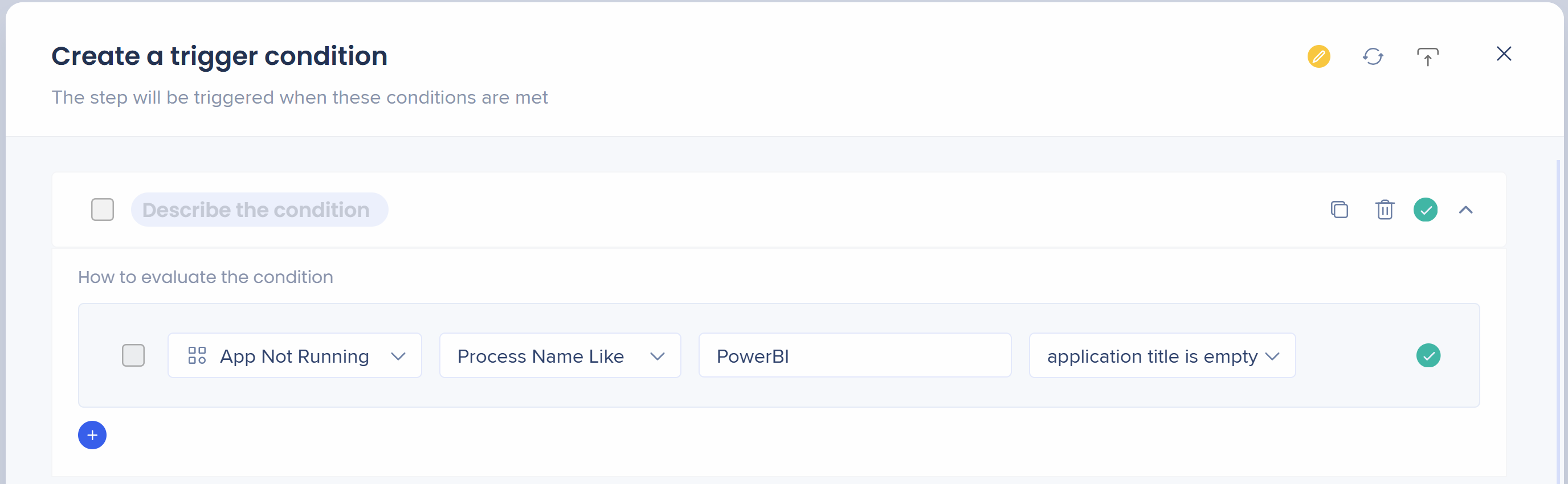
Before, the rule engine required you to enter a character and there was no way to exclude or set a “Not Like” condition for the Application/Process names—users weren't able to target some processes if the title was showing as blank.
The operator Application title is empty resolves this issue and sends an empty string value. Available under the Title input for:
- App is Running
- App is Not Running
- App in Focus
- App Not in Focus
- Process: Any Process Name, Any Process Name Like, Process Name Is
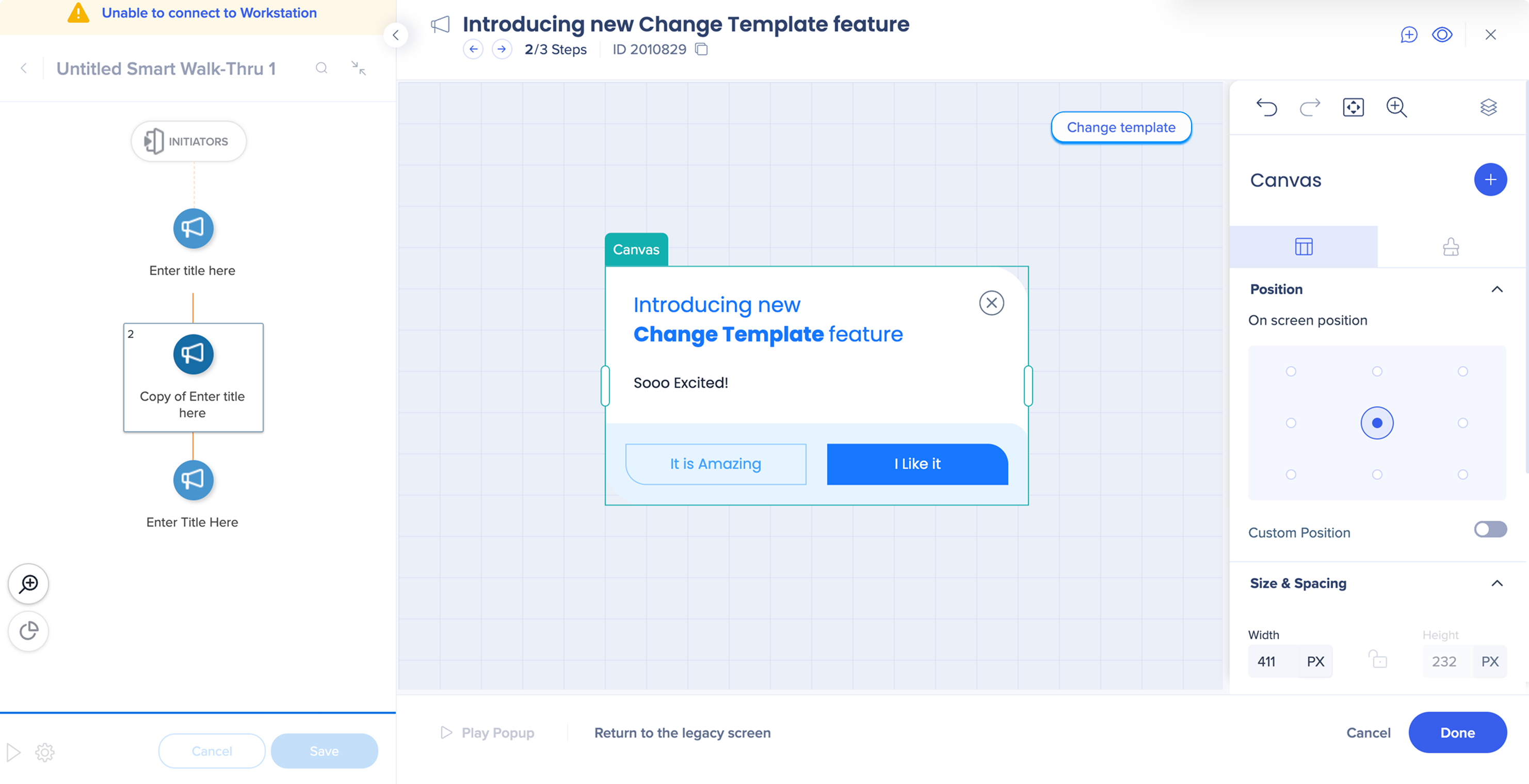
Change the template from the step
- Change the balloon template directly from the Visual Designer canvas
Expanded list of conditions
Conditions that became available in the Q1 2026 release.
|
|
|
-
Clicked
-
Preview unavailable
-
text is per regular expression
-
text is not per regular expression
-
value is greater than
-
value is less than
-
is visible
-
is not visible
-
is not a valid time
-
is a valid email address
-
is not a valid email address
|
|
-
value is greater than
-
value is less than
|
|
Onboarding task
|
Segments
|
|
|
|
|
SmartTips
|
|
|


