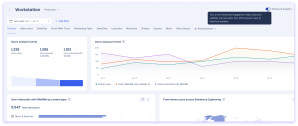
Mit Erweiterter Analytik können Sie sehen, wie Ihre Mitarbeiter mit WalkMe auf der SAP GUI und anderen Desktop-Anwendungen direkt in der Konsole interagieren. Sie erhalten die gleichen Dashboards, Registerkarten und Berichte für Webbereitstellungen, was es einfacher macht, die Akzeptanz zu verstehen und Ihre WalkMe-Inhalte plattformübergreifend zu verbessern.
Funktionsweise
Insights-Dashboards
Mit dem Schalter für Verbesserte Analytik können Sie zu einem aktualisierten Analytikerlebnis mit verbesserten Engagement-Daten, besserer Sichtbarkeit darüber, wie Benutzer mit Ihren Inhalten interagieren, und Zugriff auf neue Registerkarten, die zuvor nicht verfügbar waren, wechseln.
Ob Sie den Umschalter sehen, hängt davon ab, wann Sie Kunde wurden.
Neue Kunden: Erweiterte Analytik ist der einzige verfügbare Modus. Es wird kein Umschalter angezeigt und es gibt keine Legacy-Daten.
Bestandskunden: Ein Umschalter für Erweiterte Analytik wird in der oberen rechten Ecke Ihres Insights-Dashboards angezeigt.
Aktivieren Sie (Verbesserte Analytik): Zeigt aktualisierte Dashboards mit verbesserten Metriken und neuen Registerkarten an. Neue Berichte sind auf der Seite Berichtsübersicht verfügbar.
Deaktivieren (Legacy): Führt zur vorherigen Dashboard-Ansicht zurück. Verwenden Sie dies, um während der Übergangszeit auf bis zu 1 Jahr historische Daten zuzugreifen.
Registerkarten wurden mit erweiterter Analytik hinzugefügt
Diese Registerkarten sind mit erweiterter Analytik verfügbar und waren zuvor für Desktop-Menüsysteme nicht verfügbar:
Übersicht
Aktive Benutzer / Sitzungen
Menü (zuvor Teil der kombinierten Registerkarte „Menü und Suche“)
Menüsuche (zuvor Teil der kombinierten Registerkarte „Menü und Suche“)
KI-Dashboards
KI-Antworten
KI Smart Highlights
Kommendes Ende der Lebensdauer (EOL)
Das Senden von Legacy-Ereignissen ist für das Ende des Lebenszyklus im zweiten Quartal 2027 geplant, danach werden Legacy-Analysen und Berichte eingestellt.
Flow Analytics
With Enhanced Analytics, you can also use Desktop Menu systems in Flow Analytics. Build flows with Desktop Menu steps, on their own or alongside Web steps. Steps are based on WalkMe content. Page steps aren't available, and event steps aren't supported yet.
Web-only filters and properties
In Flow Analytics, URL, Domain, Path, Query, Hash, Browser, and Platform are hidden for Desktop Menu steps in filters, conditions, Show data as, Expand by, and Split by
Enhanced analytics reports
Five new reports are available in the Reports Gallery. Existing customers also retain access to five legacy equivalents for historical data continuity, plus four legacy-only reports with no new equivalent. Legacy reports are marked with a label.
New reports
Report name
Description
Desktop Menu Activity by Date
A daily breakdown of user actions in Desktop Menu.
Desktop Menu User Search Log
A detailed log of search activity, including search terms, event time, and results clicked.
Desktop Menu User Search Terms
An analysis of search behavior in Desktop Menu, including search terms and user counts.
Desktop Menu Walk-Thru Step Activity Log
A step-by-step log of Smart Walk-Thru interactions across your users.
Desktop Menu Items Activity
A report of user interactions with Desktop Menu items, including item type, name, and ID.
Legacy reports (use alongside new reports for historical data)
Report name
Description
Desktop Menu Activity by Date (Legacy)
Use alongside the Enhanced Analytics report to review up to 1 year of historical data.
Desktop Menu User Search Log (Legacy)
Use alongside the Enhanced Analytics report to review up to 1 year of historical data.
Desktop Menu User Search Terms (Legacy)
Use alongside the Enhanced Analytics report to review up to 1 year of historical data.
Desktop Menu Walk-Thru Step Activity Log (Legacy)
Use alongside the Enhanced Analytics report to review up to 1 year of historical data.
Desktop Menu Items Activity (Legacy)
Use alongside the Enhanced Analytics report to review up to 1 year of historical data.
Legacy-only reports (no new equivalent)
Report name
Description
Desktop Menu Apps Activity
An overview of user interaction for each app connected to Desktop Menu.
Desktop Menu Apps Log
A detailed action-level log of user interactions with Desktop Menu connected apps.
Desktop Menu Devices List
A list of all devices with their status, container version, operating system, and number of updates performed.
Desktop Menu Users List
A list of all users who signed into Desktop Menu, regardless of whether they opened it.
Custom reports
You can create custom reports for Desktop Menu systems in the Report Builder.
For Desktop Menu data, use General Event Template for Web with Desktop Menu. It includes every General Event Template field, plus the Desktop Menu Info & Metrics fields
You can also use these templates: Launcher Analysis, Menu Searches, Resource Analysis, ShoutOut Analysis, Shuttle Analysis, SmartTip Analysis, Task Analysis, Users Analysis, Walk-Thru Analysis, and WalkMe Item List
Custom reports include only data collected with Enhanced Analytics. For historical data, use the legacy reports
Desktop Menu previously used a separate event schema from WalkMe's web platform, which meant data was collected and structured differently. This limited which dashboards, tabs, and reports were available for desktop systems in the console.
Enhanced Analytics migrates Desktop Menu to WalkMe's unified event schema, the same schema used by web deployments. This means:
Desktop menu events now map to the same data structure as web events, enabling shared dashboards and consistent metric definitions across platforms
Tabs that were previously web-only are now available for desktop menu because the underlying data is shaped the same way
Legacy event sending will be retired in Q2 2027. Until then, existing customers can toggle between Enhanced and legacy analytics, and legacy reports remain available for up to 1 year of historical data continuity
Technical Notes
Only WalkMe Menu version 4.3.0+ is supported for enhanced analytics
Enhanced Analytics reports and dashboard analytics do not include historical data
Legacy reports remain available alongside new reports so you can continue to access up to 1 year of historical data during the transition period
Desktop Menu custom reports include data from Q2 2026 onward, for devices running WalkMe Menu version 4.20 or later