Brief Overview
The User Extension includes a built-in status indicator that shows whether WalkMe content loaded correctly on a web page. Use this indicator to quickly confirm that WalkMe is running or to identify why WalkMe content is not appearing.
This article explains each connection status message and provides common causes and solutions to help you troubleshoot issues.
Note
The new extension status messages pop-up and design on this page are relevant for the following browsers and versions above 4.0.310 only:
- Microsoft Edge
- Google Chrome
How It Works
The User Extension checks whether WalkMe can load and communicate with the current web page. Based on this check, the extension displays a status message that reflects the current connection state.
The extension is located under the puzzle icon at the end of the address bar.

Connection Status Messages
The new messages display with the root cause displayed below it as a sub-status.
The next steps tells you what to do to be able to "fix" or get help for the problem.
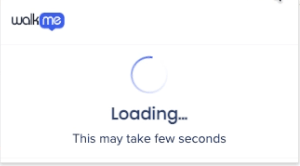
Loading
This status tells you that the extension is in the process of loading.
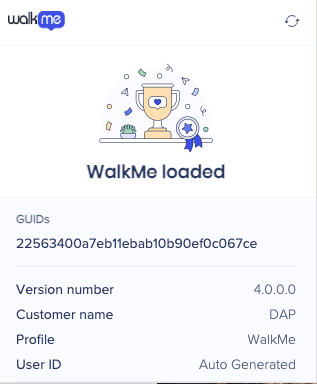
Loaded
This status means the extension and it's associated snippet is running on the site and is working correctly on the current page. WalkMe content is loaded as expected.
WalkMe Failed to Load
This status means the extension failed to load, the sub-status message gives you the cause of the failure.
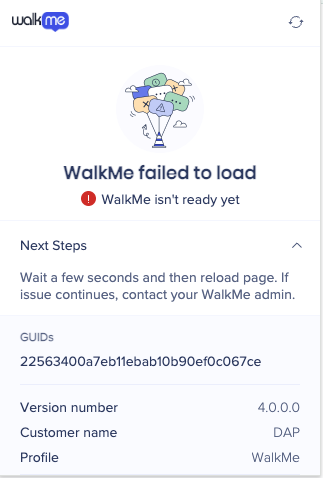
Sub-status messages and next steps display:
- Settings URL is missing
- Contact your IT admin to review the WalkMe deployment setup
- Settings failed to load
- Open the test page and share it with your WalkMe admin
- The extension timed out while trying to connect
- Refresh the page and try again. If it continues, contact your WalkMe admin.
- WalkMe isn't ready yet
- Wait a few seconds and then reload page. If issue continues, contact your WalkMe admin
- WalkMe player issue (x) detected
x = Displays a number relating to the reason for the issue
- Copy this information and share it with your WalkMe admin
WalkMe isn't Running on this Site
This status means the extension is active but WalkMe is not configured to load on the current URL.
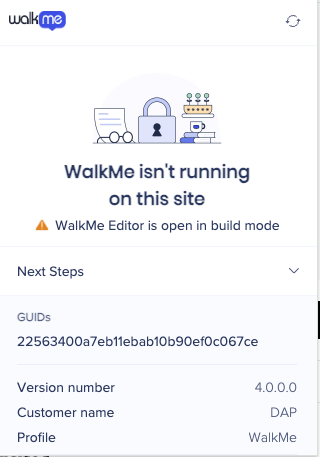
Sub-status messages and next steps display:
- The extension is not configured for this site
- If this looks incorrect contact your WalkMe admin
- WalkMe Editor is open in build mode
- Switch Editor to "Published" mode or close it and then refresh page
- WalkMe content is not allowed on this site
- Contact your WalkMe admin
- The extension is restricted from running on this site
- Contact your WalkMe admin
- Page still loading
- Wait a few seconds, then close and reopen this pop-up. If issue continues, contact your WalkMe admin.
Extension Disabled
This means that the extension is blocked for this browser.
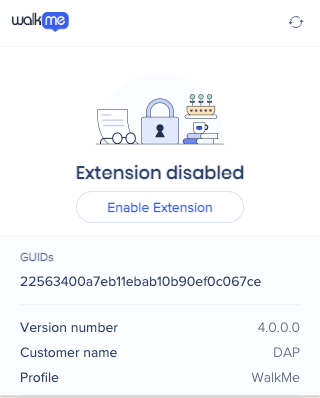
Solutions include the following:
- Select Enable Extension button and then reload page
- Contact WalkMe admin to activate the extension
If the issue persists after completing the relevant next steps, contact WalkMe Support and include a full screenshot of the popup.


