Brief Overview
WalkMe Learning Arc turns passive training into engaging, contextual learning experiences. It lets users build and deliver structured learning directly inside the applications where work happens.
This approach helps users learn by doing. It reduces friction, improves retention, and accelerates time to proficiency. Learning Arc combines microlearning, quizzes, courses, simulations, and AI-generated content in one flexible experience.
The solution supports guided and self-paced learning and includes collaboration tools that help teams deliver impactful, scalable, and role-based training across the organization.
Access
To access WalkMe Learning Arc, navigate to:
How It Works
Explore the key areas of the app to build, organize, and analyze learning experiences.
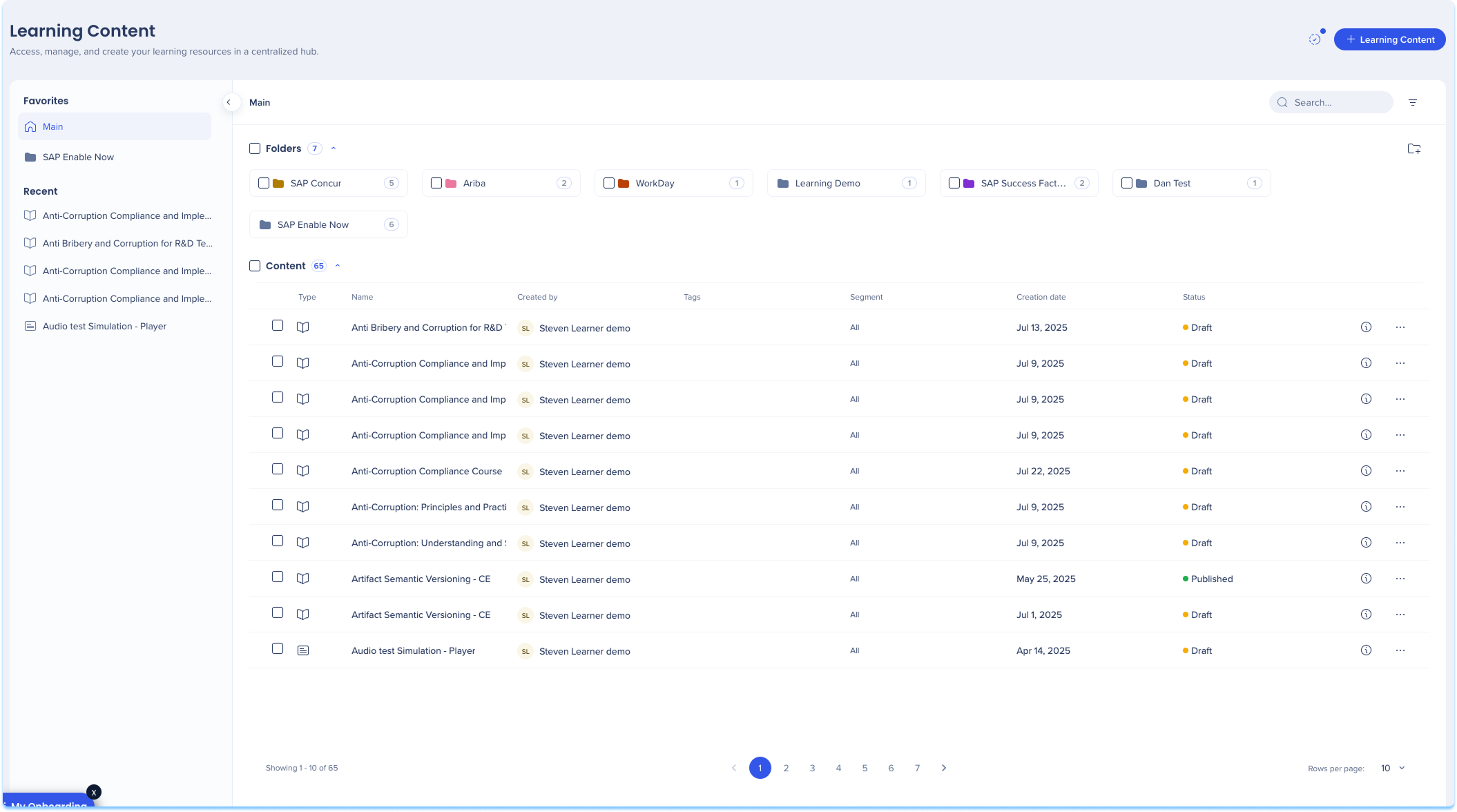
Learning content
Build and manage structured learning experiences. The Learning Content page lets you create, edit, and organize courses using a flexible course builder that supports multiple content formats.
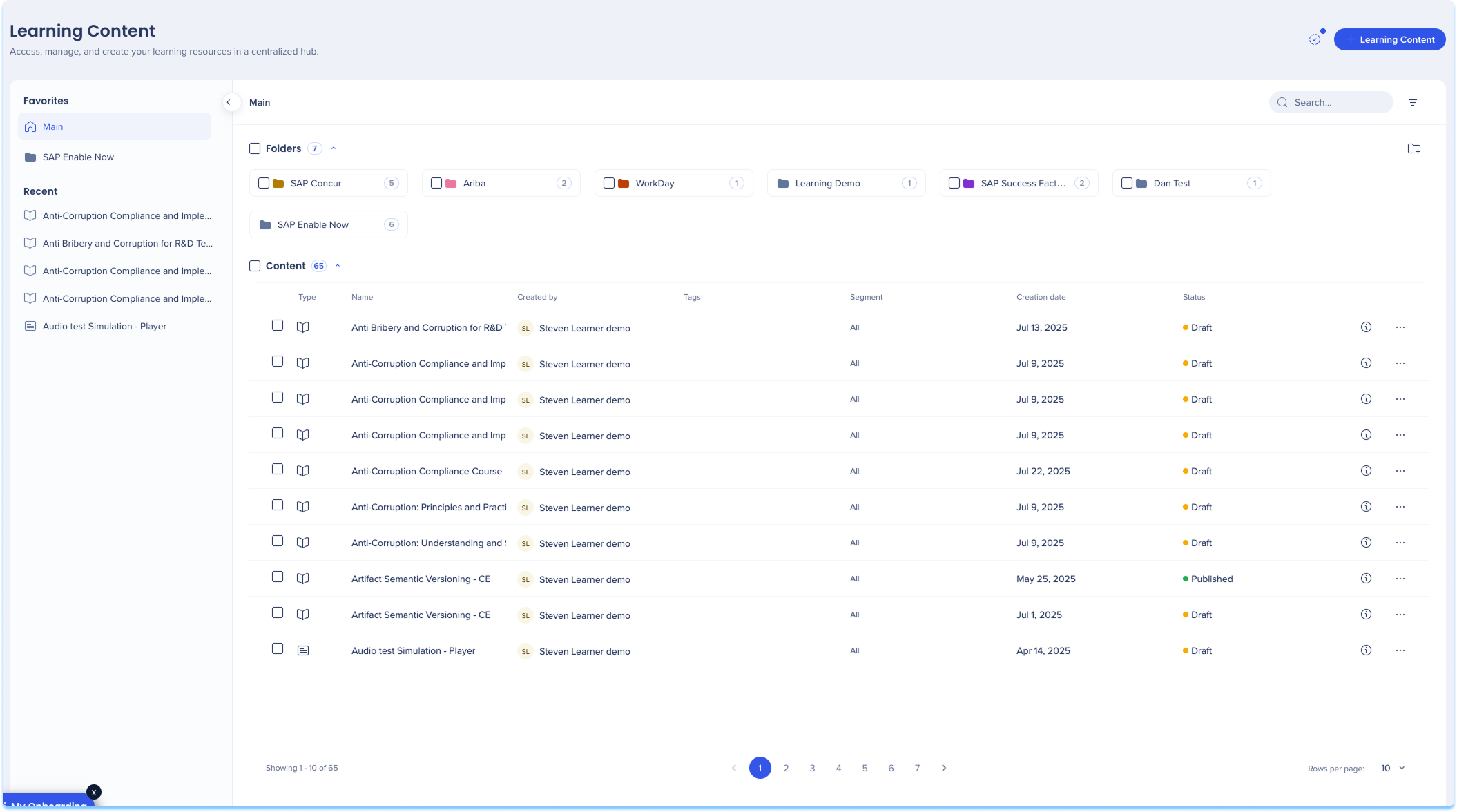
Learning Content in WalkMe Learning Arc
Learning assets
Upload and manage all learning files in one place. The Learning Assets page stores your media and simulation files so they can be reused across learning content.
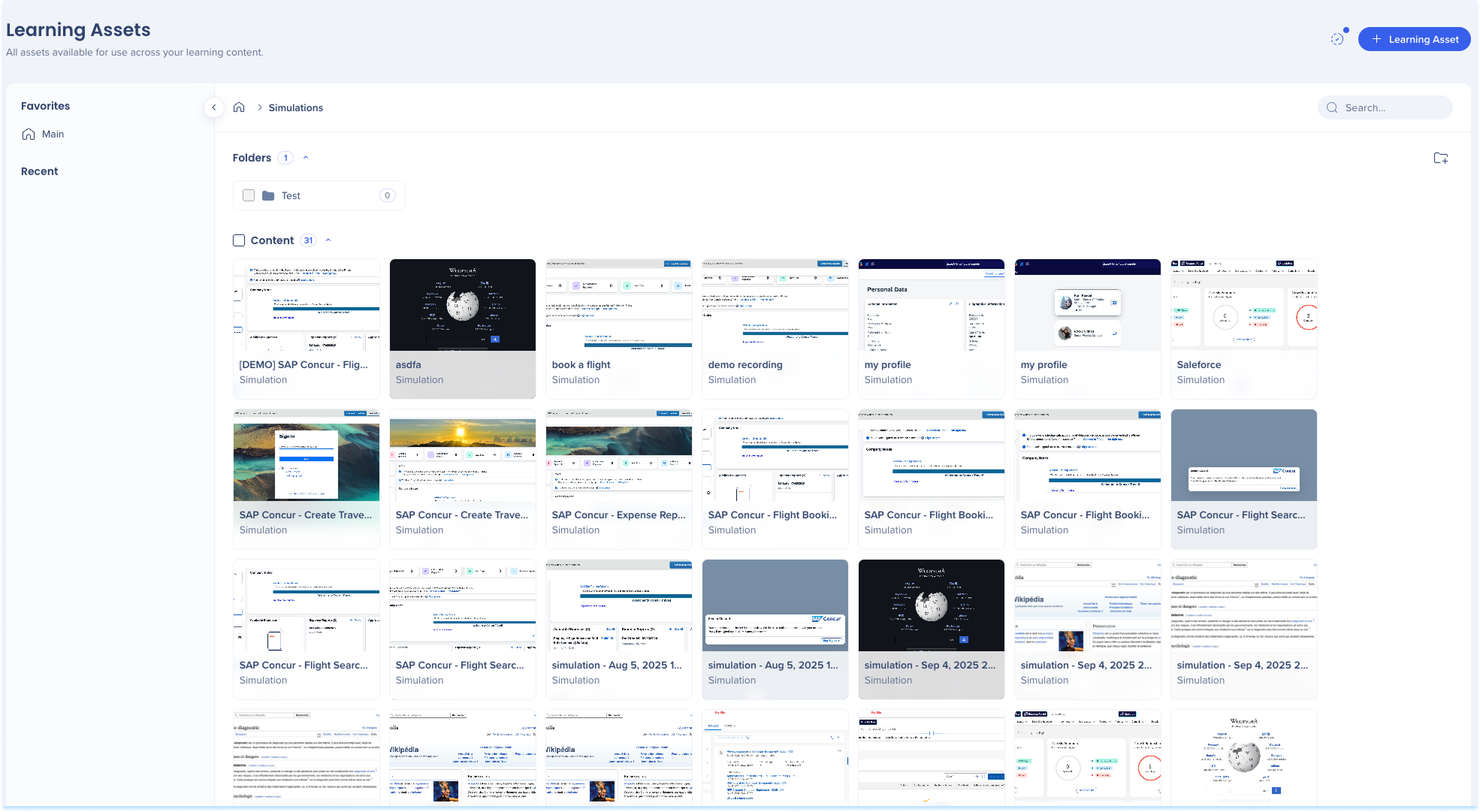
Learning Assets in WalkMe Learning Arc
Settings
Customize your learning environment. The Settings page lets you configure simulations and branding.
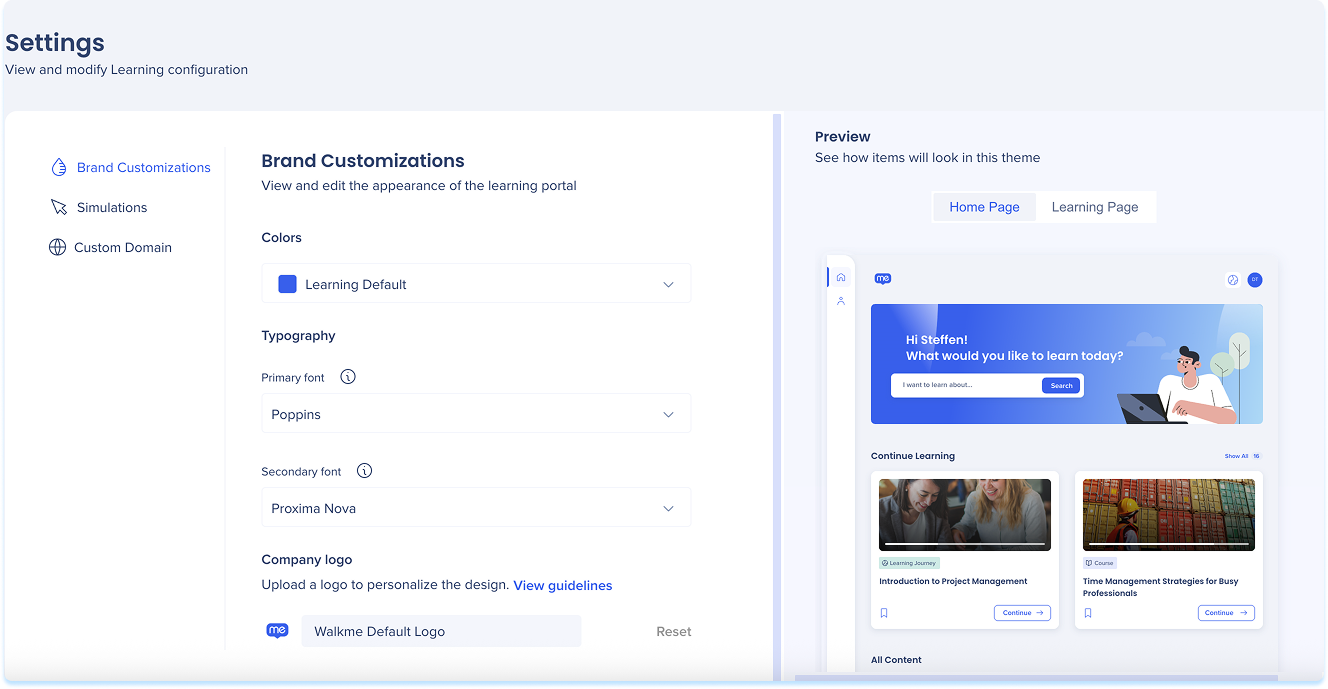
Settings Page in WalkMe Learning Arc
Segments
Target the right learners with the right content. Use the Segments Manager to define user groups based on roles, behaviors, or other criteria for a personalized experience.
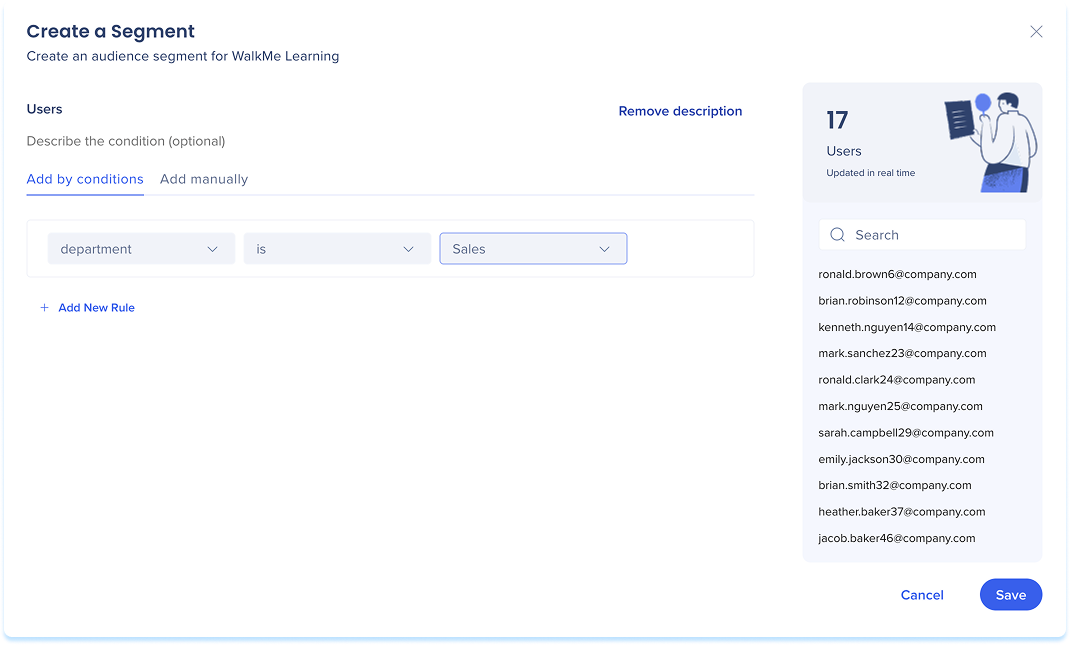
Segments in WalkMe Learning Arc
Transition SAP Enable Now Content
Transition content from SAP Enable Now into your learning environment. Instead of building everything from scratch, you can import existing SAP Enable Now content, convert it into microlearnings, and deliver it directly through the portal.

Transition SAP Enable Now Content
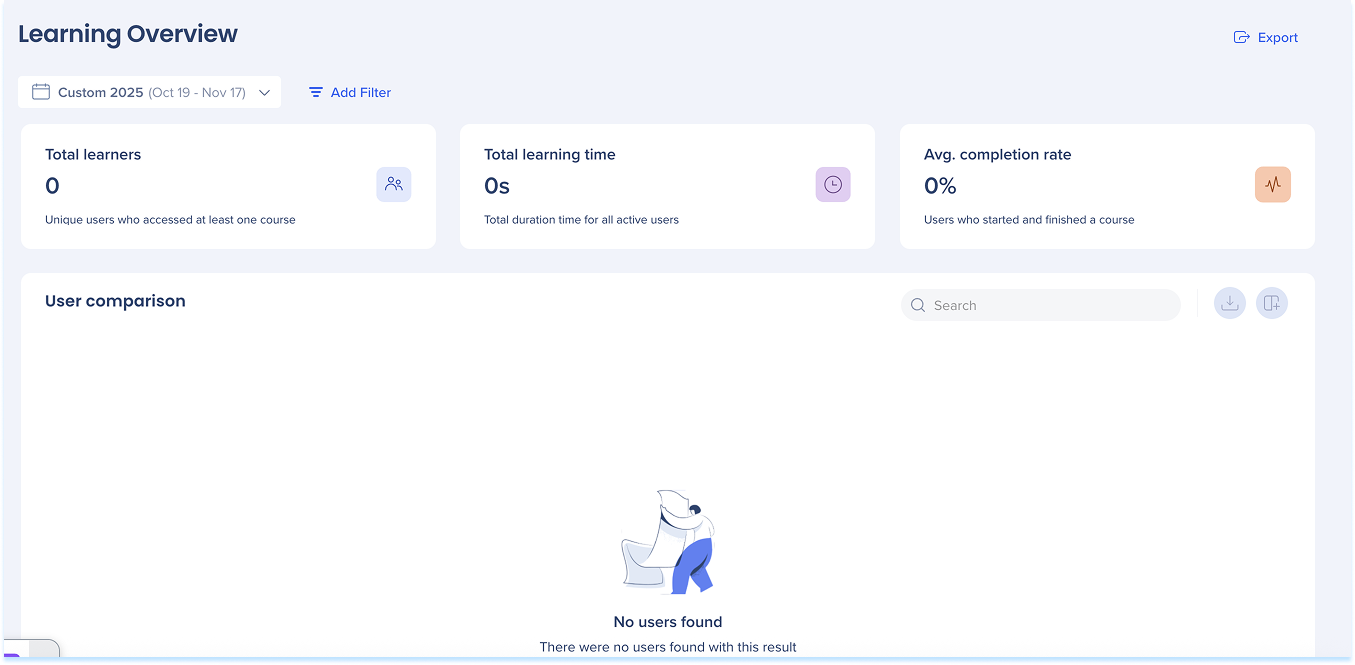
Learning Overview
The Learning Overview page helps you track learner engagement and performance across all courses. You can view overall learning trends, monitor completion rates, and identify learners who may need additional support.
Portal
Publish your learning program to your users. The portal is where learners access assigned courses, track progress, and complete training.
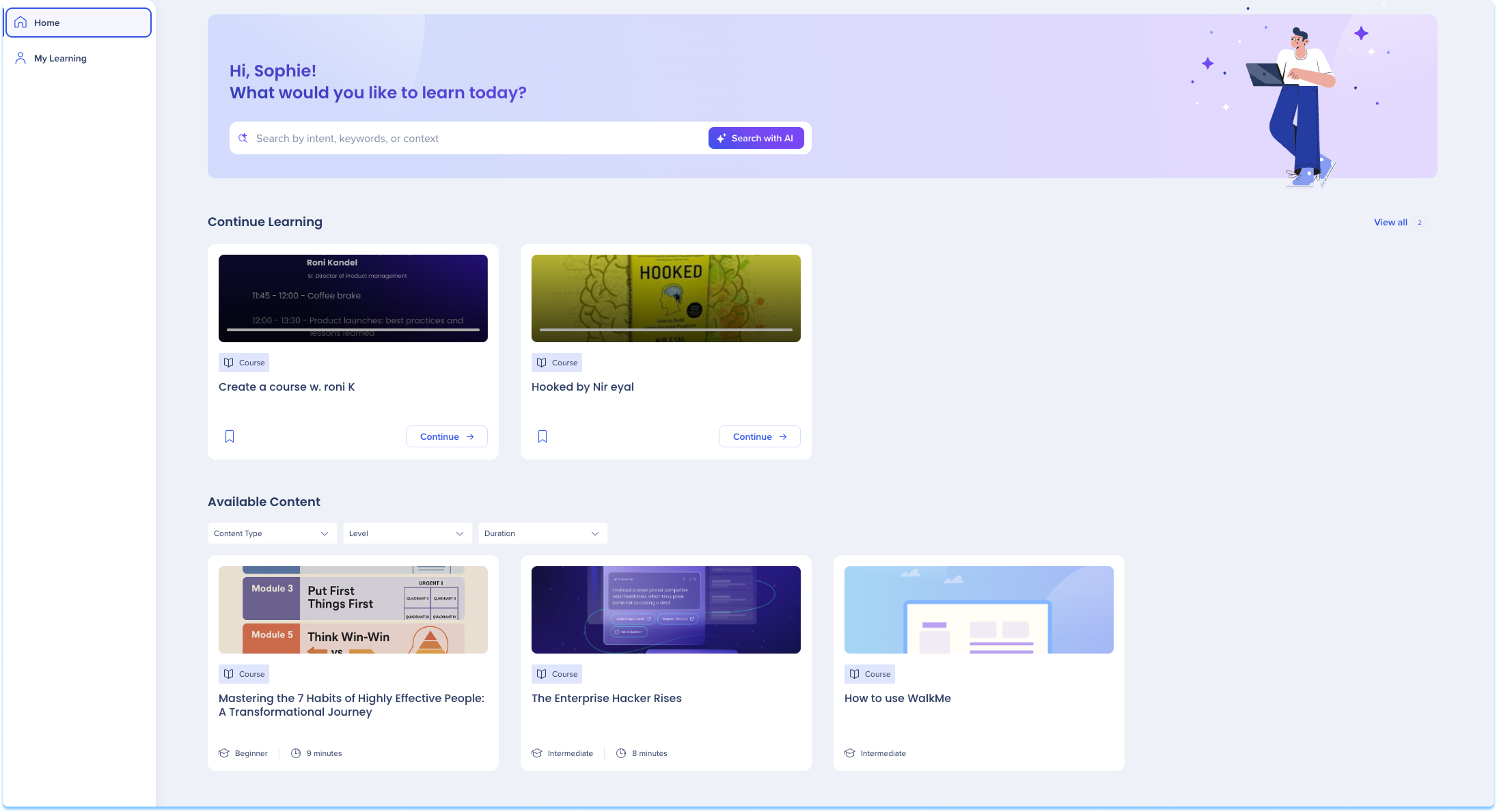
WalkMe Learning Arc Portal
Technical Notes
-
When converting SAP Enable Now items to WalkMe Learning Arc courses, there's a limit of 20 items per conversion
-
File uploads support files up to 200 MB
-
AI Analysis doesn't support XLSX or PPT formats
-
Real-time translation is only supported when the original language is English
-
Only Admin users can view and select API keys when connecting Producer
-
Machine translation isn't applied when a course opens in a popup from the Pro Menu
-
Only customers transitioning from an SAP Enable Now contract get access to the transitioning options and with that the SAP Enable Now Producer


