Brief Overview
WalkMe's Proactive AI delivers real-time guidance, recommendations, and next best actions exactly when and where they're needed. Enable the Action Bar's AI-powered capabilities to provide powerful, context-aware functionality and benefits for builders and end-users.
Embedded directly in the flow of work across applications, Proactive AI interprets screen-based context to understand what users are doing and proactively steps in to support. Whether summarizing a document, recommending an action, or launching a workflow, it provides a consistent, harmonized experience that helps users work smarter and faster with less friction.
This feature is part of WalkMe's Suite of Contextual AI Assistance, which provides access to an advanced set of WalkMe AI services – Pinned, Proactive, and On-Demand — to help inject workflows with AI-powered guidance and automations that improves user productivity and compliance across tasks, apps, and user workflows.
Onboarding Checklist
Connect Knowledge Sources to the AI Center
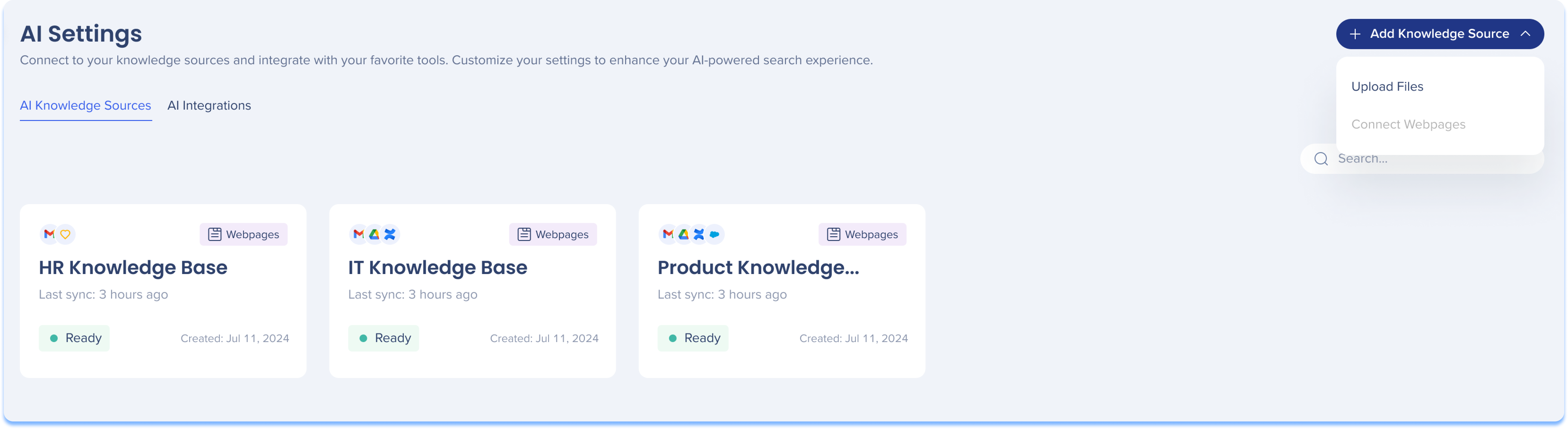
The AI Center is where you process connected knowledge sources—such as webpages and files—by extracting text-based content and converting it into vector embeddings for semantic search.
By connecting these sources, you enable AI Knowledge Referencing, which fetches curated information from company resources when conditions are met. This allows WalkMe to contextually retrieve company information from connected documentation—such as policies or governance stored in internal knowledge sources.
Get Started Now
You can start by uploading files directly for AI processing, or if you would like to upload a webpage knowledge source - please reach out to your Customer Success Manager (CSM).
AI Center
Explore Always-On Features
Action Bar - AI-Enabled

The AI-enabled Action Bar is an expanding widget that delivers proactive, in-the-flow assistance. It opens into a panel that offers a wide range of pre-built and custom AI-driven actions to support users exactly when they need it. Key features include:
-
WalkMe AI Skills: Out-of-the-box assisted reading and writing tools to summarize, translate, adjust tone, or clarify complex content
-
Quick AI Action Screen: Generate AI-powered content from scratch using user input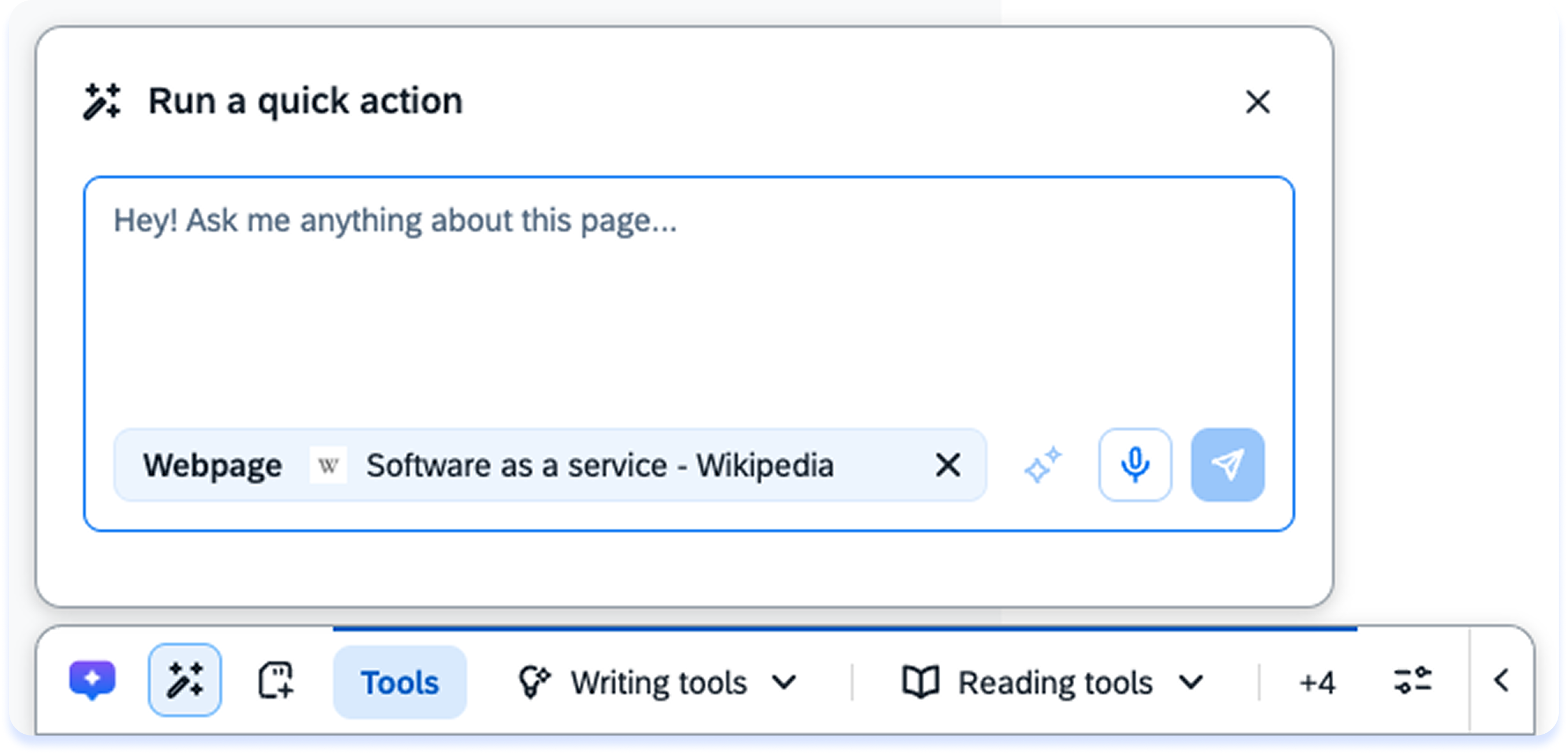
-
Custom AI Actions: Create saveable, user-defined actions for everyday tasks
-
Joule Skills: Access to Joule skills directly from the Action Bar (requires Joule licensing)
Introduction to AI-Enabled Action Bar
How to Use the AI-Enabled Action Bar
AI Launchers
Trigger AI launchers to appear in the Action Bar that proactively suggest relevant actions or skills based on current user activity and page content.
- AI Launchers provide a predefined suggested action like summarizing, translating, or rewriting content based on the user's current context
- Builders can manually choose specific skills for predictable, repetitive use cases like "Summarize document" or "Search emails"
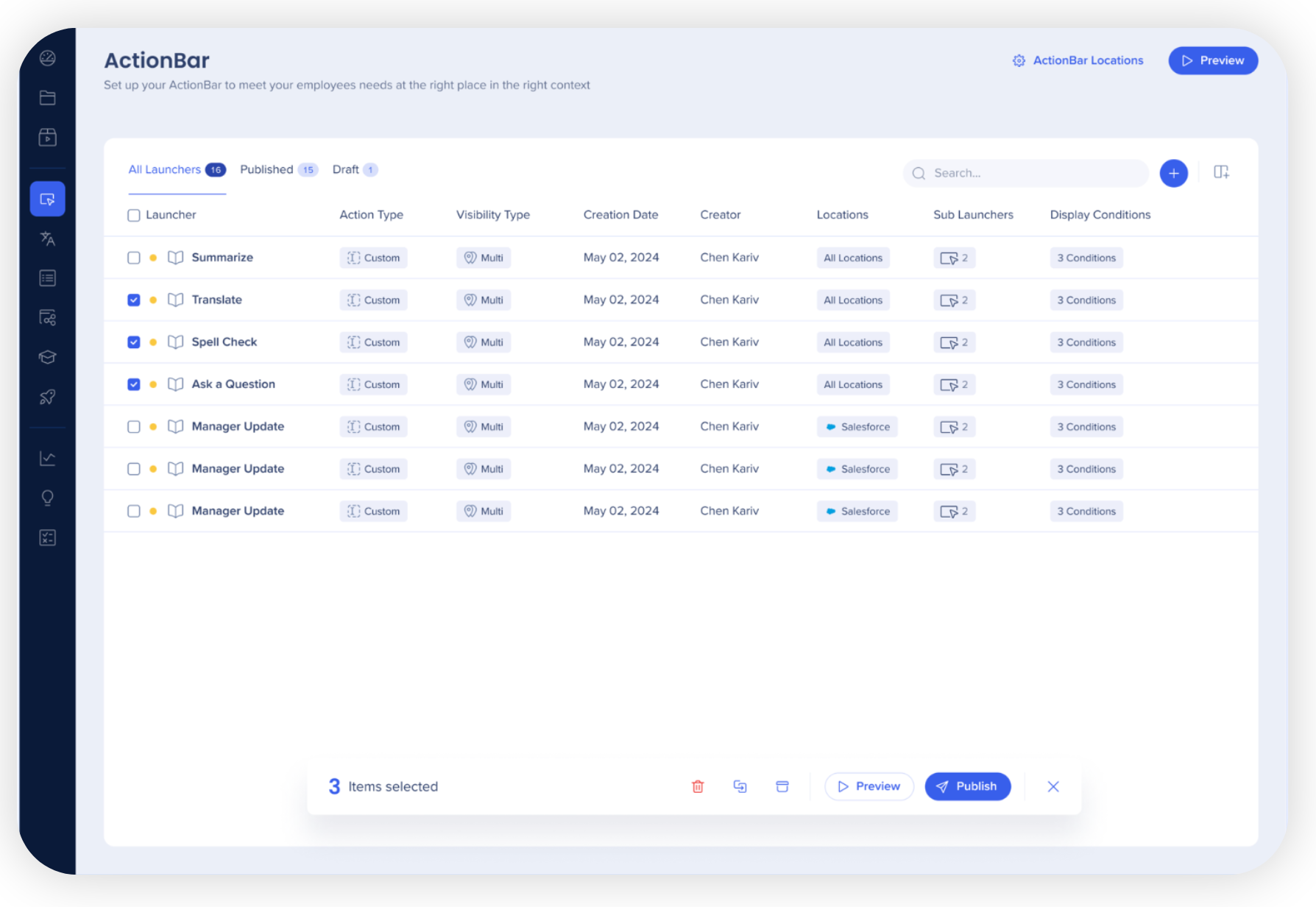
AI-Enabled Action Bar Building in Console
AI-Enabled Action Bar Building in WalkMe Editor
AI-Selected Actions for Launchers
Provide assistance in the Action Bar that stays relevant as situations change, supporting more real-world use cases with less configuration.
- AI-selected Launchers are more dynamic and proactive than standard AI Launchers
- Instead of being linked to a single predefined action, they allow builders to define a set of actions.
- AI selects the most relevant action to offer at runtime, automatically matching the right action to the user's real-time context
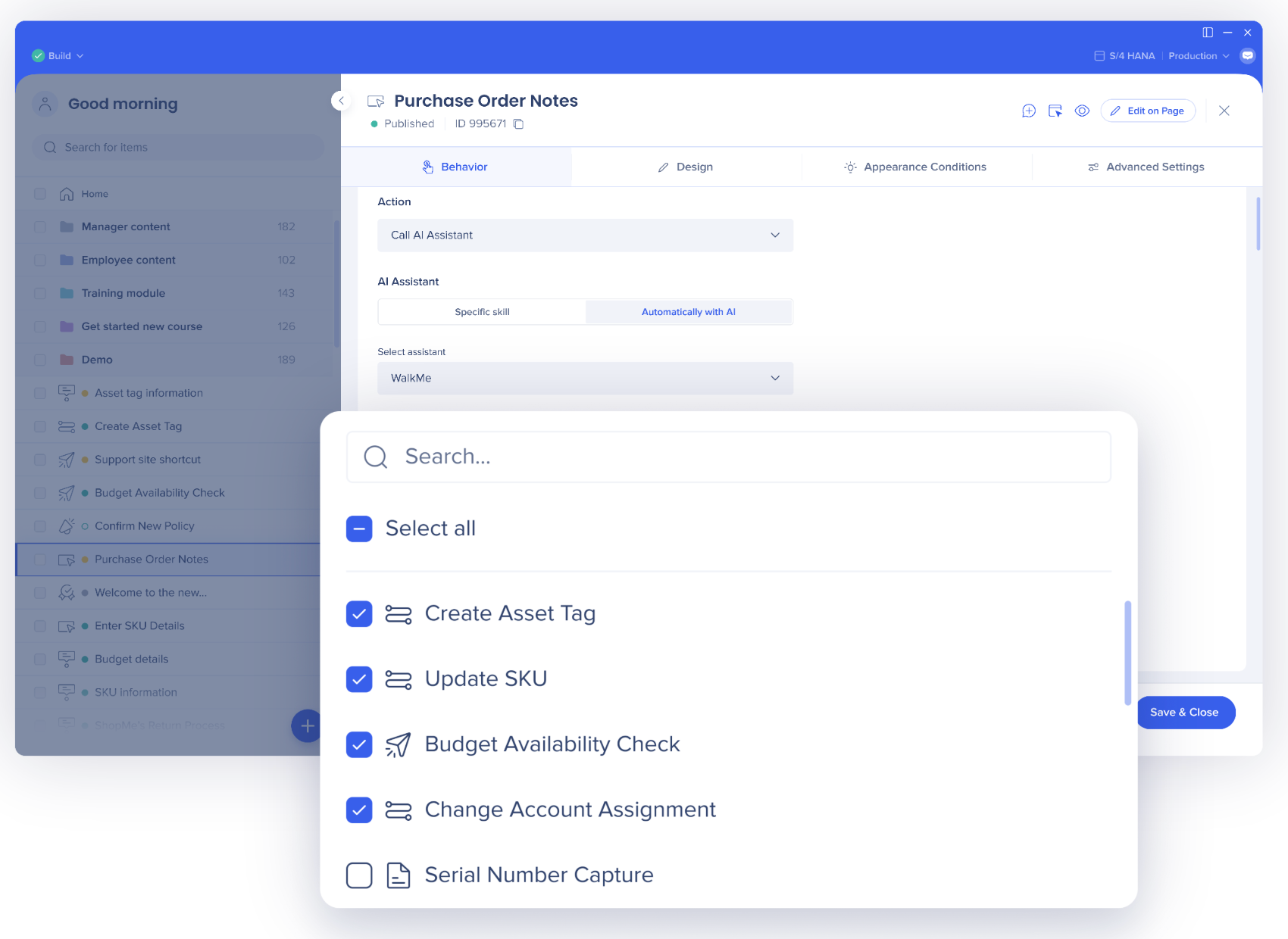
AI-Selected Launchers
AI Conditions
Develop powerful display conditions, segmentation logic, and validation rules that leverage generative AI to determine when to expose your WalkMe content.
Instead of building complex, exact-match logic rules, builders use natural-language operators in the Condition Builder. When the AI Condition evaluates to true, it triggers specific actions or skills to appear within the Action Bar.
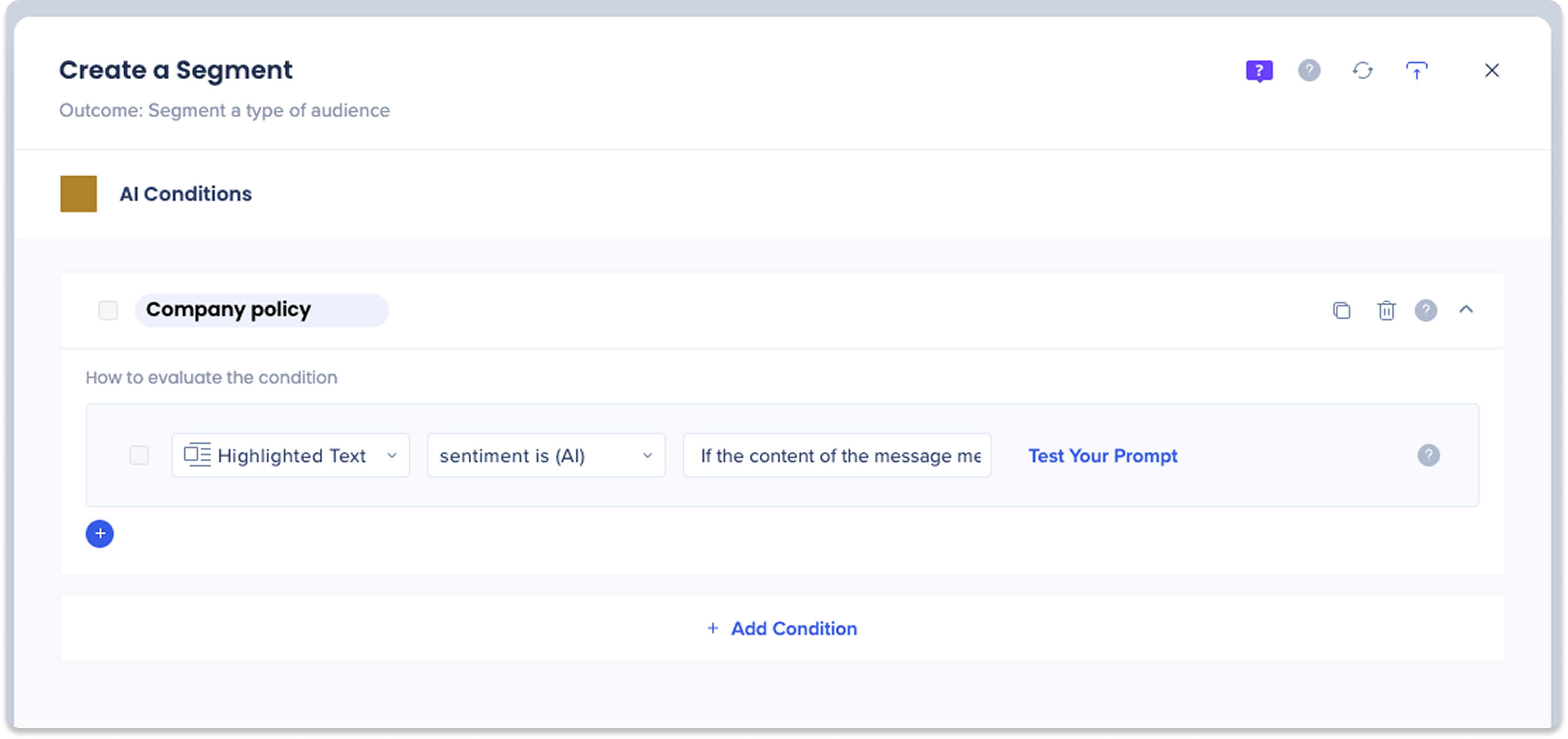
AI Conditions
Memory
Anticipate user needs by delivering smarter, more relevant suggestions in Action Bar—powered by past behaviors or personalization settings committed to Memory for future use— across sessions and environments.
- Users can save outputs from actions and and can set personalization settings in Action Bar—eliminating repetitive data entry and preference configuration
- The more users interact with AI, the more personalized and intelligent the experience becomes
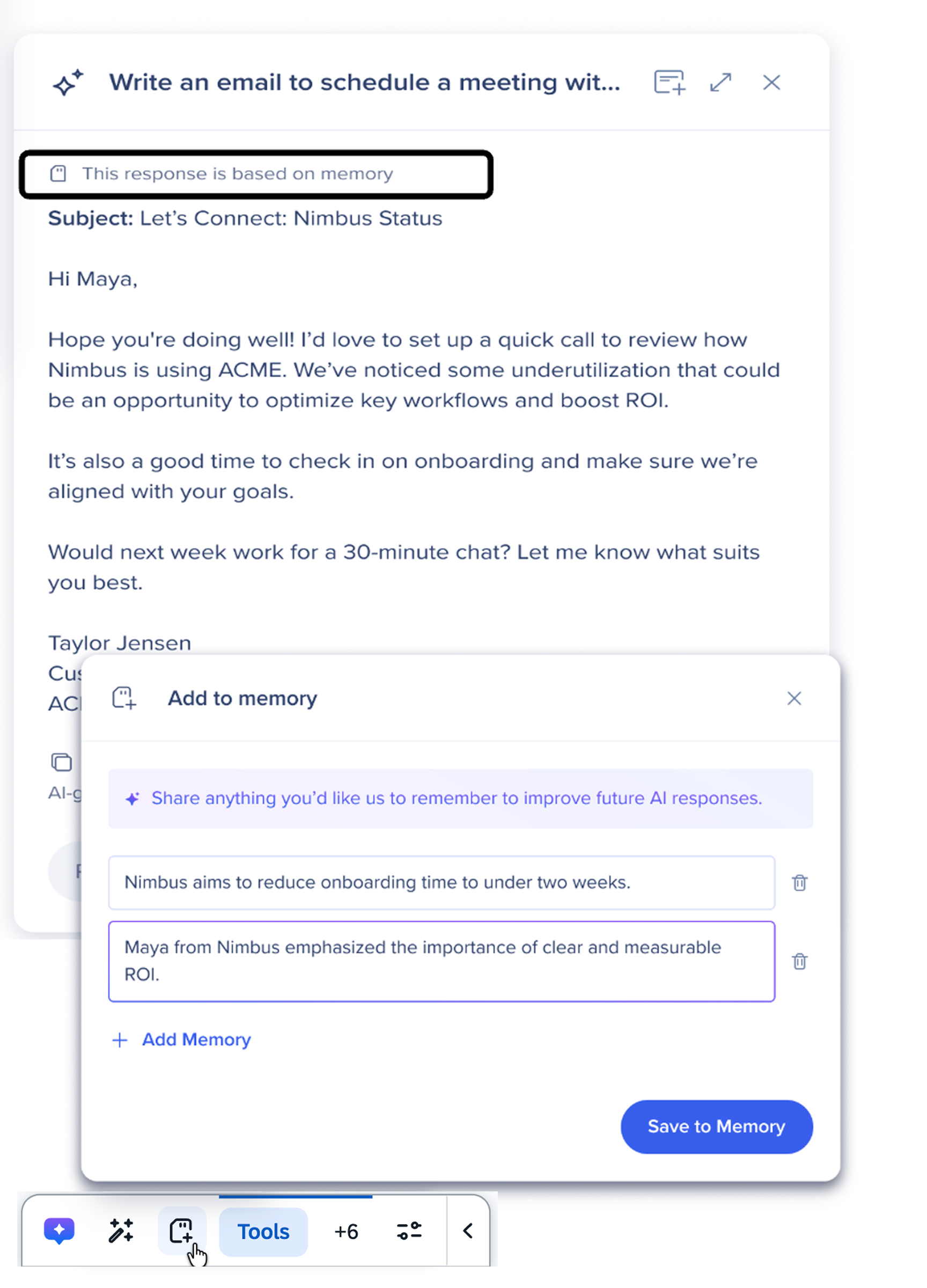
About Memory
Visualize Adoption
Action Bar Overview Dashboard
Track how often AI actions appear and get used in the Action Bar—and which systems drive the most activity—so you know exactly where to expand or refine your Action Bar setup.
- View centralized interaction data from every location where the Action Bar is active
- Track global impact, identify high-engagement areas, and understand user interactions with Action Bar across your digital ecosystem
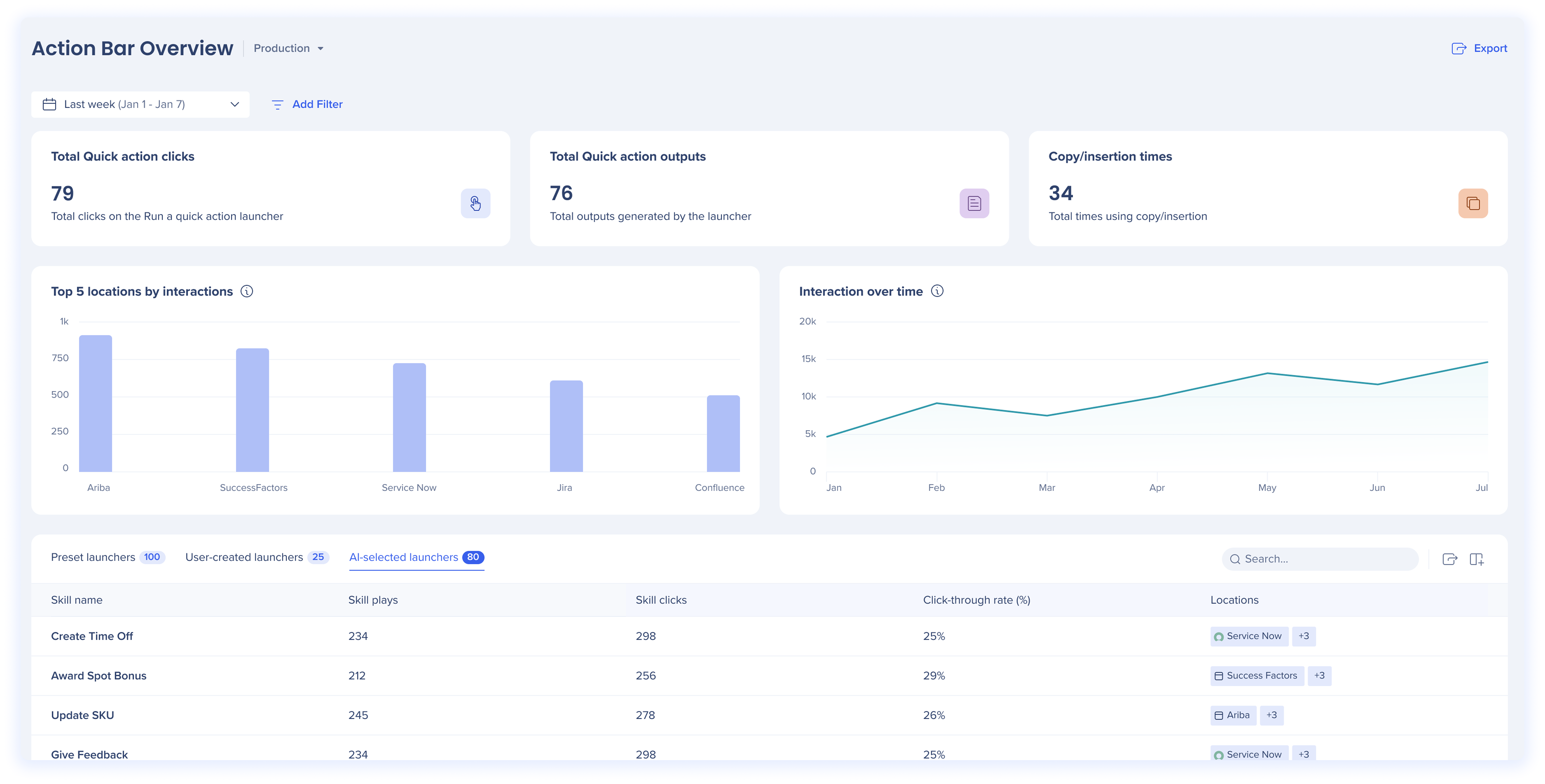
Action Bar Overview Dashboard
AI Dashboards
The AI Dashboards in the Insights Console help you monitor how the Action Bar is being used across your organization at the system level.
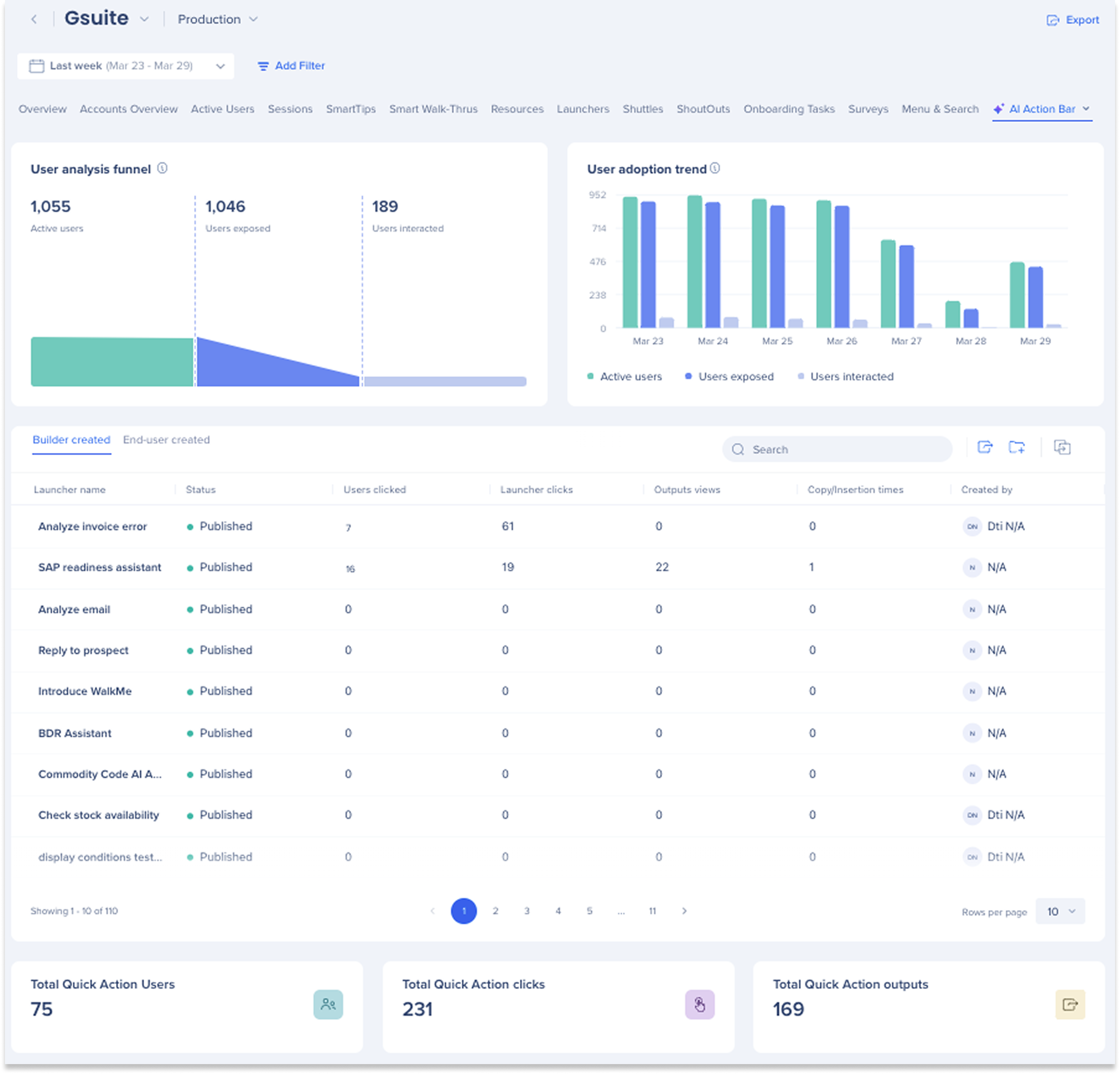
AI Dashboards


