Brief Overview
The Action Bar is an expanding widget that delivers proactive, in-the-flow assistance. It opens into a panel that offers a wide range of pre-built and custom AI-driven actions to support users exactly when they need it—without requiring any prompting.
With a growing list of tools like “Run a quick action,” reading and writing assistants, workflow suggestions, and customizable launchers, the AI-enabled Action Bar empowers organizations to create intuitive, context-aware digital experiences that boost productivity and reduce friction.

Action Bar with Joule Integration
Benefits
- Empower users with in-the-moment support through pre-built writing tools, smart suggestions, and custom workflows
- Boost content adoption by surfacing WalkMe items directly where work happens—no need to open menus or request help
- Build once, deploy across systems using flexible launcher tools in both the WalkMe Editor and the Action Bar console app
Use Case Videos
Fixing a forecast error in a CRM
A sales rep opens their pipeline, the Action Bar flags an opportunity whose close date has already passed, and a Walk-Thru takes the rep through the fix step by step.
Resolving a misrouted ticket in a service desk
An IT specialist opens their ticket queue, the Action Bar flags an urgent misrouted ticket with a summary and the steps to fix it, and the reading and writing tools draft the response without opening another tool.
An HR manager is alerted that it's time to start performance reviews, and the Action Bar brings peer recognition data in from a separate application and summarizes it with generative AI before the manager reviews and submits.
Using the Action Bar
When your users see the Action Bar on-screen, they'll access the pre-built actions, workflow suggestions, and tools you've made available to them. These include:
- Writing tools: Adjust tone, improve grammar, rewrite in different formats
- Reading tools: Summarize, translate, or clarify complex content
- Workflow tools: Trigger contextual automation or support actions
- WalkMe content: Access Smart Walk-Thrus, ShoutOuts, and more
- Run a quick action: Generate AI-powered content from scratch using user input
- Custom actions: Create personal actions that are only visible to the user who created them
- Memory: Store useful information to improve AI results and reduce repetitive input
- Personalization: Customize how the AI responds to you by setting preferences like your name, role, and communication style
- Onboarding: Receive a guided walkthrough of the Action Bar's features when first interacting with it
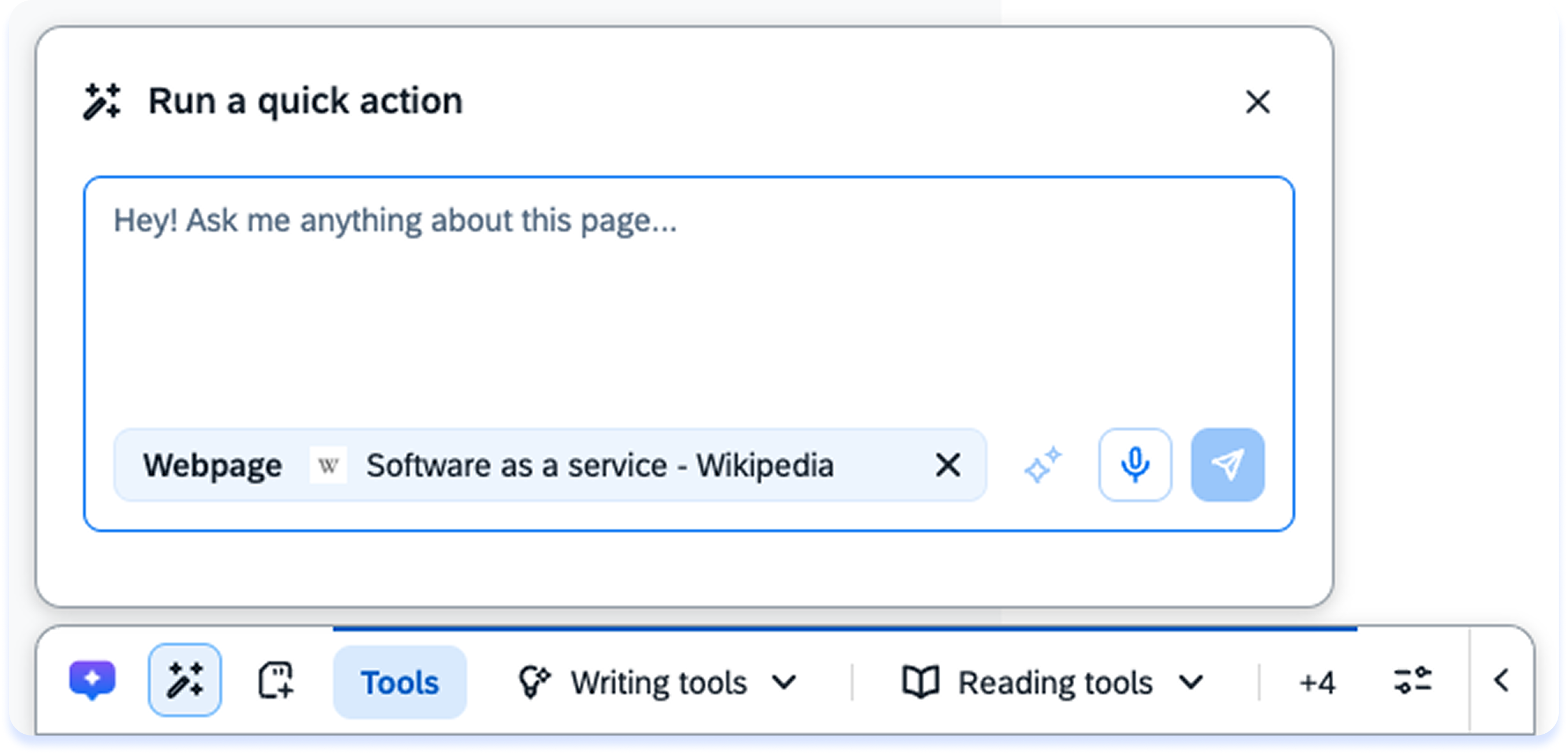
Learn more about each of these feature and more:
How to Use the AI-Enabled Action Bar
Building the AI-Enabled Action Bar
The Action Bar is built using the Action Bar Console application, and there are some building features available in the WalkMe Editor when creating launchers.
As a builder, you control what appears in the Action Bar for your users. You can create and manage organizational launchers, configure default tools, and define where and when actions appear.
In the WalkMe Console
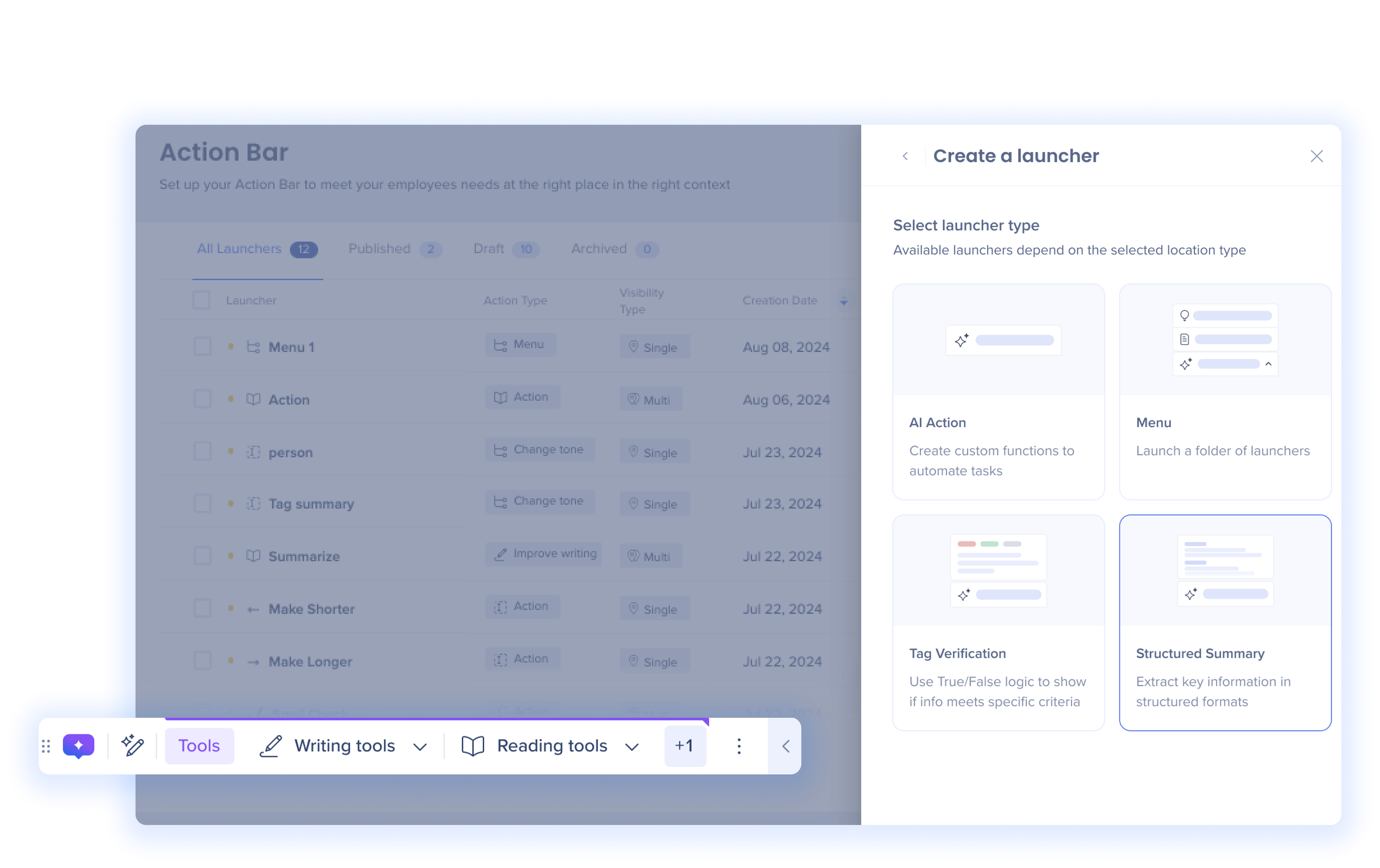
- Create and manage launchers across all systems
- Choose from AI actions, structured summaries, menus, and validation rules
- Set display conditions based on user segments, page context, or system location
- Preview, publish, and monitor launcher usage in the Launchers Overview table
Action Bar Building in Console
In the WalkMe Editor
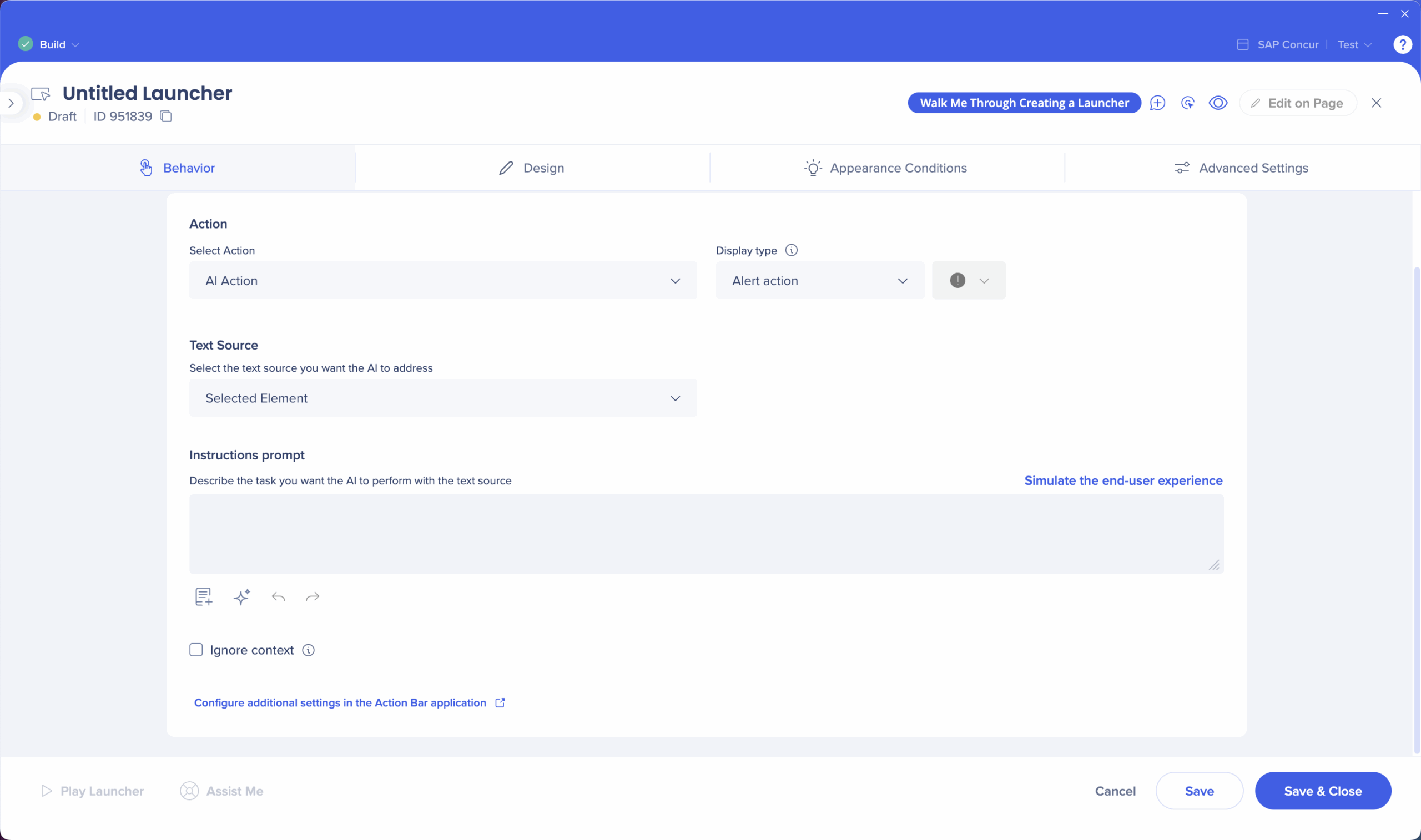
Use launchers in the WalkMe Editor for the Action Bar. You'll configure behavior, design, when and where it appears, and advanced recognition—then test and publish.
AI-Enabled Action Bar Building in WalkMe Editor
Note
More launcher building capabilities are available in the Action Bar console application.
Technical Notes
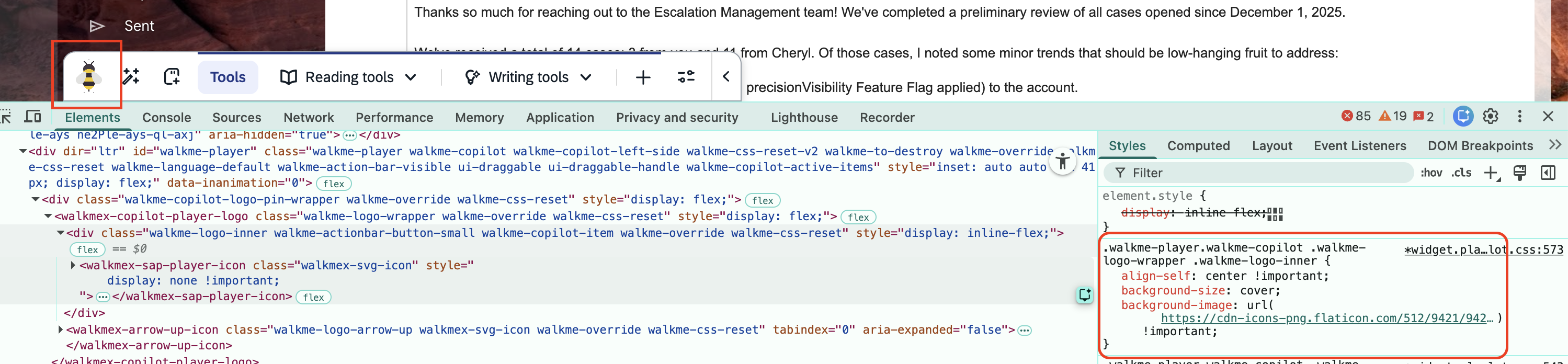
To customize the Action Bar logo icon, apply the following WalkMe custom CSS:
.walkme-logo-inner {
background-size: cover !important;
background-image: url("YOUR_IMAGE_URL_HERE")
}

.walkmex-svg-icon {
  display: none !important;
}