Brief Overview
Account Details gives admins a single view of their WalkMe account. It shows key account information, how systems are set up, user and group usage, and the main account-level settings.
Access
Access Account Details in the console:
- Open the WalkMe Console:
- Go to the Admin category
- Select My Account
- Select Account Details
How It Works
This page gives you an overview of all aspects of your account at a glance and in one place for easier management of your account features. 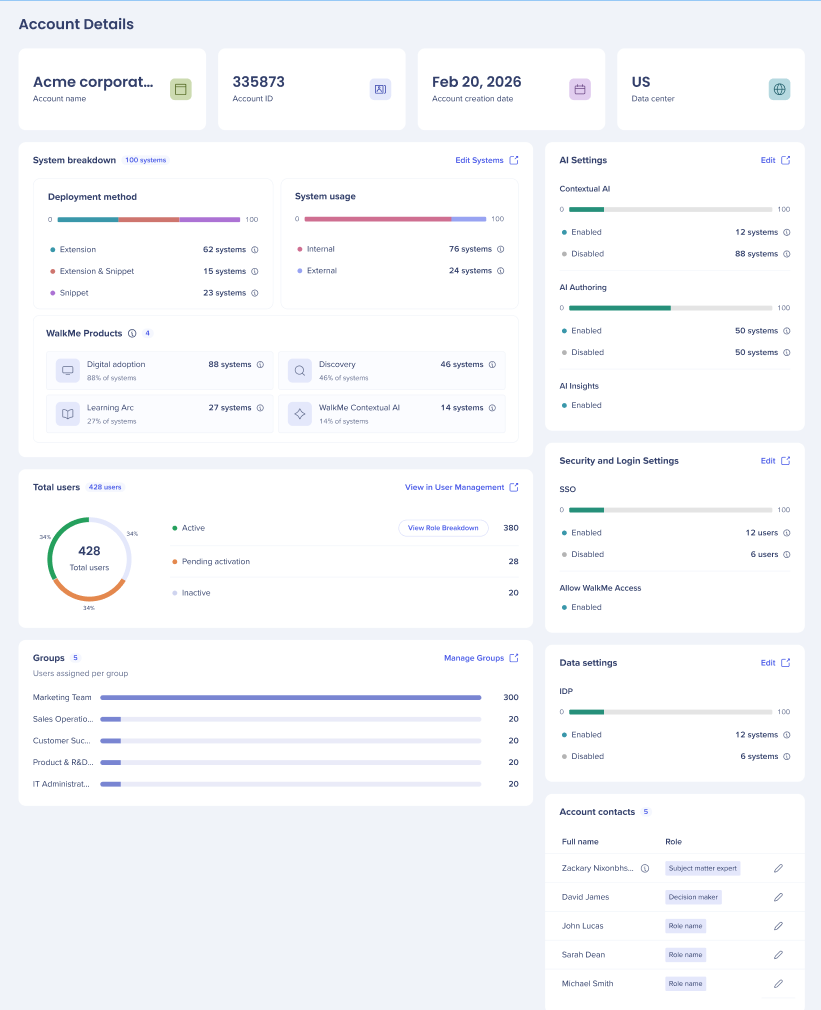
- Account information: Account name, account ID, creation date and data center, support will often ask you for these
- System breakdown: Systems by deployment method, system usage (internal or external) and WalkMe Products
WalkMe Systems
- Total users: Active, pending activation and inactive users, with a breakdown by role
Roles and Permissions
- Groups: Number of groups and how many users are assigned to each
System Users Management
- AI Settings: Contextual AI, AI Authoring, AI Insights
AI Settings
- Security and login settings: SSO and Allow WalkMe Access
Single Sign-On (SSO)
IDP Integration
SAML IDP Integration
- Account contacts: Names and roles of account users
-
-
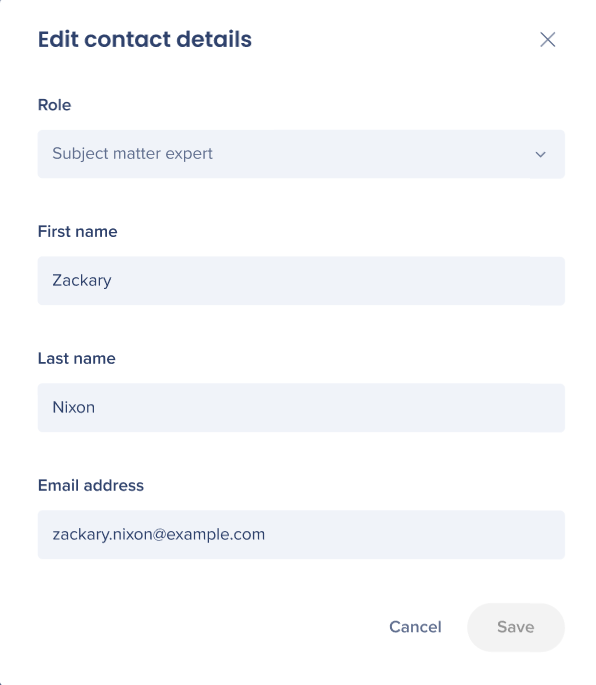
- Select the edit icon
- Update details and select Save
Roles and Permissions
Technical Notes
When the account details don't load, refresh the page. If the issue continues reach out to customer support.