Brief Overview
Smart Walk-Thrus provide on-screen, step-by-step guidance that helps users complete tasks directly within an application. Using interactive balloons connected to UI elements, Smart Walk-Thrus guide users through a process at the moment they need help.
Smart Walk-Thrus are commonly used to support onboarding, feature adoption, and self-service support. Builders can design flows that respond to user actions, adapt to different paths, and continue across pages to create a seamless guided experience.
🎓 Digital Adoption Institute
Use Cases
- Onboard new users by guiding them through key workflows
- Drive adoption of new or underused features
- Reduce support tickets with in-context, self-service guidance
- Train employees directly in the tools they use every day
How It Works
Smart Walk-Thrus are built in the WalkMe Editor by connecting step balloons to elements in your application. Each step instructs the user what to do next and advances based on a trigger, such as a click or text entry.
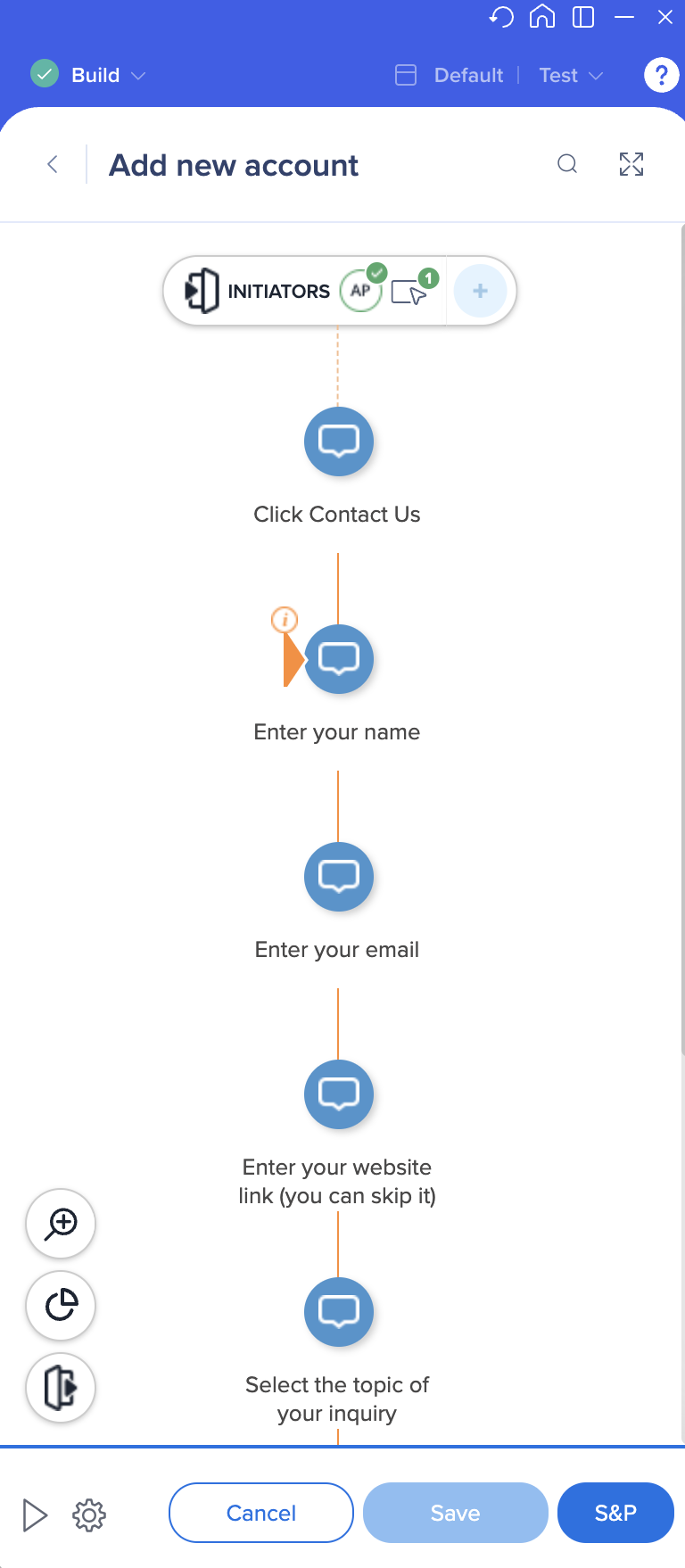
Builders can combine visible steps with behind-the-scenes logic to guide users through different paths, handle errors, or wait for specific conditions. Smart Walk-Thrus can start from launchers or other WalkMe items and continue across pages to support complete, end-to-end processes.
Smart Walk-Thru: Getting Started Guide


