Brief Overview
The API Keys page allows you to create and manage API keys for the WalkMe platform directly in the Admin Center. WalkMe API was created so customers can integrate the WalkMe Platform with their internal or 3rd party systems, leading the way for automation of internal processes that wouldn't otherwise be possible.
Note
Your API key is like a password: Never share it, commit it to public repositories, or store it in unencrypted files.
Access
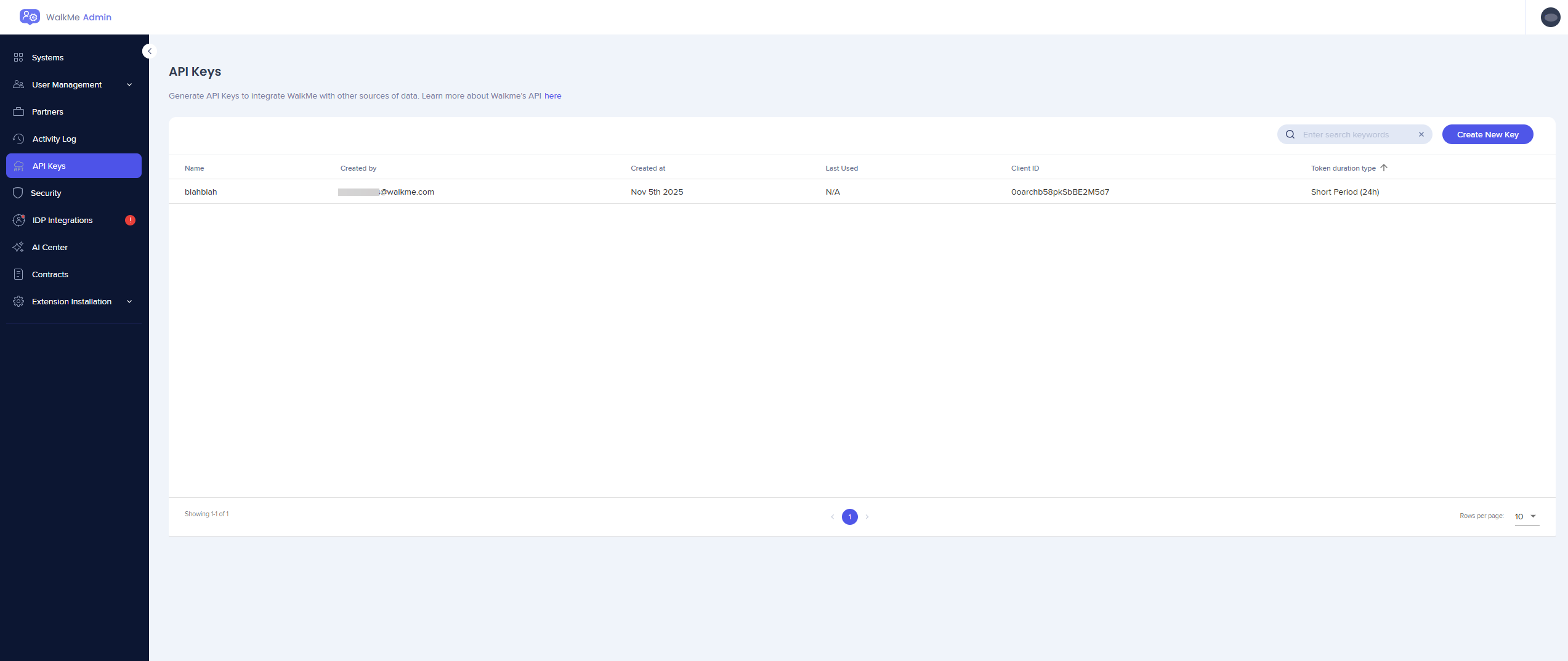
You can access and modify these settings from the API Keys page in the WalkMe Admin Center.
WalkMe Admin Center
How It Works
To create an API key:
-
Open the API Keys page in the Admin Center
-
Select Create Key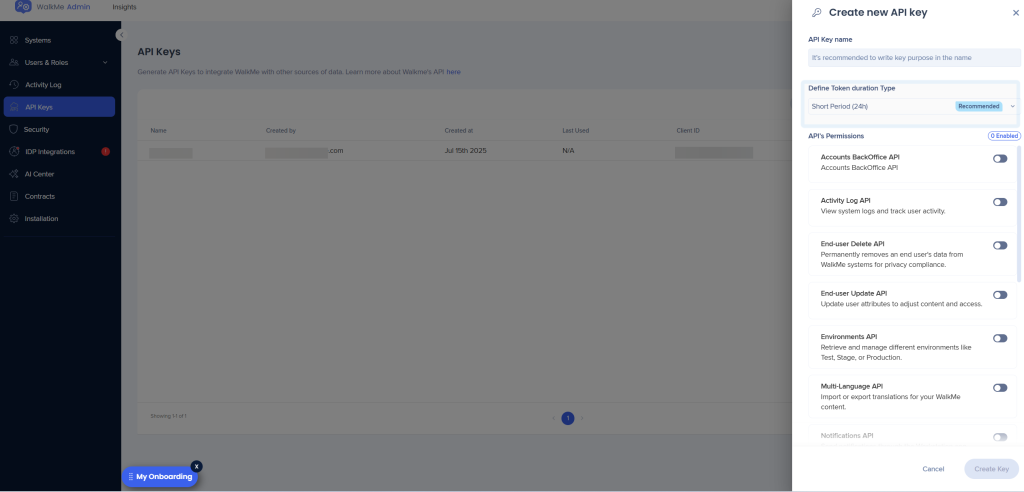
-
Name your API key and define the key duration and permissions
-
Select Create Key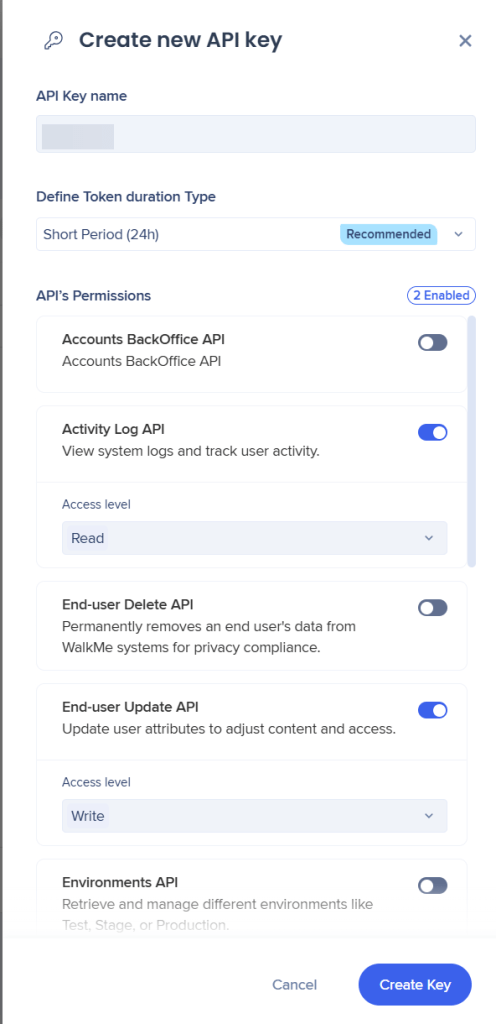
-
Copy and securely save the API token - it will not be displayed again
-
To revoke an API key open API key overview and select Revoke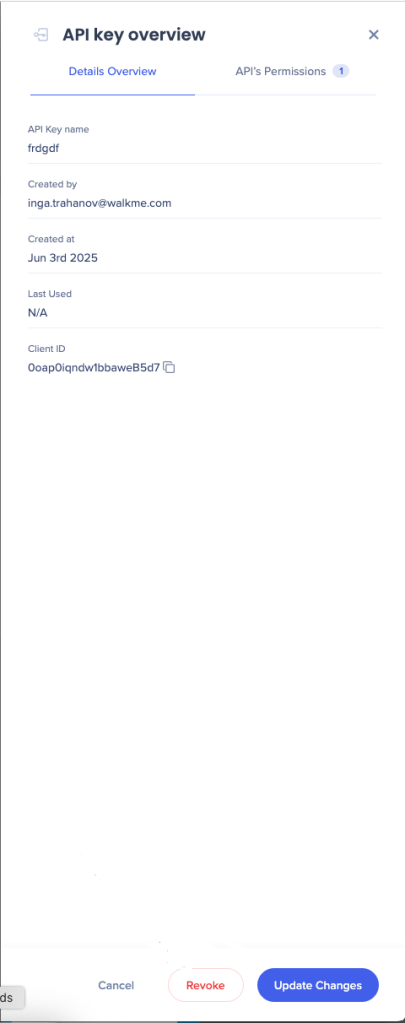
For more information, please read about WalkMe API & API Keys.
Technical Notes
To access the API Keys page, you must have either an Admin role or be assigned to a custom role with API Keys permission.
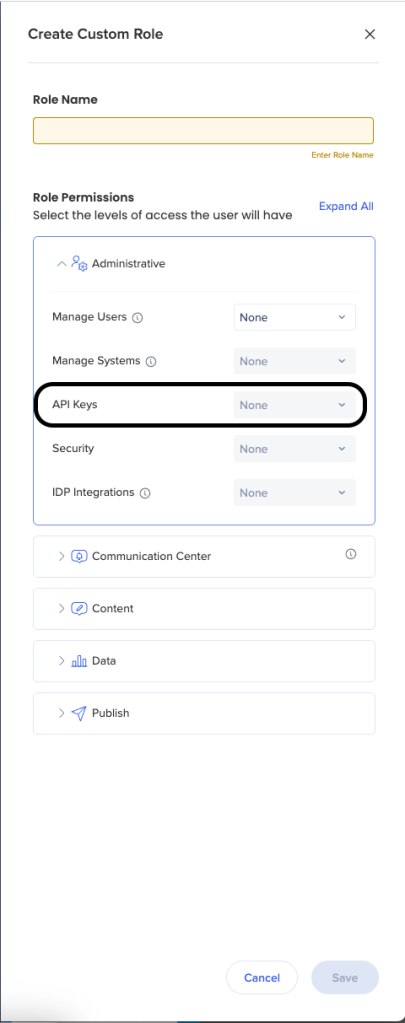
Roles and Permissions


