Brief Overview
are search terms that allow your users to find your WalkMe content when using the Search feature in the WalkMe Menu. Keywords can be added to Smart Walk-Thrus, Resources, or Shuttles to make the content more easily searchable.
(Where all WalkMe content will show up if you search for the content title, Keywords allow you to add additional search terms while still using a clean title that will make sense to your users.)
Add Keywords to Smart Walk-Thrus
- Open the Smart Walk-Thru that you want to add keywords to
- Click the Settings button in the bottom corner of the Editor
- Go to the Search Ranking tab
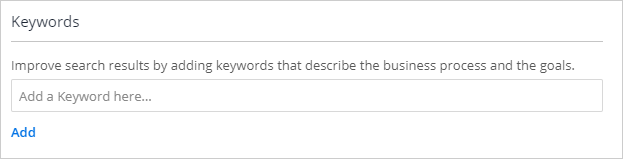
- Add Keywords related to the Smart Walk-Thru. Any relevant terms or features that are covered in the Smart Walk-Thru should be added here as keywords:
- Click Done
Add Keywords to Resources or Shuttles
To add Keywords to Resources or Shuttles, simply open the item that you want to add Keywords to, and add the relevant search terms into the Keywords menu: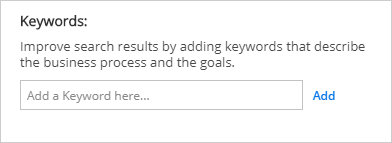
Auto-Generated Keywords
Read about our auto-generated keywords feature that uses an algorithm that automatically generates keywords from the names of Smart Walk-Thrus, resources, and shuttles.


