Brief Overview
User notifications are system-triggered email notifications sent to learners when key learning events occur, such as being assigned a course or earning a certificate. These emails help learners understand what action is required and stay informed about their learning progress. Each email notification can be enabled or disabled globally. When enabled, emails are sent automatically when the related event occurs.
How It Works
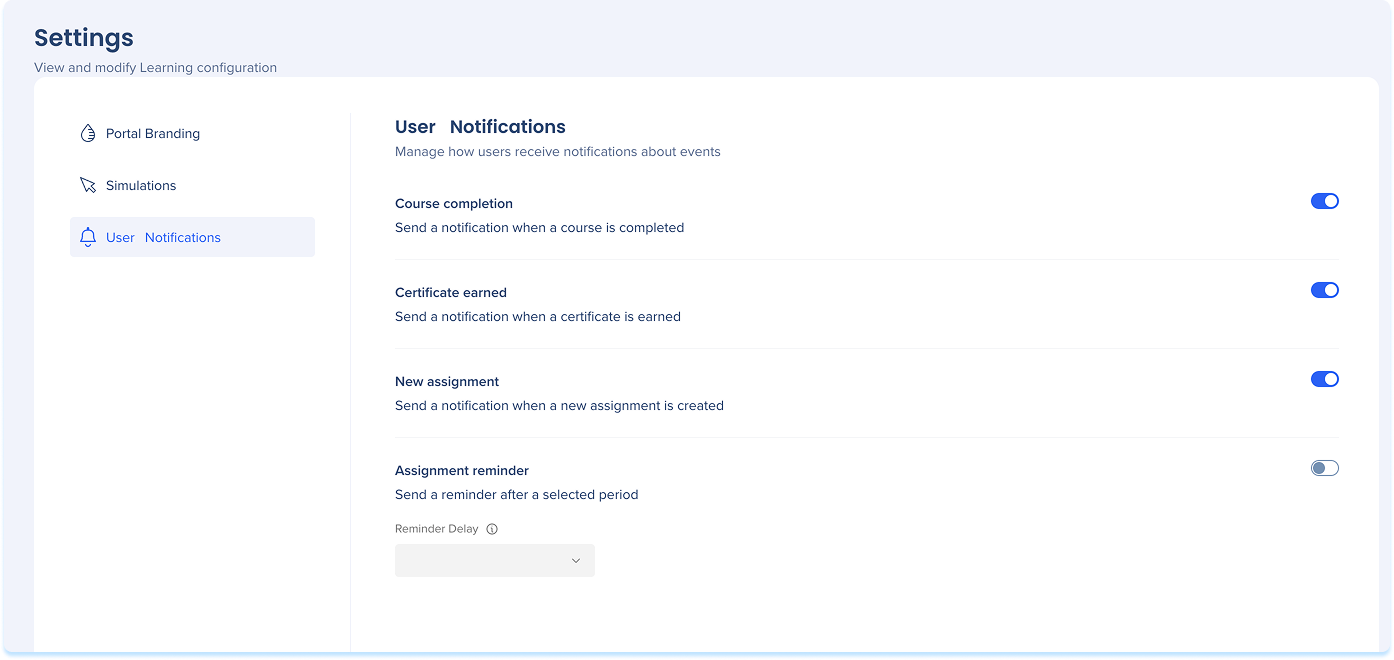
Available email notifications
Course completion
Sends an email to a learner when they complete a course.
Why it's sent
- Confirms course completion
- Reinforces learning progress
- Encourages continued learning
Triggered when
A learner completes a course

Certificate earned
Sends an email to a learner when they earn a certificate.
Why it's sent
- Acknowledges achievement
- Makes certification feel official
Triggered when
A learner's certification status changes to earned

New assignment
Sends an email to learners when new learning content is assigned.
Why it's sent
- Notifies learners that action is required
- Drives course starts
Triggered when
Learning content is assigned to an individual learner, or segment

Assignment reminder
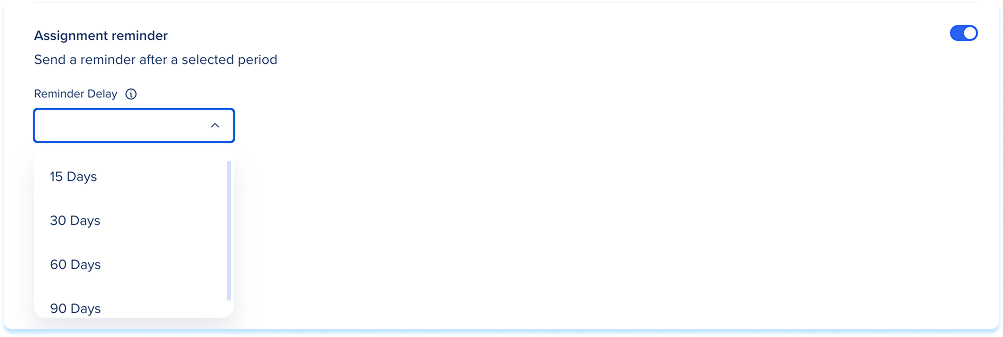
Sends a reminder email to learners who haven't completed assigned learning content.
Why it's sent
- Nudges learners to take action
Triggered when
The selected number of days has passed since assignment and the course is still incomplete.
You can choose when the reminder is sent:
- 15 days
- 30 days
- 60 days
- 90 days