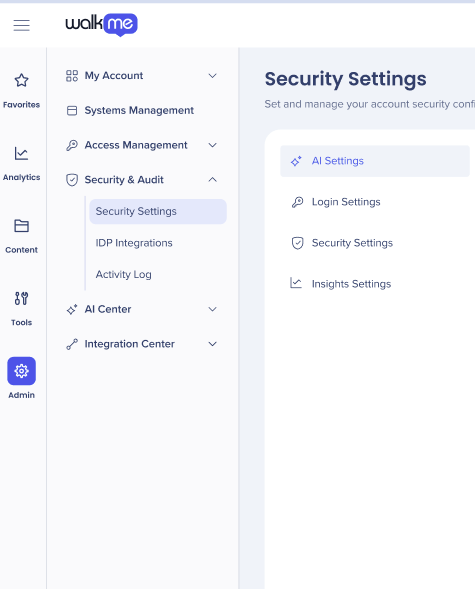
Kurzübersicht
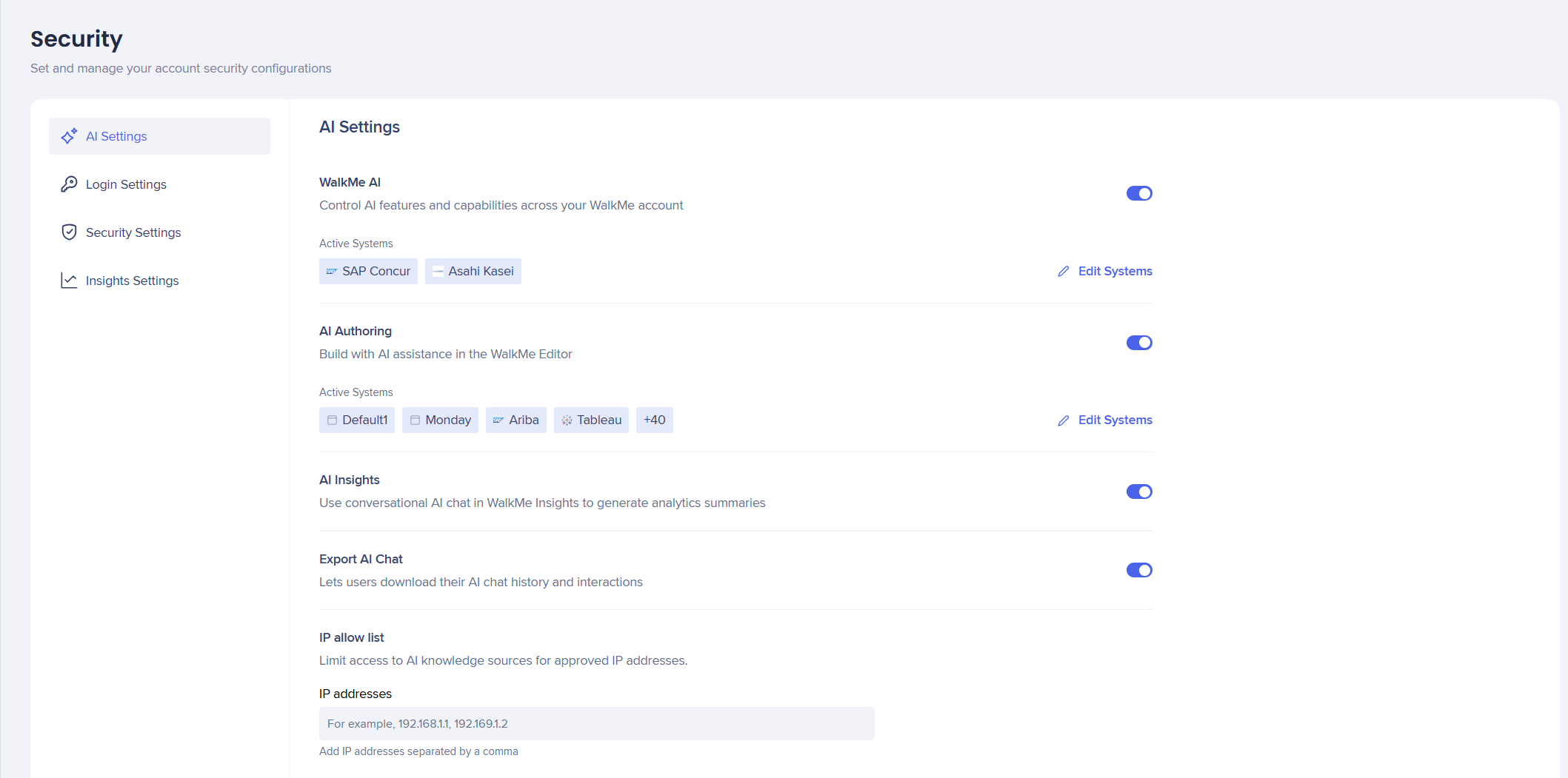
Die Registerkarte KI-Einstellungen vereint alle KI-Funktionen an einem Ort, sodass Admins eine verbesserte Verwaltung und Kontrolle über ihre KI-Funktionen und die Nutzung über Systeme und Konten hinweg haben.
Zugriff
Stellen Sie Ihre WalkMe-KI bereit, indem Sie die Aktivierungsschritte in der Reihenfolge des Leitfadens für die ersten Schritte befolgen.
Kunden müssen zuerst den KI-Bedingungen und Bedingungen von WalkMe zustimmen, bevor Sie die Schalter aktivieren können, um die KI-Funktionen zu aktivieren oder zu deaktivieren.
Konfigurieren Sie die Verfügbarkeit der kontextbezogenen KI-Unterstützung in Ihrem WalkMe-Konto. Das Aktivieren dieser Funktion aktiviert die KI-Pakete „Pinned“, „Proaktiv“ und „On-Demand“, um automatisierte Systemintelligenz zu verwenden, um die Benutzerabsicht zu erkennen, die nächstbesten Aktionen vorzuschlagen und die Gesamtproduktivität und Compliance zu verbessern.
Dies muss zuerst auf Kontoebene und dann für ausgewählte Systeme aktiviert werden.
- Aktivieren Sie WalkMe KI, um diese Funktionen für Ihr Konto und Ihre Systeme zu aktivieren
About Contextual AI Assistance
KI-Erstellung
KI-Authoring ermöglicht es Ihnen, WalkMe-Inhalte zu erstellen und zu ändern, indem Sie in einfacher Sprache beschreiben, was Sie möchten, anstatt sie manuell zu erstellen.
Dies muss zuerst auf Kontoebene und dann für ausgewählte Systeme aktiviert werden.
- Aktivieren Sie KI Authoring, um diese Funktionen für Ihr Konto und Ihre Systeme zu aktivieren
AI Authoring
AI Insights
AI Insights ist ein konversationales KI-Chat-Tool, das in WalkMe Insights integriert ist. Es analysiert Daten aus Ihren verbundenen WalkMe-Systemen und zeigt Antworten in einfacher Sprache an.
AI-Nutzung kann nur auf einer Kontoebene aktiviert werden .
- Aktivieren Sie AI-Insights, um diese Funktionen für Ihr Konto zu aktivieren
AI Insights
AI-chat exportieren
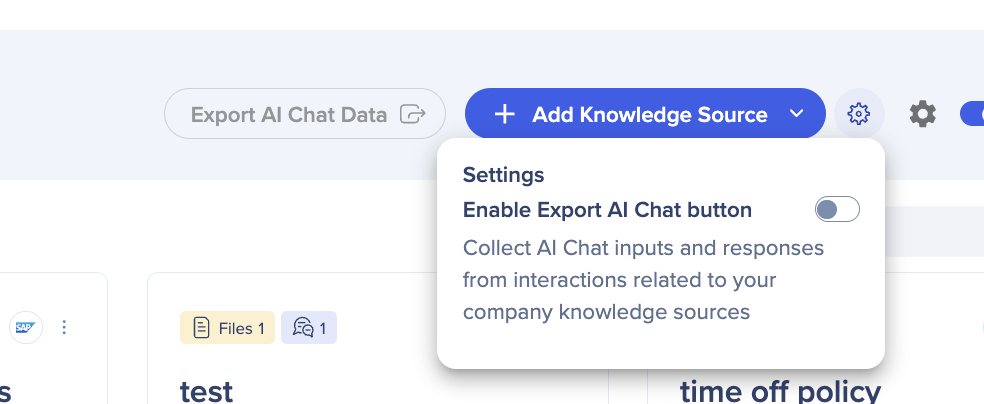
Der Schalter AI-Chat exportieren ermöglicht es Benutzern, die AI-Chat-Eingaben und -Antworten aus Interaktionen im Zusammenhang mit AI-Wissensquellen zu sammeln. Dieser Umschalter war zuvor im AI Center.
- Aktivieren Sie den KI-Chat exportieren, er wird dann im KI-Center zugänglich
Security Settings
IP-Zulassungsliste
Dies ist für Konten mit hohen Datenschutzbestimmungen, die steuern möchten, welche Endbenutzer Zugriff auf ihre KI-Wissensquellen haben.
Wenn Sie möchten, dass alle Ihre Wissensquellen öffentlich verfügbar sind, müssen Sie keine IP-Adressen eingeben.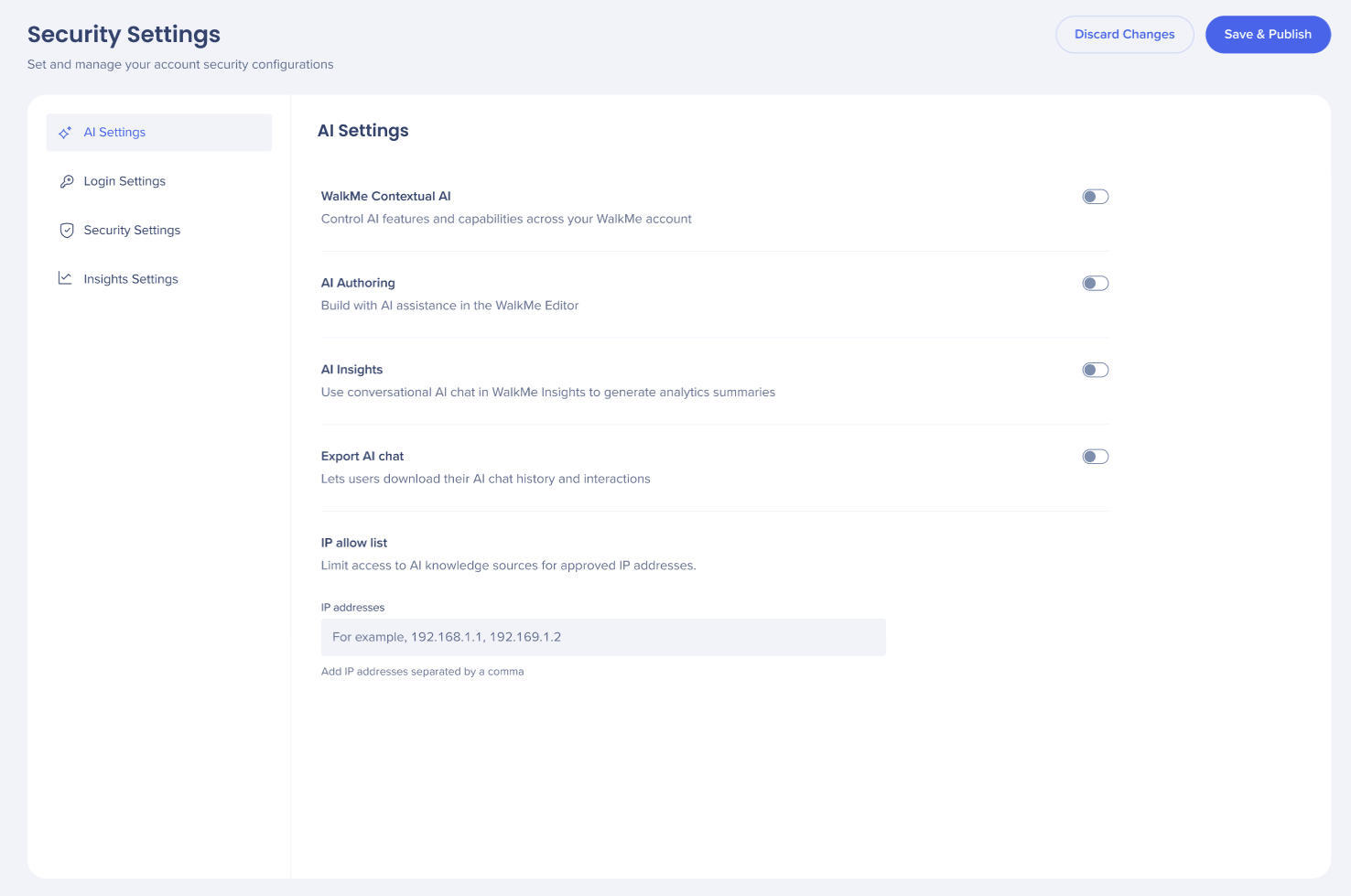
- Fügen Sie IP-Adressen zum Feld hinzu, jede konfigurierte IP erscheint als individuelles Tag im Feld
- Wählen Sie Änderungen verwerfen oder Speichern und veröffentlichen
Anmerkung
Wenn öffentlicher Zugriff aktiviert ist, kann jede IP-Adresse auf die hochgeladenen Wissensquellen zugreifen – die IP-Einschränkungsliste wird ignoriert. Mehr erfahren
Technische Hinweise
- KI auf Systemebene ist nur verfügbar, während die KI auf Kontoebene aktiviert ist
- AI-Chat wird nur mit dem Pro-Menü unterstützt, er wird nicht mit dem Legacy-WalkMe-Menü unterstützt
- AI Insights und AI Authoring unterstützen kein benutzerdefiniertes LLM.