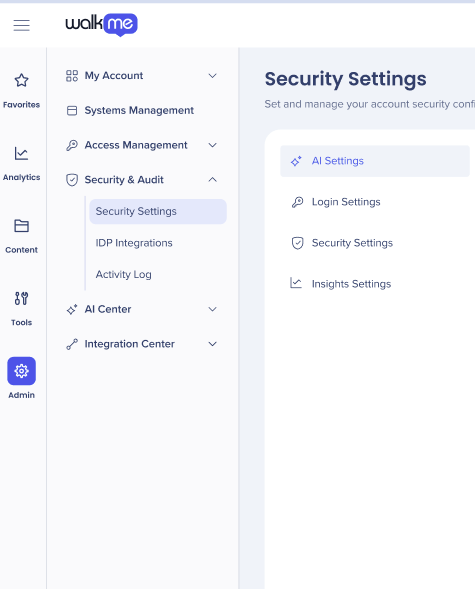
Breve descripción general
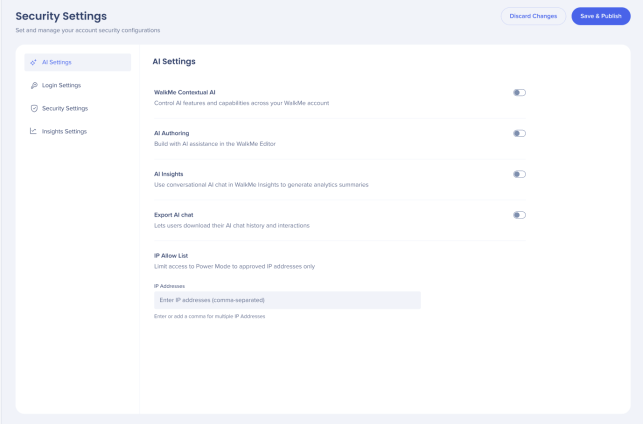
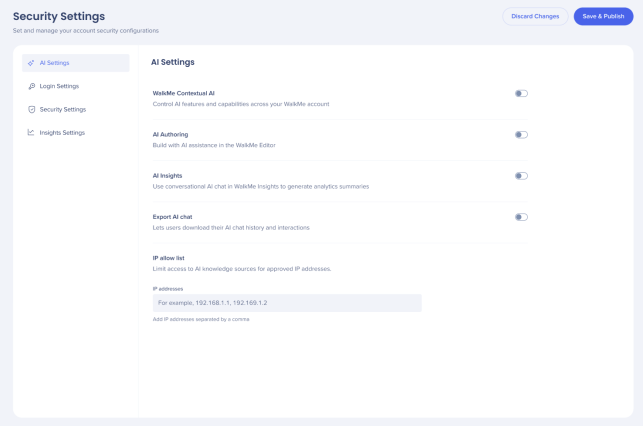
La pestaña Ajustes de IA pone todas las capacidades de IA en un solo lugar, lo que brinda a los administradores una gestión y un control mejorados sobre sus funciones de IA y su uso en sistemas y cuentas.
Acceso
La pestaña Ajustes de IA pone todas las capacidades de IA en un solo lugar, lo que brinda a los administradores una gestión y un control mejorados sobre sus funciones de IA y su uso en sistemas y cuentas.
Los clientes deben aceptar primero los términos y condiciones de IA de WalkMe antes de activar estas capacidades de IA.
Una vez activada, el administrador tendrá la capacidad de activar o desactivar las capacidades de WalkMe AI.
WalkMe Contextual AI
Configure the availability of Contextual AI Assistance across your WalkMe account. Enabling this feature activates Pinned, Proactive, and On-Demand AI packages to use automated system intelligence to detect user intent, suggest next best actions, and improve overall productivity and compliance.
This needs to be activated on an account level first and then for selected systems.
About Contextual AI Assistance
AI Authoring
AI Authoring lets you create and modify WalkMe content by describing what you want in plain language, instead of building it manually.
This needs to be activated on an account level first and then for selected systems.
- Turn on AI Authoring to enable these features for your account and systems
AI Authoring
AI Insights
AI Insights is a conversational AI chat tool built into WalkMe Insights. It analyzes data from your connected WalkMe systems and surfaces answers in plain language.
AI Insights can be activated on an account level only .
- Turn on AI Insights to enable these features for your account
AI Insights
Export AI Chat
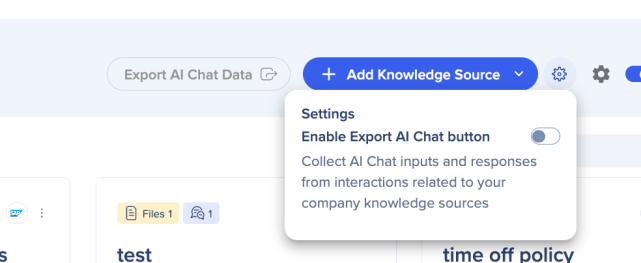
The Export AI Chat toggle enables users to collect the AI Chat inputs and responses from interactions related to AI knowledge sources. This toggle was previously in the AI Center.
- Turn on Export AI Chat, it then becomes accessible in the AI Center
Security Settings
IP Allow List
This is an account-level setting. It applies to all AI knowledge sources associated with the account and controls which users can access the uploaded knowledge source documentation.
Organizations with strict privacy requirements can use the IP allow list to control which users can access their AI knowledge sources.
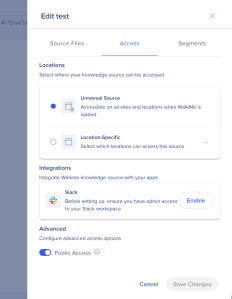
The default is Public Access for your AI knowledge sources, only add the specific IP addresses to the list if you want to restrict access. Only users connecting from an allowed IP address can then access the knowledge sources.
If you want all your knowledge sources to be publicly available, you don't need to add any IP addresses.
- Add IP addresses to the field, each configured IP appears as an individual tag in the field
- Choose Discard Changes or Save & Publish
Nota
Cuando el acceso público está activado, cualquier dirección IP puede acceder a las fuentes de conocimiento cargadas; se ignora la lista de restricciones de IP.
 Notas técnicas
- La IA a nivel de sistema está disponible solo mientras la IA a nivel de cuenta está activada
- Chat de IA solo es compatible con el Menú Pro, no con el WalkMe Menu heredado
- AI Insights y AI Authoring no tienen Asistencia para LLM personalizado