Breve descripción general
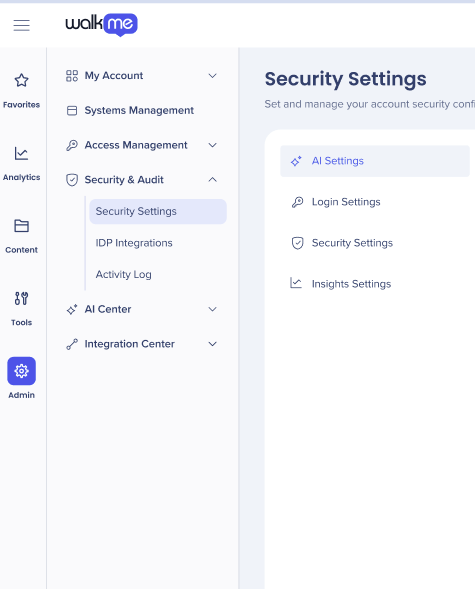
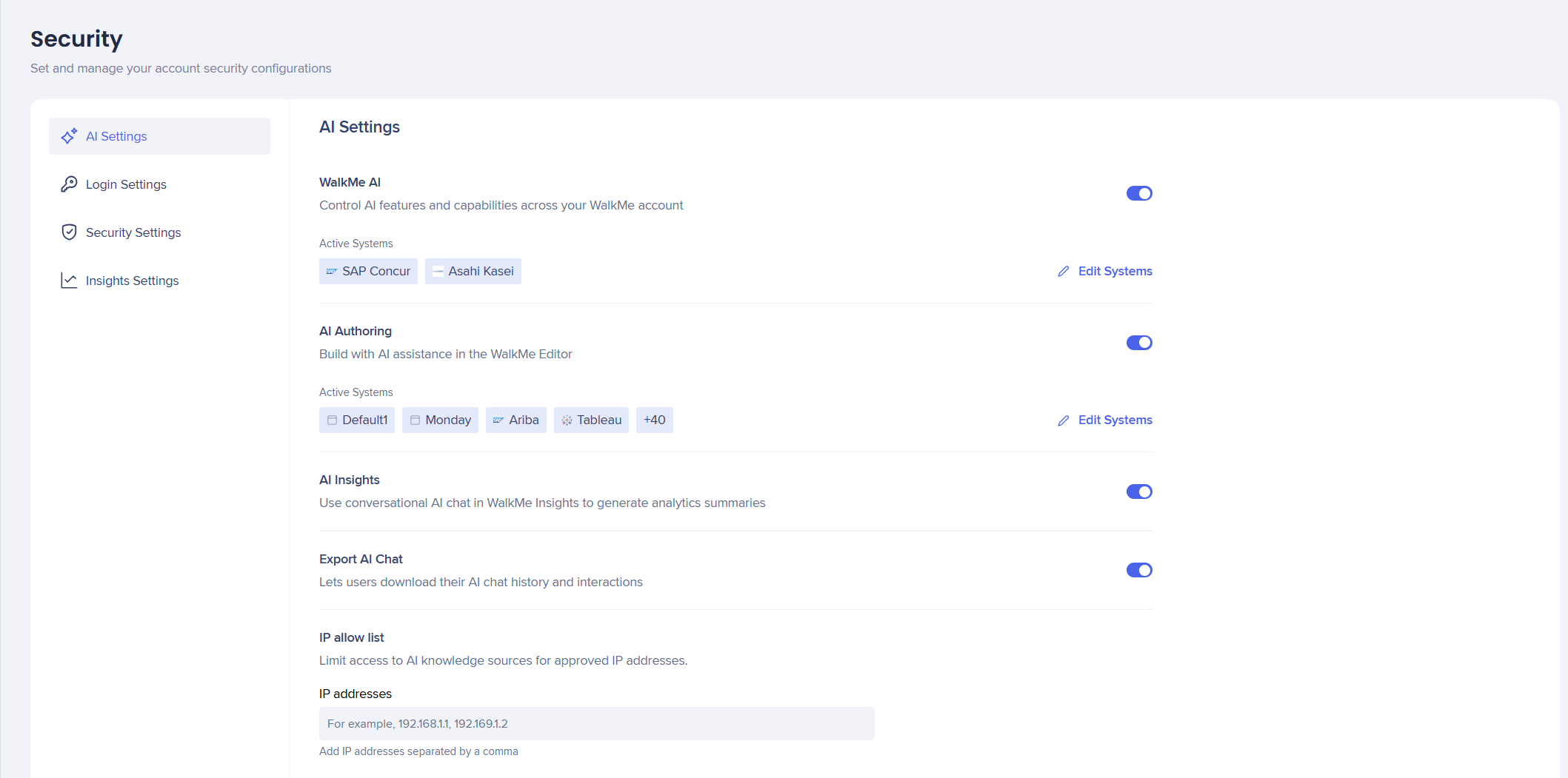
La pestaña Ajustes de IA pone todas las capacidades de IA en un solo lugar, lo que brinda a los administradores una gestión y un control mejorados sobre sus funciones de IA y su uso en sistemas y cuentas.
Acceso
Despliega tu WalkMe AI siguiendo los primeros pasos de activación en el orden de la guía de introducción.
Los clientes deben aceptar primero los términos y condiciones de IA de WalkMe antes de que puedas activar los interruptores para activar o desactivar las capacidades de IA.
Configura la disponibilidad de Asistencia contextual de IA en tu cuenta de WalkMe. Al activar esta función, se activan los paquetes Anclados, Proactivos y On-Demand de IA para utilizar la inteligencia del sistema automatizado para detectar la intención del usuario, sugerir las siguientes mejores acciones y mejorar la productividad general y el cumplimiento.
Esto debe activarse primero a nivel de cuenta y luego para los sistemas seleccionados.
- Activa WalkMe AI para activar estas funciones para tu cuenta y tus sistemas
About Contextual AI Assistance
Autoría con IA
La autoría con IA te permite crear y modificar contenido de WalkMe describiendo lo que quieres en lenguaje sencillo, en lugar de crearlo manualmente.
Esto debe activarse primero a nivel de cuenta y luego para los sistemas seleccionados.
- Activa AI Authoring para activar estas funciones para tu cuenta y tus sistemas
AI Authoring
AI Insights
AI Insights es una herramienta de Chat de IA conversacional integrada en WalkMe Insights. Analiza los datos de tus sistemas WalkMe conectados y muestra las respuestas en lenguaje sencillo
AI Insights solo se puede activar a nivel de cuenta .
- Activa AI Insights para activar estas funciones para tu cuenta
AI Insights
Exportar Chat de IA
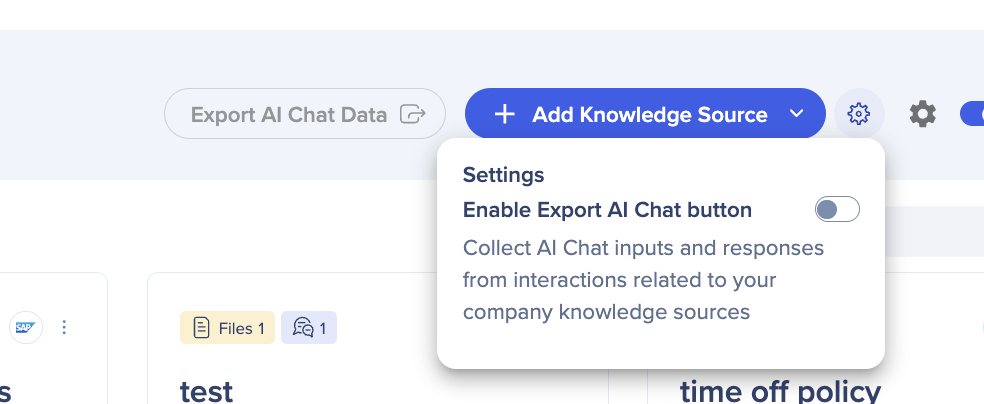
El interruptor Exportar Chat de IA permite a los Usuarios recopilar las entradas y respuestas de Chat de IA de interacciones relacionadas con fuentes de conocimiento de IA. Este interruptor se encontraba anteriormente en el Centro de IA.
- Activa Exportar AI Chat para que se pueda acceder a él en el Centro de IA
Security Settings
Lista de IP permitidas
Esto es para cuentas con regulaciones de privacidad estrictas que desean controlar qué usuarios finales tienen acceso a sus fuentes de conocimiento de IA.
Si quieres que todas las fuentes de conocimiento estén disponibles públicamente, no necesitas introducir ninguna dirección IP.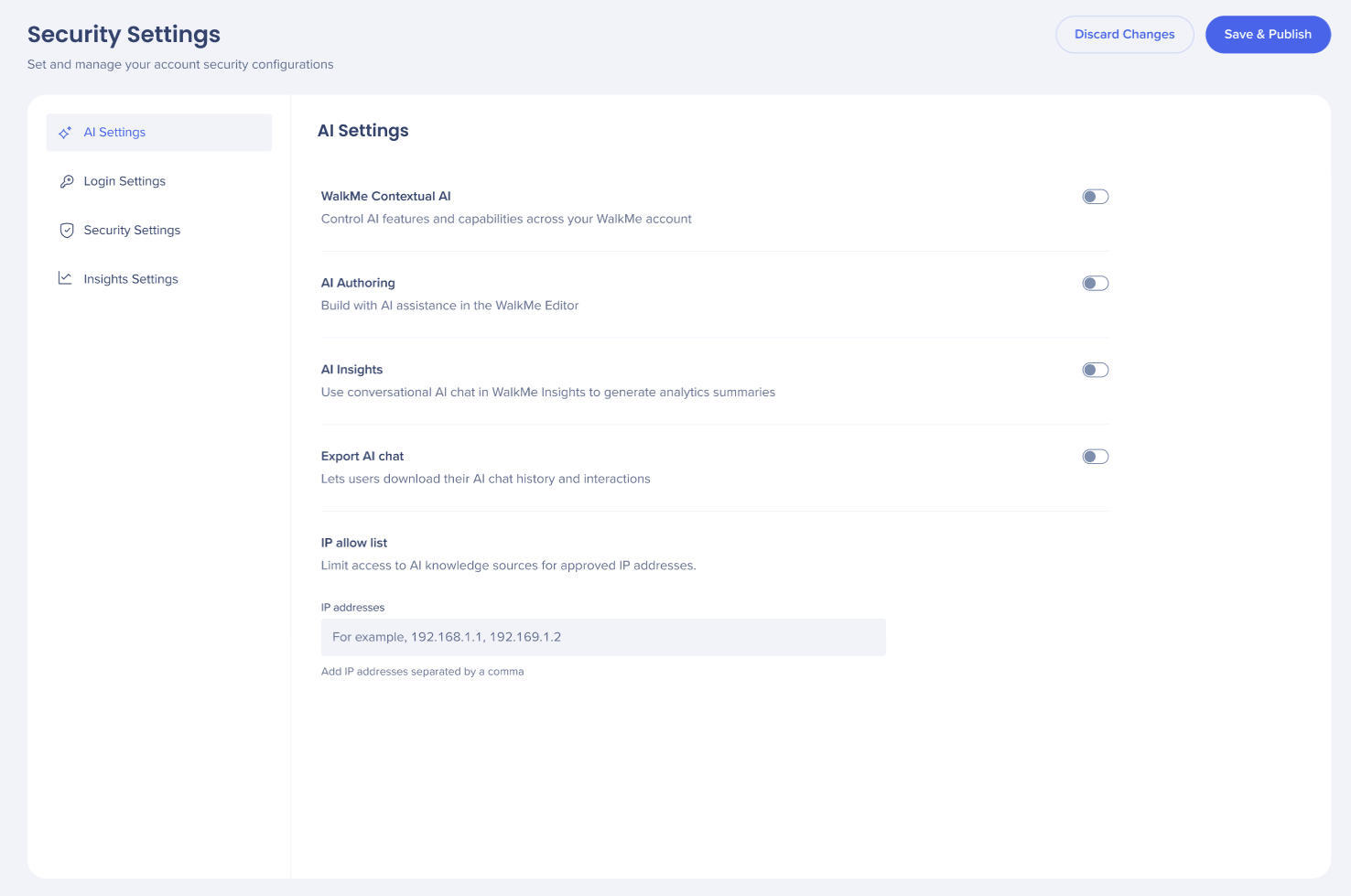
- Añade direcciones IP al campo; cada IP configurada aparece como una etiqueta individual en el campo.
- Elige Descartar cambios o Guardar y Publicar
Nota
Cuando el acceso público está activado, cualquier dirección IP puede acceder a las fuentes de conocimiento cargadas; se ignora la lista de restricciones de IP. Más información
Notas técnicas
- La IA a nivel de sistema está disponible solo mientras la IA a nivel de cuenta está activada
- Chat de IA solo es compatible con el Menú Pro, no con el WalkMe Menu heredado
- AI Insights y AI Authoring no tienen Asistencia para LLM personalizado