Brief Overview
Report building issues directly from the WalkMe Editor and have them resolved faster with the WalkMe Builder Assistant Tickets.
How It Works
Opening a ticket
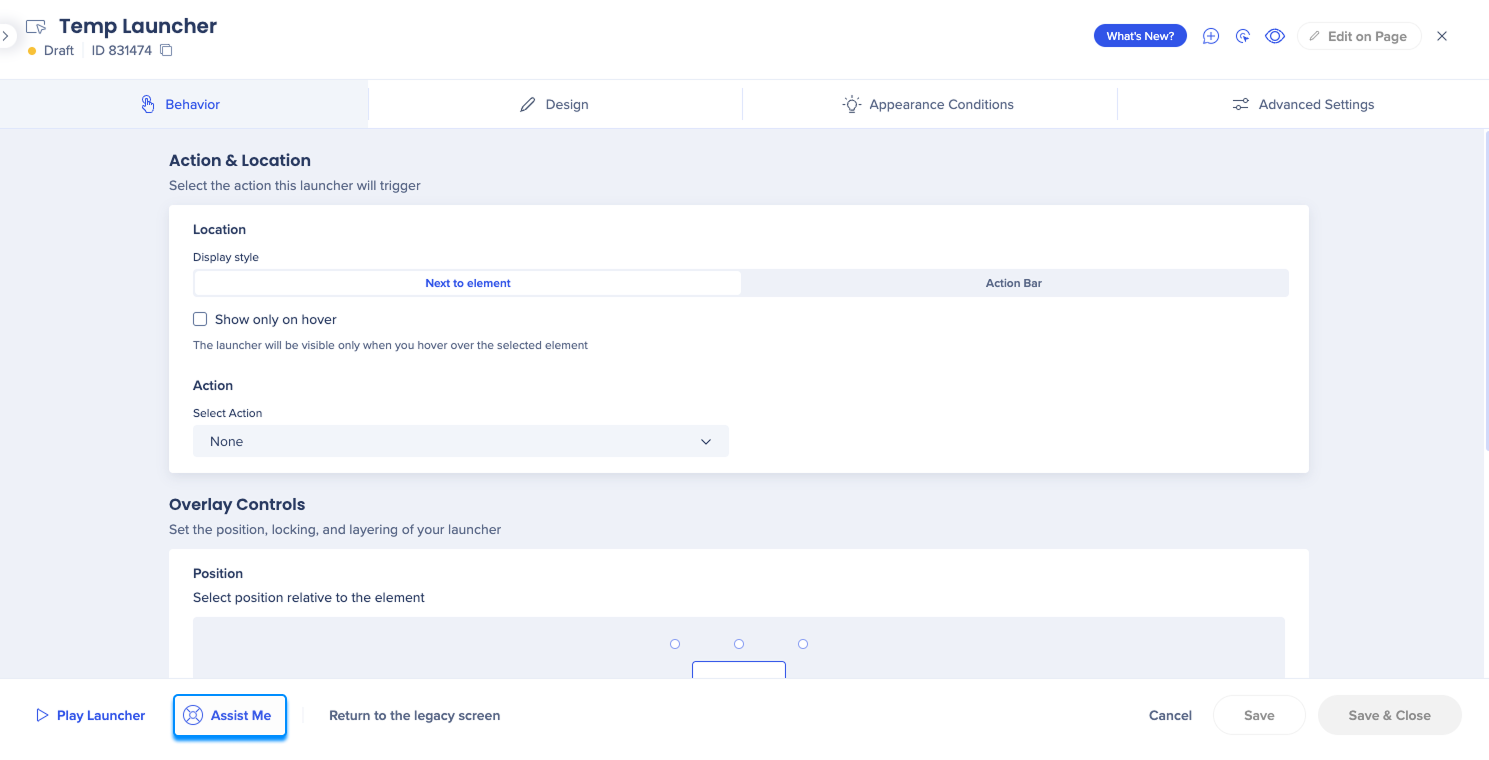
Assist Me
Accessed via the WalkMe Editor, Assist Me is here when you encounter WalkMe items that aren't behaving as intended. Using WalkMe Builder Assistant, Assist Me is a quick-start button to help resolve your issue on the spot or by submitting a ticket directly from within the WalkMe Editor.
"Clicking the 'Assist Me' button is a truly magical experience. It has significantly reduced the time it takes to resolve my support tickets, and I am constantly amazed at how effortlessly it works."
Guillaume Harbonnier, Educational Engineer DAP, MFP Michelin
Ticket types and how they are routed
1. Item shouldn't be on the page
Choose this option when an item appears even though it shouldn't.
For example, it triggers on the wrong page, or appears in an unexpected flow.
Process:
- If the issue is tied to how the item's target element is recognized, the Assistant team will handle it
- If the issue is caused by rules, segmentation, scheduling, or configuration, the ticket is routed to Support
2. Item is missing from the page
Choose this when an item you expect to see does not appear at all.
Process:
- If the item is missing because the target element is not being detected correctly, the Assistant team will handle it
- If the element is found but other logic hides or prevents the item from displaying, the ticket is routed to Support
3. Item isn't where it should be
Choose this when an item appears on the page but in the wrong location.
Process:
- If the issue relies on element recognition, the Assistant team will handle it
- If the issue is unrelated to recognition (for example, styling, layout changes, custom frameworks), the ticket is routed to Support
4. Something else
Choose this for issues not related to the behavior or location of a specific item, such as general bugs, editor issues, or unexpected platform behavior.
Process:
- These tickets are sent directly to Support
Condition builder tickets
You can also open an assistant ticket from the condition builder if you're having issues with the on screen element condition.
To open the assistant ticket from the condition builder:
- Open the Precision settings
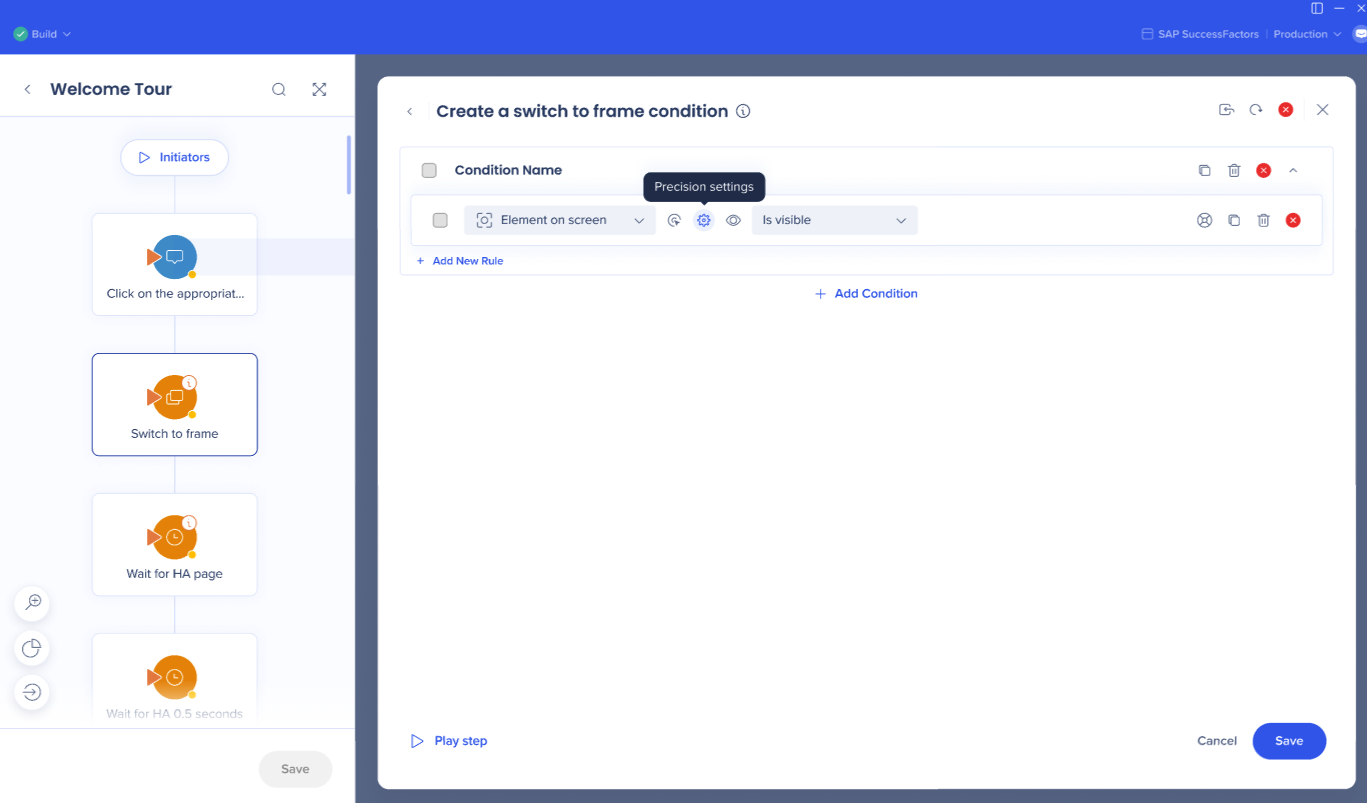
- Make sure there are no issues there
- Select the Assist me button
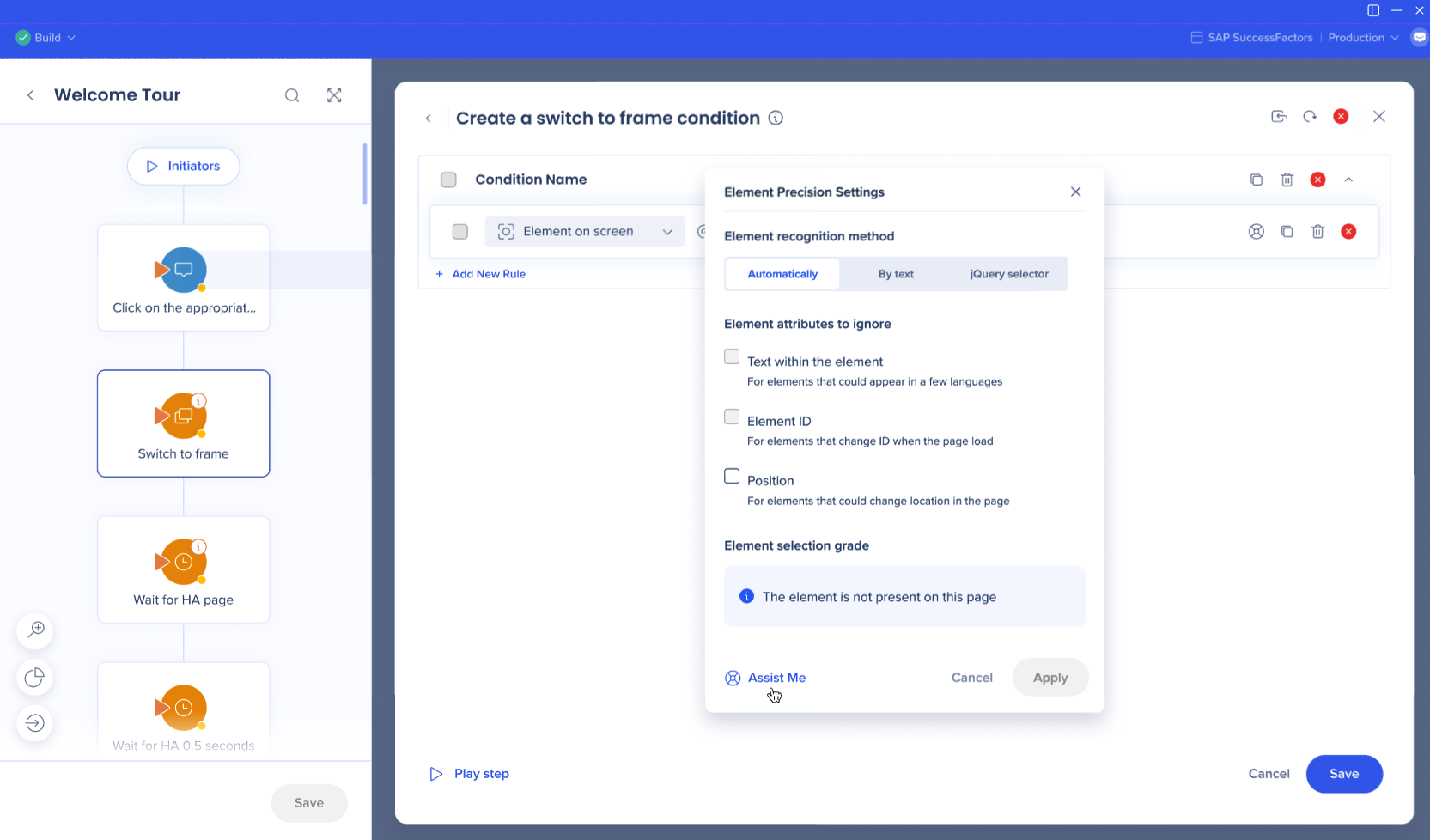
- Select the type of issue you're experiencing:
- The element is on the screen, but the rule comes back as false
- The element isn't on the screen, but the rule comes back as true
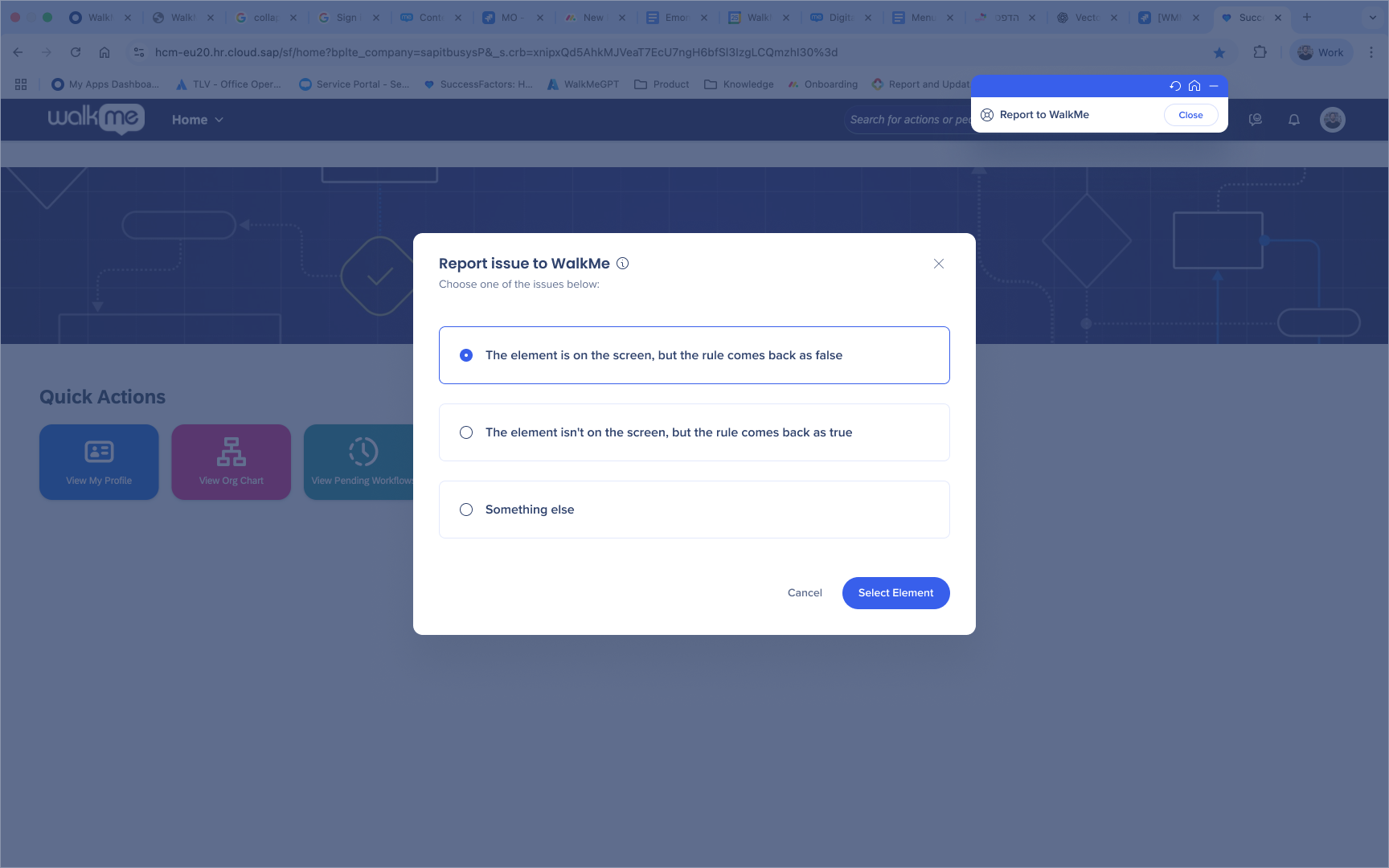
- If you selected the first option, capture that element on screen
- Review and submit the report
Builder assistant dashboard
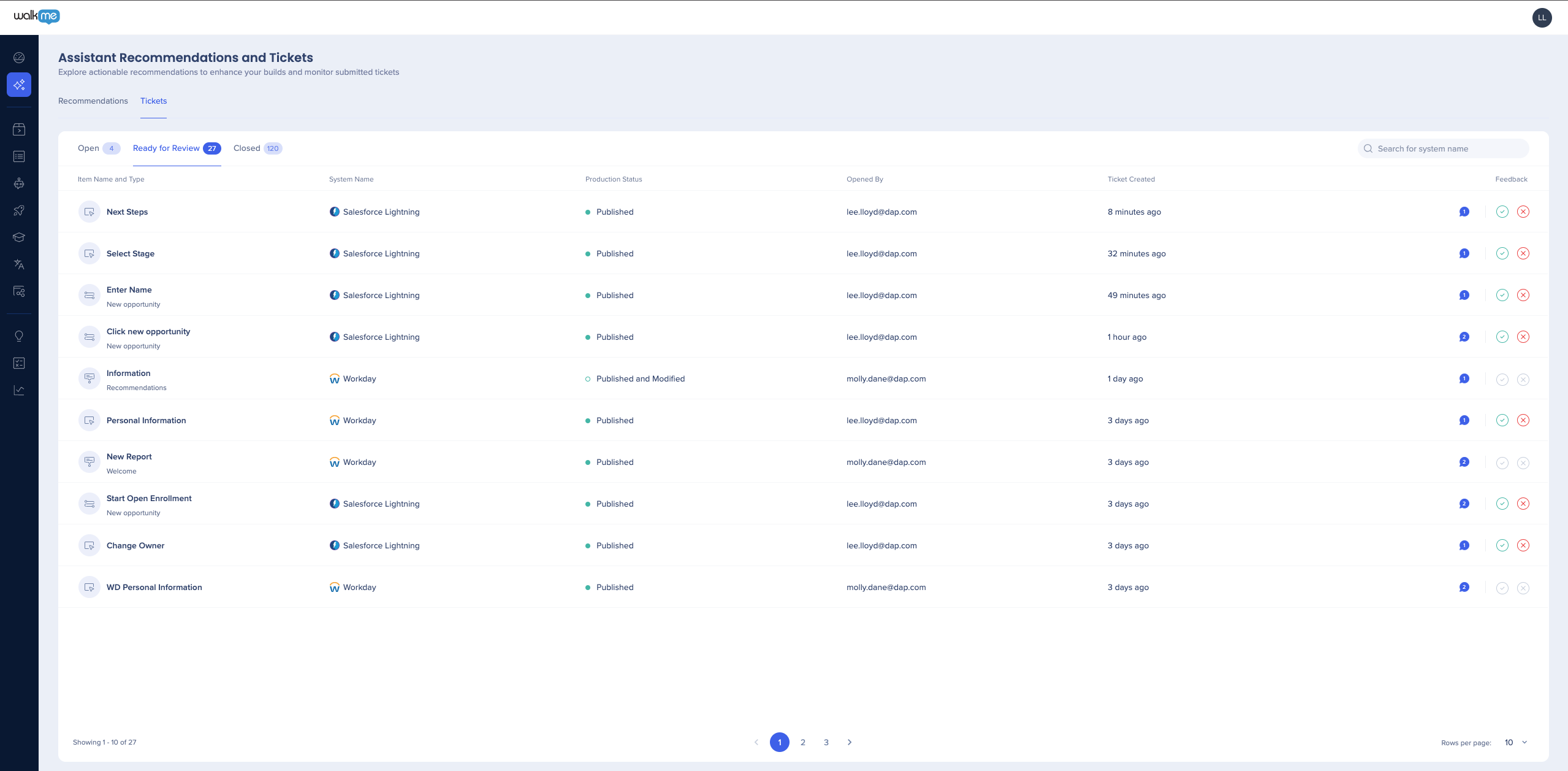
The Builder Assistant dashboard in the Console, accessible at console.walkme.com/assistant, provides a central place to view and manage all of your Builder Assistant tickets.
In the Tickets tab, you can manage all of your Builder Assistant tickets, including those that are open, ready for review, and completed.
Ticket confirmation
Before resolving an open Builder Assistant ticket, tickets will move to the Ready for Review tab where you can indicate whether a solution worked or not. Admins now have the ability to approve or reject any ticket's resolution even if they didn't open the ticket.
Ready for Review
- "Ready for Review" status means the Builder Assistant team has resolved the issue. You should accept or decline the solution. If declined, the ticket will be reopened.
- Resolved tickets will be automatically closed after 6 business days
- There is no additional action required on the user's side. Our team will reach out in case any clarifications are needed via the comments section.
Green check mark: Solution works
Red X: Solution didn't work
Note
Solutions can only be confirmed by the ticket creator.
Once you accept a solution, the ticket will move to the Closed tab and you will be able to rate your experience using Builder Assistant. It is welcomed but not mandatory.
If you reject a solution, you will be asked to provide more information and the ticket will go back to the Open tab.
Did you know?
The tickets are resolved by the Builder Assistant team and require no further action from you except for accepting or declining the solution. When an issue was resolved, we don't expect you to handle similar issues in the future by yourself - just open another ticket for us, and we'll take care of it.
Communication with builder assistant team
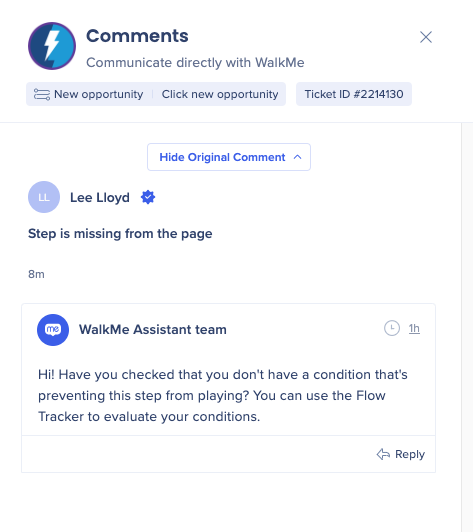
In some cases, it may be necessary for the Builder Assistant team to contact you if they need further information. You can message with them directly in the Console on your tickets and recommendations.
Use cases
- View any comments you added while reporting the ticket
- Communicate with the Builder Assistant team on your tickets directly within the product
- Provide additional feedback before accepting solutions
How it works
- Click the message bubble to open a conversation
- Add a new message by clicking the + Add Message button
-
Comments and replies can be added to any ticket, even if you aren't the reporter
"Using WalkMe Builder Assistant to submit and manage tickets is brilliant! I love that I can do it all through the Editor, and that I receive a notification to see the latest information. This is doing the admin work for me."
Laura Dean, HRIT Digital Adoption and Training Lead, TUI Group
Note
The editor notification will only appear when you are in the same system used to submit the ticket. In the console you can see all ticket and recommendation information for all of your systems.
Technical Notes


