Brief Overview
WalkMe Builder Assistant helps you optimize your digital adoption assets and manage them at scale. Get personalized recommendations to improve your content, report building issues without leaving the editor, and resolve them in real time.
Use Cases
- Improve content quality with personalized recommendations
- Report and resolve building issues without leaving the editor
- Manage tickets across multiple systems in one dashboard
- Get ahead of issues with proactive alerts
- Save time with built-in automation
What customers say
"Thanks to WalkMe DeepUI, we can ensure that our solutions in Microsoft Dynamics remain stable and functioning flawlessly, even with ongoing changes to the underlying platform. This not only saves us valuable time but also guarantees a positive experience for our end-users."
Karen Hastings, Business Systems Trainer, Hitachi Construction Machinery Oceania
Access
Access the Builder Assistant in the console:
- Open the WalkMe Console:
- Go to the Tools category
- Select Builder Assistant
How It Works
Builder Assistant works through two core capabilities: reporting issues via tickets and applying content recommendations.
WalkMe Builder Assistant: Getting Started Guide
Tickets
If you're building in the editor and encounter an item that's not behaving as intended, submit the issue using the AssistMe button. Select the button, choose the issue, and the Builder Assistant team will help you resolve it quickly, with no support ticket required.
WalkMe Builder Assistant: Tickets
Recommendations
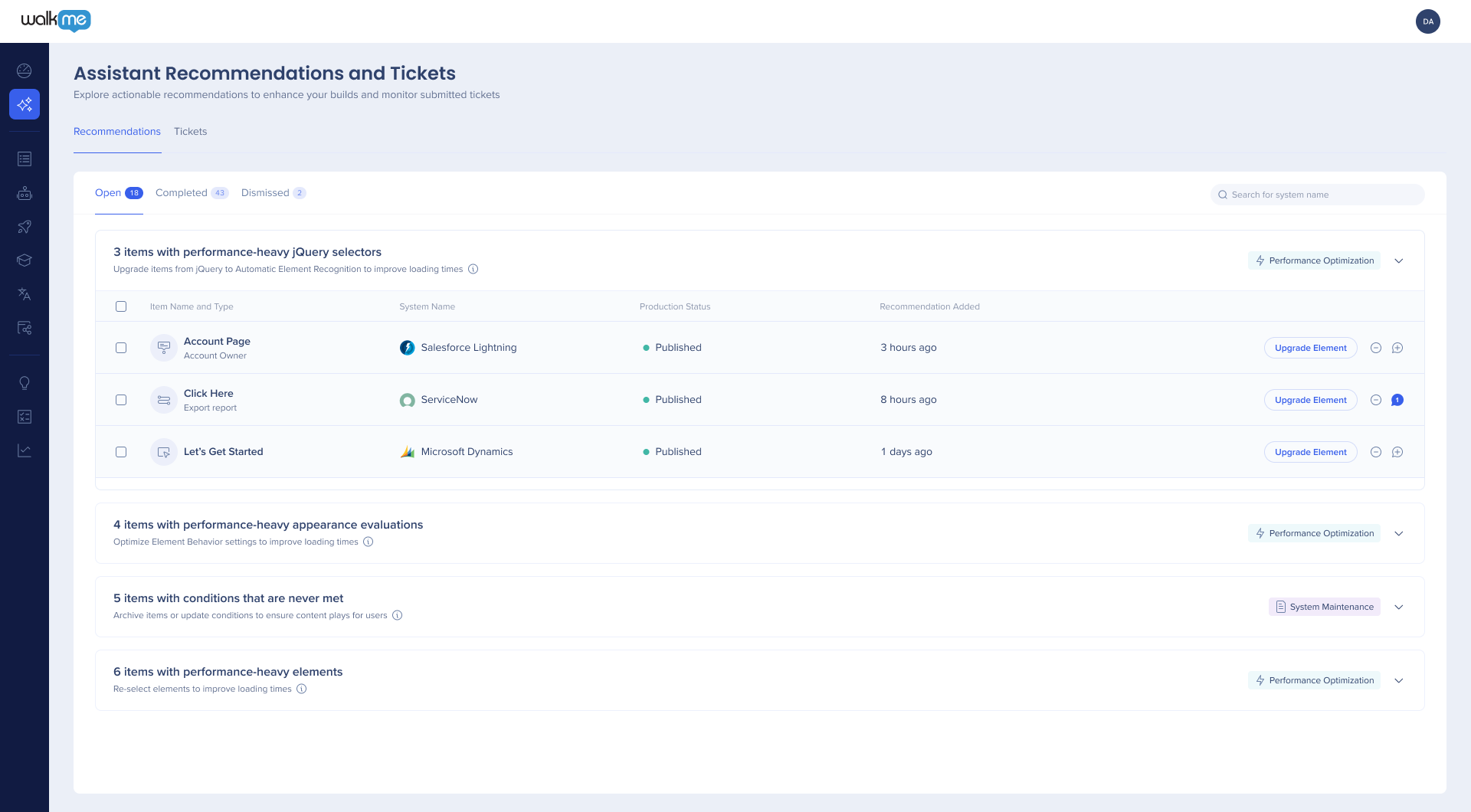
WalkMe's DeepUI technology monitors your content and gives you real-time recommendations to optimize your builds. Apply recommendations with one click to get the most out of your DAP solution.
WalkMe Builder Assistant: Recommendations
Technical Notes
- Builder Assistant supports the following item types:
- Smart Walk-Thru steps
- Supported steps: Step, Auto Step
- Unsupported steps: Triggers, Popup, Split Action, Wait for
- SmartTips
- Launchers
- You need system access to view tickets and recommendations
- Navigation mode isn't supported during element selection
- Self-hosted customers must be on a hybrid solution to use Builder Assistant. Learn more


