Brief Overview
The new folder permissions feature is designed to help customers manage access to their content. This feature addresses two main concerns: visibility and permissions. With folder permissions, customers can restrict access to certain folders, ensuring that partners and builders only see the content that is relevant to them. This helps to maintain security and avoid confusion. Additionally, it prevents content disruption and helps to avoid accidental deployment of content to production.
Overall, folder permissions provide customers with greater flexibility and control over their content, helping them to collaborate more effectively and efficiently.
To activate this capability, reach out to your CSM.
How to Use
Restricting a Folder
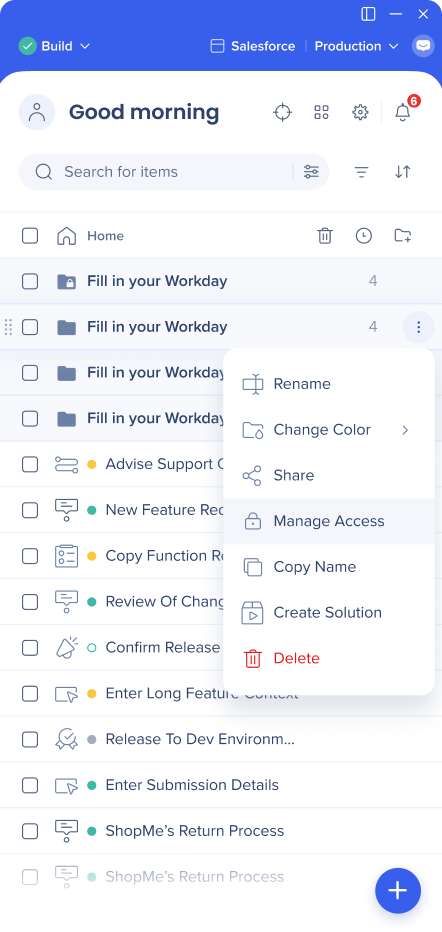
- To restrict a folder, open the item menu and select Manage Access
-
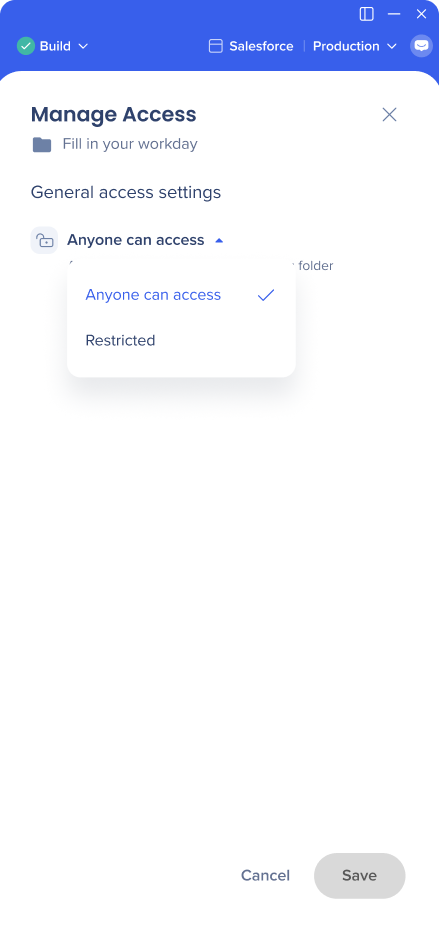
Click on the arrow icon, and change the setting to Restricted
-
Save the changes
Adding / Removing Users
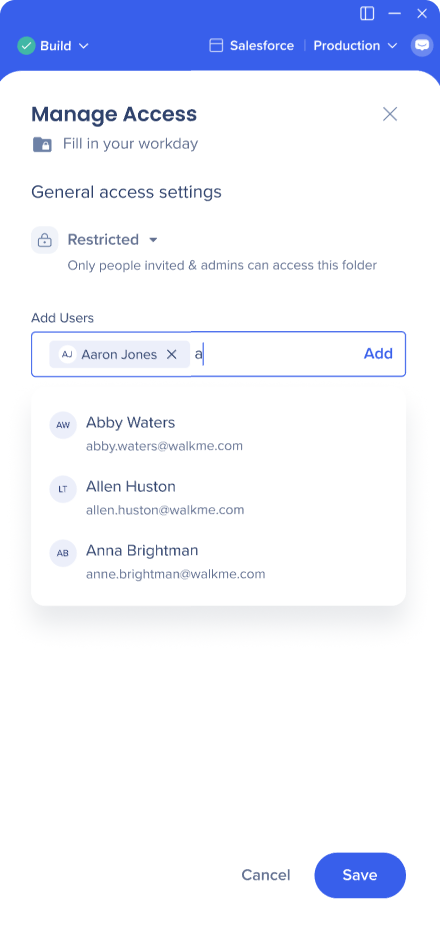
- To add users to a restricted folder, type in their names into the Add Users line, and click Add. You can add multiple users at once.
-
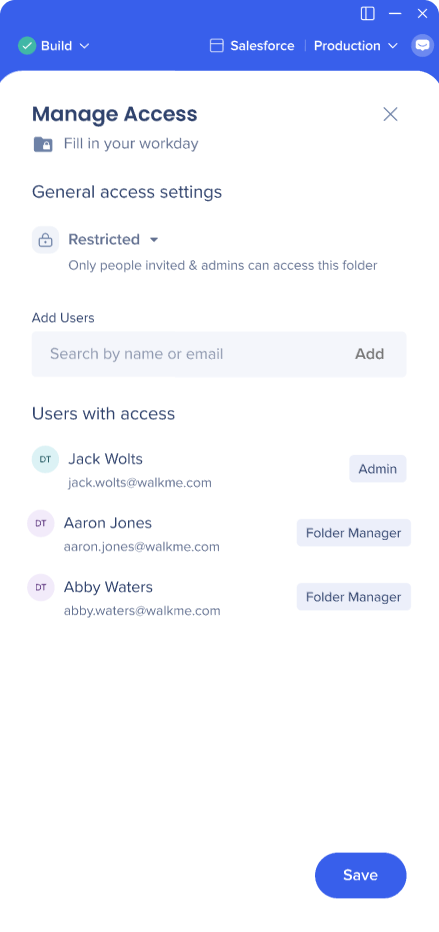
Added users will get the “Folder Manager“ status
-
Save the changes
Note
If you're added to a folder that has other folders in it, you'll automatically gain access to its child folders. You can't be removed from a specific child folder if you have access to its parent.
If you don't have access to a parent folder, you can still be added to a child folder (child folder can have more users than it's parent, but not the other way around).
Opening a Restricted Folder
-
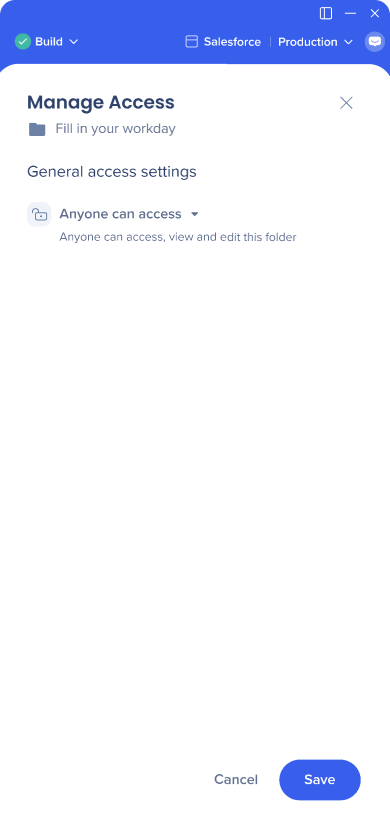
To make a restricted folder public, go to Manage Access, and change it's setting to Anyone can access
-
Save the changes
Note
If the unrestricted folder has other folders in it, those will also automatically become accessible to all the users, unless you manually restrict them.
If a parent folder is restricted, you can't make a child folder open for everyone.
Other Effects of the Folder Permissions
The item list view
-
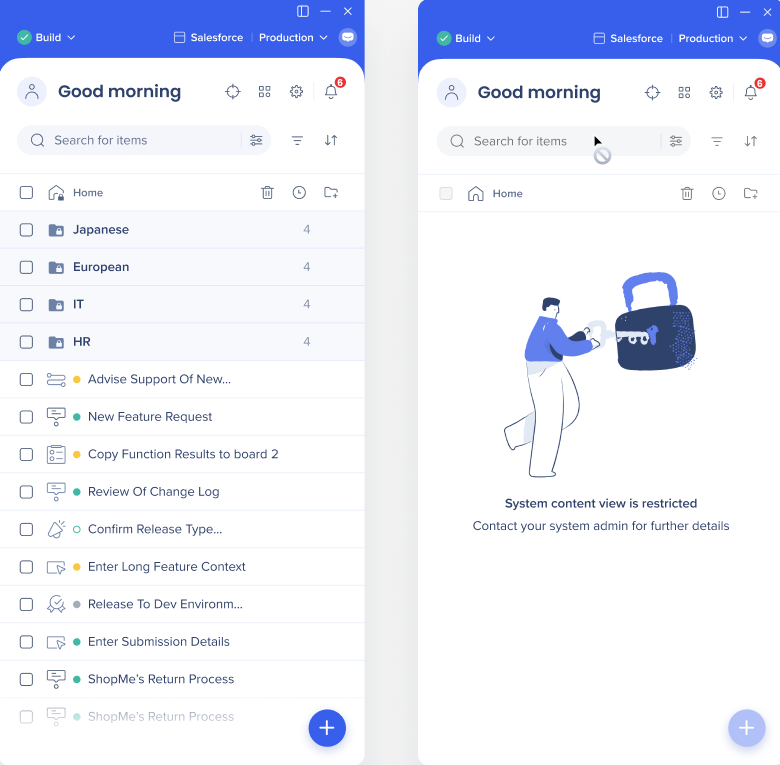
As an admin user, you are always able to view the entire list
-
As a regular user, you are able to see only the folders that are open to everyone, or those you were granted access to
Shared resources
-
There are certain resources in the Editor (segments, attributes, Asset library, Launchers design) that are not nested under a specific folder, but shared across multiple folders
-
You'll be able to perform changes on a shared resource even if you don't have access to all the places it's used in, but you'll be notified that you're about to perform a change that might affect restricted items
Linked items
-
An item in the Editor might trigger or be linked to another item (for example, a Launcher that triggers a Smart Walk-Thru)
-
In case you don't have access to the linked item (like the Launcher in a Smart-Walk-Thru), you'll be shown the name of the linked item and indication that you don't have access to it, however, you'll still be able to edit the linked item
Note
Once such edit is saved, you won't be able to revert back
Technical Notes


